
1. Introduction and Overview
This manual provides detailed instructions for the safe and proper installation and operation of your Alphamount APST01-E Full Motion TV Wall Mount. This mount is designed to securely hold flat and curved televisions or monitors ranging from 13 to 37 inches and weighing up to 20 kg (44 lbs).
The APST01-E offers flexible viewing options with its adjustable tilt and swivel capabilities, allowing you to optimize your viewing experience. Its slim profile helps save space and provides a clean aesthetic.

Image 1.1: The Alphamount APST01-E Full Motion TV Wall Mount, showcasing its articulating design.
2. Safety Information
WARNING: Failure to read and follow all instructions may result in personal injury, property damage, or voiding of warranty. If you do not understand these instructions or have doubts about the safety of the installation, please contact a qualified installer.
- Weight Capacity: Do not exceed the maximum weight capacity of 20 kg (44 lbs).
- Screen Size: This mount is designed for TVs/monitors between 13 and 37 inches.
- VESA Compatibility: Ensure your TV's VESA pattern (mounting holes on the back) is compatible with this mount (75x75mm, 100x100mm, 200x100mm, 200x200mm).
- Wall Type: This mount is intended for installation on wood studs, solid concrete, or brick walls. DO NOT mount on drywall alone.
- Tools: Use appropriate tools for installation. Always wear safety glasses.
- Assembly: Do not overtighten screws. Overtightening can damage the product or your TV.
- Children: Keep children away during installation. Small parts may be a choking hazard.
3. Package Contents
Please verify that all components are present and undamaged before installation. While a detailed list is not provided, the package typically includes:
- TV Wall Mount Assembly
- Standard Mounting Hardware (various screws, anchors, washers)
- Installation Instructions
If any parts are missing or damaged, please contact Alphamount customer support.
4. Specifications
| Feature | Specification |
|---|---|
| Brand | Alphamount |
| Model Number | APST01-E |
| Compatible TV Sizes | 13 - 37 inches |
| Weight Capacity | 20 kg (44 lbs) |
| VESA Compatibility | 75x75mm, 100x100mm, 200x100mm, 200x200mm |
| Tilt Range | +5° / -15° |
| Swivel Range | Up to +/-26° (depends on TV size) |
| Profile from Wall | 5.5 cm (2.17 inches) |
| Material | Alloy Steel, Metal |
| Mounting Type | Wall Mount (Articulating) |


Image 4.1: VESA compatibility and TV size/weight capacity diagrams.
5. Setup and Installation
Follow these steps carefully for a secure installation. It is recommended to have two people for installation.
- Check Wall Compatibility: Ensure your wall is suitable for mounting. This mount is compatible with wood studs, solid concrete, and brick walls. Do not install on drywall alone.
- Locate Mounting Position: Determine the desired height and center of your TV. Use a stud finder to locate wood studs if applicable.
- Attach Brackets to TV: Secure the TV brackets to the back of your television using the appropriate screws and washers from the provided hardware kit. Ensure the brackets are centered and level.
- Install Wall Plate: Hold the wall plate against the wall at your desired mounting location. Mark the drill holes. Drill pilot holes according to the instructions for your specific wall type (wood stud, concrete, or brick). Secure the wall plate to the wall using the provided lag bolts and washers. Ensure the wall plate is level and firmly attached.
- Hang TV: Carefully lift the TV with the attached brackets and hook them onto the wall plate. Ensure the TV is securely seated on the wall plate.
- Secure TV to Wall Plate: Use the safety screws or locking mechanisms to secure the TV brackets to the wall plate, preventing accidental dislodgement.

Image 5.1: Visual guide for the three main installation steps: attaching brackets, installing the wall plate, and hanging the TV.

Image 5.2: Compatible wall types for installation: wood stud, concrete, and brick. Drywall alone is not supported.
6. Operating Instructions
Once installed, your Alphamount APST01-E mount allows for easy adjustment of your TV's position.
6.1. Adjusting Tilt
The mount allows for a tilt range of +5° (upward) to -15° (downward). To adjust the tilt, gently grasp the top and bottom edges of your TV and push or pull to achieve the desired angle. The friction mechanism will hold the TV in place.


Image 6.1: Demonstrating the +5°/-15° tilt adjustment for optimal viewing.
6.2. Adjusting Swivel
The mount can swivel up to +/-26° horizontally, depending on your TV's size and its distance from the wall. To swivel, gently push the side of your TV in the desired direction. The articulating arm will extend and pivot, allowing you to angle the screen.


Image 6.2: Illustrating the swivel capability of the mount for flexible viewing angles.
6.3. Space-Saving Profile
When pushed back against the wall, the mount maintains a slim profile of 5.5 cm (2.17 inches), helping to save space and create a tidy appearance.
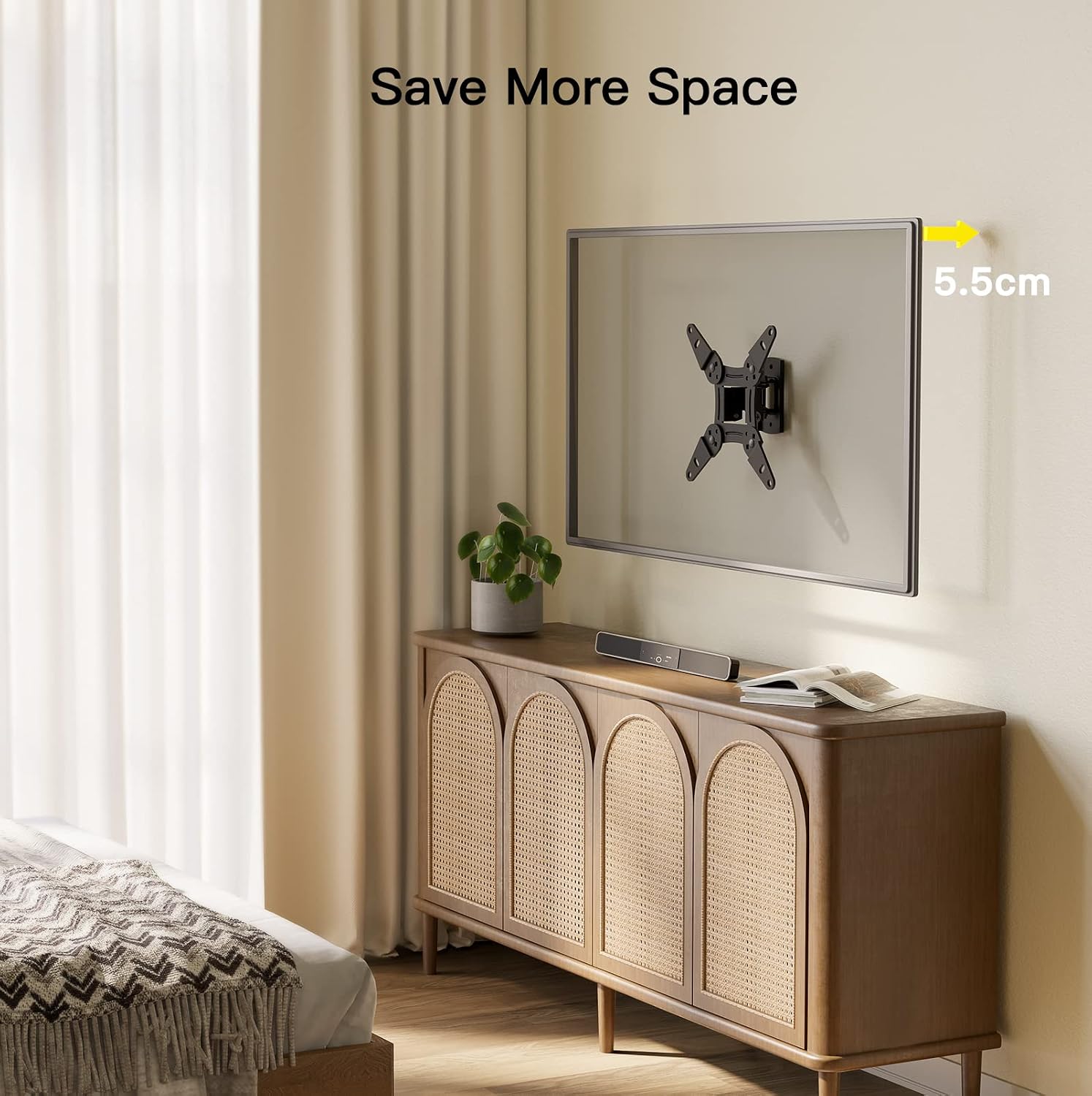

Image 6.3: The mount's slim 5.5 cm profile when retracted.
7. Maintenance
Regular maintenance ensures the longevity and safe operation of your TV wall mount.
- Cleaning: Wipe the mount with a soft, dry cloth. Avoid abrasive cleaners or solvents that could damage the finish.
- Periodic Inspection: Periodically check all screws and bolts to ensure they are tight and secure. Over time, vibrations or adjustments can cause fasteners to loosen.
- Moving Parts: The articulating joints are designed for smooth movement. If you notice any stiffness, do not force the movement. Inspect for obstructions or damage.
8. Troubleshooting
If you encounter any issues with your Alphamount APST01-E, refer to the following common problems and solutions:
- Problem: The TV is not level after installation.
Solution: Check the wall plate and TV brackets for levelness. Some mounts allow for minor post-installation leveling adjustments. If not, you may need to slightly adjust the wall plate's position. - Problem: The mount feels loose or unstable.
Solution: Immediately remove the TV from the mount. Re-check all wall plate fasteners and TV bracket screws to ensure they are securely tightened. Verify that the wall type is appropriate and that the anchors/bolts are correctly installed. Do not re-hang the TV until stability is confirmed. - Problem: Difficulty adjusting tilt or swivel.
Solution: Ensure no cables are snagged or obstructing movement. The joints are designed to be firm to hold the TV's position; apply gentle, steady pressure. If the movement is excessively stiff, check for any overtightened bolts on the articulating arms (refer to installation instructions for specific adjustment points). - Problem: TV does not fit the mount.
Solution: Double-check your TV's size and VESA pattern against the specifications in Section 4. Ensure the TV's weight does not exceed the mount's capacity.
If these solutions do not resolve the issue, please contact Alphamount customer support.
9. Warranty and Support
Alphamount products are designed for quality and durability. For specific warranty information, please refer to the documentation included with your purchase or visit the official Alphamount website.
For technical support, missing parts, or any questions regarding your Alphamount APST01-E TV Wall Mount, please contact Alphamount customer service through their official channels. When contacting support, please have your model number (APST01-E) and purchase information ready.


