
Introduction
Welcome to the Altec Lansing NanoPods user manual. These truly wireless earbuds are designed to provide a seamless audio experience with advanced features for various activities, from daily commutes to sports and travel. This manual will guide you through the setup, operation, and maintenance of your NanoPods to ensure optimal performance and longevity.

Figure 1: Altec Lansing NanoPods in their mint-colored charging case.
Setup
1. Charging the NanoPods
Before first use, ensure your NanoPods and their charging case are fully charged. The charging case provides up to 16 additional hours of playtime, extending the earbuds' 4-hour battery life to a total of 20 hours.
- Place the earbuds into the charging case. Ensure they are correctly seated in their respective slots.
- Connect the charging case to a power source using the provided USB cable.
- The LED indicators on the case will illuminate to show the charging status. Once fully charged, the indicators will change or turn off depending on the model.

Figure 2: NanoPods placed inside the charging case for charging.
2. Pairing with a Device
The NanoPods utilize Bluetooth 5.0 technology for a stable connection up to 50 feet away.
- Ensure the NanoPods are charged and inside the charging case.
- Open the charging case. The earbuds will automatically enter pairing mode.
- On your device (smartphone, tablet, laptop), navigate to the Bluetooth settings.
- Search for available devices and select "Altec Lansing NanoPods" from the list.
- Once connected, you will hear an audible confirmation, and the earbuds will be ready for use.
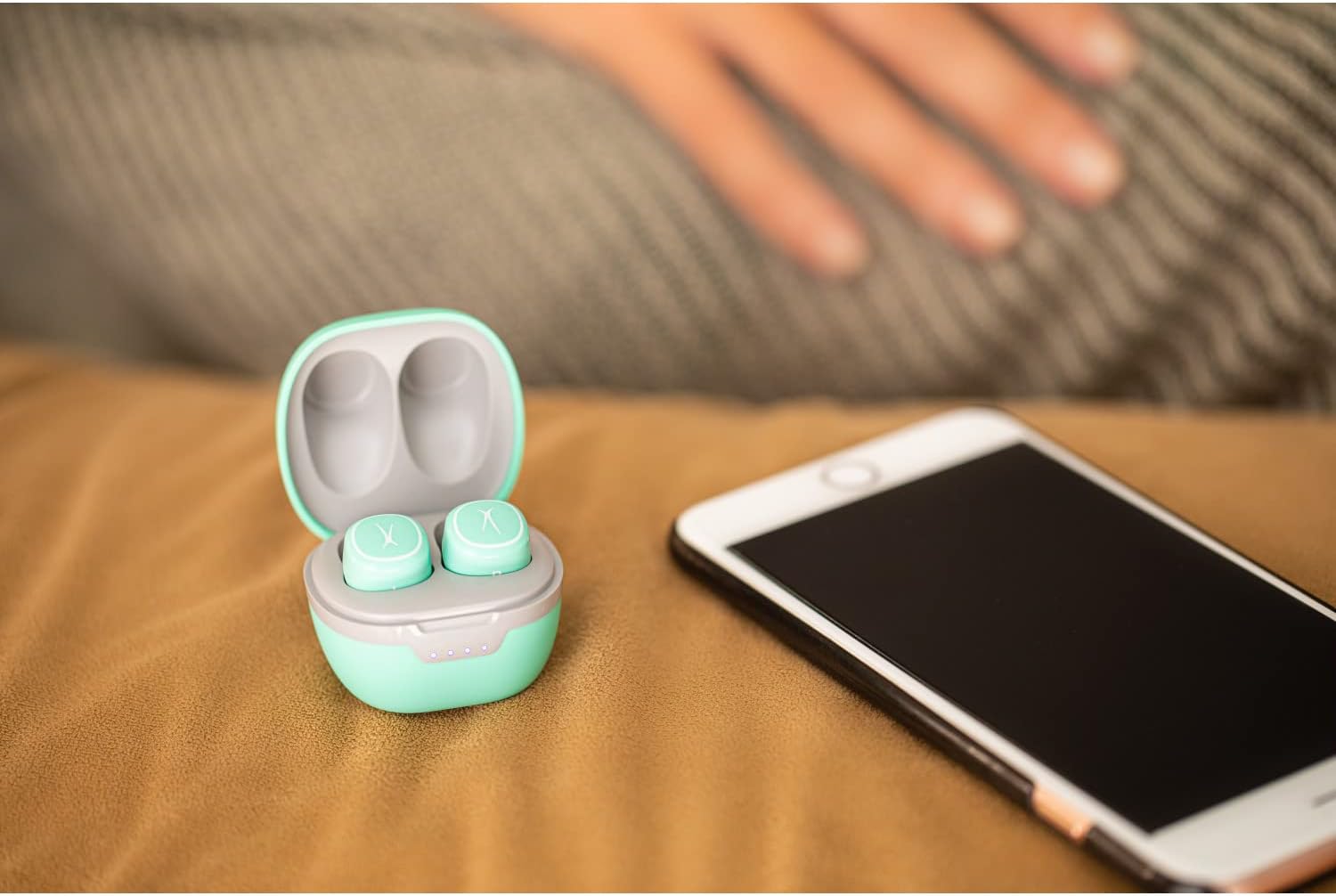
Figure 3: NanoPods charging case open, ready for pairing with a device.
Operating Instructions
Touch Controls
The NanoPods feature intuitive touch controls for easy management of music and calls.
| Action | Control |
|---|---|
| Play/Pause Music | Single tap on either earbud |
| Next Track | Double tap on the right earbud |
| Previous Track | Double tap on the left earbud |
| Answer/End Call | Single tap on either earbud |
| Reject Call | Press and hold either earbud for 2 seconds |
| Activate Voice Assistant | Triple tap on either earbud |

Figure 4: NanoPods support hands-free calling for convenience on the go.
Key Features
- True Wireless & Bluetooth 5.0: Experience seamless audio with stable connectivity up to 50 feet, ensuring no distortion or interference during music playback or calls.

Figure 5: Enjoy extended wireless range with Bluetooth 5.0 technology.
- Clear & Crisp Sound with Active Noise Cancellation: The NanoPods deliver powerful sound with clear highs and lows. The active noise cancellation feature helps block out background noises, allowing you to fully immerse yourself in your audio.
- Extended Battery Life: Get up to 4 hours of playtime on a single charge, with an additional 16 hours provided by the portable charging case, totaling 20 hours of audio enjoyment.
- IPX5 Water-Resistant: Designed to withstand splashes and sweat, making them ideal for workouts, travel, and daily use without worry.

Figure 6: The IPX5 rating ensures durability against water and sweat.
- Stylish & Fashion Forward Design: The compact and cute design of the NanoPods makes them not only functional but also a stylish accessory.

Figure 7: NanoPods are available in multiple colors to match your style.
Maintenance
Proper maintenance ensures the longevity and performance of your NanoPods.
- Cleaning: Regularly wipe the earbuds and charging case with a soft, dry, lint-free cloth. Avoid using abrasive materials or harsh chemicals.
- Storage: When not in use, store the NanoPods in their charging case to protect them from dust and damage.
- Battery Care: To preserve battery life, avoid fully discharging the earbuds and case frequently. Charge them regularly, even if not in constant use.
- Ear Tip Replacement: If the earbud tips do not fit snugly, replace them with a size that provides a better seal for optimal sound quality and call performance.
Troubleshooting
If you encounter issues with your NanoPods, try the following solutions:
- No Sound/Poor Sound Quality:
- Ensure earbuds are fully charged.
- Check Bluetooth connection and re-pair if necessary.
- Adjust earbud tips for a snug fit.
- Clean any debris from the earbud speakers.
- Earbuds Not Pairing:
- Ensure both earbuds are in the charging case and the lid is open to initiate pairing mode.
- Turn off and on your device's Bluetooth.
- Forget the device from your Bluetooth list and try pairing again.
- Charging Issues:
- Verify the charging cable and power source are working correctly.
- Ensure the earbuds are properly seated in the charging case.
- Clean the charging contacts on both the earbuds and the case.
For further assistance, please refer to the support information provided in the Warranty & Support section.
Specifications
- Model Name: NanoPods
- Item Model Number: RWEARA15
- Connectivity Technology: Bluetooth 5.0
- Wireless Range: Up to 50 feet
- Earbud Battery Life: Up to 4 hours
- Total Playtime (with case): Up to 20 hours
- Water Resistance Level: IPX5 (Water Resistant)
- Control Type: Touch Control
- Noise Control: Active Noise Cancellation
- Frequency Range: 20 Hz - 20,000 Hz
- Material: Plastic (earbuds), Likely hard plastic or metal (case)
- Item Weight: 3.84 ounces
- Manufacturer: Sakar International
- UPC: 021331023810
Warranty & Support
For warranty information, product support, or to register your Altec Lansing NanoPods, please visit the official Altec Lansing website or contact their customer service. Keep your purchase receipt as proof of purchase for warranty claims.
- Official Website: www.alteclansing.com
- Customer Service: Refer to the website for contact details (phone, email, chat support).