
Pop Sonic 5.0_Shaver_Silver
Pop Sonic 5-Head Electric Shaver Kit (Silver) Instruction Manual
Model: 5.0 Shaver
Introduction
Thank you for choosing the Pop Sonic 5-Head Electric Shaver Kit. This manual provides essential information for the safe and effective use, maintenance, and care of your shaver. This versatile grooming tool is designed for use on the face, head, and body, featuring 360-degree precision cut heads for a smooth experience.

Image: The Pop Sonic 5-Head Electric Shaver in silver, showcasing its ergonomic design and five rotary shaving heads.
Safety Information
- For adult use only.
- Shaver foils are very thin and should be handled carefully.
- Do not use the USB cord if frayed or damaged.
- The 5.0 Shaver is water-resistant (IPX5) but should not be submerged in water.
- DO NOT LEAVE PLUGGED IN if using around water.
Package Contents
Your Pop Sonic 5-Head Electric Shaver Kit includes the following items:
- Pop Sonic 5-Head Electric Shaver (Silver)
- USB Charging Cord
- Cleaning Brush
- Protective Guard for shaver heads
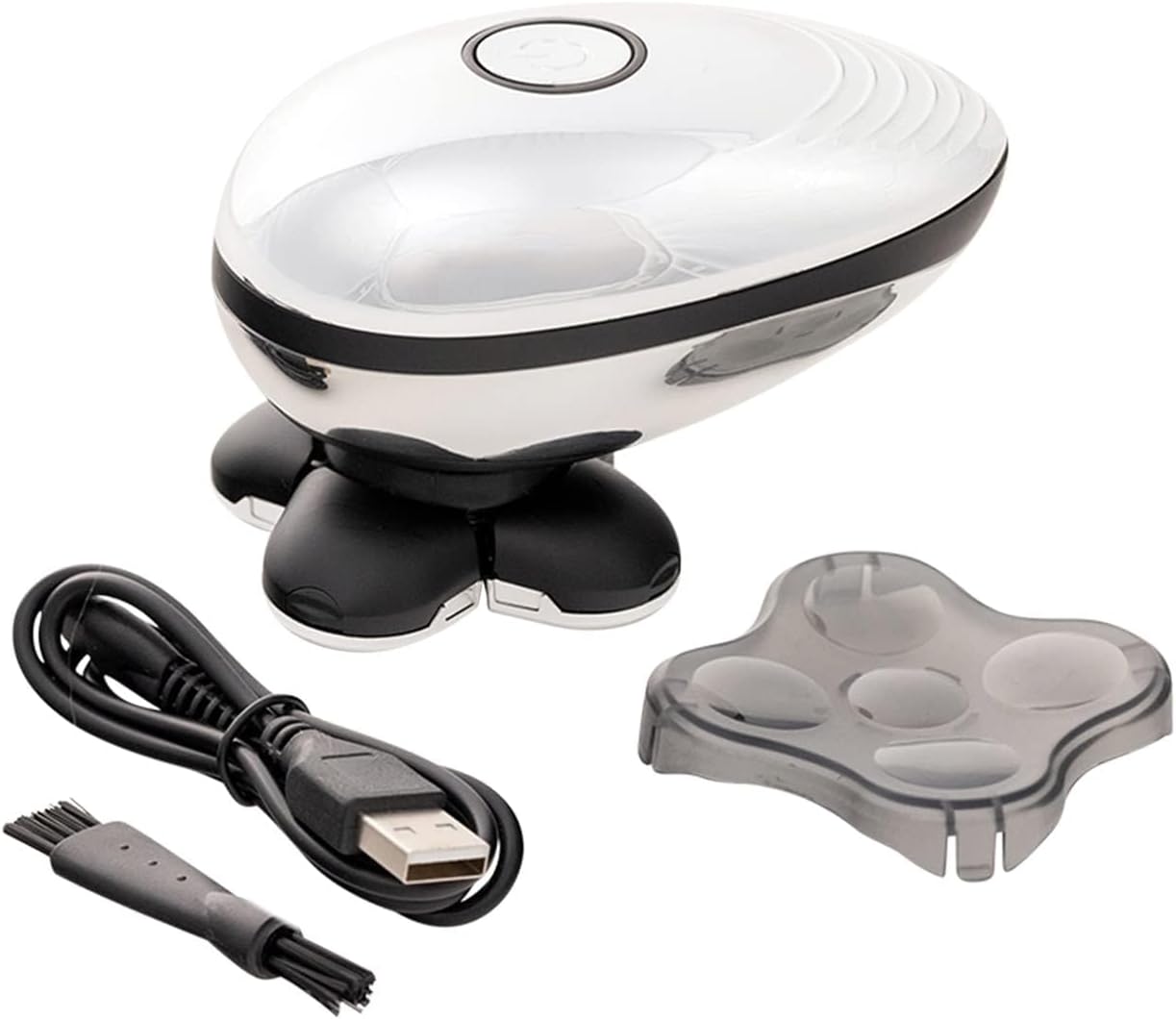
Image: Contents of the Pop Sonic 5-Head Electric Shaver Kit, including the shaver, USB cable, cleaning brush, and protective head cover.
Setup
- Initial Charge: Before first use, fully charge the shaver using the included USB charging cord. Connect the USB cable to the shaver and a compatible USB power source. The LED display will indicate charging status.
- Attach Protective Guard: When not in use, ensure the protective guard is placed over the shaver heads to prevent damage.
Operation
The Pop Sonic 5-Head Electric Shaver is designed for versatile use on various body parts, including the face, head, and body. It can be used wet or dry, with or without shaving cream.
- Power On: Press the power button to turn on the shaver.
- Shaving Technique: Gently glide the shaver over the skin in circular motions. The 360-degree precision cut heads adapt to contours for a close and comfortable shave.
- Wet or Dry Use: This shaver is IPX5 water-resistant, allowing for use in damp, moist, or dry conditions.
- Power Off: Press the power button again to turn off the shaver when finished.

Image: A man using the Pop Sonic shaver on his face.
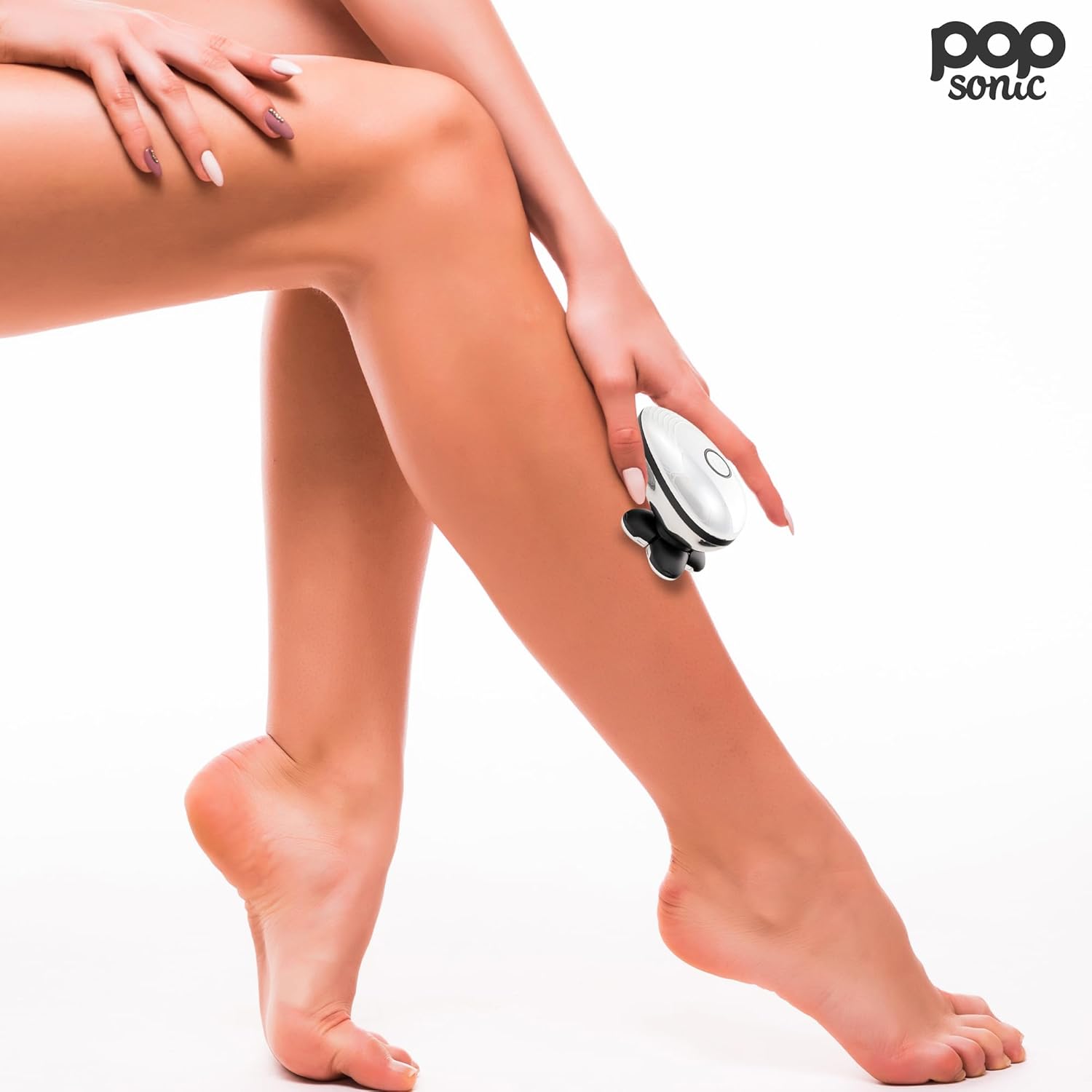
Image: A woman using the Pop Sonic shaver on her leg.
Maintenance
- Cleaning After Use: After each use, rinse the shaver head with warm water to remove hair and debris.
- Deep Cleaning: For a more thorough clean, remove the shaver head assembly and use the included cleaning brush to clear any trapped hair from the blades and internal components.
- Drying: Allow the shaver heads to air dry completely before reattaching the protective guard or storing the device.
- Storage: Store the shaver in a cool, dry place, away from direct sunlight and moisture.
Troubleshooting
- Shaver not turning on: Ensure the shaver is fully charged. Connect it to the USB charging cord and allow sufficient time for charging.
- Reduced shaving performance: Clean the shaver heads thoroughly. Accumulated hair or debris can affect performance. Ensure the blades are not damaged.
- Irritation during use: Ensure the shaver heads are clean. Use the shaver on clean, dry skin or with shaving cream for sensitive areas.
If you encounter persistent issues not covered here, please refer to the product packaging for customer support contact information.
Specifications
| Brand | Pop Sonic |
| Model Name | 5.0 Shaver |
| Item Model Number | 5.0_Shaver_Silver |
| Product Dimensions | 3 x 3.5 x 4 inches |
| Item Weight | 4 ounces |
| Power Source | Battery Powered (Lithium-ion rechargeable) |
| Water Resistance | IPX5 |
| Special Features | 5-head design, 360° precision cutting, suitable for face, head, and body. |
Warranty and Support
For information regarding product warranty, returns, or technical support, please refer to the documentation included with your purchase or visit the official Pop Sonic website. Keep your proof of purchase for warranty claims.
Ask a question about this manual
Ask about setup, troubleshooting, compatibility, parts, safety, or missing instructions. Manuals+ will review the question and use this page’s manual context to help answer it.