
1. Introduction
Thank you for purchasing the Andoer L5i Wireless Camera Video Auto Dolly. This device is designed to provide smooth, motorized camera movement for various photography and videography applications, including time-lapse, straight-line, and curved-line shooting. Please read this manual carefully before use to ensure proper operation and to maximize the product's lifespan.
2. Safety Information
- Do not expose the device to water or excessive moisture.
- Avoid dropping or subjecting the dolly to strong impacts.
- Keep the device away from high temperatures and direct sunlight.
- Do not attempt to disassemble or modify the dolly. Repairs should only be performed by authorized personnel.
- Use only the provided charging cable and a compatible power adapter.
- Ensure the camera or smartphone is securely mounted before operation.
3. Package Contents
Verify that all items listed below are included in your package:
- 1 x Andoer L5i Auto Dolly
- 1 x USB Charging Cable
- 1 x Mutual Screw (1/4" to 3/8" adapter)
- 1 x Rubber Ring (large)
- 1 x Mini Wrench
- 1 x User Manual (English & Chinese)

Image: All components included in the Andoer L5i package, including the dolly, charging cable, mutual screw, rubber ring, mini wrench, and user manual.
4. Product Overview
Familiarize yourself with the different parts of your Andoer L5i Auto Dolly:

Image: A detailed diagram of the Andoer L5i Auto Dolly, highlighting key components such as the driving wheel, steering wheel, adjustable angle mechanism, 1/4" and 3/8" inter-rotation screws, power button, charging port, indicator light, and shutter port.
- Driving Wheel: Provides propulsion for movement.
- Steering Wheel: Allows adjustment for curved paths.
- Adjustable Angle: Mechanism to set the steering wheel angle for curved motion.
- 1/4" and 3/8" Inter-rotation Screws: Mounting point for cameras, ball heads, or smartphone holders.
- Power Button: Turns the device on and off.
- Charging Port (Type-C): For recharging the internal battery.
- Indicator Light: Shows charging status and operational status.
- Shutter Port: Connects to a camera for remote shutter control (shutter cable not included).
5. Setup
5.1 Charging the Dolly
Before first use, fully charge the dolly. Connect the provided USB charging cable to the Type-C charging port on the dolly and to a USB power source (e.g., computer, wall adapter). The indicator light will show charging status. A full charge takes approximately 3 hours and provides about 4 hours of working time.

Image: The Andoer L5i Auto Dolly being charged via its Type-C port, demonstrating the charging process.
5.2 Mounting a Camera or Smartphone
The dolly features 1/4" and 3/8" inter-rotation screws for mounting. Attach your camera directly or use a ball head/smartphone holder (not included) for more flexibility. Ensure the device is securely fastened.
5.3 Mobile APP Installation
The Andoer L5i supports wireless control via a mobile application. Scan the QR code provided in the printed user manual to download the APP. The application is compatible with both Android and iOS smartphone systems.
6. Operation
6.1 Powering On/Off
Press and hold the Power Button to turn the dolly on or off. The indicator light will illuminate when the device is powered on.
6.2 Connecting to the Mobile APP
Once the dolly is powered on, open the installed mobile APP on your smartphone. The APP will automatically search for and connect to the dolly. The remote control distance is up to 8 meters without interference.
6.3 Photography Modes
The APP provides various modes for creative shooting:
- Straight-Line Photography: Place the dolly on a flat surface. Ensure the steering wheels are aligned for straight movement.
- Curved-Line Photography: Adjust the angle of the steering wheels to create a curved path. The APP allows precise control over the curve radius.
- Time-Lapse Photography: Select the time-lapse mode in the APP. You can customize parameters such as interval, exposure time, and number of frames. A shutter cable (not included) is required to link with the camera for automatic triggering.
- A-B Point Positioning Photography: Set two points (A and B) in the APP. The dolly can automatically move between these points, supporting video automatic loop recording without frequent manual operation.

Image: The Andoer L5i Auto Dolly illustrating its capabilities for A-B point positioning shooting with automatic round trip and stop at point options, and its ability to shoot in straight or curved lines by adjusting wheel angles.
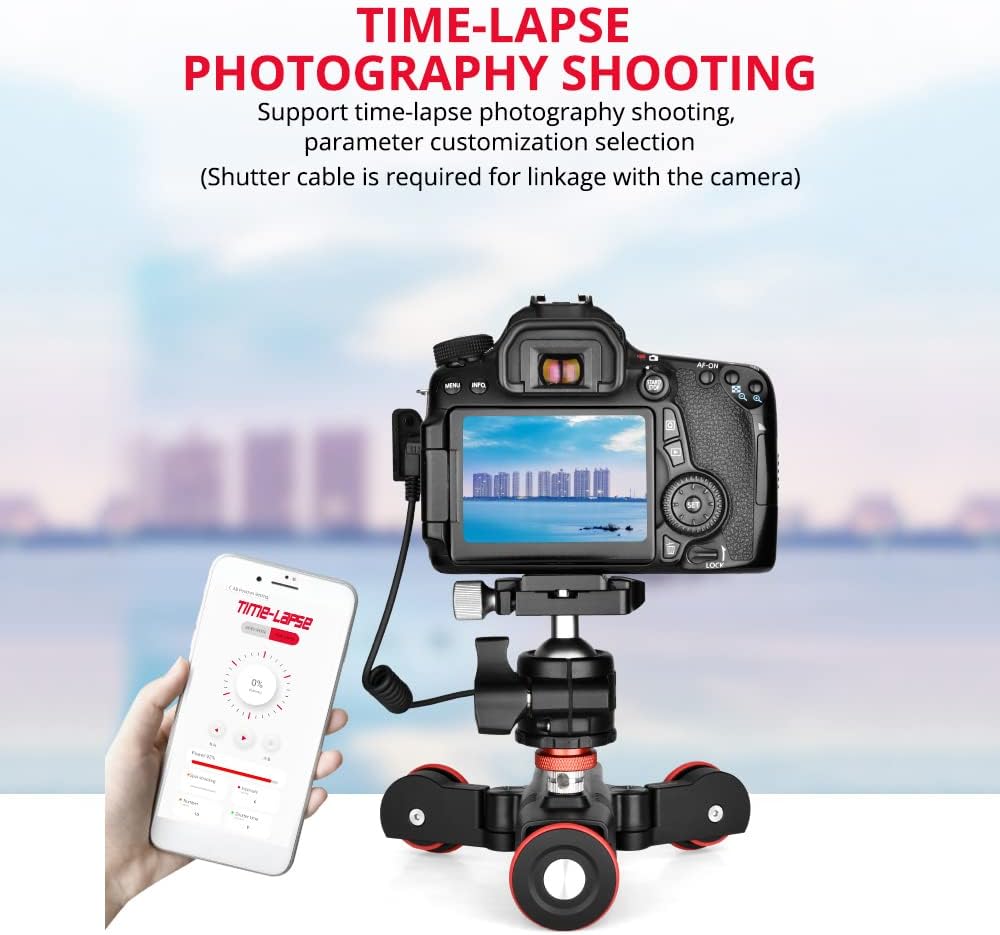
Image: The Andoer L5i Auto Dolly positioned with a DSLR camera and a smartphone displaying the time-lapse photography interface, indicating support for parameter customization.
6.4 Speed Adjustment
The dolly features stepless speed adjustment from 0% to 100%. The maximum speed is 10cm/s. Adjust the speed precisely via the mobile APP to suit your shooting requirements.
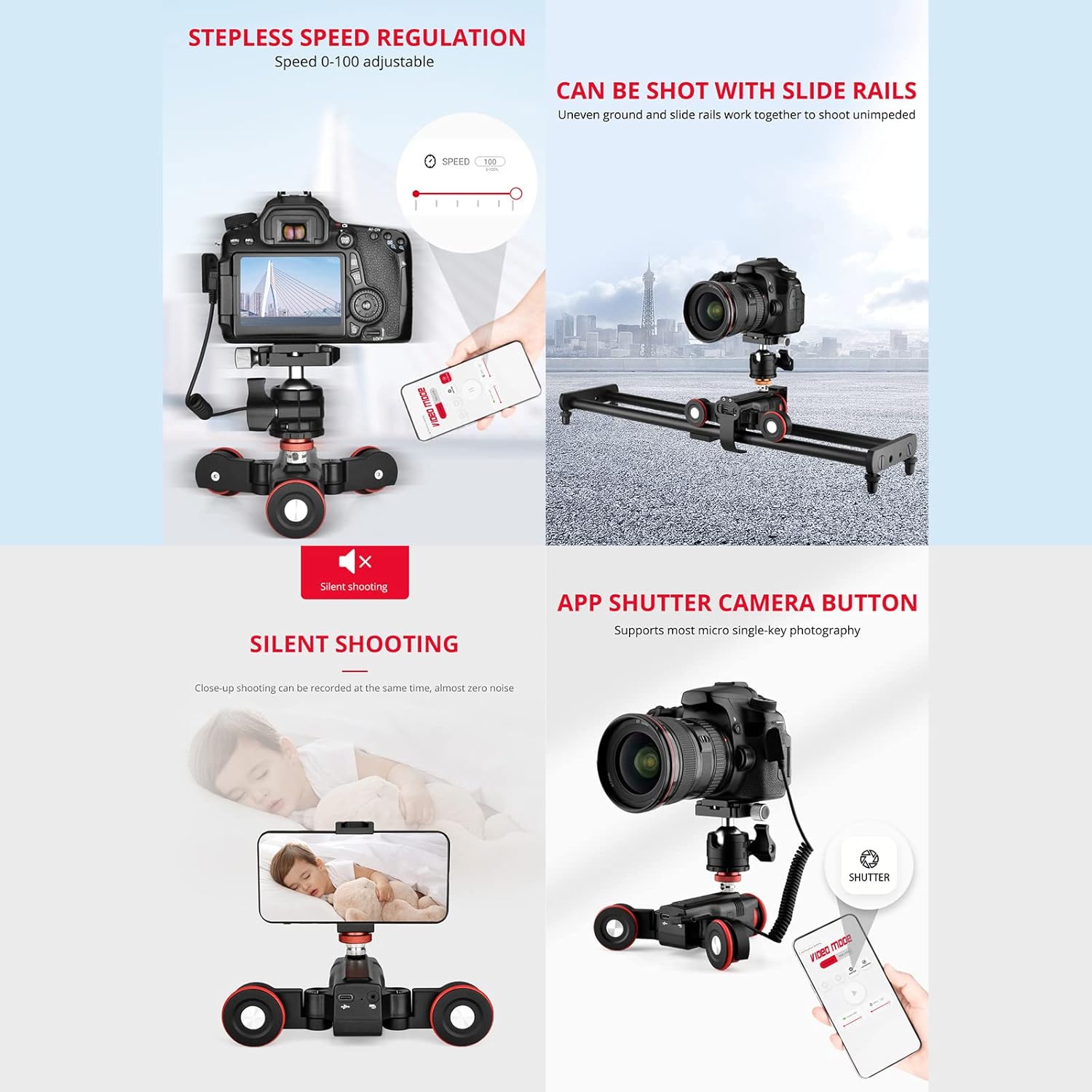
Image: A composite image showing the Andoer L5i Auto Dolly's stepless speed regulation (0-100 adjustable), its silent shooting capability for close-up videos, and the APP shutter button for micro single-key photography.
6.5 Silent Shooting
The dolly utilizes a stepping motor, which provides precise control with low noise. This allows for quiet recording, especially beneficial for close-range video capture.
7. Maintenance
- Clean the dolly with a soft, dry cloth. Do not use liquid cleaners or solvents.
- Keep the wheels free from dust and debris to ensure smooth operation.
- Store the dolly in a cool, dry place when not in use.
- Regularly check all screws and connections to ensure they are secure.
8. Troubleshooting
| Problem | Possible Cause | Solution |
|---|---|---|
| Dolly does not power on. | Battery is depleted. | Charge the dolly using the provided USB cable. |
| Dolly does not move smoothly. | Wheels are obstructed or dirty. | Clean the wheels and ensure the surface is flat and clear. |
| Cannot connect to mobile APP. | Dolly is off, out of range, or Bluetooth is disabled. | Ensure dolly is on, within 8m range, and Bluetooth is enabled on your phone. Restart both devices if necessary. |
| Dolly moves in an unintended direction. | Steering wheel angle is incorrect. | Adjust the steering wheel angle to the desired position for straight or curved paths. |
9. Specifications
| Feature | Detail |
|---|---|
| Brand | Andoer |
| Model | L5i |
| Material | Plastic |
| Load-bearing Range | Max. 3kg |
| Battery Capacity | 1800mAh Li-ion |
| Charging Time | Approx. 3 hours |
| Working Time (fully charged) | Approx. 4 hours |
| APP Remote Control Distance | Max. 8 meters (without interference) |
| Speed | Max. 10cm/s, Adjustable 0%-100% |
| Item Weight | 446g / 15.7oz |
| Color | Black |
| Compatible Devices | Camera, Cellphone |
10. Warranty and Support
Andoer products are designed and manufactured to the highest quality standards. For warranty information and technical support, please refer to the warranty card included in your package or visit the official Andoer website. Keep your purchase receipt as proof of purchase for any warranty claims.