
Wekily X08-GREY
Wekily X08 Wireless Earbuds User Manual
Model: X08-GREY
1. Introduction
Thank you for choosing the Wekily X08 Wireless Earbuds. These earbuds are designed to provide a high-quality audio experience with advanced features such as Bluetooth 5.2 connectivity, smart touch controls, and a long-lasting battery. This manual will guide you through the setup, operation, and maintenance of your new earbuds to ensure optimal performance and longevity.
2. Package Contents
- Wekily X08 Wireless Earbuds (Left and Right)
- Charging Case
- USB-C Charging Cable
- Ear Tips (Small, Medium, Large)
3. Product Overview
Familiarize yourself with the components of your Wekily X08 Wireless Earbuds.

Image: Wekily X08 Wireless Earbuds in their charging case, open to show the earbuds and the digital display.
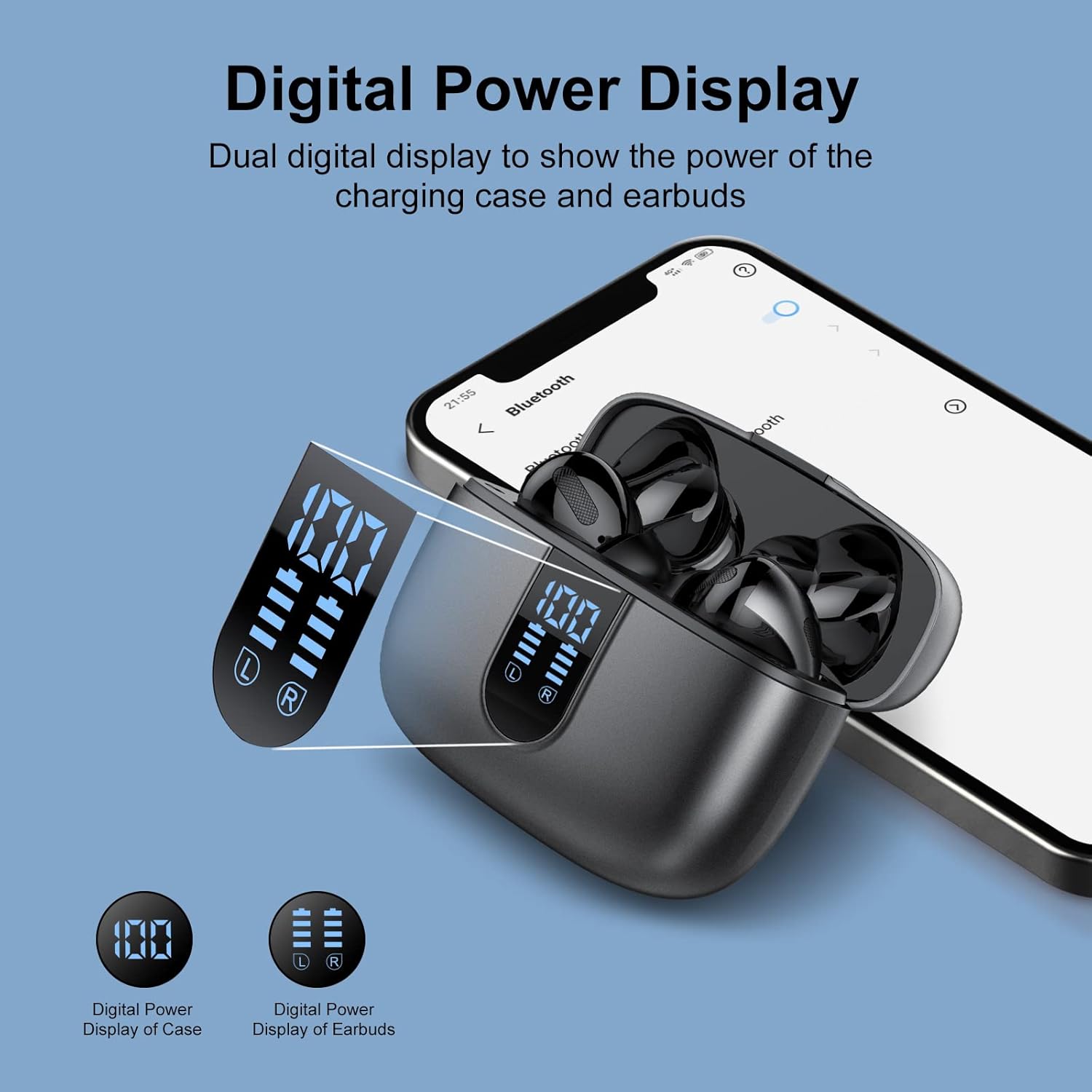
Image: Diagram showing the digital power display on the charging case and individual earbuds, with a smartphone in the background.

Image: Exploded view diagram of an earbud showing the internal 13mm speaker components, designed for powerful bass and stunning treble.
4. Setup
4.1 Charging the Earbuds and Case
Before first use, fully charge the earbuds and the charging case. The charging case features a digital display to show the battery level of both the case and the individual earbuds.
- Place the earbuds into the charging case, ensuring they are properly seated.
- Connect the USB-C charging cable to the charging port on the case and the other end to a USB power source (e.g., wall adapter, computer USB port).
- The digital display on the case will show the charging status. A full charge provides up to 6 hours of playtime for the earbuds, with the charging case providing an additional 35 hours, totaling 40 hours of playtime. A quick 10-minute charge can provide 2 hours of playtime.
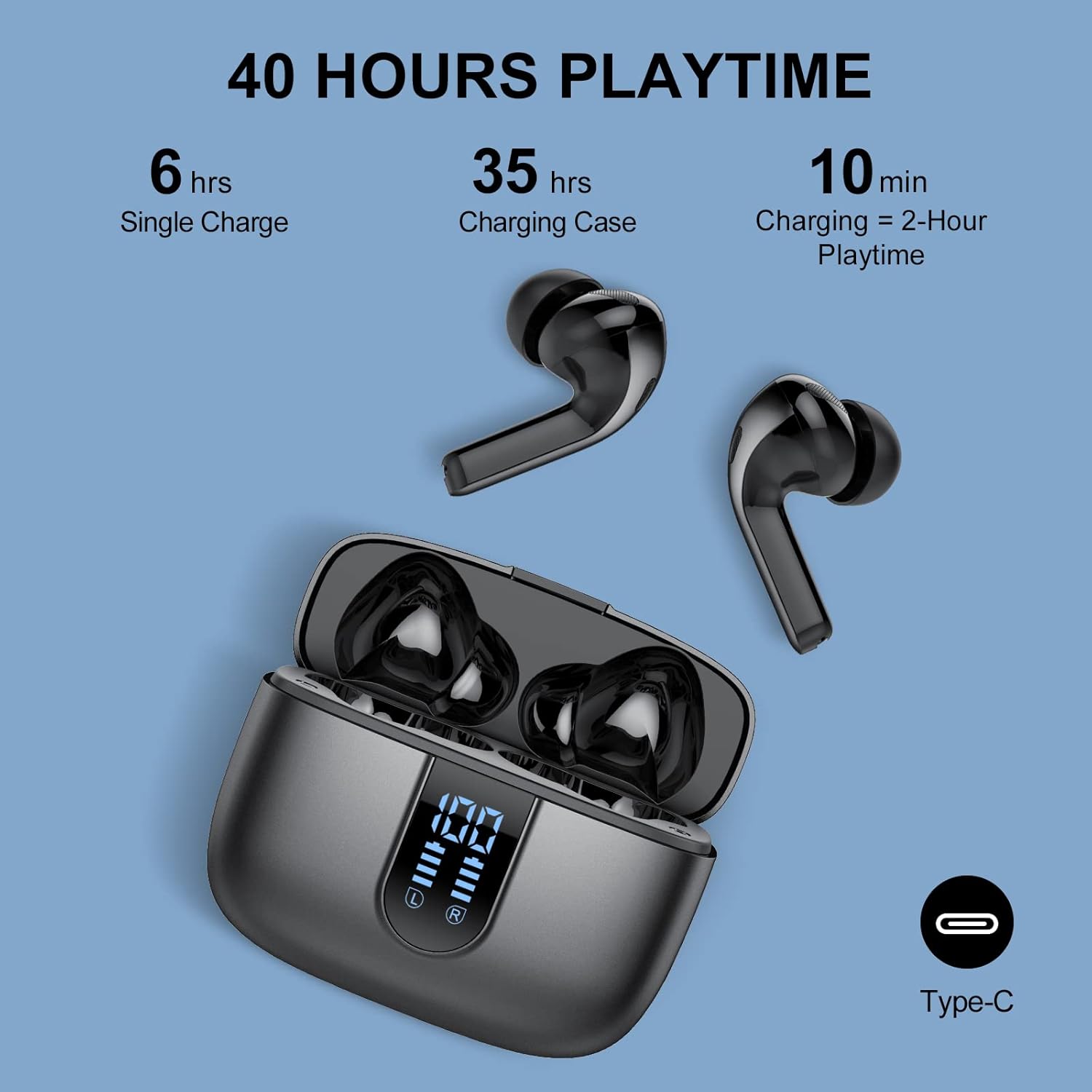
Image: Illustration detailing the 40 hours playtime, including 6 hours from a single charge, 35 hours from the charging case, and 10 minutes of charging for 2 hours playtime, with a Type-C port icon.
4.2 Pairing with Your Device
The X08 earbuds utilize upgraded Bluetooth 5.2 for a stable and fast connection.
- Open the charging case. The earbuds will automatically enter pairing mode.
- On your device (smartphone, tablet, etc.), enable Bluetooth and search for available devices.
- Select "X08" from the list of found devices to connect.
- Once connected, you will hear a confirmation tone. The earbuds can be used independently (left or right).
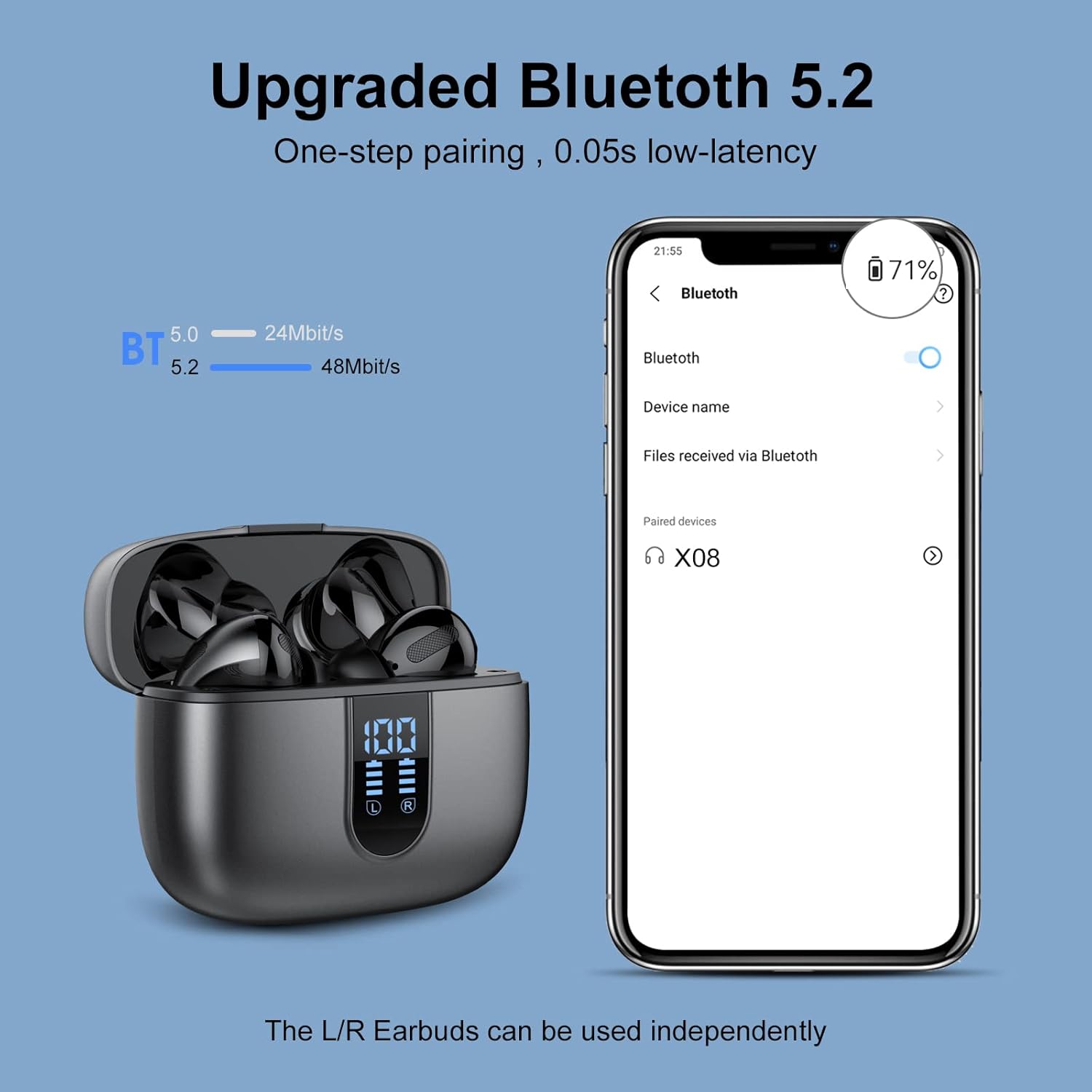
Image: Image showing the earbuds in their charging case next to a smartphone displaying Bluetooth pairing settings, highlighting Bluetooth 5.2 connectivity for one-step pairing and low latency.
4.3 Wearing the Earbuds
For optimal sound quality and comfort, choose the ear tips that best fit your ears. The X08 earbuds feature an ergonomic design and are lightweight (approximately 4g per earbud) for comfortable wear.
- Select the appropriate size of ear tips (S, M, L) for a snug fit.
- Gently insert the earbuds into your ear canal and twist slightly to secure them in place.

Image: A woman wearing one of the X08 earbuds, emphasizing the ergonomic and lightweight design (4g) for comfortable music enjoyment.
5. Operating the Earbuds
5.1 Smart Touch Controls
The X08 earbuds feature intuitive touch controls on each earbud. The functions can be accessed by tapping the touch sensitive area.
| Action | Function |
|---|---|
| Single Tap (Left/Right) | Play/Pause Music, Answer/End Call |
| Double Tap (Left) | Previous Track |
| Double Tap (Right) | Next Track |
| Triple Tap (Left) | Volume - |
| Triple Tap (Right) | Volume + |
| Long Press (2 seconds) | Activate Voice Assistant (Siri, Google Assistant) |
| Long Press (2 seconds) during call | Reject Call |
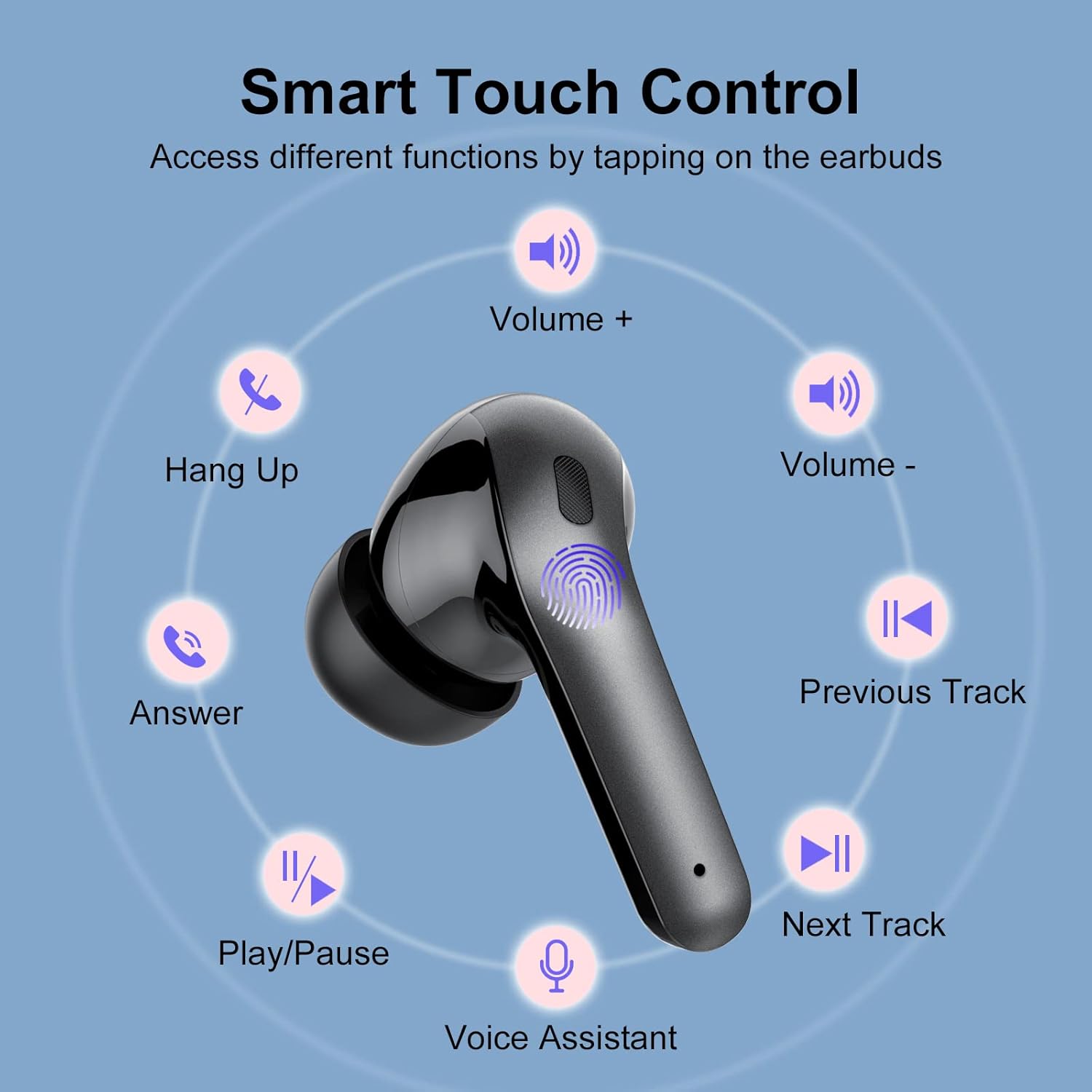
Image: Diagram illustrating the smart touch control functions on the earbud, including volume, track control, call handling, and voice assistant.
6. Maintenance
Proper maintenance ensures the longevity and performance of your earbuds.
- Cleaning: Regularly clean the earbuds and charging case with a soft, dry, lint-free cloth. Do not use harsh chemicals, cleaning solvents, or strong detergents.
- Ear Tips: Remove ear tips periodically and clean them with water and mild soap. Ensure they are completely dry before reattaching.
- Storage: When not in use, store the earbuds in their charging case to protect them and keep them charged. Store the case in a cool, dry place away from direct sunlight and extreme temperatures.
- Water Resistance: The earbuds are designed to be water-resistant (IPX7 rated), suitable for sweat and light rain. Do not submerge them in water for extended periods or expose them to strong water jets.
7. Troubleshooting
If you encounter any issues with your Wekily X08 Wireless Earbuds, please refer to the following common solutions:
- Earbuds not connecting/pairing:
- Ensure Bluetooth is enabled on your device.
- Make sure the earbuds are fully charged.
- Place the earbuds back into the charging case, close the lid, wait a few seconds, then open it again to re-enter pairing mode.
- Forget/delete "X08" from your device's Bluetooth list and try pairing again.
- No sound from one or both earbuds:
- Check the volume level on both your device and the earbuds.
- Ensure the earbuds are properly connected to your device.
- Try resetting the earbuds by placing them in the case and then taking them out.
- Charging issues:
- Verify that the charging cable is securely connected to both the case and the power source.
- Try a different USB-C cable or power adapter.
- Ensure the charging contacts on the earbuds and inside the case are clean and free of debris.
8. Specifications
| Feature | Detail |
|---|---|
| Brand | Wekily |
| Model Name | X08 |
| Item Model Number | X08-GREY |
| Color | Grey |
| Form Factor | In Ear |
| Connectivity Technology | Wireless |
| Wireless Communication Technology | Bluetooth |
| Bluetooth Version | 5.2 |
| Item Weight | 40 Grams (1.41 ounces) |
| Product Dimensions | 2.44 x 2.05 x 1.06 inches |
| Batteries | 3 Lithium Polymer batteries required (included) |
| Controller Type | Google Assistant, Siri |
| Manufacturer | Wekily |
9. Warranty and Support
Wekily products are manufactured to the highest quality standards. For information regarding warranty coverage or technical support, please refer to the warranty card included with your purchase or visit the official Wekily website. Please retain your proof of purchase for any warranty claims.
Ask a question about this manual
Ask about setup, troubleshooting, compatibility, parts, safety, or missing instructions. Manuals+ will review the question and use this page’s manual context to help answer it.