
Introduction
The FiiO M11S is a high-fidelity portable music player designed to deliver an exceptional audio experience. Featuring dual ES9038Q2M DACs, a powerful Snapdragon 660 processor, and Android 10 with global SRC bypass, the M11S supports a wide range of audio formats including lossless DSD and MQA. This manual provides detailed instructions for setting up, operating, maintaining, and troubleshooting your FiiO M11S to ensure optimal performance and longevity.

Image: The FiiO M11S player showcasing its sleek design and highlighting key features such as high-performance Dual ES9038Q2M DACs, 670mW output power, Qualcomm Snapdragon 660, Android 10, SRC global bypass, and a 5.0-inch 720p bezel-less display.
Safety Information
- Do not expose the device to extreme temperatures, humidity, or direct sunlight.
- Avoid dropping or subjecting the device to strong impacts.
- Do not disassemble or modify the device. This will void the warranty and may cause damage.
- Use only FiiO-approved accessories and charging cables.
- Clean the device with a soft, dry cloth. Avoid using harsh chemicals or abrasive materials.
- Listen at moderate volume levels to prevent hearing damage.
Package Contents
Please check the package contents upon opening to ensure all items are present:
- FiiO M11S Hi-Res MP3 Music Player
- USB Type-C Cable
- Quick Start Guide
- Warranty Card
- Screen Protector (pre-applied or included)
- Protective Case (may vary by region/bundle)
Product Overview
Familiarize yourself with the physical components and interfaces of your FiiO M11S.
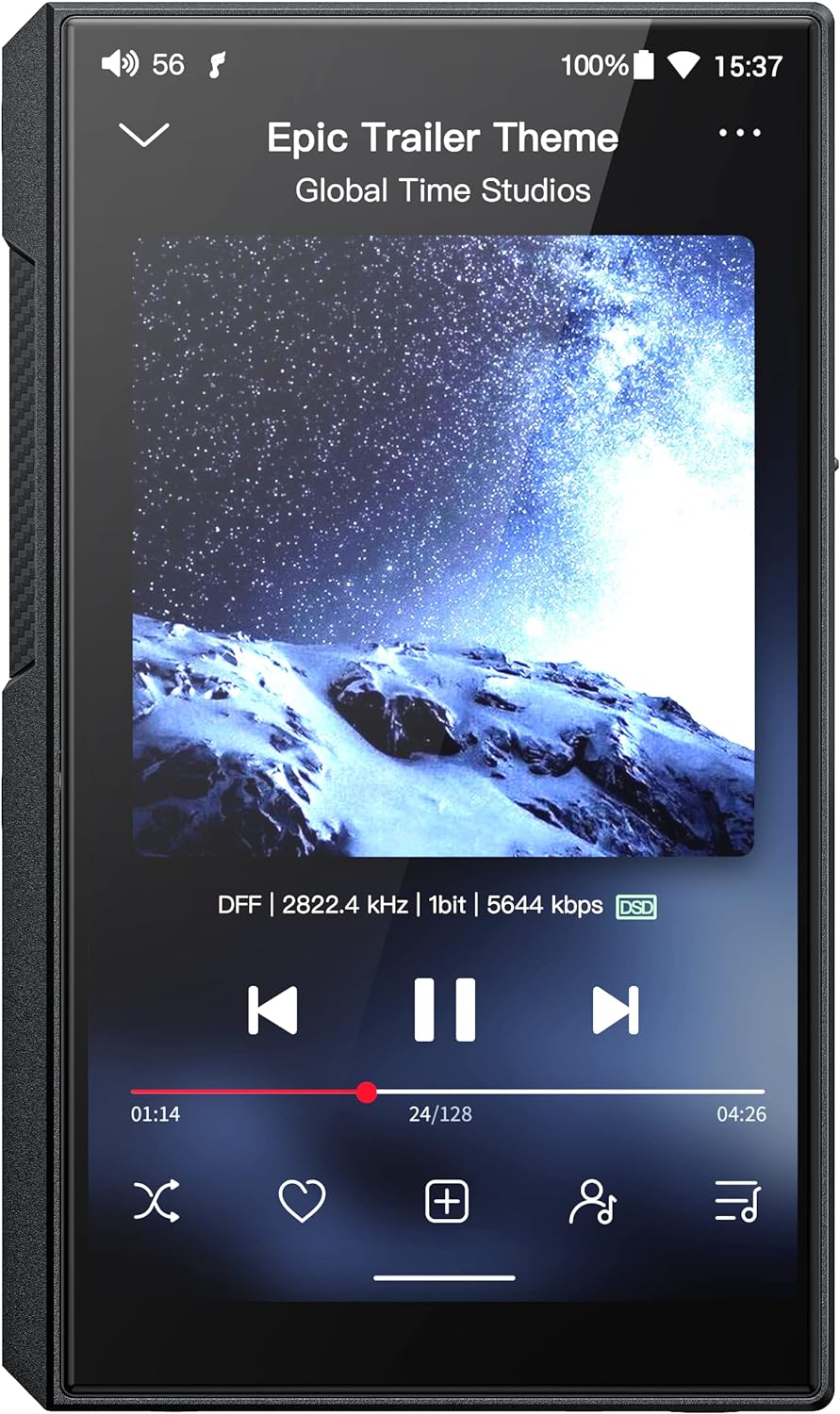
Image: Front view of the FiiO M11S showing the music playback screen with album art and track information.
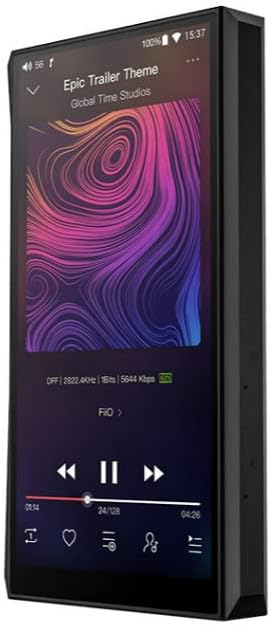
Image: Side view of the FiiO M11S, illustrating the placement of physical buttons and audio output ports.
Physical Components:
- 5.0-inch Touchscreen Display: For navigation and interaction.
- Power Button: Turns the device on/off and locks/unlocks the screen.
- Volume Buttons: Adjusts audio output volume.
- Play/Pause Button: Controls music playback.
- Next/Previous Track Buttons: Skips between tracks.
- USB Type-C Port: For charging, data transfer, and USB DAC/Audio output.
- 3.5mm Single-Ended Headphone Output: Standard audio output.
- 2.5mm Balanced Headphone Output: For balanced audio connections.
- 4.4mm Balanced Headphone Output: For balanced audio connections.
- MicroSD Card Slot: For expandable storage.
Setup
1. Initial Power On and Charging
Before first use, fully charge the FiiO M11S. Connect the provided USB Type-C cable to the device and a compatible USB power adapter (not included). The device supports QC4.0/PD quick charge for faster charging times. The screen will indicate charging status. Press and hold the Power button to turn on the device.
2. Inserting a MicroSD Card
The FiiO M11S supports MicroSD cards for expanded storage of your music library. Locate the MicroSD card slot on the side of the device. Gently insert the MicroSD card into the slot until it clicks into place. The device supports large capacity MicroSD cards, including 1TB cards.
3. Network Connection (Wi-Fi)
To access online streaming services or perform firmware updates, connect the M11S to a Wi-Fi network. Go to Settings > Network & internet > Wi-Fi. Select your desired network and enter the password if prompted. The M11S supports 5G Wi-Fi for faster and more stable connections.
4. Bluetooth Pairing
The M11S features two-way LDAC Bluetooth, allowing it to transmit audio to Bluetooth headphones/speakers or receive audio from a smartphone/tablet. To pair with a Bluetooth device:
- Go to Settings > Connected devices > Bluetooth.
- Ensure Bluetooth is turned on.
- Put your Bluetooth headphones/speaker into pairing mode.
- Select your device from the list of available devices to pair.
Operating Instructions
1. Basic Navigation
The FiiO M11S operates on Android 10. Navigate the interface using the touchscreen, similar to a smartphone. Swipe down from the top for quick settings and notifications. Swipe up from the bottom to access the app drawer. Use the physical buttons for quick control of playback and volume.
2. Music Playback
Use the pre-installed FiiO Music app or other third-party music players to enjoy your audio files. The M11S supports a wide array of formats, including lossless DSD and MQA. Connect your headphones to the appropriate 3.5mm, 2.5mm, or 4.4mm output port.

Image: Close-up of the Dual ES9038Q2M DAC chips, indicating their role in providing excellent audio performance up to 384kHz/DSD256 decoding.

Image: A diagram illustrating the DAPS (Digital Audio Processing System) with 4th generation FPGA technology, designed to ensure pure sound quality.

Image: A graphic illustrating the 670mW balanced output power of the M11S under a 32-ohm load, comparing it to the previous M11 model.

Image: The FiiO M11S display showing support for MQA (Master Quality Authenticated) unfolding, specifically MQA 8X.
3. App Installation
Thanks to Android 10 with global SRC bypass, you can install various music streaming applications from the Google Play Store (if available on your device) or by sideloading APKs. This allows for full lossless quality playback from services like Apple Music, Tidal, and Amazon Music.

Image: A visual representation of the Qualcomm Snapdragon 660 processor, emphasizing its role in delivering a new level of performance for the device.
4. USB DAC Mode
The M11S can function as a high-quality USB DAC (Digital-to-Analog Converter) for your computer. Connect the M11S to your computer using the USB Type-C cable. On the M11S, select "USB DAC Mode" when prompted. Install necessary drivers on your computer if required (usually available on the FiiO support website).
5. Firmware Updates
FiiO regularly releases firmware updates to improve performance and add new features. You can check for updates directly on the device via Wi-Fi (Settings > About phone > System update) or by downloading the firmware file from the FiiO website and following the provided instructions for manual update.
Maintenance
1. Cleaning
Wipe the device with a soft, lint-free cloth. For stubborn smudges, slightly dampen the cloth with water or a screen cleaner designed for electronics. Do not spray liquids directly onto the device.
2. Battery Care
To prolong battery life, avoid fully discharging the battery frequently. It is recommended to keep the battery charge between 20% and 80% for optimal longevity. If storing the device for an extended period, charge it to about 50% and power it off.
3. Storage
Store the FiiO M11S in a cool, dry place away from direct sunlight and extreme temperatures. Use the provided protective case to prevent scratches and minor impacts.
Troubleshooting
| Problem | Possible Cause / Solution |
|---|---|
| Device does not power on. | Battery may be depleted. Connect to a charger and wait a few minutes before attempting to power on again. If unresponsive, try holding the power button for 10-15 seconds for a forced restart. |
| No sound from headphones. | Check headphone connection. Ensure volume is not muted or too low. Verify that the correct output port is being used (3.5mm, 2.5mm, or 4.4mm). Test with different headphones. |
| Cannot connect to Wi-Fi. | Ensure Wi-Fi is enabled on the device. Check Wi-Fi password. Restart your router. Move closer to the Wi-Fi access point. |
| Bluetooth pairing fails. | Ensure the M11S and the Bluetooth device are in pairing mode and within range. Try restarting both devices. Clear previous Bluetooth pairings on both devices. |
| Device is slow or unresponsive. | Close unnecessary background applications. Clear cache of frequently used apps. Restart the device. Consider a factory reset if issues persist (backup data first). |
| Music skipping during playback. | Ensure the MicroSD card is properly inserted and not corrupted. Try reformatting the SD card (backup data first). Check for firmware updates. |
Specifications
| Feature | Detail |
|---|---|
| Model Name | M11S |
| Product Dimensions | 5.6 x 2.6 x 0.6 inches |
| Item Weight | 1 pounds |
| Manufacturer | FiiO |
| Batteries | 1 Lithium Polymer battery (included) |
| Special Feature | Hi-Res Audio |
| Connectivity Technology | Bluetooth, USB, Wi-Fi |
| Memory Storage Capacity | 3 GB (RAM); Expandable via MicroSD card (up to 1TB confirmed) |
| Color | Black |
| Screen Size | 5 Inches |
| Compatible Devices | Headphone |
| Media Type | Micro SD, SD Card |
| DAC | Dual ES9038Q2M |
| Processor | Qualcomm Snapdragon 660 |
| Operating System | Android 10 (with global SRC bypass) |
| Output Power (Balanced) | 670mW (32Ω load) |
Warranty and Support
The FiiO M11S comes with a manufacturer's warranty. Please refer to the warranty card included in your package for specific terms and conditions. For technical support, firmware updates, or service inquiries, please visit the official FiiO website or contact their customer service directly. Keep your proof of purchase for warranty claims.
Official FiiO Website: www.fiio.com


