Introduction
This manual provides essential information for the safe and efficient operation of your isinwheel S9 Max Electric Scooter. Please read it thoroughly before first use and keep it for future reference.
Product Overview
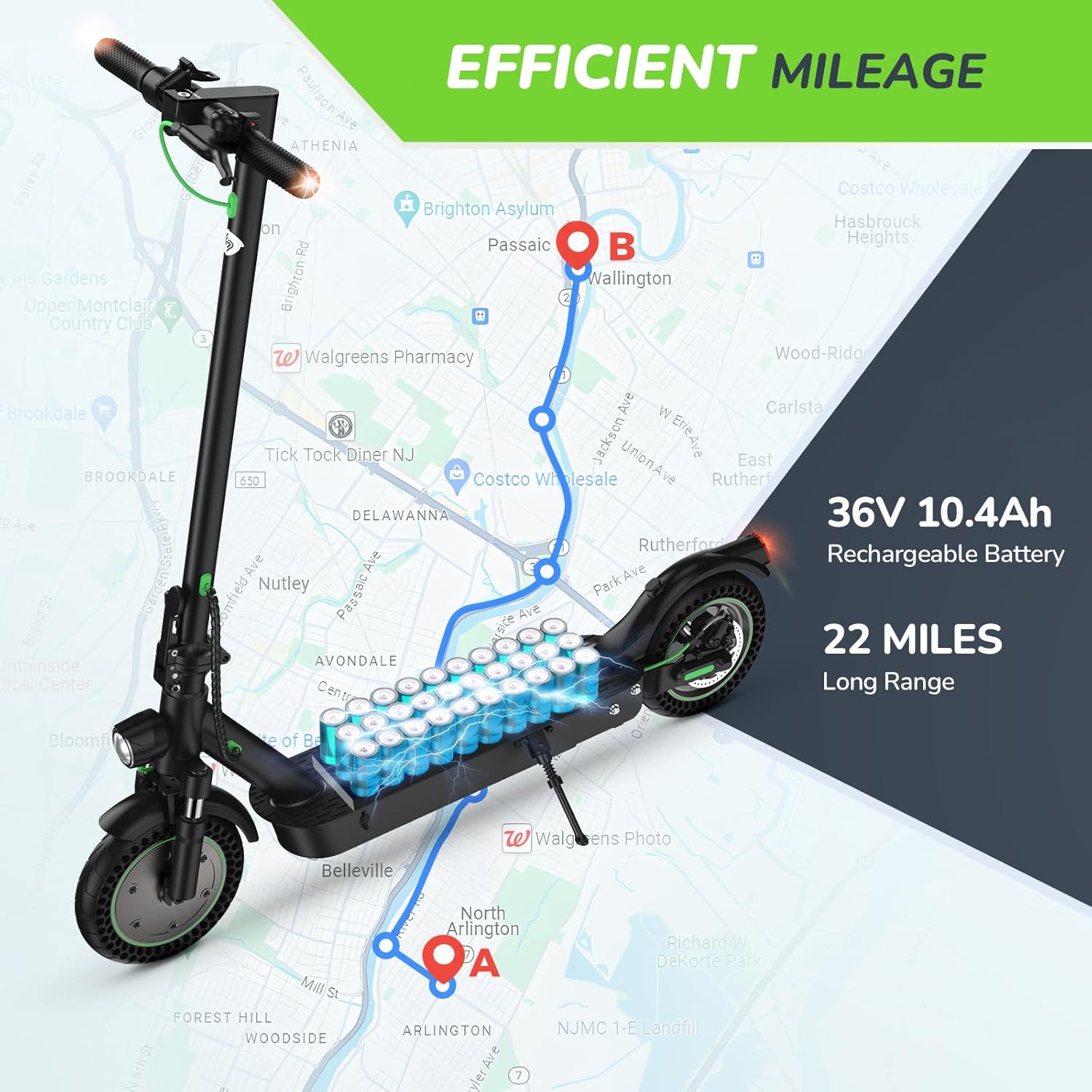
The isinwheel S9 Max is a portable folding electric scooter designed for commuting and outdoor travel, featuring a powerful 500W motor, dual suspension, and a long-range 36V/10.4Ah battery.

The isinwheel S9 Max Electric Scooter in black, showcasing its sleek design and integrated handlebar bag.
Package Contents
Upon unboxing your isinwheel S9 Max scooter, please verify that all the following items are included in the package:
- isinwheel S9 Max Electric Scooter (main unit)
- Power Adapter/Charger
- User Manual
- Handlebar Bag
- Assembly Tools (Allen wrench, screws)

The electric scooter packaged with its handlebar bag, ready for assembly and use.
An unboxing video demonstrating the contents of the isinwheel S9 Max Electric Scooter package and initial setup steps.
Setup
Handlebar Assembly
- Carefully lift the handlebar stem to its upright position until it locks into place.
- Connect the main cable from the handlebar to the stem. Ensure the connection is secure.
- Align the handlebar with the stem and secure it using the provided screws and Allen wrench.

A person demonstrating the folding mechanism of the scooter, showing how to unfold and lock the handlebar stem into place.
Initial Charge
Before your first ride, fully charge the scooter's battery. Locate the charging port on the scooter deck and connect the power adapter. The indicator light on the charger will change from red to green when fully charged.

Close-up view of the charging port located on the scooter's deck, ready for connection to the power adapter.
Operating the Scooter
Power On/Off
Press and hold the power button on the handlebar display to turn the scooter on or off.
Riding Modes
The isinwheel S9 Max offers multiple riding modes to suit different preferences and conditions:
- Eco Mode: For extended range and energy efficiency.
- Standard Mode: Balanced speed and range for daily commuting.
- Sport Mode: Maximum speed and power for exhilarating rides.
Switch between modes by short-pressing the power button after the scooter is on.

Close-up of the scooter's digital display showing speed, battery level, and control buttons for power and mode selection.
App Connectivity
Download the 'MiniRobot' app from your mobile device's app store. Connect your scooter via Bluetooth to access additional features such as locking/unlocking, cruise control, custom riding modes, and unit conversion (MPH/KM/H).
A tutorial video demonstrating how to connect the isinwheel S9 Max Electric Scooter to the MiniRobot app and switch between kilometers per hour (km/h) and miles per hour (MPH) units.
A smartphone displaying the scooter's companion app, showing options for locking, cruise control, and mode customization.
Braking System
The scooter is equipped with a dual braking system for reliable stopping power: front-wheel electronic brakes and rear-wheel mechanical brakes. Always use both brakes simultaneously for optimal safety.

Close-up of the front and rear wheels, highlighting the dual shock absorbers and disc brakes for a comfortable and safe ride.
Lighting
The scooter features a bright headlight and brake light for enhanced visibility during night rides. Ensure lights are functioning correctly before riding in low-light conditions.
A short video showcasing the isinwheel Electric Scooter's lighting system, including the bright headlight and rear brake light.
Maintenance
Tire Care
The S9 Max comes with 10-inch solid tires, which are puncture-proof and require no inflation. Regularly inspect tires for wear and tear or damage.

An image illustrating the scooter's dimensions, with a focus on the durable 10-inch solid tires that do not require air.
Cleaning
Wipe the scooter clean with a damp cloth. Do not use high-pressure water jets or immerse the scooter in water, as this can damage electronic components.
Storage
Store the scooter in a cool, dry place away from direct sunlight and extreme temperatures. If storing for an extended period, ensure the battery is charged to approximately 50-70%.
Troubleshooting
Scooter Not Turning On
- Check battery level.
- Ensure all cable connections are secure.
- If the issue persists, contact customer support.
Speed/Range Issues
- Speed and range can vary based on rider weight, terrain, incline, temperature, and riding style.
- Ensure the scooter is in the desired riding mode (e.g., Sport mode for maximum speed).
- Check battery health via the app.
Specifications
| Feature | Detail |
|---|---|
| Brand | isinwheel |
| Model Name | S9 Max |
| Motor Power | 500W (Peak 900W) |
| Battery Capacity | 36V/10.4Ah Lithium-ion |
| Max Speed | Up to 21 MPH |
| Max Range | Up to 22 Miles |
| Weight Limit | 264 lbs |
| Tire Size | 10 Inches (Solid) |
| Suspension | Front & Rear Dual Suspension |
| Brakes | Front Electronic, Rear Mechanical |
| Folding Time | 3 seconds |
| Item Weight | 35 lbs |
| Product Dimensions | 45"L x 17"W x 45"H |
| UL Certified | UL 2272 |
Safety Guidelines
- Always wear a helmet and appropriate safety gear (knee pads, elbow pads) when riding.
- Do not ride in heavy rain or through puddles deeper than 0.8 inches.
- Adhere to local traffic laws and regulations.
- Avoid riding on slippery surfaces, steep inclines, or uneven terrain.
- Do not allow children under 14 years old to operate the scooter.
- Do not perform stunts or aggressive maneuvers.
- Regularly inspect the scooter for any loose parts or damage before each ride.
Warranty & Support
isinwheel offers a one-year or 180-day warranty for different parts of the S9 Max Electric Scooter. For any product issues or professional service, please contact isinwheel customer support.
Contact Information
- Email: support@isinwheel.com
- Phone: 1(888) 293-5788

The official logo of isinwheel, the manufacturer of the electric scooter.