
1. Introduction
This manual provides essential information for setting up, operating, and maintaining your InnoView 15.6 Inch FHD 1080P Portable Monitor. Designed for versatility and portability, this monitor enhances your digital experience by providing an additional display for various devices, including laptops, desktops, smartphones, and gaming consoles. Please read this manual thoroughly before use to ensure optimal performance and longevity of your device.
2. Package Contents
Verify that all items listed below are included in your package:
- 1 x InnoView 15.6 Inch Portable Monitor
- 1 x Smart Cover & Stand
- 1 x Type-C to Type-C Cable
- 1 x Mini HDMI to HDMI Cable
- 1 x USB-A to Type-C Cable (for power, if needed)
- 1 x User Guide

Image: Contents of the InnoView Portable Monitor package.
3. Product Features
- 15.6 Inch FHD 1080P Display: Enjoy crisp and vivid visuals with a 1920x1080P resolution A+ IPS screen, supporting a 178° full viewing angle and HDR for realistic colors.
- Portable Design: Ultra-thin (4mm) and lightweight, making it ideal for travel and remote work.
- Versatile Connectivity: Equipped with two full-function Type-C ports and one mini HDMI port for broad compatibility with various devices.
- Built-in Speakers: Integrated dual stereo speakers provide audio for multimedia content.
- Smart Protective Cover: A durable PU leather cover protects the monitor and doubles as an adjustable stand.
- Eye Protection: Features low blue light technology to reduce eye strain and flicker.
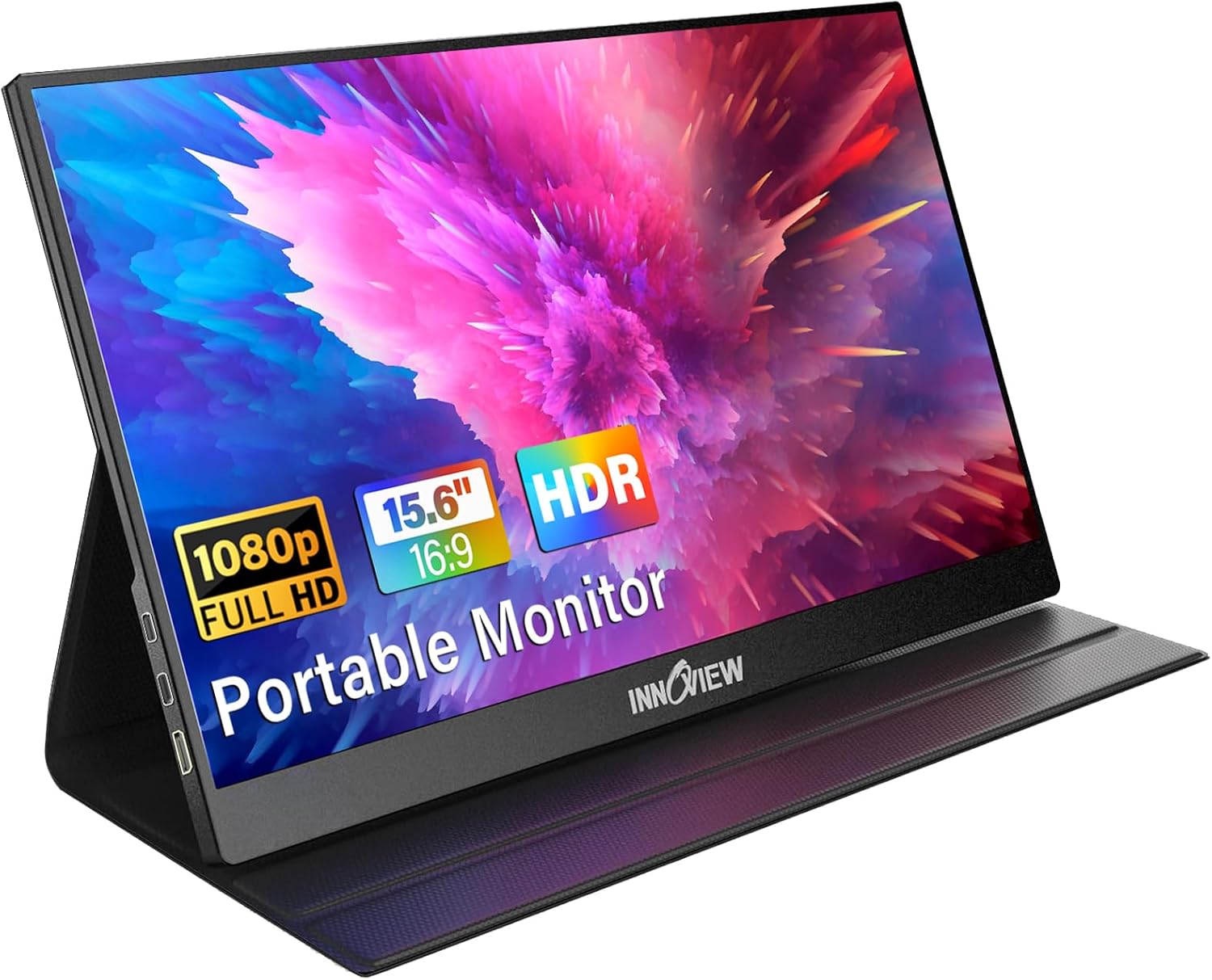
Image: The InnoView 15.6 inch portable monitor showcasing its display and smart cover.

Image: Display quality of the InnoView portable monitor with 1920x1080 resolution.

Image: Illustration of the monitor's dual surround speakers.
4. Setup Instructions
The InnoView Portable Monitor is designed for plug-and-play functionality. Follow these steps to connect your device:
4.1. Connecting via USB-C (Single Cable Solution)
For devices with a full-function USB-C port (supporting Thunderbolt 3.0/4.0 or USB 3.1 Type-C DP ALT-MODE), a single USB-C cable can transmit both video and power.
- Connect one end of the provided Type-C to Type-C cable to your device's USB-C port.
- Connect the other end of the Type-C to Type-C cable to one of the monitor's full-function Type-C ports.
- The monitor should automatically detect the signal and power on.
4.2. Connecting via HDMI (Video + Separate Power)
For devices without a full-function USB-C port, or if you prefer HDMI, you will need both an HDMI cable for video and a USB-A to Type-C cable for power.
- Connect one end of the provided Mini HDMI to HDMI cable to your device's HDMI port.
- Connect the other end of the Mini HDMI to HDMI cable to the monitor's Mini HDMI port.
- Connect the provided USB-A to Type-C cable to a power source (e.g., a USB wall adapter, not included) and the other end to one of the monitor's Type-C ports for power.
- The monitor should power on and display the signal.

Image: USB-C to USB-C connection for laptops.
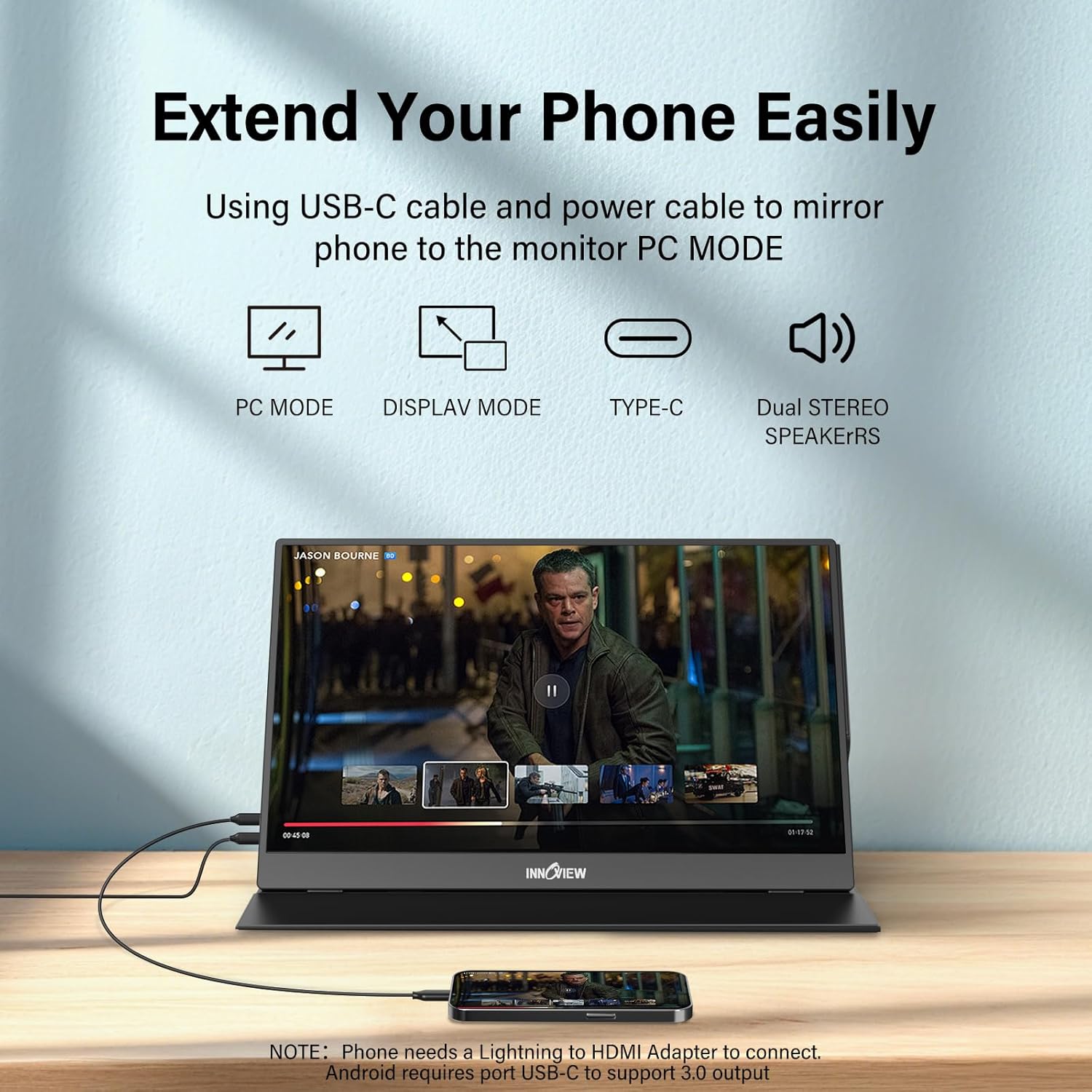
Image: HDMI and separate power connection for devices.

Image: Extending a smartphone's display to the portable monitor.

Image: Various display modes supported by the monitor.
5. Operating Instructions
5.1. Using the Smart Cover as a Stand
The included smart cover can be folded to create a stable stand for your monitor. Two grooves are provided to adjust the viewing angle. This cover also offers all-round protection when transporting the monitor.
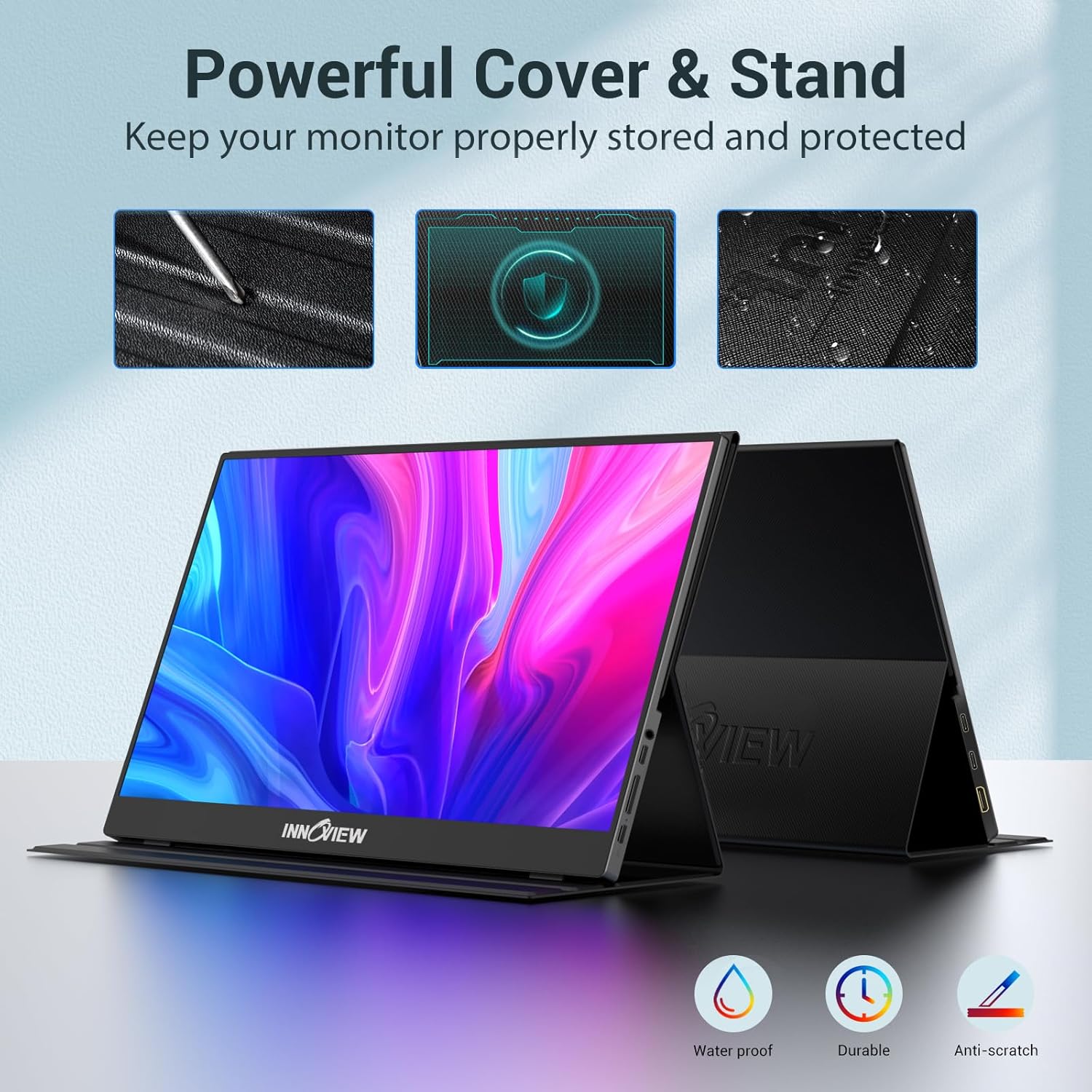
Image: The smart cover functioning as a stand.

Image: Step-by-step guide on folding the smart cover into a stand.
5.2. On-Screen Display (OSD) Menu
The monitor features control buttons on the side to access the OSD menu. These buttons allow you to adjust various settings:
- Brightness/Contrast: Adjust display luminance and contrast levels.
- Color Settings: Modify color temperature, hue, and saturation.
- Audio Settings: Control volume for the built-in speakers.
- Input Source: Manually select the input source (USB-C 1, USB-C 2, HDMI).
- Other Settings: Access advanced display options and system information.

Image: Overview of the monitor's ports and control buttons.
Video: A seller-provided video demonstrating the InnoView portable monitor's features and ease of use, including its slim design, connectivity options, and built-in stand.
Video: A seller-provided video highlighting the portability and display quality of a 16-inch portable monitor, similar to the InnoView model.
6. Maintenance
To ensure the longevity and optimal performance of your InnoView Portable Monitor, follow these maintenance guidelines:
- Cleaning the Screen: Use a soft, lint-free cloth slightly dampened with water or a screen-cleaning solution. Avoid harsh chemicals or abrasive materials.
- Cleaning the Body: Wipe the monitor's exterior with a soft, dry cloth.
- Storage: When not in use, store the monitor in its smart protective cover to prevent scratches and damage. Avoid placing heavy objects on top of the monitor.
- Environmental Conditions: Keep the monitor away from extreme temperatures, direct sunlight, and high humidity.
7. Troubleshooting
If you encounter any issues with your monitor, please refer to the following common problems and solutions:
- Screen Flickers or Turns Off: This can occur if the connected device's output power is insufficient. Ensure the monitor is powered individually using a separate power adapter (recommended 15W+ adapter, not included) to solve this.
- No Signal, Restarts, or Shuts Down: First, check if the cable connections are secure and correctly inserted. Ensure your device supports Thunderbolt 3.0/4.0 or USB 3.1 Type-C DP ALT-MODE for single-cable USB-C connection. If using HDMI, ensure a separate power source is connected to the monitor. If the issue persists, try a different cable or power source.
- No Image on Screen (Power On): Verify the input source selected in the OSD menu matches your connection. Check the cable connections for any damage or looseness.
- No Sound or Distorted Sound: Adjust the volume settings in the OSD menu and on your connected device. Ensure the audio output is directed to the monitor. If using headphones, ensure they are properly connected to the monitor's audio jack.
For further assistance, please contact InnoView customer support.
8. Specifications
| Feature | Specification |
|---|---|
| Brand | InnoView |
| Model Number | INVPM406-02B |
| Screen Size | 15.6 Inches |
| Display Resolution | 1920 x 1080 (FHD 1080p) |
| Display Technology | LED, IPS |
| Viewing Angle | 178 Degrees |
| Aspect Ratio | 16:9 |
| Image Brightness | 250 cd/m² |
| Image Contrast Ratio | 2000:1 |
| Response Time | 3 Milliseconds |
| Refresh Rate | 60 Hz |
| Hardware Interface | 2 x USB 3.0 (Type-C), 1 x Mini HDMI |
| Special Features | HDR, 75% sRGB, Alloy Adjustable Stand, 4MM Ultra Thin, A+ IPS, Low Blue Light, Flicker-Free |
| Product Dimensions | 21 x 38 x 49 cm; 680.39 g |
| Power Source Type | DC |
9. Warranty and Support
InnoView offers a 30-day return policy and an 18-month warranty (excluding external force damage) for this product. For any concerns or support needs, please contact the seller, InnoView US, directly through your Amazon purchase history or the contact information provided on the back of your monitor.
Image: InnoView warranty and return policy details.


