
1. Product Overview
The SURFOU Wireless Doorbell N6 provides a reliable and convenient solution for your home or office. This kit includes a waterproof transmitter (doorbell button) and a plug-in receiver (chime unit). It features a long operating range, multiple melodies, adjustable volume levels, and an LED indicator for enhanced usability.
Key Features:
- Extended Range: Up to 400 meters (1300 feet) in open areas.
- Customizable Sound: 55 selectable melodies and 5 adjustable volume levels (up to 110 dB).
- Visual Alert: Blue LED indicator on both transmitter and receiver.
- Durable Design: IP44 waterproof and dustproof transmitter, operating in temperatures from -30°C to 70°C (-22°F to 158°F).
- Memory Function: Retains last selected melody and volume settings after power loss.
- Easy Installation: Can be mounted using screws or adhesive tape.

Image 1.1: The SURFOU Wireless Doorbell N6 kit, showing the receiver (left) with its blue LED ring and side buttons, and the transmitter (right) with its push button and blue LED indicator.
2. Package Contents
Before proceeding with installation, please verify that all components are present in your package:
- 1 x Plug-in Receiver (Chime Unit)
- 1 x Battery-operated Transmitter (Doorbell Button)
- 1 x 12V23A Battery (for transmitter)
- 1 x Small Screwdriver
- 2 Sets of Screws and Wall Anchors
- 2 x Double-sided Adhesive Tapes
- 1 x User Manual

Image 2.1: Illustration of all items included in the SURFOU Wireless Doorbell N6 package, including the receiver, transmitter, battery, screwdriver, screws, adhesive tapes, and user manual.
3. Setup and Installation
3.1. Transmitter (Doorbell Button) Battery Installation
- Open the back cover of the transmitter using the provided screwdriver or by gently prying it open.
- Insert the 12V23A battery, ensuring correct polarity (+/-).
- Close the back cover securely.
3.2. Mounting the Transmitter
The transmitter can be mounted using either screws or double-sided adhesive tape.
- Adhesive Tape Method:
- Clean the desired mounting surface thoroughly to ensure it is dry and free of dust or grease.
- Peel off one side of the double-sided adhesive tape and apply it firmly to the back of the transmitter.
- Peel off the other side of the tape and press the transmitter firmly onto the wall for at least 30 seconds.
- Screw Method:
- Mark the desired drilling points on the wall using the transmitter's mounting holes as a guide.
- Drill two holes and insert the wall anchors.
- Align the transmitter with the holes and secure it with the provided screws.

Image 3.1: Visual guide demonstrating the two installation methods for the doorbell transmitter: using double-sided adhesive tape or screws and wall anchors.
3.3. Receiver (Chime Unit) Placement
Plug the receiver into a standard European electrical outlet in a location where the chime can be heard clearly throughout your desired area. Ensure it is within the operating range of the transmitter.
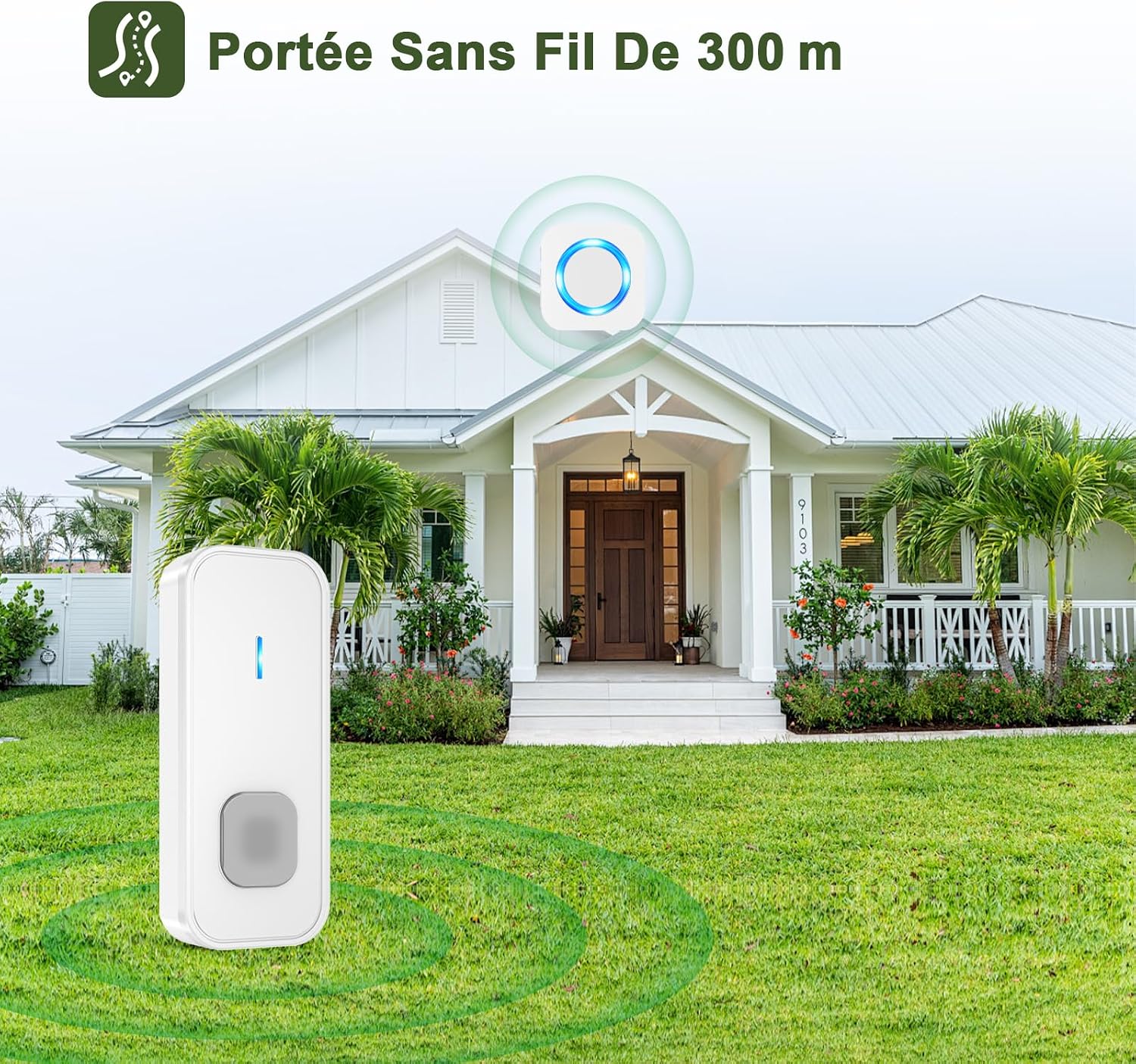
Image 3.2: The doorbell transmitter installed outside a house, illustrating its wireless range and outdoor suitability.
4. Operating Instructions
4.1. Changing Melodies
The receiver offers 55 different melodies. To change the melody:
- Press the "Up" or "Down" button on the side of the receiver to cycle through the available melodies.
- Once you hear a melody you prefer, stop pressing the buttons. The receiver will automatically save this selection.

Image 4.1: The receiver unit with musical notes, LED indicator, and volume bars, illustrating the selection of 55 melodies and 5 volume levels.
4.2. Adjusting Volume Levels
There are 5 volume levels, ranging up to 110 dB. To adjust the volume:
- Press the "Volume" button (speaker icon) on the side of the receiver.
- Each press will cycle through the 5 volume levels. Select the desired volume.
4.3. Silent Mode and LED Indicator
The receiver supports different alert modes:
- Sound + LED Flash: The default mode, where the receiver chimes and the LED ring flashes.
- LED Flash Only (Silent Mode): Press the "Mode" button (bell icon) to switch to this mode. The receiver will only flash its LED indicator without sound, useful for quiet environments or for individuals with hearing impairments.
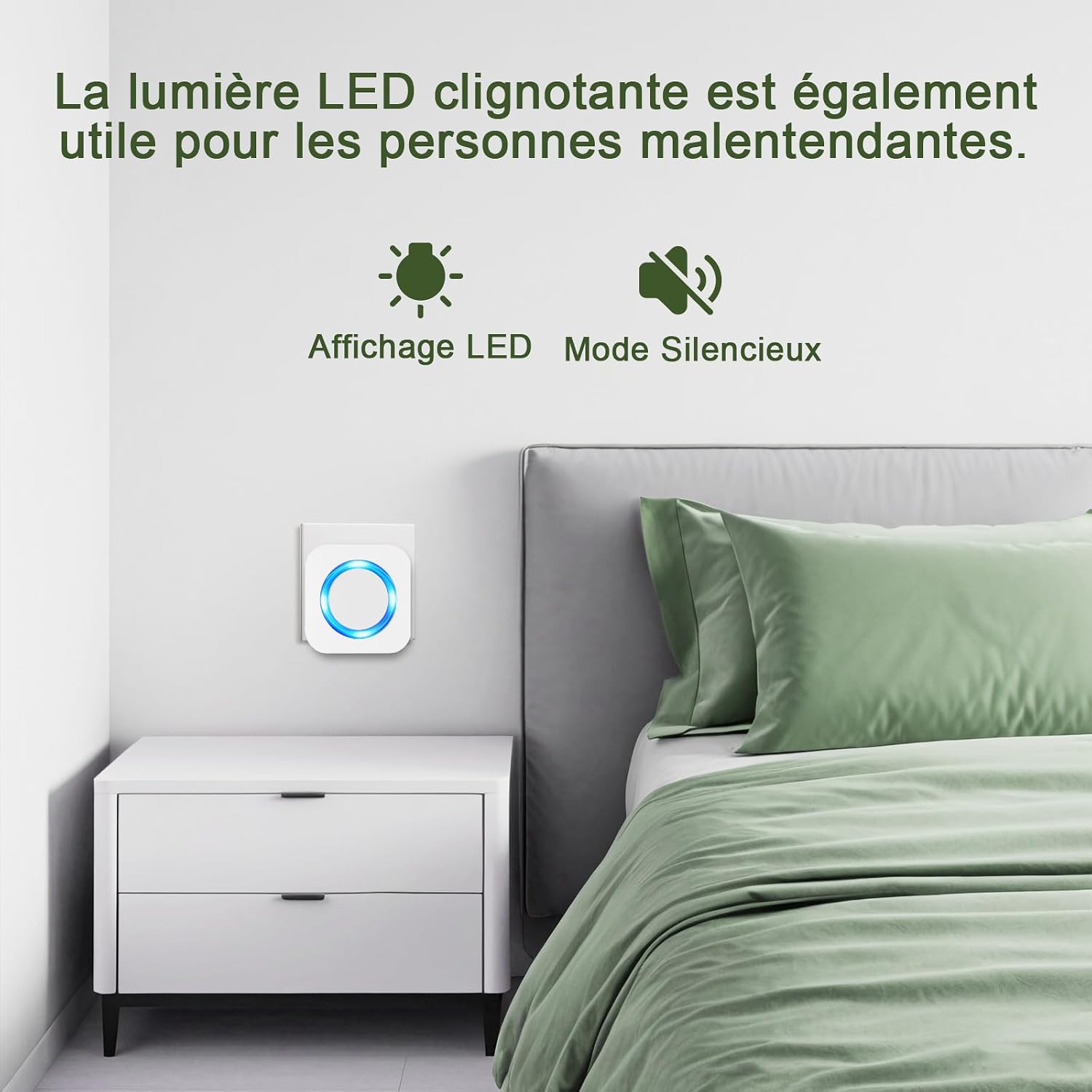
Image 4.2: The receiver unit placed in a bedroom, illustrating the LED-only mode for silent notifications, beneficial for sleeping children or hearing-impaired individuals.
4.4. Memory Function
The receiver is equipped with a memory function that saves your last selected melody and volume settings. These settings will be retained even if the receiver is unplugged or experiences a power outage.

Image 4.3: A microchip illustration symbolizing the doorbell's memory function, which preserves settings after power interruptions.
5. Maintenance
5.1. Weather Resistance
The transmitter is designed to be IP44 waterproof and dustproof, capable of operating in temperatures ranging from -30°C to 70°C (-22°F to 158°F). This ensures reliable performance in various outdoor conditions.

Image 5.1: The doorbell transmitter shown in a rainy environment, highlighting its waterproof and weather-resistant features.
5.2. Battery Replacement
The transmitter's 12V23A battery has an average lifespan of 1 to 3 years, depending on usage. When the transmitter's LED indicator no longer lights up or the signal becomes weak, it is time to replace the battery. Follow the battery installation steps in Section 3.1.
5.3. Cleaning
Wipe the doorbell units with a soft, dry cloth. Avoid using abrasive cleaners or solvents, as these may damage the surface.
6. Troubleshooting
| Problem | Possible Cause | Solution |
|---|---|---|
| Doorbell does not ring. | Transmitter battery is dead or incorrectly installed. Receiver is unplugged or out of range. | Replace transmitter battery, ensuring correct polarity. Plug in the receiver. Move receiver closer to the transmitter. |
| Weak signal or intermittent ringing. | Obstructions (thick walls, metal structures) between transmitter and receiver. Low transmitter battery. | Relocate receiver or transmitter to minimize obstructions. Replace transmitter battery. |
| Melody/Volume resets after power outage. | This model features a memory function, so settings should be retained. If not, there might be a rare internal issue. | Re-select desired melody and volume. If issue persists, contact customer support. |
| LED indicator not working. | Receiver is in silent mode (LED only). Transmitter battery is dead. | Check receiver mode. Replace transmitter battery. |
7. Specifications
| Feature | Detail |
|---|---|
| Model Number | N6 |
| Dimensions (Receiver) | 7 x 7 x 6.5 cm |
| Dimensions (Transmitter) | 8.6 x 3.5 cm (estimated from image) |
| Weight | 92.2 Grams |
| Power Source (Receiver) | AC Plug-in (European standard) |
| Power Source (Transmitter) | 1 x 12V23A Alkaline Battery (included) |
| Battery Life (Transmitter) | 1-3 years (average) |
| Wireless Range | Up to 400 meters (open area) |
| Melodies | 55 selectable options |
| Volume Levels | 5 levels, up to 110 dB |
| Waterproof Rating (Transmitter) | IP44 |
| Operating Temperature | -30°C to 70°C (-22°F to 158°F) |
| Special Functions | Mute, LED indicator, Memory function, Expandable |
8. Warranty and Support
SURFOU is committed to providing reliable products and excellent customer service. While specific warranty details are not provided in this manual, please refer to your purchase documentation or the retailer's policy for warranty information.
For any questions, technical assistance, or support, please contact SURFOU customer service. The manufacturer states that customer support is available 24/7.
Contact information may be found on the product packaging or the official SURFOU website.


