
1. Introduction
This manual provides comprehensive instructions for the installation, operation, maintenance, and troubleshooting of the AHT Cooling Systems 321501-W Controller. This device is a genuine Original Equipment Manufacturer (OEM) part designed for specific industrial and scientific applications, particularly in temperature control systems. Adherence to these instructions ensures safe and efficient operation and helps maintain the product's reliability and performance.
2. Safety Information
Before installing or operating the AHT Cooling Systems 321501-W Controller, read and understand all safety warnings and instructions. Failure to do so may result in property damage, injury, or death. Keep this manual for future reference.
- Electrical Safety: Ensure all power is disconnected before installation or maintenance. Only qualified personnel should perform electrical connections.
- Proper Use: Use this controller only for its intended purpose as a temperature control component within compatible systems.
- Environmental Conditions: Operate the controller within specified environmental limits (temperature, humidity) to prevent damage.
- Genuine Parts: Always use genuine OEM parts for replacements to ensure safety, reliability, and performance.
3. Product Overview
The AHT Cooling Systems 321501-W Controller is a critical component for managing temperature within industrial cooling systems. It is designed for precise control and integration into existing setups.
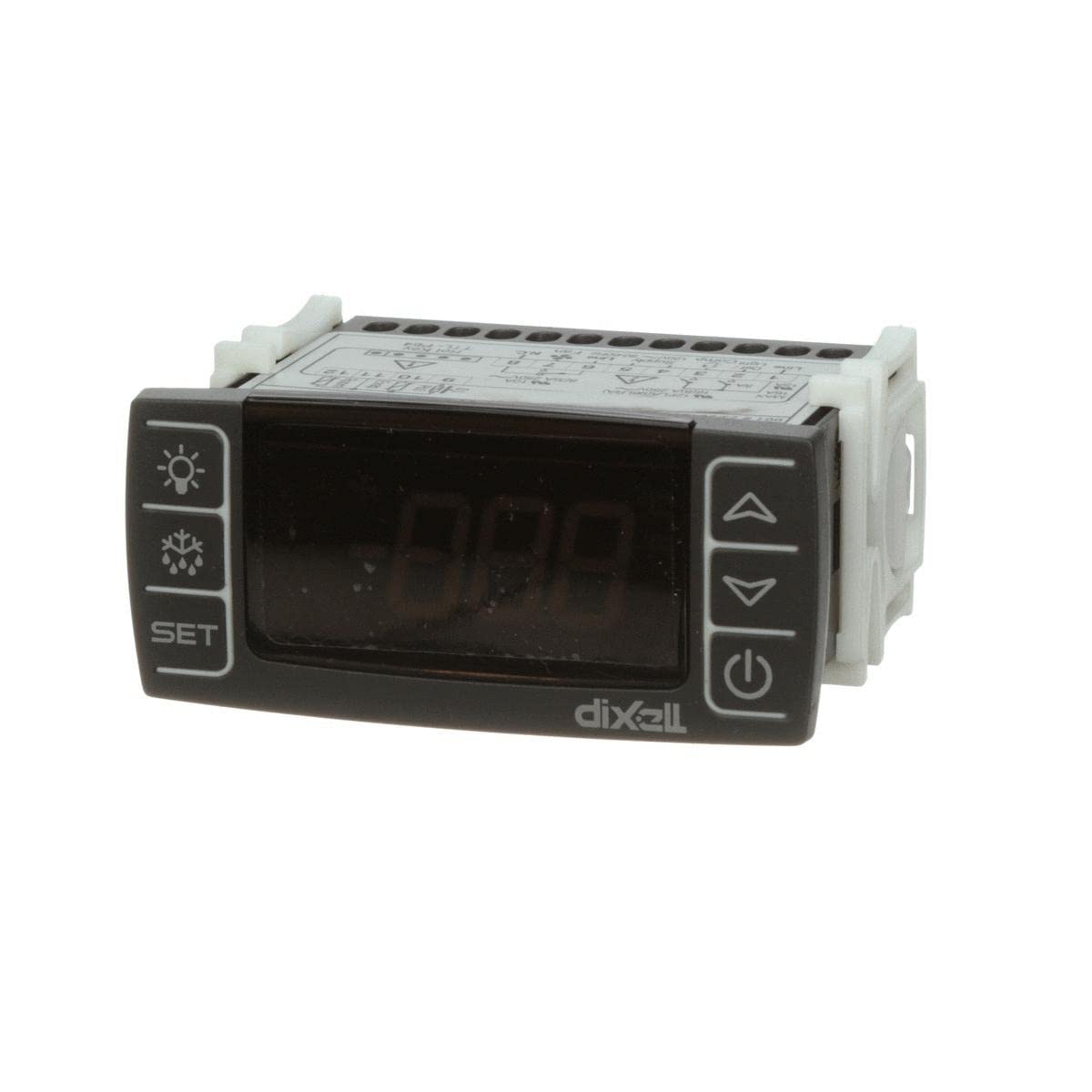
Image showing the front panel of the AHT Cooling Systems 321501-W Controller, typically featuring a display and control buttons.
3.1 What's in the Box
- AHT Cooling Systems 321501-W Controller (Replacement Part)
4. Setup and Installation
Proper installation is crucial for the controller's functionality and longevity. Consult a qualified technician if you are unsure about any steps.
- Power Disconnection: Ensure all power to the system where the controller will be installed is completely disconnected and locked out.
- Mounting: Securely mount the 321501-W Controller in the designated panel or enclosure, ensuring adequate ventilation and protection from moisture or extreme temperatures.
- Wiring: Connect the power supply, sensors, and output loads to the appropriate terminals on the controller. Refer to the wiring diagram provided with your specific system documentation. Ensure all connections are tight and correctly polarized.
- Initial Inspection: Before restoring power, visually inspect all connections for correctness and ensure no loose wires or foreign objects are present.
- Power Restoration: Carefully restore power to the system. Observe the controller for initial power-up sequences or error indicators.
5. Operating Instructions
Once installed and powered, the 321501-W Controller is ready for configuration and operation. Specific operational details may vary based on the system it is integrated into.
- Power On: The controller should power on automatically when system power is supplied. The display will typically show the current temperature or a default status.
- Setting Temperature/Parameters: Use the control buttons (if present) to navigate menus and adjust setpoints, differentials, and other operational parameters. Consult your system's specific operational guide for detailed parameter settings.
- Monitoring: Continuously monitor the display to ensure the system is operating within desired temperature ranges.
- Alarm Functions: Familiarize yourself with any alarm indicators or audible alerts. Understand what each alarm signifies and the appropriate response.
6. Maintenance
Regular maintenance ensures the longevity and accurate performance of your controller.
- Cleaning: Periodically clean the exterior of the controller with a soft, dry cloth. Do not use abrasive cleaners or solvents. Ensure no dust or debris accumulates around ventilation openings.
- Inspection: Annually inspect wiring connections for tightness and signs of wear or corrosion. Check for any physical damage to the controller casing or display.
- Calibration: If your system requires periodic sensor calibration, ensure the controller's readings are verified against a known standard.
- Firmware Updates: If applicable, consult AHT Cooling Systems or your system integrator for information on firmware updates.
7. Troubleshooting
This section addresses common issues you might encounter with the 321501-W Controller. For complex problems, contact qualified service personnel.
| Problem | Possible Cause | Solution |
|---|---|---|
| Controller does not power on | No power supply; Incorrect wiring; Internal fault | Check power source and circuit breaker. Verify wiring connections. If problem persists, contact support. |
| Incorrect temperature reading | Faulty sensor; Sensor not connected properly; Calibration required | Check sensor wiring. Inspect sensor for damage. Perform sensor calibration if possible. Replace sensor if faulty. |
| Output not activating/deactivating | Incorrect setpoint; Faulty output relay; Wiring issue | Verify setpoint and differential settings. Check output wiring. Test output relay if accessible. |
| Display shows error code | System fault; Sensor error; Parameter out of range | Refer to your system's specific error code documentation. Address the indicated issue (e.g., check sensor, adjust parameters). |
8. Specifications
Technical specifications for the AHT Cooling Systems 321501-W Controller.
- Product Dimensions: 5 x 3.75 x 1.6 inches
- Item Weight: 1 pounds
- Manufacturer: Aht Cooling Systems
- Item Model Number: 321501-W
- ASIN: B0B2M6L55N
- First Available: May 28, 2022
9. Warranty and Support
For warranty information, technical support, or service inquiries regarding your AHT Cooling Systems 321501-W Controller, please contact AHT Cooling Systems directly or your authorized distributor. Keep your purchase receipt and model number readily available when seeking support.