
1. Introduction
Thank you for choosing the QearFun Unicorn Bluetooth Headphones. This manual provides essential information to ensure safe and optimal use of your new headphones. Please read it thoroughly before use and retain it for future reference.
2. Safety Information
- Volume Limit: These headphones feature an 85dB volume limit to protect sensitive hearing. Do not attempt to bypass this safety feature.
- Supervision: Young children should be supervised while using headphones.
- Cleaning: Use a soft, dry cloth to clean the headphones. Avoid liquid cleaners.
- Storage: Store headphones in a cool, dry place away from direct sunlight and extreme temperatures.
3. Package Contents
Verify that all items listed below are included in your package:
- QearFun Unicorn Bluetooth Headphones
- USB Charging Cable
- 3.5mm Audio Cable
- Unicorn Drawstring Bag
- 2 x Unicorn Slap Bracelets
- Instruction Manual
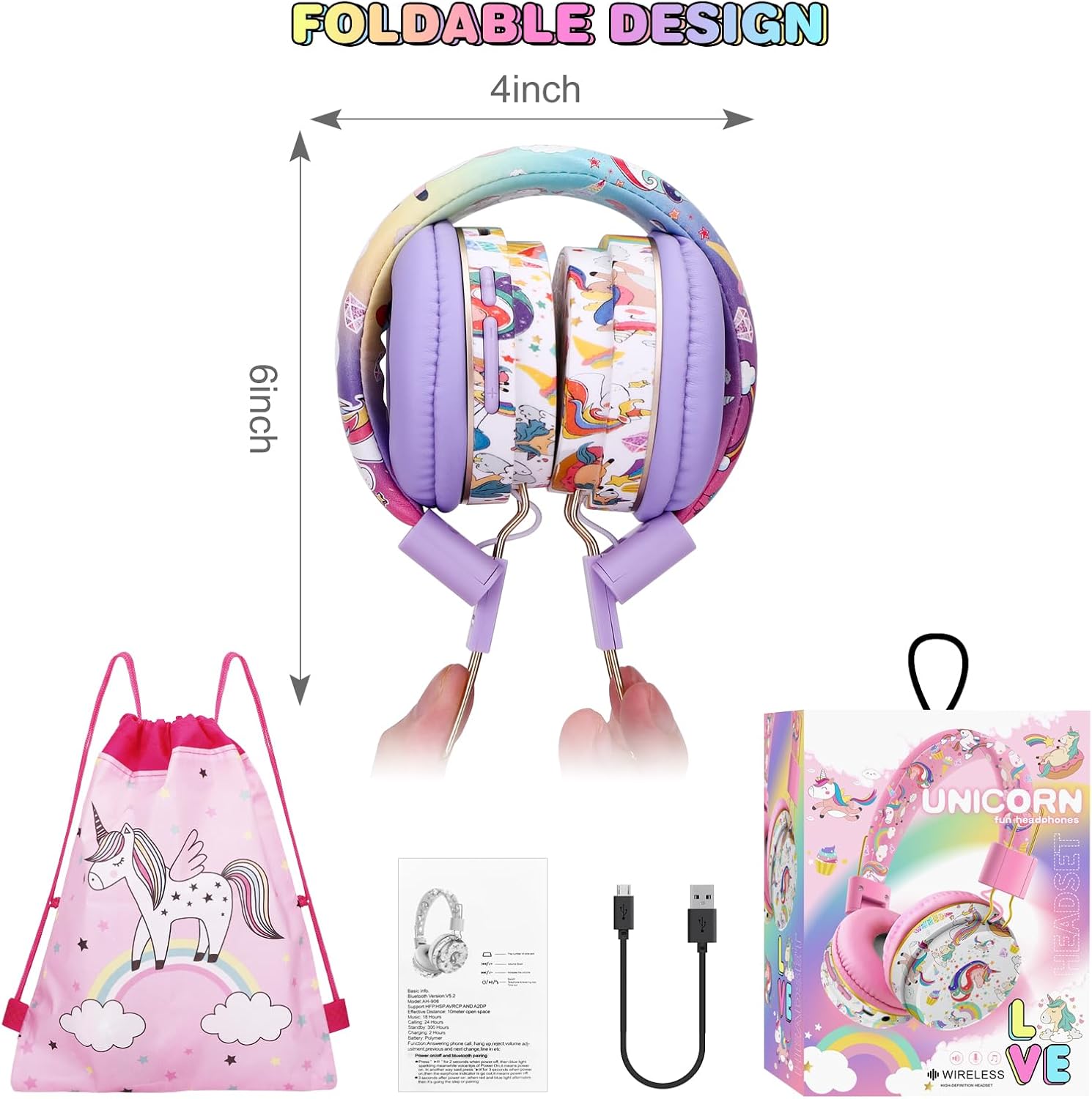
Figure 3.1: Package contents including headphones, cables, drawstring bag, and slap bracelets.
4. Product Overview
4.1. Controls and Ports
Familiarize yourself with the headphone controls and ports:
- Power Button / Play/Pause: Long press to power on/off. Short press to play/pause music or answer/end calls.
- '+' Button: Short press for next track, long press to increase volume.
- '-' Button: Short press for previous track, long press to decrease volume.
- 3.5mm Audio Jack: For wired connection using the included audio cable.
- Micro USB Charging Port: For charging the headphones.
- TF Card Slot: Insert a TF (MicroSD) card for direct music playback.
- Built-in Microphone: For hands-free calls and online communication.
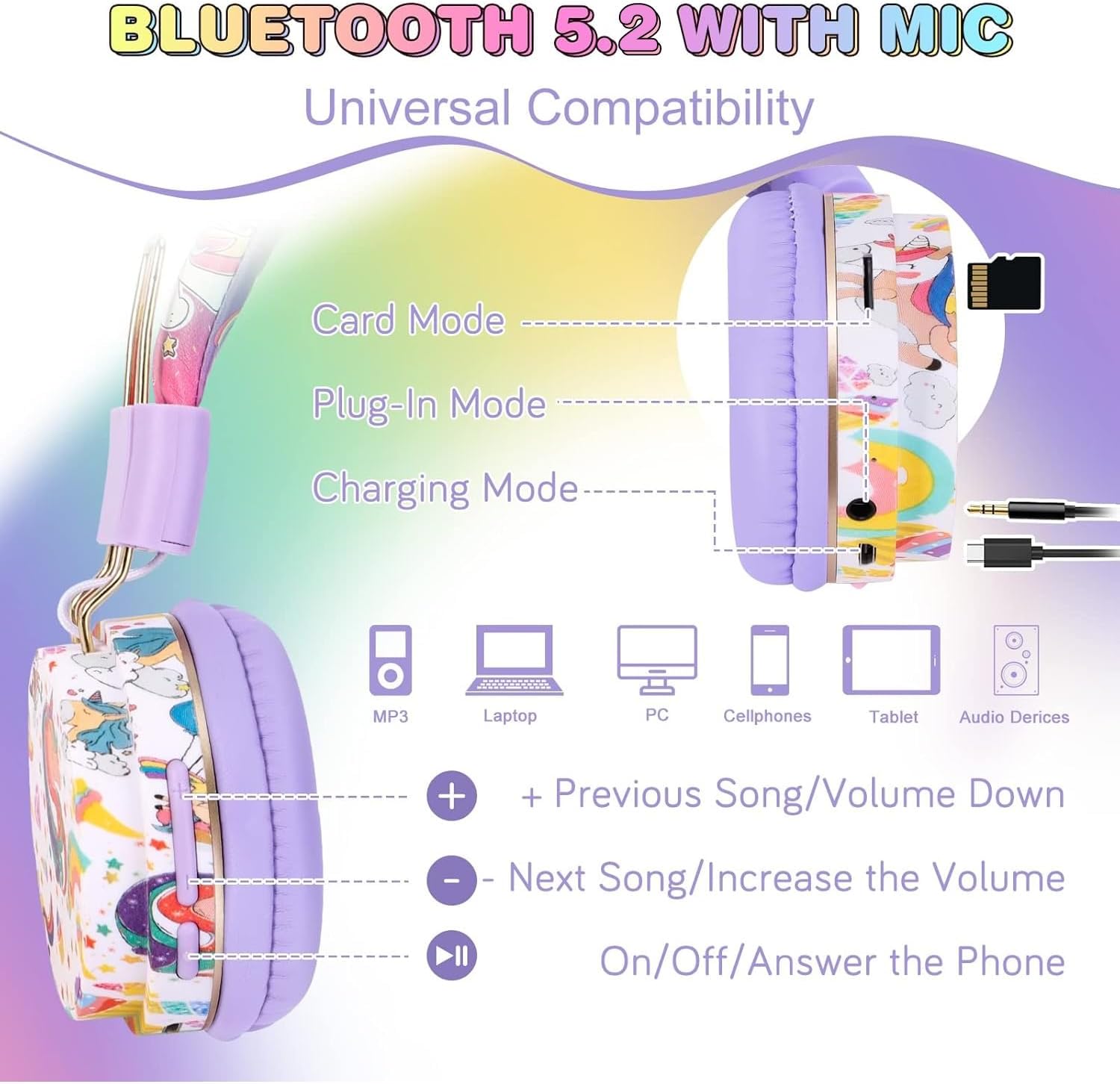
Figure 4.1: Headphone controls and ports for various functions.
Video 4.1: This video demonstrates the features and controls of the QearFun Unicorn Headphones, including the adjustable headband, soft ear pads, and various connection options.
4.2. Design and Comfort
The headphones feature a soft, adjustable headband and pillow-soft, skin-friendly ear pads for comfortable long-term wear. The foldable design allows for easy storage and portability.

Figure 4.2: The soft, retractable headband and comfortable ear pads ensure a good fit.
Figure 4.3: The foldable design makes the headphones easy to store and carry.
5. Setup
5.1. Charging the Headphones
Before first use, fully charge the headphones.
- Connect the Micro USB end of the charging cable to the charging port on the headphone.
- Connect the USB-A end to a compatible USB power source (e.g., computer, wall adapter).
- The LED indicator will show charging status (e.g., red for charging, off when fully charged).
- A full charge takes approximately 1-2 hours.
5.2. Bluetooth Pairing
- Ensure the headphones are powered off.
- Long press the Power button until the LED indicator flashes blue and red, indicating pairing mode.
- On your device (smartphone, tablet, laptop), enable Bluetooth and search for available devices.
- Select "WUni Headph" from the list of devices.
- Once connected, the LED indicator will flash blue slowly.
Video 5.1: This video illustrates the Bluetooth pairing process for the QearFun headphones, showing how to connect them to a mobile device.
5.3. Wired Connection
To use the headphones in wired mode:
- Connect one end of the 3.5mm audio cable to the headphone's 3.5mm jack.
- Connect the other end to your audio device's 3.5mm audio output.
- Wired mode does not require battery power.
5.4. TF Card Playback
For direct music playback without a connected device:
- Insert a TF (MicroSD) card with MP3 audio files into the TF card slot.
- The headphones will automatically switch to TF card mode and begin playing music.
- Use the '+' and '-' buttons to navigate tracks and adjust volume.
6. Operating Instructions
- Power On/Off: Long press the Power button for approximately 3 seconds.
- Play/Pause: Short press the Power button.
- Volume Control: Long press the '+' button to increase volume, long press the '-' button to decrease volume.
- Track Navigation: Short press the '+' button for the next track, short press the '-' button for the previous track.
- Answering/Ending Calls: Short press the Power button during an incoming call to answer, short press again to end the call.
- Rejecting Calls: Long press the Power button during an incoming call.
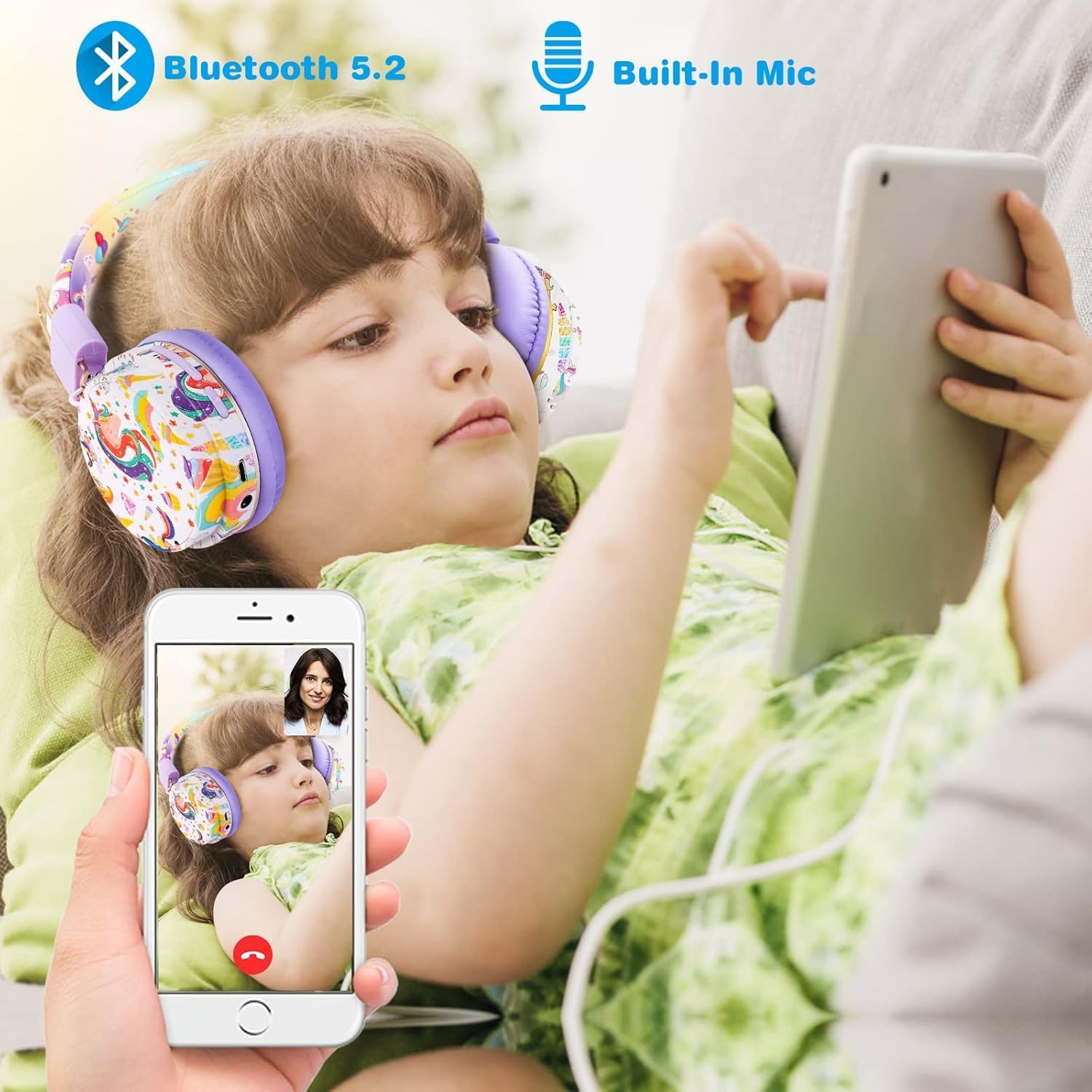
Figure 6.1: Headphones in use for entertainment and communication.
7. Maintenance
- Cleaning: Wipe the headphones with a soft, slightly damp cloth. Do not use harsh chemicals or abrasive materials.
- Storage: When not in use, fold the headphones and store them in the provided drawstring bag to protect them from dust and damage.
- Battery Care: To prolong battery life, avoid fully discharging the headphones frequently. Charge them regularly, even if not in constant use.
8. Troubleshooting
| Problem | Possible Cause | Solution |
|---|---|---|
| Headphones do not power on. | Low battery. | Charge the headphones fully. |
| Cannot pair via Bluetooth. | Headphones not in pairing mode; device Bluetooth off. | Ensure headphones are in pairing mode (flashing blue/red LED). Turn device Bluetooth off and on again. |
| No sound in Bluetooth mode. | Volume too low; not properly connected. | Increase headphone and device volume. Re-pair the headphones. |
| No sound in wired mode. | Cable not fully inserted; faulty cable. | Ensure 3.5mm cable is securely connected. Try a different 3.5mm cable if available. |
| TF card not playing. | Incorrect file format; card not inserted correctly. | Ensure files are in MP3 format. Reinsert the TF card. |
9. Specifications
| Feature | Detail |
|---|---|
| Model Name | WUni Headph |
| Connectivity Technology | Wireless (Bluetooth 5.2), Wired (3.5mm Jack) |
| Noise Control | Active Noise Cancellation |
| Volume Limit | 85dB Safe Volume Limit |
| Battery Life | Up to 24 hours (music/calling), 300 hours (standby) |
| Charging Time | 1-2 Hours |
| Audio Driver Size | 40 Millimeters |
| Special Features | 3.5mm Jack, 7 Colors LED Lights, Foldable, Microphone Included, TF Card Slot |
| Dimensions | 6 x 4 x 3 inches |
| Item Weight | 9.1 ounces |
| Material | Faux Leather |
| Age Range (Description) | Kids Teen Adult |
10. Warranty and Support
QearFun stands behind its products. Your purchase is protected by a 30-day, no-questions-asked money-back guarantee. For any questions, concerns, or support needs, please contact QearFun customer service through the retailer's platform or the official QearFun website.
