
BOOMBOOST JSD520
BOOMBOOST JSD520 Car MP3 Stereo Player User Manual
Model: JSD520
1. Introduction
Thank you for purchasing the BOOMBOOST JSD520 Car MP3 Stereo Player. This manual provides detailed instructions for installation, operation, and maintenance of your new car audio system. Please read this manual thoroughly before use to ensure proper functionality and safety.

Image 1.1: Front view of the BOOMBOOST JSD520 Car MP3 Stereo Player, showing the display, control knob, and USB/AUX ports.
2. Key Features
- Smart Bluetooth Calls: Integrated Bluetooth for hands-free calling, enhancing driving safety and convenience.
- Power-Off Memory Function: Retains frequency, track, and volume settings after power-off, resuming playback from the last point.
- Folder Playback Support: Organize and play songs from different folders on your memory card (SD/USB).
- High-Quality LED Display: Bright yet soft car-gauge LED screen for clear visibility without glare.
- FM Radio Tuner: Built-in FM radio with automatic search and 18 preset stations (87.5 ~ 108 MHz).
- Versatile Media Playback: Supports MP3/WMA audio formats via USB, SD card, and AUX input.
- Electronic Audio Control: Adjustable treble, bass, balance, and fader.
- Four-Channel Output: Provides robust audio output for a comprehensive sound experience.
3. Package Contents
Upon opening the package, please verify that all items listed below are present and in good condition:
- 1 x BOOMBOOST JSD520 Car MP3 Stereo Player
- 1 x Remote Control (battery not included)
- 2 x Wiring Harnesses
- 2 x Installation Tool Sets
- 1 x User Manual

Image 3.1: Contents of the BOOMBOOST JSD520 package, showing the main unit, remote control, wiring harnesses, and user manual.
4. Setup and Installation
Professional installation is recommended for optimal performance and safety. Ensure the vehicle's power is disconnected before beginning installation.
4.1 Wiring Diagram
Connect the provided wiring harnesses according to your vehicle's wiring specifications. Refer to the detailed wiring diagram in the included paper manual for specific connections (power, ground, speaker outputs, antenna, etc.).
4.2 Mounting the Unit
- Insert the metal mounting sleeve into the vehicle's dashboard opening.
- Bend the tabs on the sleeve outwards to secure it in place.
- Slide the JSD520 unit into the mounting sleeve until it clicks into position.
5. Operating Instructions
5.1 Power On/Off and Volume Control
- Press the Power button (usually marked with ) to turn the unit on or off.
- Rotate the large Volume Knob to adjust the audio level.
5.2 Mode Selection
Press the MODE button to cycle through available audio sources: FM Radio, Bluetooth, USB, SD, and AUX.
5.3 FM Radio Function
- In FM mode, press the BAND button to switch between FM bands (FM1, FM2, FM3).
- Press the Seek buttons (<< / >>) to automatically search for the next strong station.
- Press and hold the Seek buttons for manual tuning.
- To save a station, tune to the desired frequency, then press and hold one of the preset number buttons (1-6) until you hear a beep.
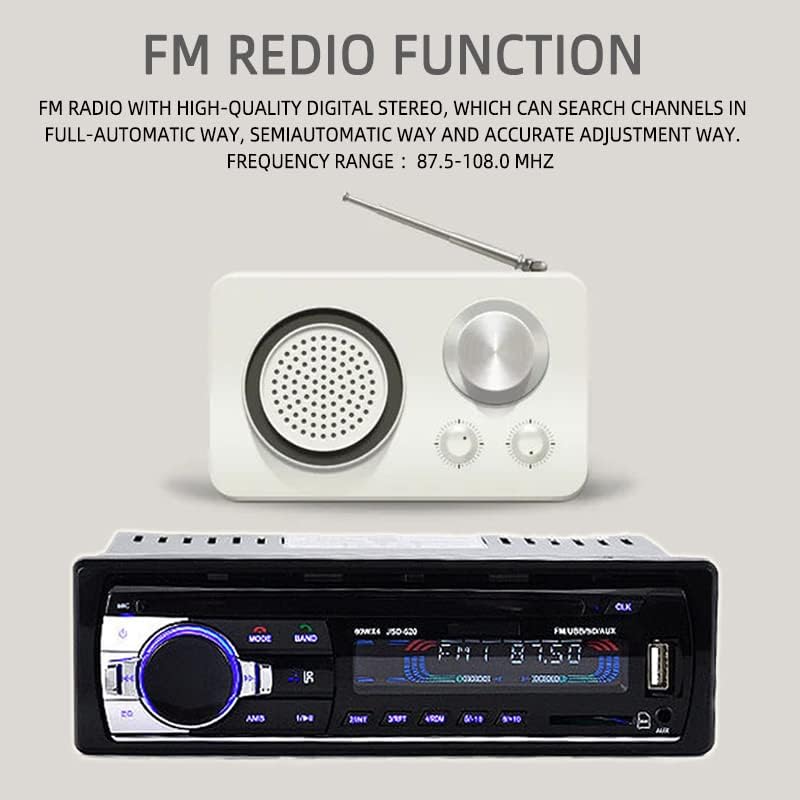
Image 5.1: Illustration of the FM Radio function, highlighting the frequency range and automatic search capability.
5.4 Bluetooth Operation
- Switch the unit to BT mode. The display will show "BT" or a Bluetooth icon.
- On your mobile device, enable Bluetooth and search for available devices. Select "JSD520" to pair.
- Once paired, you can play audio from your device or make/receive hands-free calls.
- Use the Answer/End Call buttons on the unit or remote for call management.

Image 5.2: Visual representation of the Bluetooth function, emphasizing hands-free mobile phone operation for safe driving.
5.5 USB/SD Card Playback
- Insert a USB drive into the USB port or an SD card into the SD card slot. The unit will automatically switch to USB/SD mode and begin playback.
- Use the Next/Previous Track buttons to navigate songs.
- Press the Folder button (if available) to browse folders on the storage device.
5.6 AUX Input
- Connect an external audio device (e.g., smartphone, MP3 player) to the 3.5mm AUX input jack on the front panel using an audio cable.
- Switch the unit to AUX mode. Audio from the connected device will now play through the car speakers.

Image 5.3: Demonstration of AUX audio input, allowing external devices to play sound through the car's high-power speakers.
5.7 Remote Control Operation
The included remote control provides convenient access to most functions. Ensure the battery is inserted correctly (CR2025, not included).

Image 5.4: Quick operation using the remote control for volume and music selection in SD or USB mode.
6. Maintenance
- Cleaning: Use a soft, dry cloth to clean the unit's surface. Do not use abrasive cleaners or solvents.
- Temperature: Avoid exposing the unit to extreme temperatures or direct sunlight for prolonged periods.
- Moisture: Keep the unit dry. Moisture can damage internal components.
- Fuse Replacement: If the unit does not power on, check the fuse located at the rear of the unit. Replace with a fuse of the same rating if necessary.
7. Troubleshooting
| Problem | Possible Cause | Solution |
|---|---|---|
| No power | Blown fuse; Incorrect wiring; Vehicle battery low | Check/replace fuse; Verify wiring connections; Charge vehicle battery |
| No sound | Volume too low; Mute activated; Speaker wires disconnected | Increase volume; Deactivate mute; Check speaker connections |
| Bluetooth not connecting | Bluetooth not enabled on device; Unit not in BT mode; Device too far | Enable Bluetooth on device; Switch unit to BT mode; Move device closer |
| USB/SD not playing | Unsupported file format; Corrupted files; Improperly inserted device | Ensure MP3/WMA format; Reformat/check files; Reinsert USB/SD card |
| Poor FM reception | Antenna not connected; Weak signal area; Interference | Check antenna connection; Move to stronger signal area; Reduce interference sources |
8. Specifications
| Feature | Specification |
|---|---|
| Model Name | JSD520 |
| Voltage | 24 Volt |
| Screen Size | 2.5 inches |
| Resolution | 240 x 320 pixels |
| Material Type | Metal + Plastic |
| Item Weight | 0.43 kg (380 g) |
| Product Dimensions | 18.3 x 8 x 5.8 cm (5.8 x 8 x 5.8 cm) |
| Output Power | 4 x 60W (240W total) |
| Audio Output Mode | Stereo |
| Surround Sound Channel Configuration | 4.0 |
| Supported Media Formats | MP3, WMA |
| Connectivity Technology | USB, Auxiliary, Bluetooth |
| FM Frequency Range | 87.5 - 108 MHz |

Image 8.1: Product dimensions, indicating length, width, and height in centimeters.
9. Warranty and Support
This product comes with a standard manufacturer's warranty. Please refer to the warranty card included in your package for specific terms and conditions. For technical support, troubleshooting assistance, or warranty claims, please contact your retailer or the BOOMBOOST customer service department. Keep your purchase receipt as proof of purchase.
Ask a question about this manual
Ask about setup, troubleshooting, compatibility, parts, safety, or missing instructions. Manuals+ will review the question and use this page’s manual context to help answer it.