
Introduction
Thank you for choosing the HassoKon Reptile Humidifier Fogger Misting System. This automatic misting system is designed to create and maintain optimal humidity levels within your reptile terrarium, simulating a natural rainforest environment. This manual provides detailed instructions for setup, operation, maintenance, and troubleshooting to ensure the best performance and longevity of your device.
What's in the Box
Please verify that all components are present before beginning installation:
- 1x HassoKon Smart Misting System Controller
- 1x USB Power Cable (AC adapter not included)
- 1x Cleaning Brush
- 1x Instruction Manual
- 1x Graphics Manual
- 1x Pipe (5m)
- 2x Nozzles
- 5x R-shaped Clamps
- 1x L-shape Connector
- 1x T-shape Connector
- 1x Pipe Cutter
- 1x Suction Filter Pump Head
- 2x Plugs
- 5x Cable Ties

Image: All components of the HassoKon Reptile Humidifier Misting System, including the main control unit, tubing, nozzles, connectors, filter, and tools, neatly arranged.
Setup
Follow these steps to properly set up your HassoKon Misting System:
- Prepare the Tubing: Use the provided pipe cutter to cut the 5-meter pipe into desired lengths for your terrarium setup. Ensure clean, straight cuts for optimal connection.
- Connect the Inlet: Connect one end of a pipe segment to the 'Inlet' port (bottom) of the Smart Misting System Controller. Attach the Suction Filter Pump Head to the other end of this pipe segment. Place the filter head into a clean water reservoir (e.g., a bucket or container).
- Connect the Outlet: Connect another pipe segment to the 'Outlet' port (top) of the Smart Misting System Controller. This pipe will lead to your terrarium.
- Install Nozzles: Attach the nozzles to the outlet pipe using the L-shape and T-shape connectors as needed. You can adjust the 360-degree rotating nozzles to direct the mist as desired within your terrarium. Use the R-shaped clamps and cable ties to secure the tubing and nozzles. If you have unused nozzle ports, use the provided plugs to seal them.
- Power Connection: Connect the USB power cable to the controller. Note: A 5A USB power adapter is recommended for optimal performance (not included).

Image: An installation schematic illustrating how to connect the inlet pipe to a water source with a filter, and the outlet pipe with nozzles into a terrarium, powered by USB.
Video: An overview of the HassoKon Reptile Humidifier Misting System, demonstrating its components and general setup for creating a humid environment in a terrarium.
Operating Instructions
The Smart Misting System Controller features a touch screen interface for easy programming:
- Spray Duration: Press the 'Spray Duration' button to set how long the system will mist. Each press increases the duration by 5 seconds, ranging from 5 to 60 seconds.
- Mode Selection: Press the 'Mode' button to switch between Off, Manual, and Automatic modes. In Automatic mode, the digital screen will display the current settings.
- Stop Duration: Press the 'Stop Duration' button to set the interval between misting cycles. Each press increases the interval by 1 hour, ranging from 1 to 24 hours.
Tips: After setting your desired spray and stop durations, the system will automatically enter cycle mode after 5 seconds of inactivity.

Image: The control panel of the HassoKon Misting System, showing the touch-sensitive buttons for setting spray duration, mode, and stop duration, along with digital readouts.
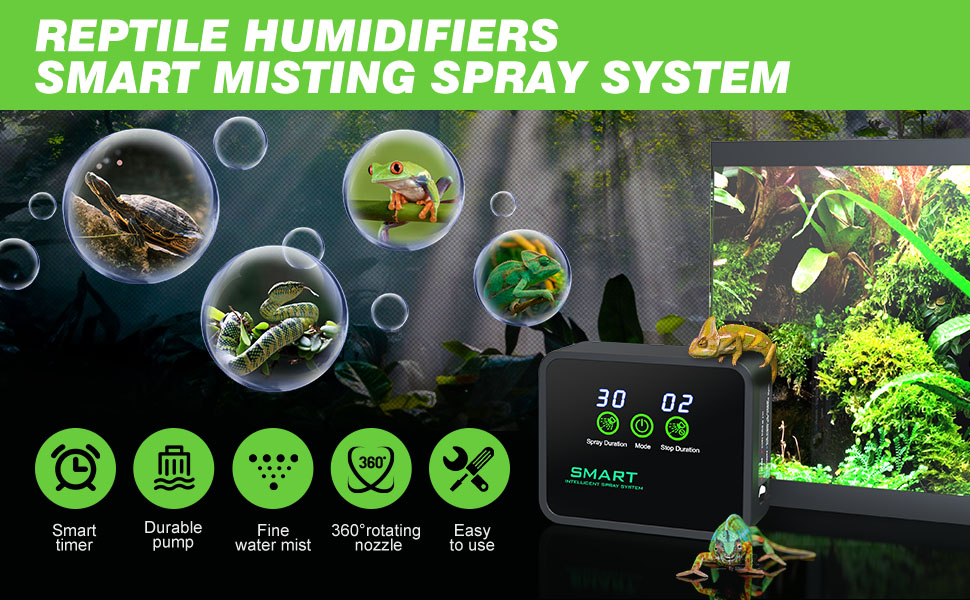
Image: A visual guide to setting the smart timer, detailing how to adjust spray duration (5-60 seconds) and stop duration (1-24 hours) using the control buttons.
Maintenance
Regular maintenance ensures the optimal performance and longevity of your misting system:
- Water Reservoir: Regularly check and refill the water reservoir with clean, preferably pure water to avoid mineral buildup and scaling on leaves or terrarium surfaces.
- Filter Cleaning: Periodically remove and clean the Suction Filter Pump Head using the provided cleaning brush to prevent blockages and ensure consistent water flow.
- Nozzle Cleaning: If misting becomes uneven or weak, gently clean the nozzles with the cleaning brush to remove any debris or mineral deposits.
- Tubing Inspection: Periodically inspect all tubing for kinks, leaks, or damage. Replace any compromised sections to maintain system integrity.
Troubleshooting
If you encounter issues with your HassoKon Misting System, refer to the following common problems and solutions:
- System Not Misting:
- Ensure the water reservoir has sufficient water.
- Check all tubing connections for secure fit and no kinks.
- Verify the filter is clean and not clogged.
- Confirm the USB power adapter provides adequate amperage (a 5A adapter is recommended).
- Unresponsive Buttons/Display Issues:
- Ensure the device is receiving stable power from a compatible USB adapter.
- Disconnect and reconnect the power to reset the device.
- Uneven or Weak Mist:
- Clean the nozzles and filter thoroughly.
- Check for any air bubbles in the tubing system.
Specifications
| Brand | HassoKon |
| Special Feature | Automatic Mister Smart Timer, Reptile Fogger Misting System, Touch Screen, Humidity Controller |
| Color | White |
| Operation Mode | Automatic |
| Product Dimensions | 3.93"D x 10.35"W x 8.6"H |
| Room Type | Terrarium |
| Item Weight | 1.21 pounds |
| Capacity | 2.5 Liters |
Warranty and Support
For warranty information and customer support, please refer to the contact details provided with your purchase or visit the official HassoKon website. Keep your purchase receipt as proof of purchase for any warranty claims.