
1. Introduction
Thank you for choosing the RecorCam WiFi Bluetooth 36MP 2.7K Trail Camera. This device is designed for wildlife observation, outdoor monitoring, and security applications, offering high-resolution imaging and advanced features. This manual provides essential information for proper setup, operation, and maintenance to ensure optimal performance.
Please read this manual thoroughly before using the camera and retain it for future reference.
2. Product Overview and Key Features
The RecorCam WF802Plus trail camera combines robust design with advanced technology to capture clear images and videos of wildlife or for surveillance purposes.
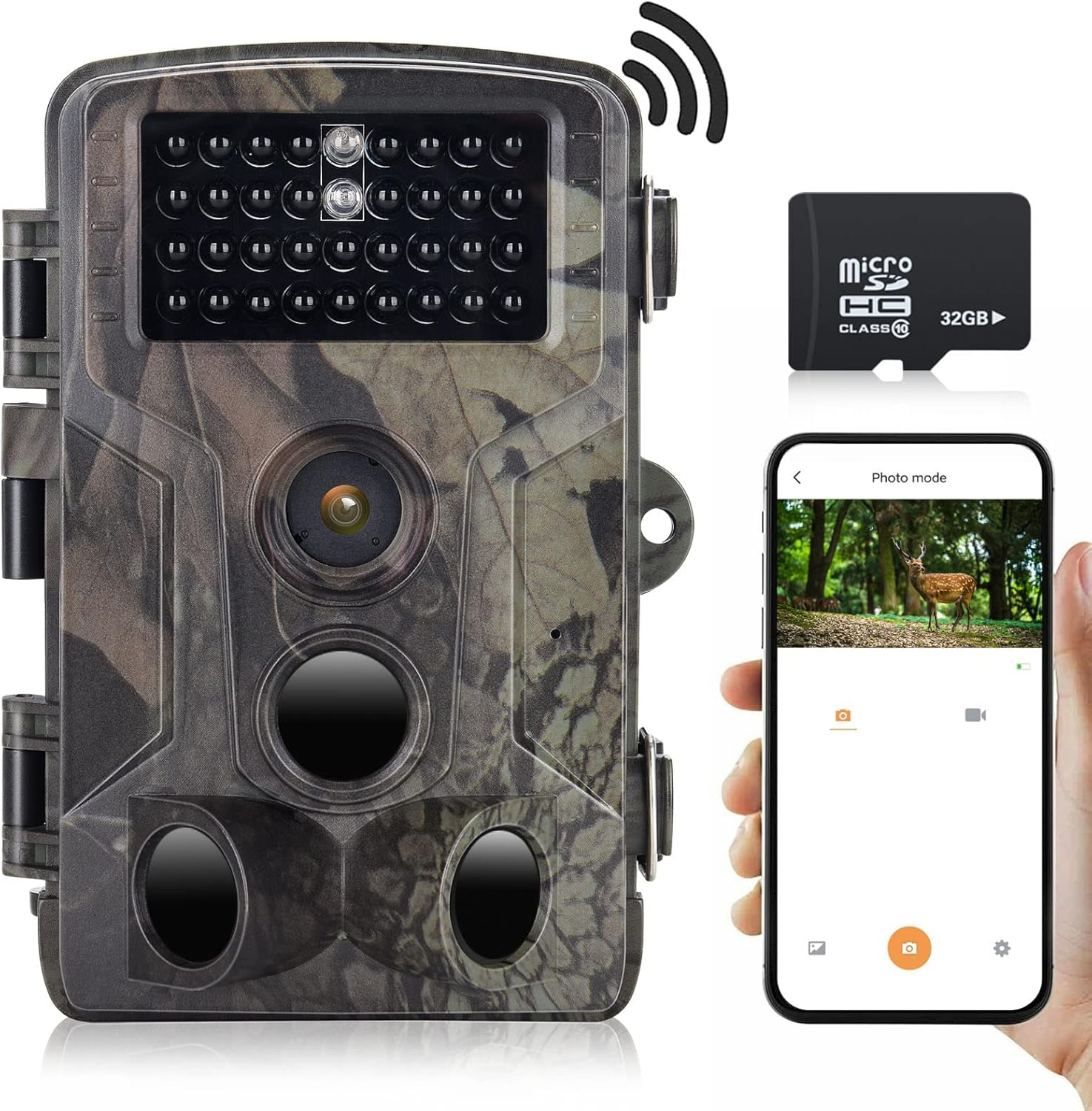
Image 2.1: RecorCam WF802Plus Trail Camera, showing its compact design, integrated screen, and included 32GB Micro SD card, alongside a smartphone demonstrating app connectivity.
Key Features:
- High-Resolution Imaging: Captures 36MP still images and records 2.7K HD video, providing detailed visual data.
- Integrated WiFi & Bluetooth: Allows wireless connection to a smartphone via a dedicated app for viewing, downloading, and managing media without removing the camera.
- Fast Trigger Speed: Features a rapid 0.25-second trigger speed to capture fast-moving subjects effectively.
- Wide Detection Angle: Equipped with three Passive Infrared (PIR) sensors offering a 120° detection range.
- Clear Night Vision: Utilizes 34pcs 940nm no-glow IR LEDs for discreet illumination up to 65 feet (20 meters) in total darkness, ensuring clear night recordings without disturbing wildlife.
- Durable and Weatherproof: IP65 rated for water and dust resistance, capable of operating in temperatures from -20°C to 70°C.
- 2.0-inch LCD Screen: Built-in screen for easy menu navigation and playback.
- Versatile Applications: Suitable for hunting, wildlife observation, farm monitoring, and home security.
3. Package Contents
Upon unpacking your RecorCam WF802Plus Trail Camera, please ensure all items listed below are present:
- RecorCam WF802Plus Trail Camera
- Mounting Strap
- Mounting Bracket
- USB Cable
- User Manual (this document)
- 32GB Micro SD Card
If any items are missing or damaged, please contact customer support.
4. Setup
4.1 Battery Installation
The camera requires 8 AA batteries (not included). For optimal performance and battery life, it is recommended to use high-quality alkaline or rechargeable AA batteries.
- Open the camera housing latches and open the battery compartment.
- Insert 8 AA batteries according to the polarity markings (+/-) inside the compartment.
- Close the battery compartment securely.
4.2 Micro SD Card Insertion
A 32GB Micro SD card is included. The camera supports Micro SD cards up to 256GB (Class 10 or higher recommended).
- With the camera powered off, locate the Micro SD card slot.
- Insert the Micro SD card with the gold contacts facing the back of the camera until it clicks into place.
- To remove, gently push the card in until it clicks, then release, and it will spring out.
4.3 Mounting the Camera
The camera can be mounted using the included strap or bracket.
- Strap Mounting: Thread the mounting strap through the slots on the back of the camera and secure it around a tree or pole.
- Bracket Mounting: Attach the mounting bracket to a surface using screws (not included), then secure the camera to the bracket.
Ensure the camera is positioned to capture the desired area, avoiding direct sunlight or heat sources that might trigger false detections.
5. Operating Instructions
5.1 Powering On/Off
To power on the camera, slide the power switch from OFF to SETUP or ON. In SETUP mode, you can access the menu and adjust settings. In ON mode, the camera will begin monitoring based on your settings.
5.2 Menu Navigation
In SETUP mode, use the navigation buttons (Up, Down, Left, Right, OK) to browse the menu options on the 2.0-inch LCD screen. Press OK to confirm selections and MENU to exit.
5.3 Operating Modes
The camera offers several operating modes:
- Photo Mode: Captures still images when triggered.
- Video Mode: Records video clips when triggered.
- Photo + Video Mode: Captures a still image followed by a video clip when triggered.
- Time Lapse Mode: Captures images at set intervals over a period, useful for observing slow processes like plant growth.

Image 5.1: Illustration of the Time Lapse feature, demonstrating its ability to capture gradual changes over time.
5.4 Key Settings
- PIR Sensitivity: Adjust the sensitivity of the motion sensors (Low, Medium, High) based on the environment to prevent false triggers.
- PIR Interval: Set the delay between detections to avoid capturing too many redundant images/videos of the same event.
- Resolution: Select desired photo (up to 36MP) and video (up to 2.7K) resolution.
- Date/Time Stamp: Enable to imprint date, time, and moon phase on captured media.
- Password Protection: Set a password to prevent unauthorized access to camera settings and media.
6. App Connection (WiFi & Bluetooth)
The RecorCam WF802Plus features integrated WiFi and Bluetooth for convenient remote control and media management via a smartphone app.

Image 6.1: The RecorCam trail camera connected to a smartphone app, illustrating the wireless control and media access capabilities.
6.1 Downloading the App
Search for the 'WiFi TrailCamera' app in your device's app store or use the following links:
- Android: Google Play Store
- iOS: Search 'WiFi TrailCamera' in the Apple App Store. (A direct link was not available; please search the App Store for the official application.)
6.2 Connecting to the Camera
- Ensure the camera is in SETUP mode.
- Enable Bluetooth on your smartphone.
- Open the 'WiFi TrailCamera' app. The app will use Bluetooth to discover the camera.
- Once connected via Bluetooth, the app will prompt you to activate the camera's WiFi.
- Connect your smartphone to the camera's WiFi network (SSID and password will be displayed on the camera's LCD screen or within the app).
- Once connected to WiFi, you can view live footage, adjust settings, download photos/videos, and manage the camera remotely.
The WiFi connection range is approximately 50 meters, and the Bluetooth connection range is 5-10 meters, depending on environmental conditions.
7. Image and Video Quality
The RecorCam WF802Plus captures high-quality media to provide clear observations.
7.1 Photo Resolution
The camera supports photo resolutions up to 36 Megapixels, ensuring sharp and detailed still images.

Image 7.1: A visual comparison highlighting the superior clarity and detail of a 36MP image captured by the WF802Plus camera.
7.2 Video Resolution
Video recordings are available in 2.7K Full HD, offering smooth and clear footage of detected activity.

Image 7.2: A visual comparison demonstrating the enhanced detail and clarity of 2.7K video recorded by the WF802Plus camera.
8. Night Vision
The camera is equipped with 34pcs 940nm no-glow infrared (IR) LEDs, providing discreet night vision capabilities.

Image 8.1: The WF802Plus camera demonstrating its night vision capabilities, capturing a clear image of a deer in low-light conditions using its no-glow IR LEDs.
- No-Glow IR: The 940nm IR LEDs emit light that is invisible to the human eye and most animals, ensuring the camera remains undetected during night operation.
- Effective Range: Provides clear images and videos up to 65 feet (20 meters) in complete darkness.
9. Weather Resistance (IP65)
The RecorCam WF802Plus is designed to withstand various outdoor conditions.

Image 9.1: The WF802Plus camera operating outdoors in rainy conditions, highlighting its IP65 waterproof and dustproof design.
- IP65 Rating: This rating signifies that the camera is protected against dust ingress and low-pressure water jets from any direction. It is suitable for outdoor use in rain and snow.
- Temperature Tolerance: Operates reliably in temperatures ranging from -20°C to 70°C.
10. Applications
The versatility of the RecorCam WF802Plus makes it suitable for a variety of uses:
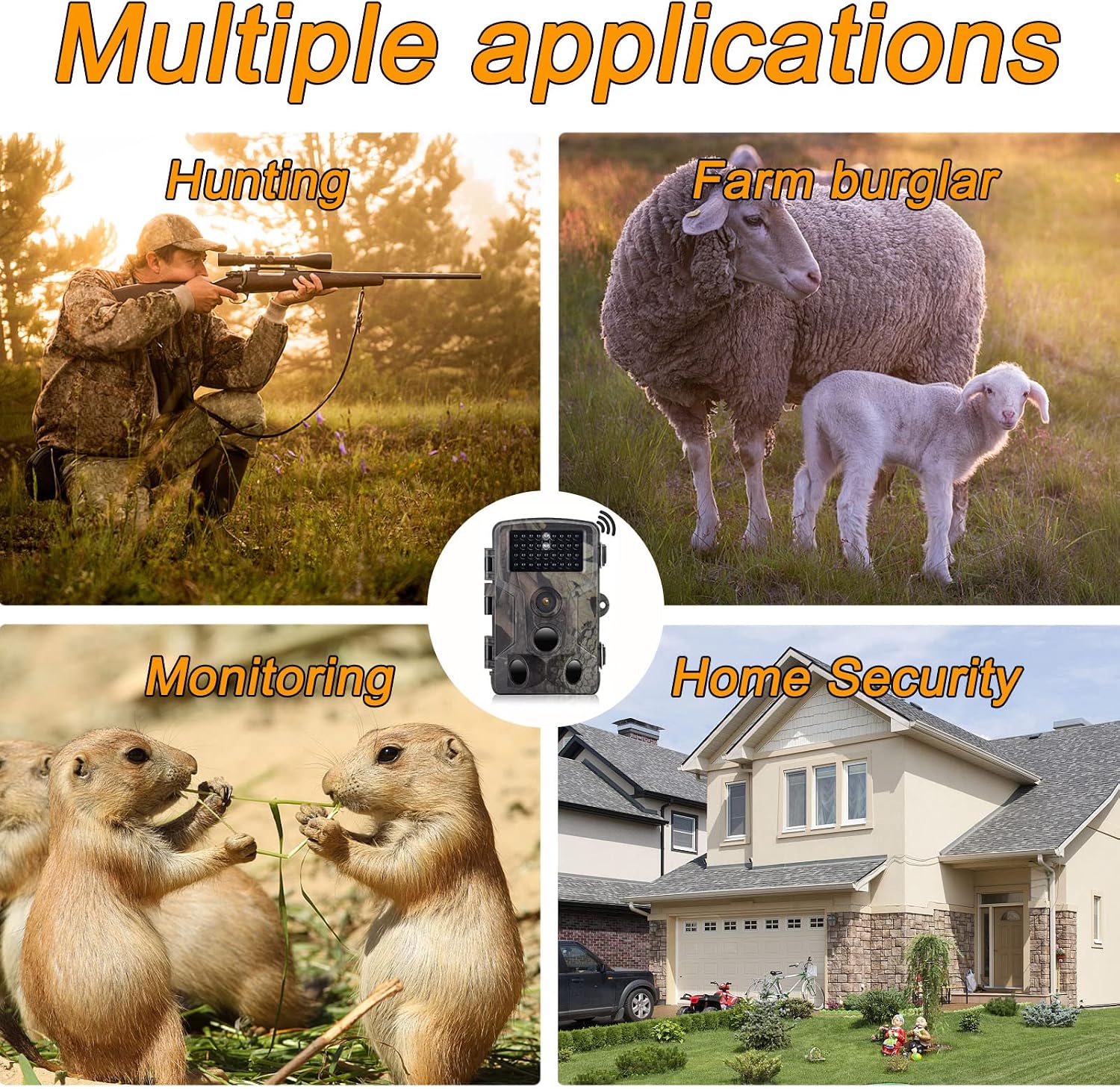
Image 10.1: Examples of the camera's diverse applications, including wildlife observation, property surveillance, and outdoor monitoring.
- Wildlife Observation: Monitor animal activity in their natural habitat.
- Hunting: Scout game trails and observe animal patterns.
- Farm Monitoring: Keep an eye on livestock or deter potential intruders.
- Home Security: Provide surveillance for your property.
11. Maintenance
Proper maintenance ensures the longevity and optimal performance of your camera.
- Cleaning: Use a soft, dry cloth to clean the camera lens and housing. Avoid abrasive cleaners or solvents.
- Battery Care: Remove batteries if the camera will not be used for an extended period to prevent leakage.
- SD Card Management: Regularly format the Micro SD card (after backing up important data) to maintain optimal recording performance.
- Storage: Store the camera in a cool, dry place when not in use.
12. Troubleshooting
If you encounter issues with your RecorCam WF802Plus, refer to the following common problems and solutions:
| Problem | Possible Cause | Solution |
|---|---|---|
| Camera not powering on | Low or dead batteries; incorrect battery insertion. | Replace batteries with fresh ones; ensure correct polarity. |
| Motion detection not working or inconsistent | PIR sensitivity too low; PIR interval too long; obstructions in detection area; camera facing heat sources. | Increase PIR sensitivity; shorten PIR interval; clear obstructions; reposition camera away from heat sources. |
| Poor image/video quality at night | Subject too far from camera; IR LEDs obstructed. | Ensure subject is within 65ft (20m) range; clear any obstructions from IR LEDs. |
| Excessive battery drain | Frequent triggers; low-quality batteries; extreme temperatures. | Adjust PIR sensitivity and interval; use high-quality batteries; consider external power in cold weather. |
| App connection issues (WiFi/Bluetooth) | Camera not in SETUP mode; out of range; incorrect WiFi password; app not updated. | Ensure camera is in SETUP mode; move closer to camera; re-enter WiFi password; update app to latest version. |
| Settings not saving or resetting | Low internal battery (for settings retention); firmware issue. | Ensure main batteries are fresh; contact support if issue persists after battery replacement. |
13. Specifications
Detailed technical specifications for the RecorCam WF802Plus Trail Camera:
| Feature | Specification |
|---|---|
| Model | WF802Plus |
| Photo Resolution | Up to 36MP |
| Video Resolution | 2.7K |
| Trigger Speed | 0.25 seconds |
| PIR Detection Angle | 120 degrees |
| Night Vision Range | Up to 65 feet (20 meters) |
| IR LEDs | 34pcs 940nm No-Glow IR LEDs |
| Display Screen | 2.0-inch LCD |
| Connectivity | WiFi, Bluetooth |
| Waterproof Rating | IP65 |
| Operating Temperature | -20°C to 70°C |
| Storage | Micro SD card (up to 256GB, Class 10 recommended) |
| Power Supply | 8x AA batteries (not included) |
| Material | Plastic |
14. Warranty and Support
RecorCam products are designed for reliability and performance. For warranty information, technical support, or any questions regarding your WF802Plus Trail Camera, please refer to the contact information provided with your purchase or visit the official RecorCam website.
Please retain your proof of purchase for warranty claims.