
1. Introduction
Thank you for choosing the ANDAXIN Instant Read Meat Thermometer, Model DDC-1116. This digital thermometer is designed for quick and accurate temperature readings, making it ideal for grilling, cooking, deep frying, baking, and more. Its waterproof design and backlight display enhance usability in various environments. Please read this manual thoroughly before use to ensure proper operation and maintenance.

Image 1.1: The ANDAXIN Instant Read Meat Thermometer in use, demonstrating its fast and accurate measurement capabilities for various food types.
2. Product Features
- Ultra-Fast and Accurate: Reads temperature in 3 seconds with an accuracy of ±1°F.
- Wide Temperature Range: Supports Celsius and Fahrenheit display from -58°F to 572°F (-50°C to 300°C).
- Waterproof Design: IP65 rated, allowing for washing under running water.
- Durable Construction: Strong ABS plastic body designed to withstand accidental drops.
- Lock Function: Holds the temperature reading on the display for easy viewing.
- Calibration Function: Ensures long-term accuracy of the temperature probe.
- Backlight LCD Display: Provides clear readings in low-light conditions.
- Convenient Storage: Features a magnetic back for metal surfaces and a hang hole for hooks.
- Integrated Bottle Opener: A practical additional feature.
- Auto-Off: Automatically powers off after 10 minutes of inactivity to conserve battery.
3. Package Contents
- 1 x ANDAXIN Instant Read Meat Thermometer (Model DDC-1116)
- 1 x CR2032 Battery (pre-installed or included separately)
- 1 x Instruction Manual
4. Setup
4.1. Battery Installation
The thermometer requires one CR2032 battery. The battery may be pre-installed or included separately. If not pre-installed, or if replacement is needed:
- Locate the battery compartment on the back of the thermometer.
- Use a coin or small screwdriver to gently twist the battery cover counter-clockwise to open.
- Insert the CR2032 battery with the positive (+) side facing up.
- Replace the battery cover and twist clockwise to secure it.

Image 4.1: Detailed view of the thermometer's components, including the battery compartment (CR2450 indicated, but product uses CR2032), control buttons, and LCD display.
5. Operating Instructions
5.1. Power On/Off
- To power on, unfold the probe from the body of the thermometer. The display will activate automatically.
- To power off, fold the probe back into the body. The display will turn off.
- The thermometer also features a 10-minute auto-off function to save battery life if left inactive.
5.2. Taking a Temperature Reading
- Unfold the probe to power on the thermometer.
- Insert the stainless steel probe into the thickest part of the food, avoiding bone or gristle. Ensure the probe tip is fully immersed.
- Wait approximately 2-3 seconds for the temperature reading to stabilize on the LCD display.
- The probe can rotate 180 degrees for convenient use at various angles.

Image 5.1: The thermometer demonstrating its safe probe length and 180-degree rotation for flexible use.
5.3. Switching Temperature Units (°C/°F)
Press the "°C/°F CAL" button located on the front of the thermometer to switch between Celsius and Fahrenheit units.
5.4. Lock Function
To lock the current temperature reading on the display, press the "LOCK MAX MIN" button once. This is useful when removing the probe from hot food to read the temperature away from the heat source. Press the button again to unlock and resume live temperature reading.
5.5. Backlight Display
Press the light bulb icon button to activate the backlight for the LCD display. This improves visibility in dimly lit environments. Press the button again to turn off the backlight.
5.6. Calibration
The thermometer comes pre-calibrated. If you suspect the accuracy has drifted over time, you can recalibrate it. For precise calibration, refer to standard thermometer calibration methods using an ice bath (0°C / 32°F) or boiling water (100°C / 212°F at sea level). While in calibration mode (often activated by holding the "°C/°F CAL" button), adjust the reading to the known reference temperature.
6. Maintenance
6.1. Cleaning
The ANDAXIN thermometer is IP65 rated waterproof, meaning it can be washed under running water. However, it is recommended for hand wash only. Do not immerse the entire unit in water for extended periods, and avoid harsh chemicals or abrasive cleaners.
- After each use, wipe the stainless steel probe with a damp cloth or wash it under running water using mild soap.
- Clean the body of the thermometer with a damp cloth.
- Ensure the thermometer is completely dry before storing.
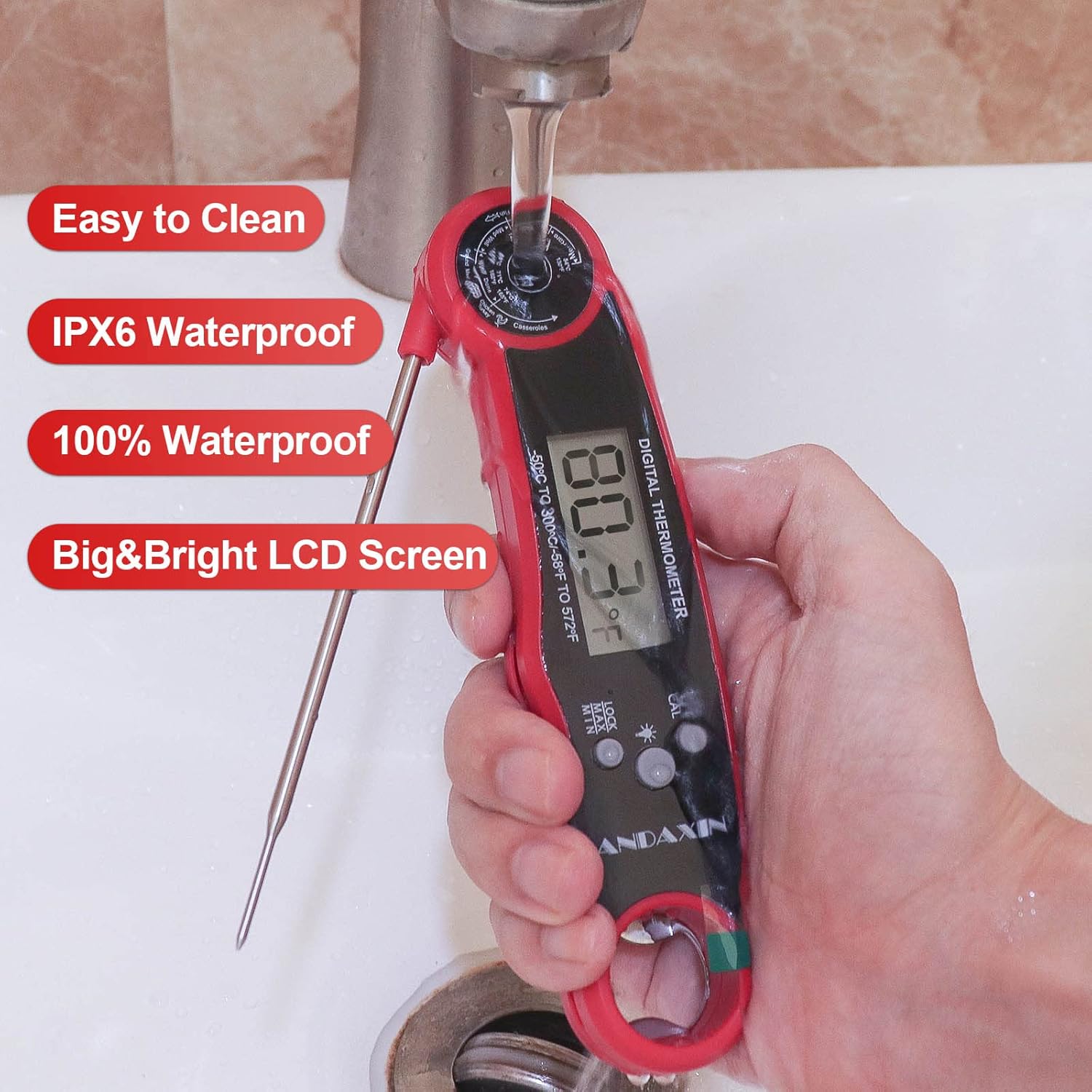
Image 6.1: The thermometer being cleaned under running water, demonstrating its IPX6 waterproof rating.
6.2. Storage
For convenient storage, the thermometer features a magnetic back, allowing it to be attached to metal surfaces like refrigerators. It also has a hang hole for storage on kitchen hooks.

Image 6.2: The thermometer stored using its magnetic attachment on a refrigerator and hanging from a kitchen hook.
7. Troubleshooting
7.1. Common Issues
- Thermometer not turning on:
- Ensure the probe is fully unfolded.
- Check if the battery is correctly installed with the positive (+) side up.
- Replace the CR2032 battery if it is depleted.
- Inaccurate readings:
- Ensure the probe is inserted into the thickest part of the food, away from bone or fat.
- Allow sufficient time (2-3 seconds) for the reading to stabilize.
- Perform a calibration check using an ice bath (0°C / 32°F) to verify accuracy.
- Display issues (e.g., dim, flickering):
- The battery may be low; replace the CR2032 battery.
- Ensure the backlight is not constantly on, which can drain the battery faster.
- Water inside the display:
- While the thermometer is IP65 waterproof, prolonged immersion or high-pressure water jets should be avoided. If moisture appears, allow the unit to air dry completely.
8. Specifications
| Feature | Specification |
|---|---|
| Model Name | DDC-1116 |
| Brand | ANDAXIN |
| Temperature Range | -58°F to 572°F (-50°C to 300°C) |
| Accuracy | ±1°F |
| Response Time | 3 seconds |
| Waterproof Rating | IP65 |
| Display Type | LCD with Backlight |
| Power Source | 1 x CR2032 Battery (included) |
| Auto-Off | 10 minutes |
| Material | ABS, Metal, Plastic |
| Item Length | 6.3 Inches (body) |
| Item Weight | 2.89 ounces |
| Certifications | CE, RoHS |
9. Warranty and Support
9.1. Warranty Information
This ANDAXIN Instant Read Meat Thermometer (Model DDC-1116) comes with a One Year Warranty from the date of purchase. This warranty covers manufacturing defects and ensures the product meets its specified performance. Please retain your proof of purchase for warranty claims.
9.2. Customer Support
For any questions, concerns, or technical assistance regarding your ANDAXIN thermometer, please refer to the contact information provided with your purchase or visit the official ANDAXIN website for support resources.