
Acctim Digital Bedside Mini Alarm Clock
Model: 16231 - Instruction Manual
Introduction
Thank you for choosing the Acctim Digital Bedside Mini Alarm Clock. This compact and functional alarm clock is designed for convenience and reliability. Please read this manual carefully to ensure proper setup and operation of your device.
Key Features:
- Clear LCD Screen with White Backlight
- Crescendo Alarm
- Adjustable Volume Control
- Compact and Portable Design

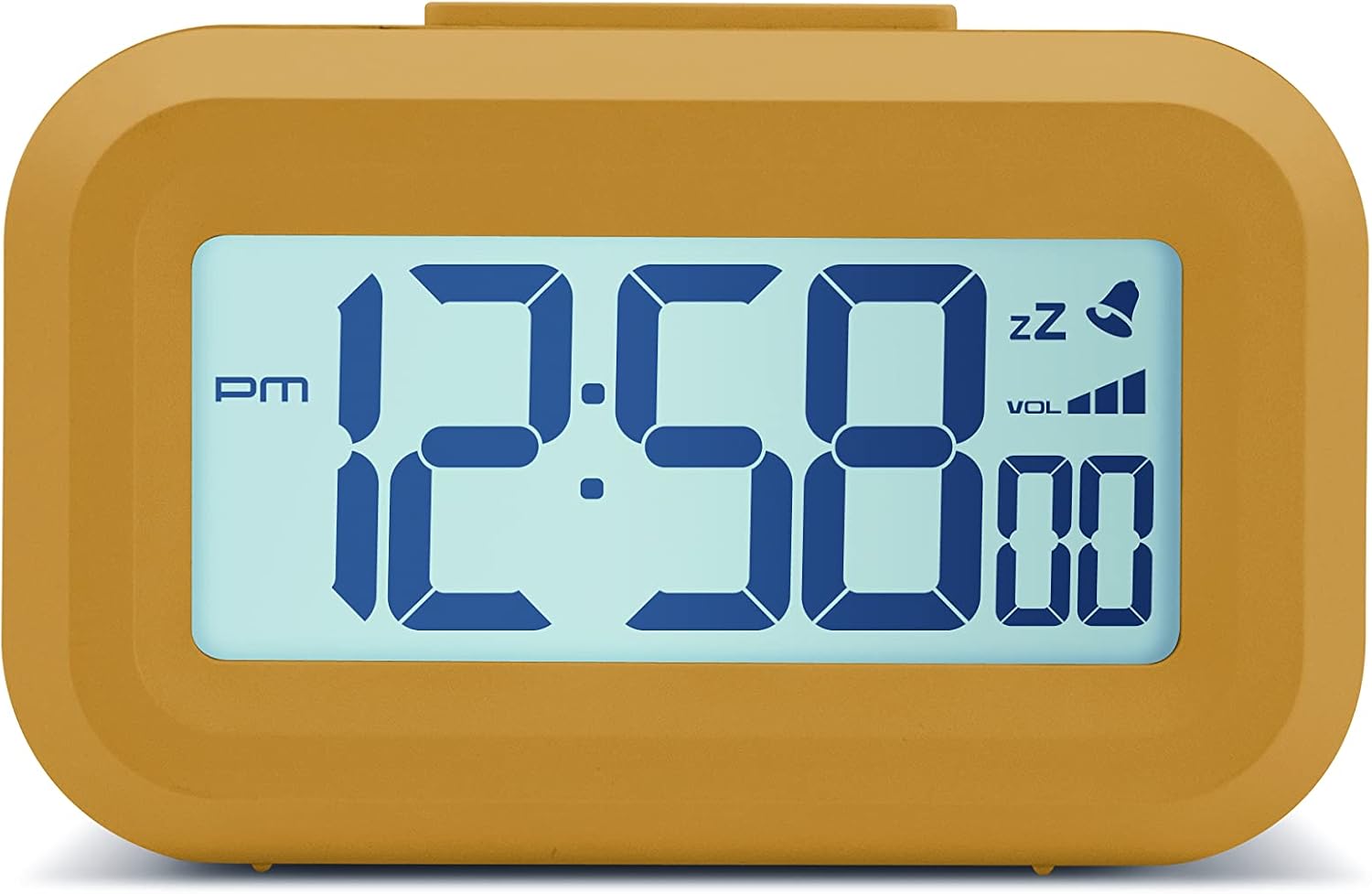
Front view of the Acctim Digital Bedside Mini Alarm Clock, displaying the time.
Setup
1. Battery Installation
The alarm clock requires 2 x AAA batteries (not included). To install the batteries:
- Locate the battery compartment cover on the back of the clock.
- Slide the cover downwards to open.
- Insert two AAA batteries, ensuring the correct polarity (+ and -) as indicated inside the compartment.
- Replace the battery compartment cover by sliding it upwards until it clicks into place.
Back view of the alarm clock, highlighting the battery compartment and control buttons.
2. Initial Power On
Once batteries are correctly installed, the LCD display should activate, showing a default time or flashing digits. The clock is now ready for time and alarm settings.
Operating Instructions
Button Functions:
- SET: Used to enter time/alarm setting modes and confirm selections.
- UP (▲): Used to increase values during setting.
- DOWN (▼): Used to decrease values during setting.
- VOL (■): Used to adjust alarm volume.
- Top Button: Activates backlight and snooze function.
1. Setting the Time
- Press the SET button once. The hour digits will begin to flash.
- Use the UP or DOWN buttons to adjust the hour. Pay attention to the AM/PM indicator.
- Press SET again. The minute digits will flash.
- Use the UP or DOWN buttons to adjust the minutes.
- Press SET a third time to confirm the time setting and exit the time setting mode.
2. Setting the Alarm
- Press the SET button twice. The alarm hour digits will begin to flash, and an alarm icon (bell) may appear on the display.
- Use the UP or DOWN buttons to adjust the alarm hour.
- Press SET again. The alarm minute digits will flash.
- Use the UP or DOWN buttons to adjust the alarm minutes.
- Press SET a third time to confirm the alarm setting. The alarm icon will remain visible, indicating the alarm is active.
- To deactivate the alarm, press the SET button until the alarm icon disappears from the display.
3. Snooze Function
When the alarm sounds, press the large Top Button on the clock. The alarm will temporarily stop and sound again after approximately 5 minutes. The snooze icon (zz) will typically flash on the display.
4. Backlight Activation
To illuminate the display temporarily, press the large Top Button. The white backlight will activate for a few seconds, making the time visible in low-light conditions.

The alarm clock display with its white backlight activated for improved visibility.
5. Adjusting Alarm Volume
The alarm features an adjustable volume control. While the alarm is sounding, or in alarm setting mode, press the VOL button (square button on the back) to cycle through available volume levels. The display may show a volume indicator.
Maintenance
Cleaning
To clean the clock, use a soft, dry cloth. Avoid using abrasive cleaners, solvents, or chemical sprays, as these can damage the casing or display.
Battery Replacement
Replace the AAA batteries when the display becomes dim, the backlight is weak, or the clock functions become erratic. Always replace both batteries at the same time with new ones.
Troubleshooting
- Display is blank or dim:
Check if the batteries are inserted correctly. Replace with fresh AAA batteries. - Alarm does not sound:
Ensure the alarm time is set correctly and the alarm icon is visible on the display. Check the alarm volume level. - Incorrect time displayed:
Re-enter the correct time following the 'Setting the Time' instructions. - Buttons are unresponsive:
Remove and reinsert the batteries to perform a soft reset. If the issue persists, replace the batteries.
Specifications
- Brand: Acctim
- Model Number: 16231
- Display Type: Digital LCD
- Special Features: Adjustable Volume, Alarm, Illuminated (Backlight), Snooze
- Product Dimensions: 3.54"W x 2.17"H (approximately 8.8 cm W x 5.5 cm H)
- Power Source: Battery Powered (2 x AAA, not included)
- Room Type: Bedroom
- Shape: Rectangular
- Material: Plastic
- Item Weight: 0.06 Kilograms

Diagram showing the approximate dimensions of the alarm clock.
Warranty and Support
This Acctim product is covered by a manufacturer's warranty. For specific warranty details, technical support, or service inquiries, please refer to the warranty card included with your purchase or visit the official Acctim website. Do not attempt to repair the device yourself, as this may void the warranty.