
1. Product Overview
The Veise Fingerprint Door Lock Set offers advanced security and convenience for your home. This keyless entry system provides multiple unlocking methods including fingerprint recognition, passcodes, and traditional keys. Designed for easy installation and robust performance, it enhances the security and aesthetic of your door.

Image: The Veise Fingerprint Door Lock Set, showcasing the electronic keypad deadbolt and the lever handle in an oil rubbed bronze finish, installed on a white door.
2. Key Features
- Multiple Unlocking Methods: Access your home using 20 unique fingerprints, 20 customizable passcodes, or traditional backup keys.
- Fast Fingerprint Recognition: Identifies your fingerprint in 0.3 seconds and unlocks the door in 1 second.
- Automatic Locking: Configurable auto-lock feature engages 10-99 seconds after the door closes.
- One-Touch Locking: Lock the door from the outside by pressing and holding any key for 2 seconds.
- One-Time Passwords: Generate temporary codes for visitors, which are automatically deleted after single use.
- Anti-Peeking Password: Enhance security by entering random digits before or after your actual passcode to prevent unauthorized viewing.
- Durable Construction: Tested to ANSI Grade 3 and BHMA standards for high quality and longevity.
- Easy Installation: Designed for quick setup with minimal tools, typically requiring only a screwdriver.
- Weather Resistant: IP54 waterproof rating, operating effectively in temperatures from -31°F to 158°F.

Image: Diagram illustrating the fingerprint recognition features: 0.3s biometrics identification, 99.9% recognition rate, and 500DPI resolution. A hand is shown interacting with the fingerprint sensor on the lock.

Image: Infographic showing the capacity for up to 20 fingerprints, 20 passwords, and one-time codes, with icons representing family, friends, pet sitters, and repairmen as potential users.

Image: A woman leaving her home, demonstrating the auto-lock feature of the door lock, which can be set to lock automatically between 10-99 seconds after closing.
3. Package Contents
Upon unboxing, please verify that all the following components are included:
- Fingerprint Door Lock
- Handleset
- Handle Lever
- Instructions (User Manual)
- Latch
- Strike
- 2 Backup Keys
- Mounting Plate
- Screws
4. Installation Guide
Before beginning installation, ensure your door meets the compatibility requirements. This model requires three specific holes to be present for proper installation.
4.1 Door Compatibility Check
It is crucial to check your door's dimensions and type before installation to ensure proper fit and function.
- Hole Diameter: Main hole should be 2-1/8" (54mm).
- Backset: Adjustable for 2-3/8" or 2-3/4" (60mm or 70mm).
- Minimalist Distance: Minimum 4" (101.6mm) between the top deadbolt hole and the bottom handle hole. Cannot be installed if less than 4".
- Handle Length: 7-7/8" to 8-7/8" (200mm-225mm).
- Door Thickness: 1-3/8" to 2" (35mm-50mm).
- Latch Hole: Must be chiseled.
- Door Type: Compatible with single cylinder deadbolts. Not compatible with Mortise, Integrated, or Rim Cylinder lock types.

Image: Detailed diagram illustrating how to measure door dimensions (hole diameter, backset, distance between holes, handle length, door thickness) and check for latch hole type and overall door compatibility.

Image: Visual examples of incompatible 3-hole spacing that will prevent installation, showing incorrect distances and hole configurations.

Image: A chart detailing compatible and incompatible door lock types, specifically highlighting that the lock is suitable for single cylinder deadbolts and requires a chiseled latch hole.
4.2 Installation Steps
Follow the detailed instructions provided in the included User Manual (PDF) for step-by-step installation. A screwdriver is typically the only tool required.
- Install the deadbolt and latch mechanism.
- Mount the exterior keypad assembly.
- Install the interior assembly, connecting the wiring harness.
- Attach the handle set and lever.
- Ensure all screws are tightened securely.

Image: Illustration showing the automatic identification feature for left-handed and right-handed doors, simplifying the installation process.
5. Setup and Programming
After physical installation, the lock needs to be programmed with user fingerprints and passcodes.
5.1 Initial Setup
Refer to the User Manual (PDF) for specific steps on initial setup, including setting the master code and calibrating the lock for door handing.
5.2 Adding Users (Fingerprints & Passcodes)
The lock supports up to 20 fingerprints and 20 passcodes. Follow the instructions in the manual to enroll new users. For optimal fingerprint recognition, ensure fingers are clean and dry.
5.3 One-Time Passwords
Generate one-time passwords for temporary access. These codes are automatically deleted after a single use, ideal for service providers or short-term visitors.

Image: A delivery person receiving a one-time password, illustrating the convenience and security of temporary access codes.
5.4 Anti-Peeking Password
To prevent others from guessing your passcode, you can enter random digits before or after your actual code. The lock will still recognize the correct sequence within the longer string of numbers.

Image: A person entering a passcode on the keypad, with an overlay demonstrating the anti-peeking password feature where random digits can be added before or after the actual code.
6. Operation
Operating your Veise Fingerprint Door Lock is straightforward.
6.1 Unlocking the Door
- Fingerprint: Place your registered finger on the sensor. The lock will unlock if the fingerprint is recognized.
- Passcode: Enter your registered passcode on the keypad, followed by the '#' key.
- Key: Use one of the provided backup keys in the keyhole.
6.2 Locking the Door
- Automatic Lock: If enabled, the lock will automatically engage after the set delay (10-99 seconds) once the door is closed.
- One-Touch Lock: From the outside, press and hold any key on the keypad for 2 seconds to manually lock the door.
- Interior Lock: Use the thumb turn on the interior side of the lock.

Image: A woman relaxing indoors, implying the quiet operation of the Veise door lock, which minimizes noise during locking and unlocking.
6.3 Operation Tips for Different Users
- Clear Fingerprints: Users with clear fingerprints are recommended to use fingerprint and other unlocking methods (user codes, keys).
- Seniors/Children/Shallow Fingerprints: Users with severe fingerprint wear, children, and those with shallow fingerprints are recommended to use a passcode or key.
- Friends/Visitors: One-time codes are recommended for temporary access.

Image: An infographic providing tips for different users: people with clear fingerprints, seniors/children/users with shallow fingerprints, and friends/visitors, suggesting the best unlocking methods for each group.
7. Maintenance
To ensure the longevity and optimal performance of your Veise Fingerprint Door Lock, follow these maintenance guidelines:
- Battery Replacement: The lock is battery-powered. Replace batteries when the low battery indicator illuminates. Use 4 AA batteries.
- Cleaning: Wipe the keypad and lock body with a soft, dry cloth. Avoid abrasive cleaners or solvents that could damage the finish or electronic components.
- Fingerprint Sensor: Keep the fingerprint sensor clean and free of debris for accurate recognition.
- Environmental Protection: While the lock is weather-resistant (IP54), prolonged exposure to extreme conditions should be minimized where possible.
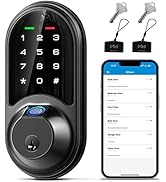
Image: An image highlighting the lock's battery life (300+ days), low battery indicator, and backlit keypad for ease of use in various lighting conditions.
8. Troubleshooting
If you encounter issues with your Veise Fingerprint Door Lock, consider the following common solutions:
- Lock Not Responding: Check battery levels and replace if necessary. Ensure the lock is properly installed and all connections are secure.
- Fingerprint Not Recognized: Ensure your finger is clean and dry. Try re-enrolling your fingerprint. Ensure you are placing your finger correctly on the sensor.
- Passcode Not Working: Double-check the passcode entry. Ensure the lock is not in a programming mode. Try resetting the passcode if necessary (refer to manual).
- Auto-Lock Malfunction: Verify the auto-lock setting in the programming menu. Ensure the door closes completely and the latch engages smoothly.
- Mechanical Issues: If the lock mechanism feels stiff or jammed, do not force it. Check for any obstructions in the door frame or latch bolt.
For more complex issues, refer to the comprehensive troubleshooting section in the User Manual (PDF) or contact Veise customer support.
9. Specifications
| Feature | Detail |
|---|---|
| Brand | Veise |
| Model Name | KS02D |
| Lock Type | Biometric, Deadbolt, Keypad |
| Unlocking Methods | Fingerprint, Passcode, Key |
| Fingerprint Capacity | Up to 20 |
| Passcode Capacity | Up to 20 |
| Material | Acrylonitrile Butadiene Styrene, Aluminum |
| Color | Oil Rubbed Bronze |
| Power Source | Battery-Powered (4 AA batteries, not included) |
| Item Weight | 4.84 pounds |
| Product Dimensions (L x W x H) | 18 x 7 x 4 inches |
| Operating Temperature | -31°F to 158°F |
| Waterproof Rating | IP54 |
| Certifications | ANSI Grade 3, BHMA tested |

Image: Details of the ANSI Grade 3 certification, including 200,000 times mechanical life test, 4400N main board intensity test, 96H salt-resistant test, 100J metal housing impact test, 90% humidity test, and temperature range.
10. Warranty and Support
Veise is committed to providing excellent customer service and product reliability.
- Warranty: Veise offers a minimum 1-year warranty on this product.
- Phone Support: Lifetime online phone support is available from Monday to Friday, 9 AM to 5 PM PST.
- Email Service: 24/7 after-sales email service is provided for your convenience.
For assistance, please refer to the contact information provided in your product packaging or visit the official Veise website.

Image: A customer service representative wearing a headset, symbolizing Veise's US-based support team ready to assist customers.


