
1. Introduction
This manual provides essential information for the safe and effective operation, maintenance, and troubleshooting of your DEERC 001E 1:14 Brushless RC Car. Please read this manual thoroughly before using the product to ensure proper handling and to maximize your experience.
2. Safety Precautions
- Always operate the RC car in open areas, away from people, pets, and obstacles.
- Do not operate in wet conditions or near water to prevent damage to electronic components.
- Keep hands, hair, and loose clothing away from moving parts.
- Adult supervision is recommended for users under 14 years of age.
- Ensure batteries are charged correctly and handled with care. Do not overcharge or short-circuit batteries.
- Turn off the RC car and remote control when not in use.
3. Package Contents
Verify that all items listed below are included in your package:

Image: The complete package contents for the DEERC 001E RC Car, including the vehicle, remote control, two batteries, a USB charging cable, a screwdriver, and the user manual.
- DEERC 001E RC Car (1)
- 2.4GHz Remote Control (1)
- Lithium-Ion Batteries (2)
- USB Charging Cable (1)
- Screwdriver (1)
- User Manual (1)
4. Product Overview
The DEERC 001E is a 1:14 scale brushless RC truck designed for high-speed off-road performance. It features a durable chassis, 4-wheel drive, and advanced electronic components.

Image: The DEERC 001E RC car, its remote control, two batteries, and a brushless motor, illustrating the main components of the product.
Key Features:
- Brushless Motor: Provides high speed and efficiency.
- 4WD System: Enhances traction and control on various terrains.
- Upgraded Chassis: Designed for durability and protection of internal components.
- Proportional Steering & Throttle: Allows for precise control.
- Shock Absorbers: Improves handling over rough surfaces.

Image: An infographic highlighting key features of the DEERC 001E RC car, including 60 km/h speed, upgraded chassis, 1:14 scale, 4-wheel drive, shock absorbers, 36+ minutes play time, 25A ESC, high torque servo, and proportional steering and throttle.
5. Setup
5.1 Battery Charging
The DEERC 001E comes with two Lithium-Ion batteries. Ensure they are fully charged before first use.
- Connect the battery to the USB charging cable.
- Plug the USB charging cable into a suitable USB power adapter (e.g., computer USB port, wall adapter).
- The indicator light on the USB charger will show the charging status (typically red for charging, off or green for fully charged).
- Charging time is approximately 180 minutes per battery. Do not leave batteries unattended while charging.

Image: Two DEERC branded Lithium-Ion batteries, indicating the power source for the RC car.
5.2 Battery Installation (RC Car)
- Locate the battery compartment on the underside of the RC car.
- Open the battery compartment cover.
- Insert a fully charged battery, ensuring correct polarity.
- Connect the battery connector to the car's power connector.
- Close the battery compartment cover securely.
5.3 Battery Installation (Remote Control)
- Open the battery cover on the back of the remote control.
- Insert 3 AA batteries (not included), observing the correct polarity.
- Close the battery cover.
5.4 Pairing the Remote Control
- Ensure the RC car's battery is installed and the car is turned off.
- Turn on the remote control. The indicator light will flash.
- Turn on the RC car. The car's indicator light will flash.
- Within a few seconds, both indicator lights should become solid, indicating successful pairing.
- If pairing fails, turn off both devices and repeat the steps.
6. Operating Instructions
6.1 Basic Controls

Image: A close-up of the remote control, highlighting the steering wheel for directional control.
- Steering Wheel: Rotate left or right to control the direction of the car.
- Throttle Trigger: Pull to move forward, push to brake or reverse.
- Steering Trim: Adjusts the steering to keep the car driving straight when the steering wheel is centered.
- Throttle Trim: Adjusts the neutral point of the throttle.
6.2 Driving Tips
- Start with slow speeds to familiarize yourself with the controls.
- Avoid sudden turns at high speeds to prevent rollovers.
- The 4WD system provides excellent traction, allowing the car to handle various terrains such as sand, dirt, and gravel.

Image: The DEERC 001E RC car demonstrating its powerful driving capabilities across different environments, including sandy dunes, rocky paths, and wet surfaces, highlighting its versatility.
6.3 Performance
The brushless motor allows the DEERC 001E to reach speeds of up to 60 km/h (approximately 37 MPH) with a motor RPM of 4000.
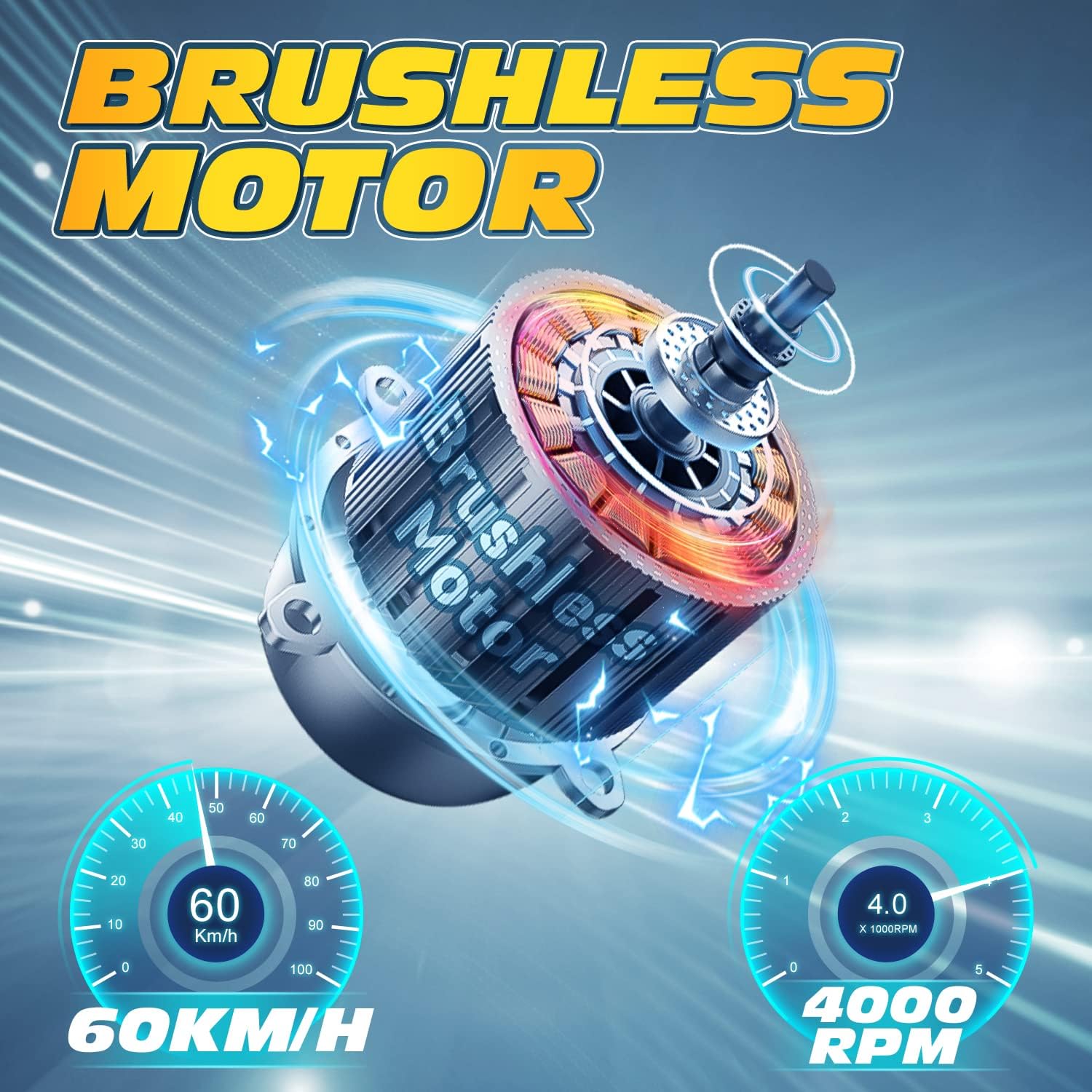
Image: An illustration of the brushless motor and speed gauges indicating a top speed of 60 km/h and 4000 RPM, showcasing the high-performance capabilities of the RC car.

Image: A cross-section view of the brushless motor, illustrating its internal components and design for efficient power delivery.
7. Maintenance
7.1 Cleaning
- After each use, clean the car to remove dirt, dust, and debris. Use a soft brush or compressed air.
- Avoid using water or harsh chemicals directly on electronic components.
7.2 Storage
- Store the RC car and remote control in a cool, dry place, away from direct sunlight.
- Remove batteries from both the car and remote control if storing for extended periods.
7.3 Battery Care
- Do not fully discharge Lithium-Ion batteries. Charge them before they are completely depleted.
- If batteries are not used for a long time, charge them to about 50% capacity for storage.
- Dispose of damaged or swollen batteries properly according to local regulations.
7.4 Component Inspection
Regularly inspect the following components for wear or damage:
- Chassis: The upgraded chassis provides better sealing performance to protect internal electronic components from sand and debris.
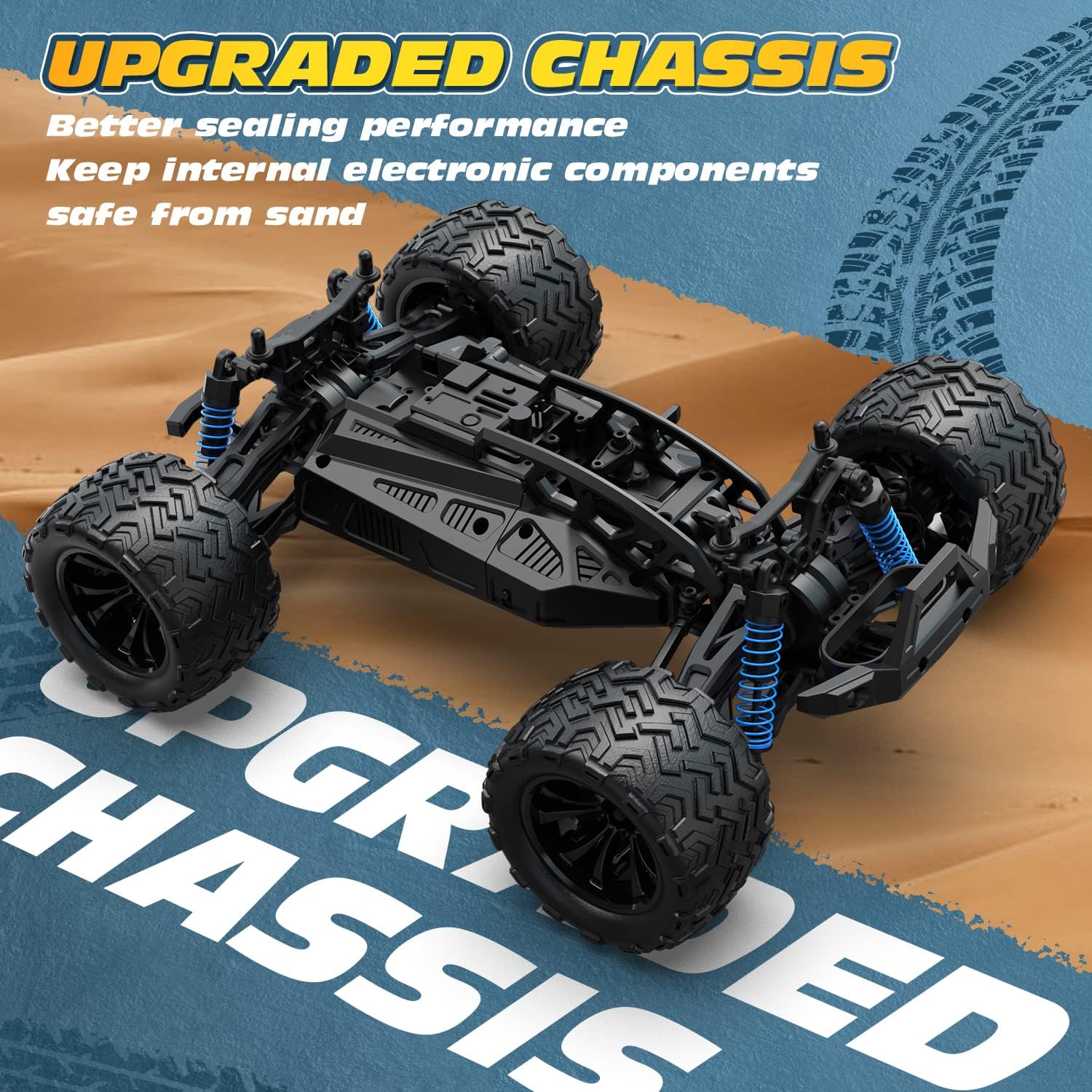
Image: A view of the upgraded chassis of the DEERC 001E RC car, emphasizing its design for improved sealing and protection of internal electronics from environmental elements like sand.

Image: An overhead view of the DEERC 001E RC car chassis, with a transparent overlay highlighting the protected internal electronic components.
- Tires and Wheels: Check for wear, cracks, or loose connections.
- Suspension: Inspect shock absorbers for leaks or damage.

Image: A detailed view of the RC car's shock absorber and wheel, illustrating the suspension system's movement and function.
- Gears and Drivetrain: Ensure gears are free of debris and rotate smoothly.

Image: A detailed illustration of the differential gear assembly, highlighting its internal mechanism for power distribution to the wheels.
8. Troubleshooting
| Problem | Possible Cause | Solution |
|---|---|---|
| Car does not respond to remote. | Low battery in car or remote; Not paired; Out of range. | Charge car battery; Replace remote batteries; Re-pair devices; Operate within range. |
| Car runs slowly or inconsistently. | Low car battery; Obstruction in drivetrain; Motor issue. | Charge car battery; Clear obstructions; Contact support if motor issue persists. |
| Steering is off-center. | Steering trim needs adjustment. | Adjust the steering trim knob on the remote control. |
| Car makes unusual noises. | Debris in gears; Damaged gears. | Inspect and clean gears; Replace damaged gears. |
9. Specifications
| Feature | Detail |
|---|---|
| Model Number | 001E |
| Scale | 1:14 |
| Motor Type | Brushless |
| Drive System | 4-Wheel Drive (4WD) |
| Top Speed | Up to 60 km/h (37 MPH) |
| ESC | 25A Brushless ESC |
| Steering Servo | 1.5KG Torque Steering Servo |
| Batteries | 2 Lithium Ion batteries (included) |
| Play Time | 36+ minutes (with 2 batteries) |
| Remote Control Frequency | 2.4 GHz |
| Recommended Age | 8 - 17 years |
| Item Weight | 3.69 pounds |
| Package Dimensions | 12.71 x 10.28 x 7.99 inches |

Image: The DEERC 001E RC car with overlaid measurements indicating its dimensions: 10 inches in length, 12.2 inches in width, and 5.5 inches in height.
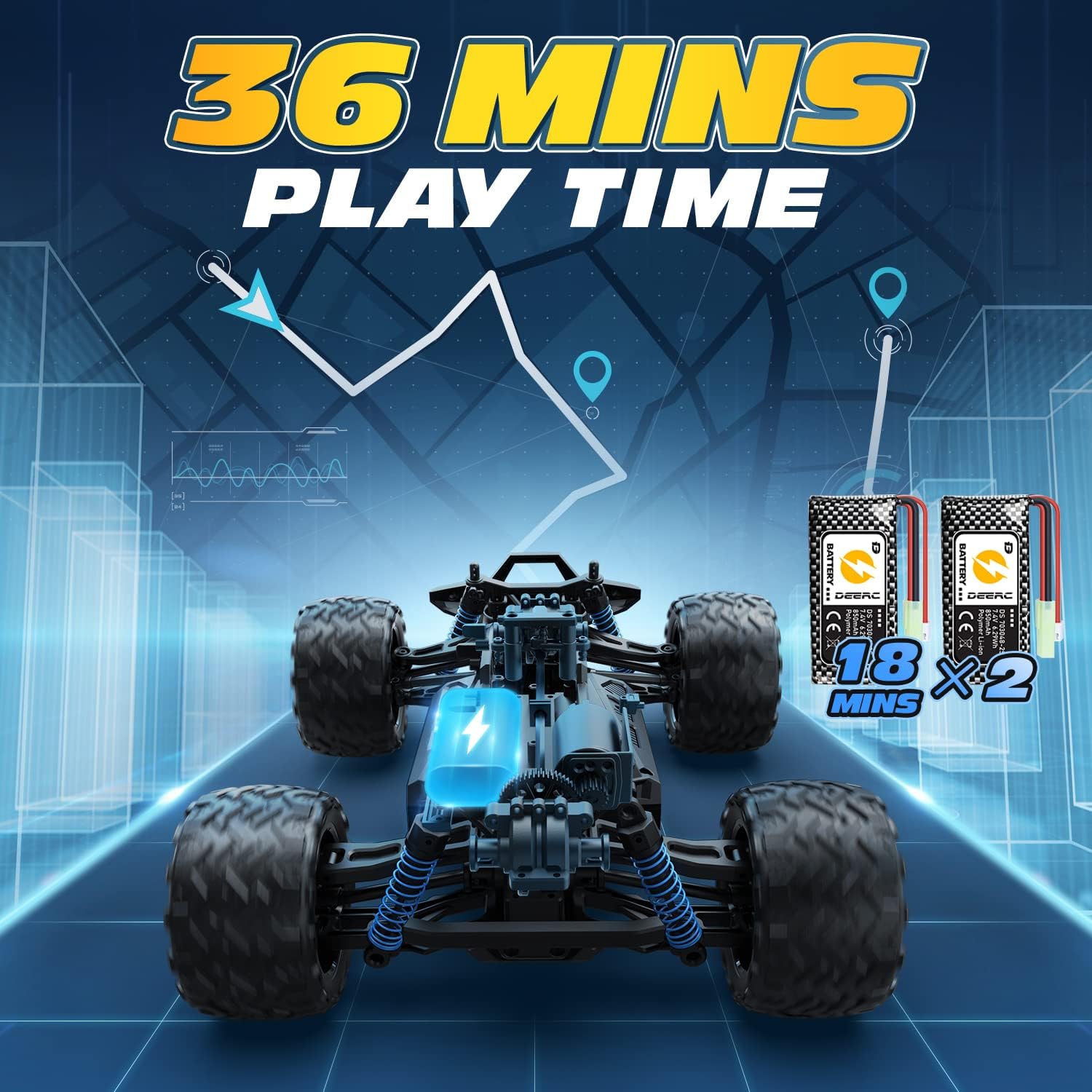
Image: An illustration showing the DEERC 001E RC car's chassis and two batteries, emphasizing a total play time of 36 minutes, achieved by using two 18-minute batteries.
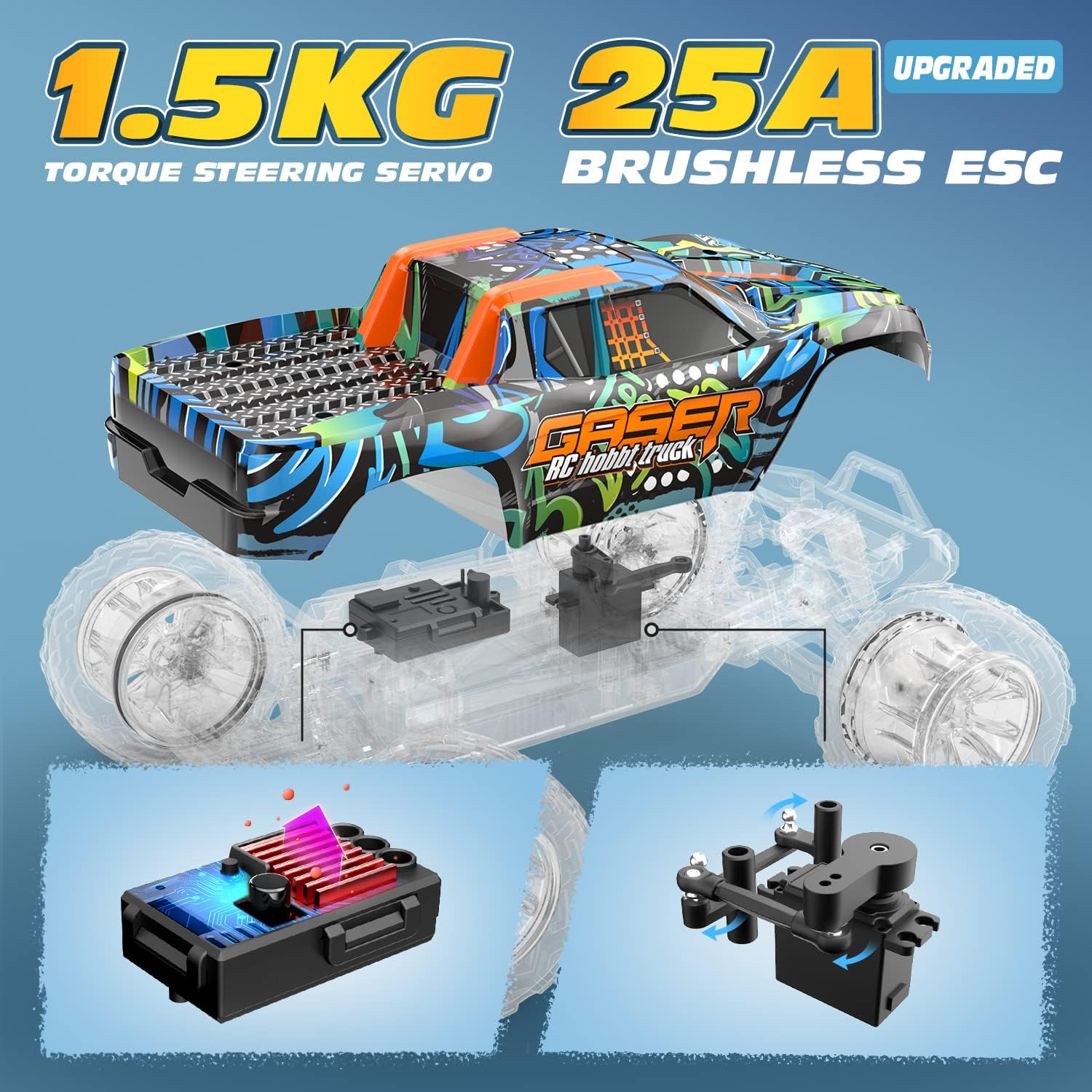
Image: A diagram illustrating the 1.5KG torque steering servo and the 25A brushless ESC (Electronic Speed Controller) components of the DEERC 001E RC car, highlighting their roles in control and power management.
10. Warranty and Support
For warranty information or technical support, please refer to the contact details provided on the product packaging or the official DEERC website. Keep your purchase receipt as proof of purchase.


