
Introduction
Thank you for choosing the Total Tools 20V 2Ah Battery Pack. This instruction manual provides important information on the safe operation, maintenance, and troubleshooting of your battery pack. Please read this manual thoroughly before first use and keep it for future reference.
This battery pack is designed to provide reliable power for your compatible Total Tools 20V cordless power tools, ensuring optimal performance and extended runtime.
Safety Instructions
Always follow basic safety precautions when using electrical products to reduce the risk of fire, electric shock, and personal injury.
- Charging: Only use chargers specified by Total Tools for this battery pack. Using an incompatible charger may cause fire, electric shock, or injury.
- Storage: Store the battery pack in a cool, dry place, away from direct sunlight, heat sources, and moisture. Do not store in temperatures exceeding 50°C (122°F).
- Handling: Do not short-circuit the battery terminals. Avoid dropping or subjecting the battery pack to strong impacts. Do not open, disassemble, or modify the battery pack.
- Disposal: Dispose of battery packs responsibly according to local regulations. Do not dispose of in household waste or by incineration.
- Damage: If the battery pack is damaged, leaking, or shows signs of overheating, discontinue use immediately and contact Total Tools customer service.
- Children: Keep battery packs out of reach of children.
Product Overview
Familiarize yourself with the components of your Total Tools 20V 2Ah Battery Pack:
- Battery Housing: Durable casing protecting the internal cells.
- Battery Release Button: Used to detach the battery from the tool or charger.
- Charging Contacts: Metal terminals for connecting to a compatible charger.
- Battery Indicator Lights: LEDs that show the current charge level of the battery.

Figure 1: Top view of the battery pack, highlighting the charge indicator and branding.

Figure 2: Side view of the battery pack, illustrating the release button.
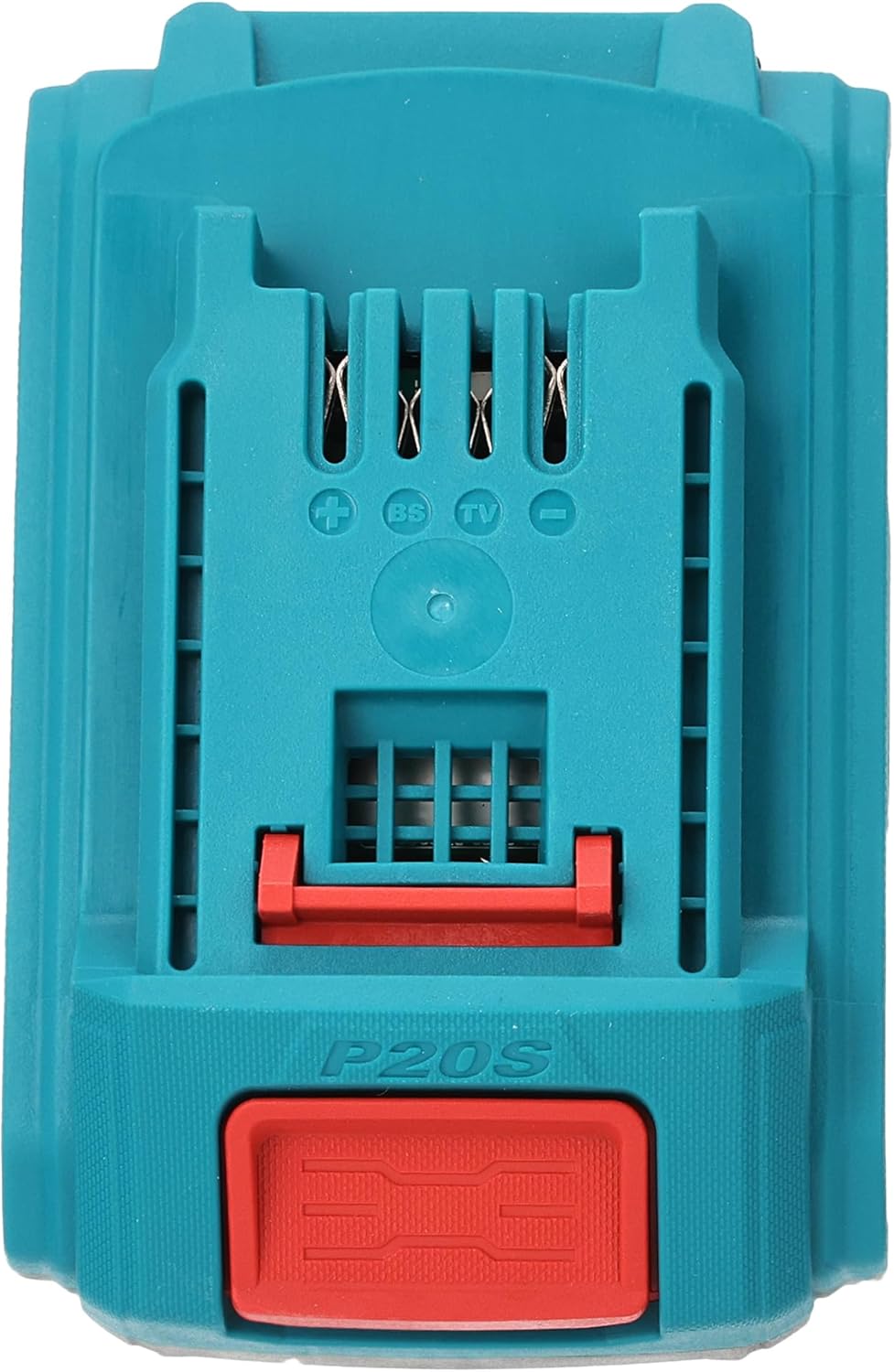
Figure 3: Bottom view of the battery pack, displaying the electrical contacts.
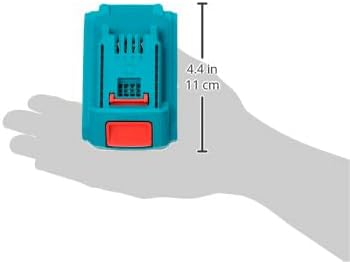
Figure 4: Battery pack held in hand, showing its compact size and approximate dimensions.
Specifications
| Feature | Specification |
|---|---|
| Brand | Total |
| Model Number | TFBLI20011 |
| Voltage | 20 Volts |
| Battery Capacity | 2.0 Ampere-hour (Ah) |
| Dimensions (L x W x H) | 10 x 20 x 37 cm |
| Item Weight | 209 grams |
| Color | Multi-color |
Setup
Charging the Battery Pack
- Ensure you have a compatible Total Tools 20V battery charger.
- Plug the charger into a standard power outlet.
- Slide the battery pack onto the charger, ensuring it clicks securely into place.
- The charger's indicator lights will show the charging status. Refer to your charger's manual for specific light patterns.
- Once fully charged, remove the battery pack from the charger. Do not leave the battery on the charger for extended periods after it is fully charged.
Note: For optimal performance, fully charge the battery pack before its first use.
Operating
Attaching the Battery Pack to a Tool
- Ensure both the battery pack and the tool are clean and free of debris.
- Align the battery pack with the battery slot on your Total Tools 20V cordless power tool.
- Slide the battery pack firmly into the slot until you hear a click, indicating it is securely locked in place.
Detaching the Battery Pack from a Tool
- Press and hold the battery release button located on the battery pack.
- While holding the button, slide the battery pack out of the tool's battery slot.
Checking Battery Charge Level
Press the battery indicator button (if available) on the battery pack. The LED lights will illuminate to show the remaining charge:
- All lights on: Full charge
- Fewer lights on: Decreasing charge level
- One light blinking: Low charge, recharge soon
Maintenance
- Cleaning: Keep the battery pack and its terminals clean. Wipe with a dry, soft cloth. Do not use water or chemical cleaners.
- Storage: When not in use for extended periods, store the battery pack in a cool, dry place, ideally with a partial charge (around 50%). Avoid storing fully charged or fully discharged.
- Temperature: Do not expose the battery pack to extreme temperatures. This can reduce battery life and performance.
- Regular Use: For best battery life, use and recharge the battery regularly. Avoid deep discharges.
Troubleshooting
Battery Pack Not Charging
- Ensure the charger is properly plugged into a working power outlet.
- Verify that the battery pack is securely seated on the charger.
- Check for any visible damage to the battery pack or charger. If damaged, do not use.
- Ensure the ambient temperature is within the recommended charging range (typically 0°C to 40°C / 32°F to 104°F).
Battery Pack Not Powering Tool
- Check if the battery pack is fully charged using the battery indicator lights.
- Ensure the battery pack is securely attached to the tool.
- Confirm that the tool itself is functioning correctly with another battery (if available).
- Verify that the battery pack is compatible with your specific Total Tools model.
If issues persist after following these steps, please contact Total Tools customer support.
Warranty and Support
Total Tools products are manufactured to high-quality standards. For information regarding warranty coverage, technical support, or service, please refer to the warranty card included with your purchase or visit the official Total Tools website. Keep your proof of purchase for warranty claims.


