
Product Overview
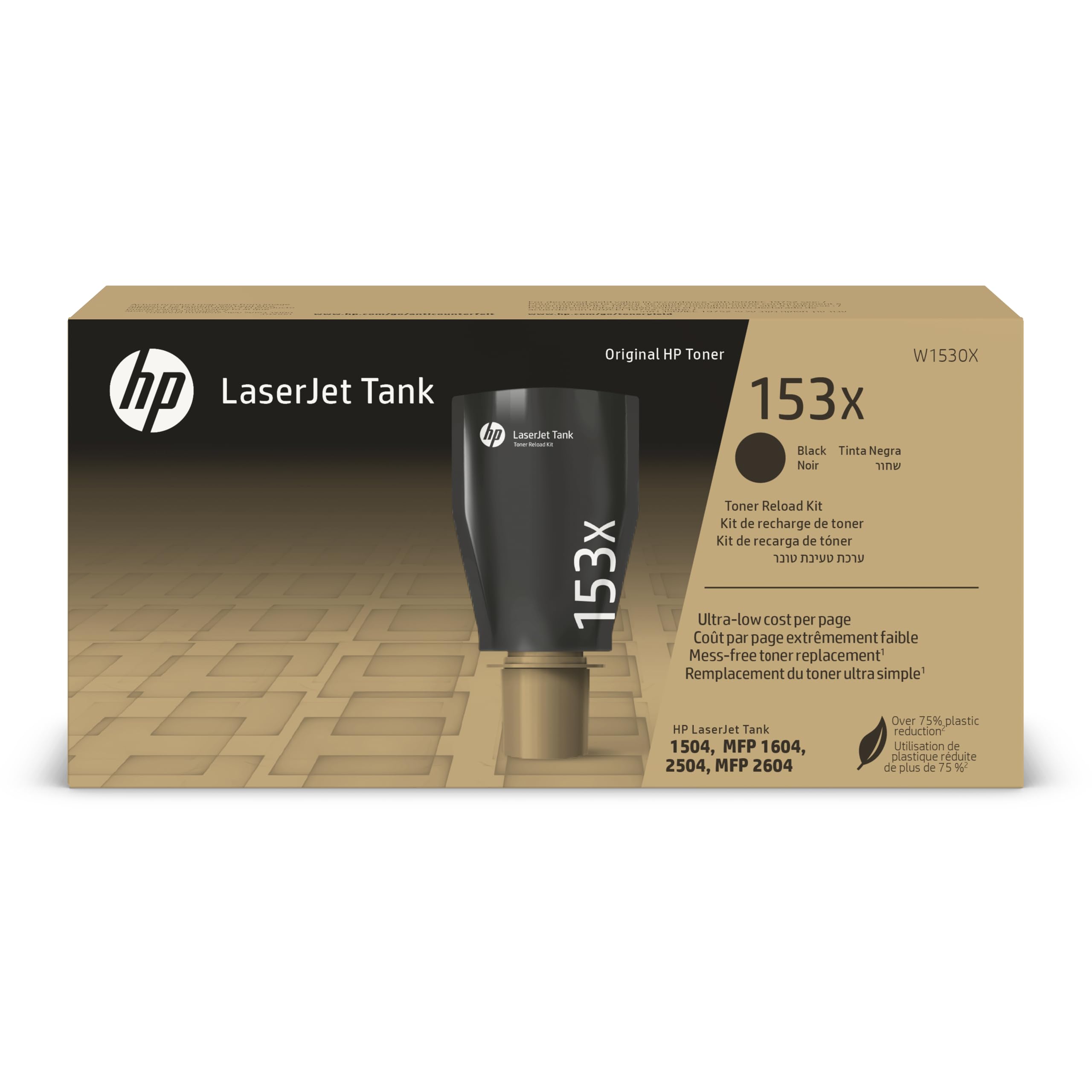
The HP 153X Black High-Yield Toner Reload Kit is designed to provide high-quality, reliable printing at a low cost per page. This cartridge-free system allows for easy and mess-free toner refills, ensuring consistent performance for your HP LaserJet Tank printer.
Key Features:
- Crisp, reliable printing for thousands of pages.
- Easy, mess-free toner refill in approximately 15 seconds.
- Contains 75% less plastic than previous generation cartridges.
Package Contents
The following items are included in your HP 153X Black High-Yield Toner Reload Kit package:
- Toner Reload Kit
- Recycling guide
- Setup guide
- Warranty flyer
Printer Compatibility
This HP 153X Black High-Yield Toner Reload Kit (W1530X) is compatible with the following HP LaserJet Tank printer models:
- HP LaserJet Tank 2504dw
- HP LaserJet Tank MFP 2604sdw
Toner Refill Instructions
Follow these steps to safely and effectively refill your HP LaserJet Tank printer with the 153X Black High-Yield Toner Reload Kit.
- Prepare the Printer: Ensure your printer is powered on and the toner access door is open. Refer to your printer's specific manual for exact location.
- Locate the Toner Port: Identify the toner refill port on your printer.
- Prepare the Reload Kit: Gently shake the toner reload kit to distribute the toner evenly.
- Insert the Kit: Align the toner reload kit with the printer's toner port and insert it firmly. The kit is designed for a mess-free connection.
- Twist to Lock: Twist the toner reload kit clockwise until it locks into place.
- Refill Toner: The toner will automatically transfer into the printer's tank. Wait until the refill process is complete. Do not remove the kit during refilling.
- Remove the Kit: Once refilling is complete, twist the toner reload kit counter-clockwise and carefully remove it.
- Close Access Door: Close the toner access door on your printer.
- Recycle: Dispose of the empty toner reload kit according to the provided recycling guide.

Operating Your Printer with HP 153X Toner
The HP 153X toner is engineered for optimal performance with your HP LaserJet Tank printer, delivering crisp text and graphics.
Printing Best Practices:
- Paper Selection: Use high-quality paper suitable for laser printing to achieve the best results and prevent paper jams.
- Print Settings: Adjust print quality settings in your printer software for specific document types (e.g., draft for internal documents, best for presentations).
- Monitor Toner Levels: Regularly check toner levels through your printer's display or HP Smart app to anticipate refills.
- High-Yield Benefits: This high-yield toner is designed to print approximately 5,000 pages, reducing the frequency of refills and offering a low cost per page.


Care and Maintenance
Proper care of your HP LaserJet Tank printer and toner ensures longevity and consistent print quality.
- Storage: Store unused toner reload kits in their original packaging in a cool, dry place, away from direct sunlight.
- Cleaning: Periodically clean the exterior of your printer with a soft, dry cloth. Avoid using harsh chemicals.
- Recycling: The HP 153X Toner Reload Kit is designed with sustainability in mind, containing 75% less plastic. Utilize the included recycling guide for proper disposal of empty kits.

Troubleshooting Common Issues
If you encounter issues with your HP 153X Toner Reload Kit or printing, consider the following:
- Poor Print Quality:
- Ensure the toner reload kit was fully inserted and locked during the refill process.
- Check printer settings for print quality and paper type.
- Perform a printer cleaning cycle if available in your printer's maintenance menu.
- Toner Low/Empty Message:
- Verify that the toner reload kit was completely empty before removal.
- If the message persists after refilling, ensure the kit was correctly installed and the printer recognized the refill.
- Toner Leakage:
- Ensure the toner reload kit was properly sealed and handled carefully.
- If leakage occurs, clean the affected area with a dry cloth and consult your printer's manual for further instructions.
For more detailed troubleshooting, refer to your HP LaserJet Tank printer's user manual or visit the official HP support website.
Technical Specifications
| Feature | Detail |
|---|---|
| Model Number | W1530X |
| Ink Color | Black |
| Page Yield (Approx.) | 5,000 pages (based on ISO/IEC 19752) |
| Special Feature | Cartridge-free design, reduced plastic, easy toner refill |
| Item Weight | 3.53 ounces (100 Grams) |
| Product Dimensions | 4.21 x 8.5 x 2.36 inches |
| UPC | 195697898266 |
| Manufacturer | HP |
Warranty and Support Information
The HP 153X Black High-Yield Toner Reload Kit comes with a warranty. Please refer to the included Warranty flyer for specific terms and conditions.
For technical assistance, product support, or warranty claims, please contact HP Customer Support through their official website or the contact information provided in your printer's documentation.
Online Resources:


