
1. Introduction
This manual provides detailed instructions for the operation and maintenance of your aiworth L15 Digital Voice Activated Recorder. Please read this manual thoroughly before using the device to ensure proper function and to maximize its capabilities.
2. Product Overview
The aiworth L15 is a compact and versatile digital voice recorder designed for high-quality audio capture in various environments, including meetings, lectures, and classes. It features a 16GB internal memory, voice activation, noise reduction, and password protection.

Figure 1: Front view of the aiworth L15 Digital Voice Activated Recorder, showing the display, REC button, and PLAY/PAUSE and D/STOP controls.
2.1 Device Components and Controls

Figure 2: Detailed diagram illustrating the various buttons, ports, and features of the aiworth L15 recorder.
- MENU/DEL: Access menu options or delete files.
- UP: Navigate up in menus or increase volume.
- DOWN: Navigate down in menus or decrease volume.
- TF card slot: Insert a microSD (TF) card for expanded storage (up to 64GB).
- EXTERNAL MICROPHONE: Port for connecting an external microphone.
- HEADPHONE: 3.5mm jack for connecting headphones.
- REC: One-touch record button.
- PLAY/PAUSE: Play or pause recordings/music.
- RETURN/STOP: Stop playback/recording or return to the previous menu.
- VOL+: Increase volume.
- VOL-: Decrease volume.
- ON: Power on switch.
- OFF: Power off switch.
- USB PORT: Micro USB port for charging and data transfer.
3. Setup
3.1 Initial Charging
Before first use, fully charge the device. Connect the recorder to a computer's USB port or a USB wall adapter using the provided USB cable. The battery icon on the screen will indicate charging status. A full charge typically takes approximately two hours and provides up to 20 hours of continuous recording.
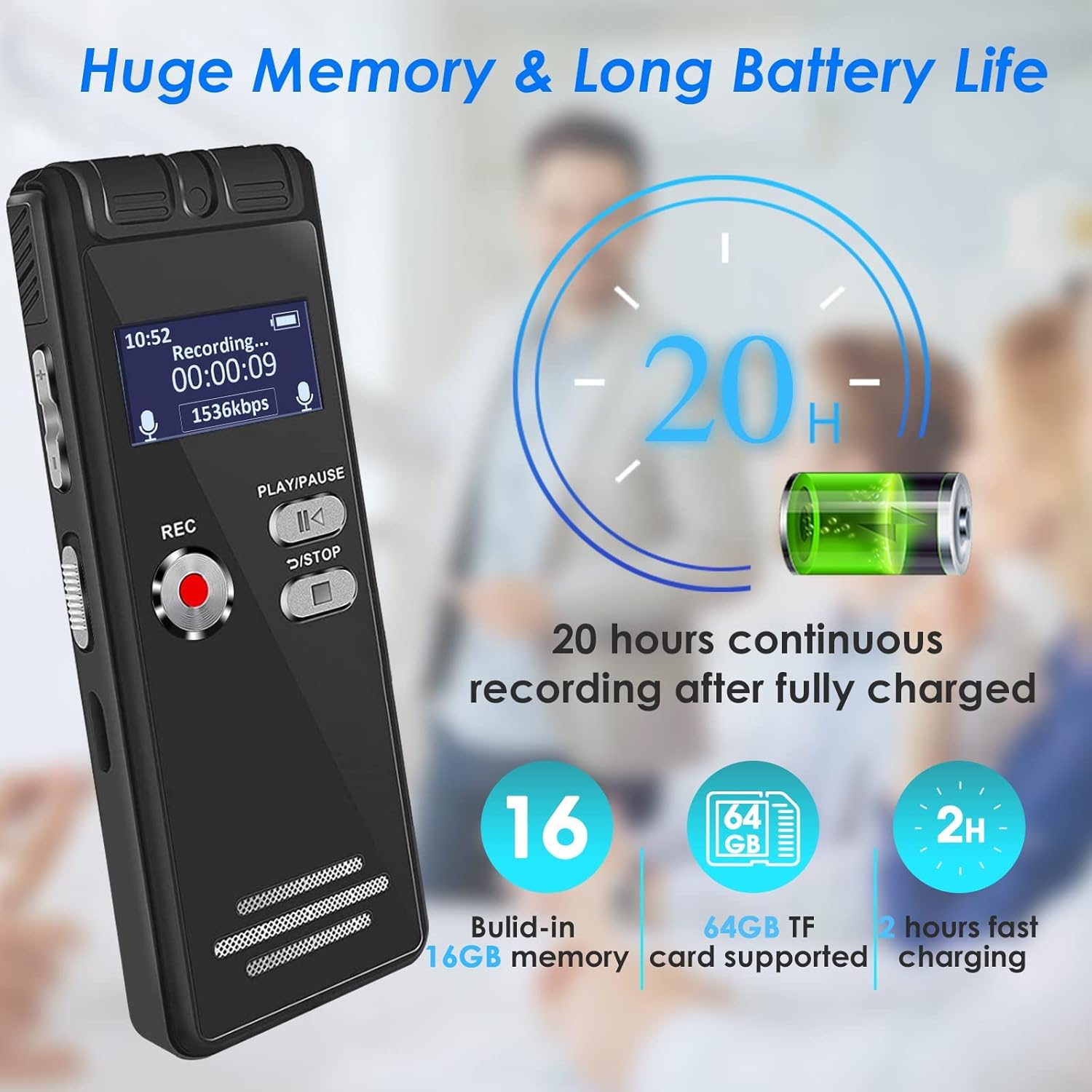
Figure 3: The aiworth L15 recorder highlighting its 20-hour battery life and 16GB built-in memory, expandable with a 64GB TF card.
3.2 Power On/Off
- To Power On: Slide the power switch to the 'ON' position.
- To Power Off: Slide the power switch to the 'OFF' position.
3.3 Language Settings
The device supports multiple languages. To change the language:
- Press the MENU/DEL button to enter the main menu.
- Use the UP/DOWN buttons to navigate to 'Language'.
- Press PLAY/PAUSE to select.
- Choose your desired language and confirm with PLAY/PAUSE.
3.4 Setting a Password
To protect your recordings and personal information, you can set a six-digit password.
- From the main menu, navigate to 'Settings'.
- Select 'Password Setting'.
- Follow the on-screen prompts to set your six-digit password.
- Remember your password, as it is crucial for accessing your device.
4. Operating Instructions
4.1 Basic Recording
The L15 offers one-touch recording for convenience.
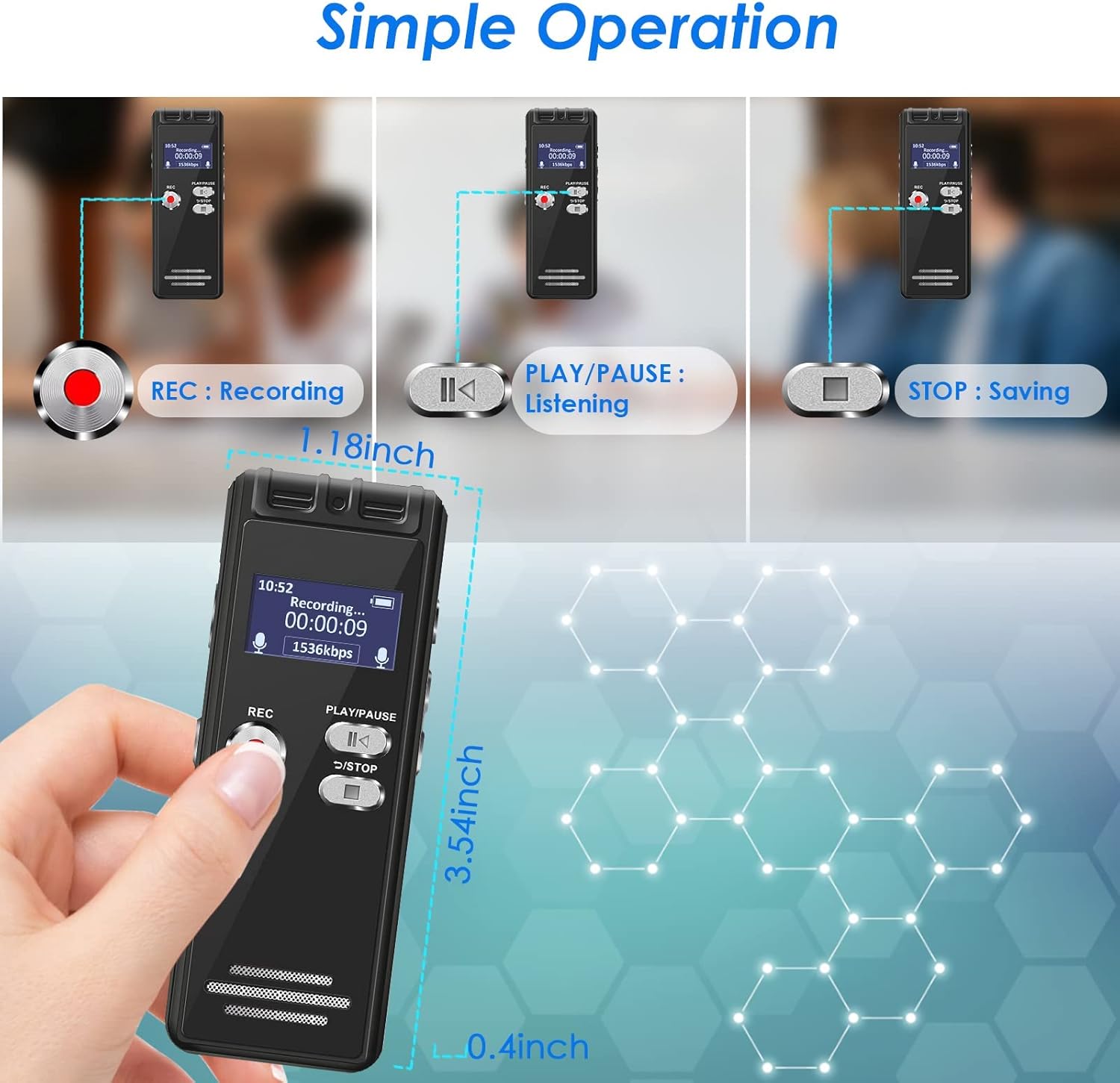
Figure 4: Visual guide for the simple operation of the aiworth L15, demonstrating the REC, PLAY/PAUSE, and STOP functions.
- To Start Recording: Press the REC button. The screen will display 'Recording...' and the recording time.
- To Stop and Save: Press the RETURN/STOP button. The recording will be saved automatically with a timestamped filename.
4.2 Voice Activated Recording (AVR)
In AVR mode, the recorder will only record when audio is detected, saving memory space and listening time. The device features 5 adjustable sensitivity levels.

Figure 5: The aiworth L15 demonstrating its Voice Activated Recording feature with 5 adjustable sensitivity levels to optimize recording efficiency.
- From the main menu, navigate to 'Recording Mode'.
- Select 'AVR Mode'.
- You can then adjust the sensitivity level (1-5) within the settings. Level 1 is least sensitive, Level 5 is most sensitive.
- Press REC to start voice-activated recording.
4.3 Advanced Recording Modes
- Segmented Recording: Records in segments, useful for organizing longer sessions.
- Timed Recording: Set specific times for the recorder to start and stop recording automatically.
- Line-in Recording: Connect external audio sources (CD, recorder, DVD, cell phone) via the LINE-IN port to record directly.
- Recording while Charging: The device supports recording while connected to a power source.
4.4 Playback Functions
- Normal Playback: Navigate to 'Recordings' or 'Music' from the main menu, select a file, and press PLAY/PAUSE.
- A-B Repeat: During playback, press the MENU/DEL button to set point A, then press it again to set point B. The device will loop playback between A and B.
- Variable Speed Playback: Adjust playback speed in the settings menu during playback.
- Fast Forward/Rewind: Use the UP/DOWN buttons during playback to fast forward or rewind.
4.5 File Management
- File Naming: Recording files are automatically named according to the timestamp (e.g., YYYYMMDD_HHMMSS.WAV).
- Deleting Files: Navigate to the file you wish to delete, press the MENU/DEL button, and confirm deletion.
- Transferring Files: Connect the recorder to a computer (Windows XP/7/8/10 or Mac OS 10-10.14) using the USB cable. The device will appear as a removable disk, allowing you to drag and drop files.
4.6 Using as a U Disk / MP3 Player
- U Disk: When connected to a computer, the L15 functions as a 16GB USB flash drive.
- MP3 Player: Transfer MP3/WAV music files to the device. Navigate to 'Music' from the main menu to play your audio files.
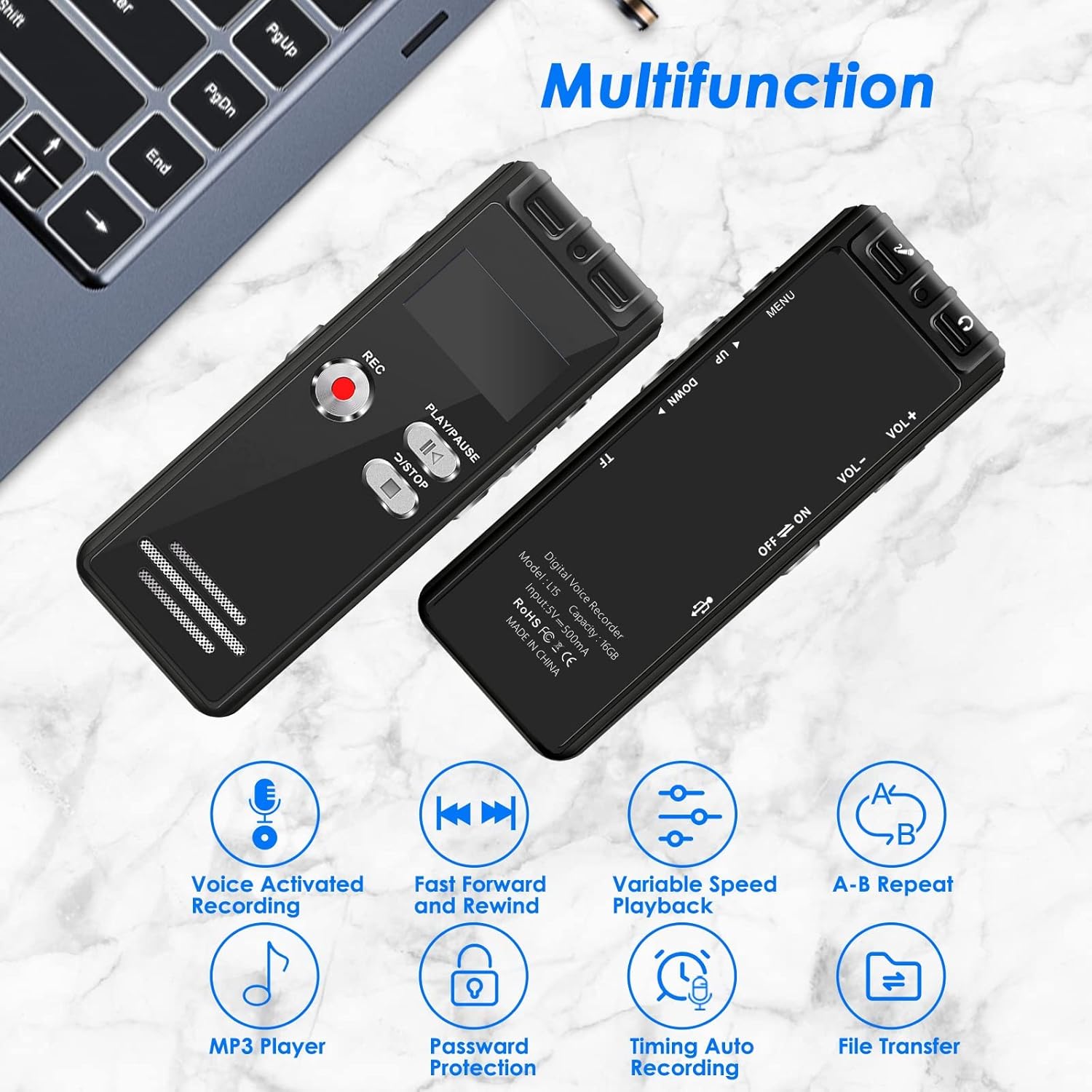
Figure 6: The aiworth L15 demonstrating its multifunctionality, including Voice Activated Recording, Fast Forward/Rewind, Variable Speed Playback, A-B Repeat, MP3 Player, Password Protection, Timing Auto Recording, and File Transfer.
5. Maintenance
- Cleaning: Use a soft, dry cloth to clean the device. Avoid liquid cleaners or abrasive materials.
- Battery Care: To prolong battery life, avoid fully discharging the battery frequently. Charge the device regularly, even if not in use for extended periods.
- Storage: Store the device in a cool, dry place away from direct sunlight and extreme temperatures.
- Data Backup: Regularly back up important recordings to your computer to prevent data loss.
6. Troubleshooting
- Device not powering on: Ensure the battery is charged. Connect to a power source and try again. Check the power switch is in the 'ON' position.
- Cannot connect to computer: Ensure you are using the original USB cable provided. Some third-party cables may not support data transfer. Try a different USB port on your computer. Ensure the device is powered on when connected.
- Poor recording quality/Excessive background noise: Ensure the microphone is not obstructed. Adjust the voice activation sensitivity levels (AVR mode) if applicable. Ensure the device is placed in an optimal position for recording.
- Forgotten password: If you forget your password, please contact customer support for assistance.
- Screen is blank or unresponsive: Try resetting the device by holding the power button for an extended period (e.g., 10-15 seconds) or allowing the battery to fully discharge and then recharging.
7. Specifications
| Feature | Specification |
|---|---|
| Model Number | L15 |
| Internal Memory | 16 GB |
| Expandable Memory | Up to 64GB (TF card) |
| Recording Capacity | Approx. 1160 hours (16GB) |
| Battery Type | 1 Lithium Ion (included) |
| Battery Life (Recording) | Up to 20 hours |
| Charging Time | Approx. 2 hours |
| Product Dimensions | 4 x 9 x 1 cm |
| Item Weight | 46 g |
| Hardware Interface | Micro USB 2.0 Type AB |
| Headphone Jack | 3.5 mm |
| Compatible OS | Windows XP/7/8/10, Mac OS 10-10.14 |
| Recording Formats | WAV, MP3 |
| Playback Formats | MP3, WAV |
8. Warranty and Support
8.1 Product Warranty
The aiworth L15 Digital Voice Activated Recorder comes with a 12-month product warranty from the date of purchase. This warranty covers manufacturing defects and malfunctions under normal use. It does not cover damage caused by misuse, accidents, unauthorized repairs, or normal wear and tear.
8.2 Customer Support
For any questions, technical assistance, or warranty claims, please contact our customer service. We offer 24-hour online customer service to assist you with any issues you may encounter while using your recorder.
Please refer to the contact information provided with your purchase or on the official aiworth website for support details.


