
Introduction
Thank you for choosing the Unikito 4-Tier Coffee Bar Cabinet. This versatile furniture piece is designed to enhance your kitchen, dining room, or living area with ample storage, integrated power solutions, and dynamic LED lighting. Please read this manual carefully before assembly and use to ensure proper installation and safe operation.
Safety Information
WARNING:
- Assembly required. Use caution when handling sharp edges and small parts.
- Keep away from heat sources and open flames.
- Do not use for supporting heavy objects beyond the specified weight capacity.
- Keep out of reach of children and pets.
- Always use caution when handling and serving alcoholic beverages.
- Ensure all electrical connections are secure and follow local electrical codes.
Package Contents
Please verify that all components are present before beginning assembly. Refer to the included assembly instructions for a detailed parts list.
- Cabinet panels (Engineered Wood)
- Metal frame components
- Wine rack grid
- Glass holders
- Power outlet strip with USB ports
- LED light strip with remote control
- Adjustable feet (6x)
- Assembly hardware (screws, bolts, etc.)
- Assembly instruction manual
Setup and Assembly
The Unikito 4-Tier Coffee Bar Cabinet requires assembly. Please follow the detailed step-by-step instructions provided in the separate assembly manual included with your product. Ensure you have adequate space and the necessary tools before starting.
- Unpack Components: Carefully remove all parts from the packaging and lay them out on a clean, soft surface to prevent scratches.
- Identify Parts: Match each component to the parts list in the assembly manual.
- Assemble Frame: Begin by assembling the metal frame structure according to the diagrams.
- Attach Shelves: Securely attach the engineered wood shelves to the frame.
- Install Wine Rack and Glass Holders: Integrate the wine rack grid and the glass holders into their designated positions.
- Install Power Outlet: Carefully place and secure the power outlet strip into the top panel.
- Attach LED Light Strip: Adhere the LED light strip to the underside of the top shelf or as indicated in the manual.
- Attach Adjustable Feet: Screw in the 6 adjustable feet to the bottom of the cabinet.
- Final Check: Ensure all screws are tightened and the cabinet is stable.
Key Features
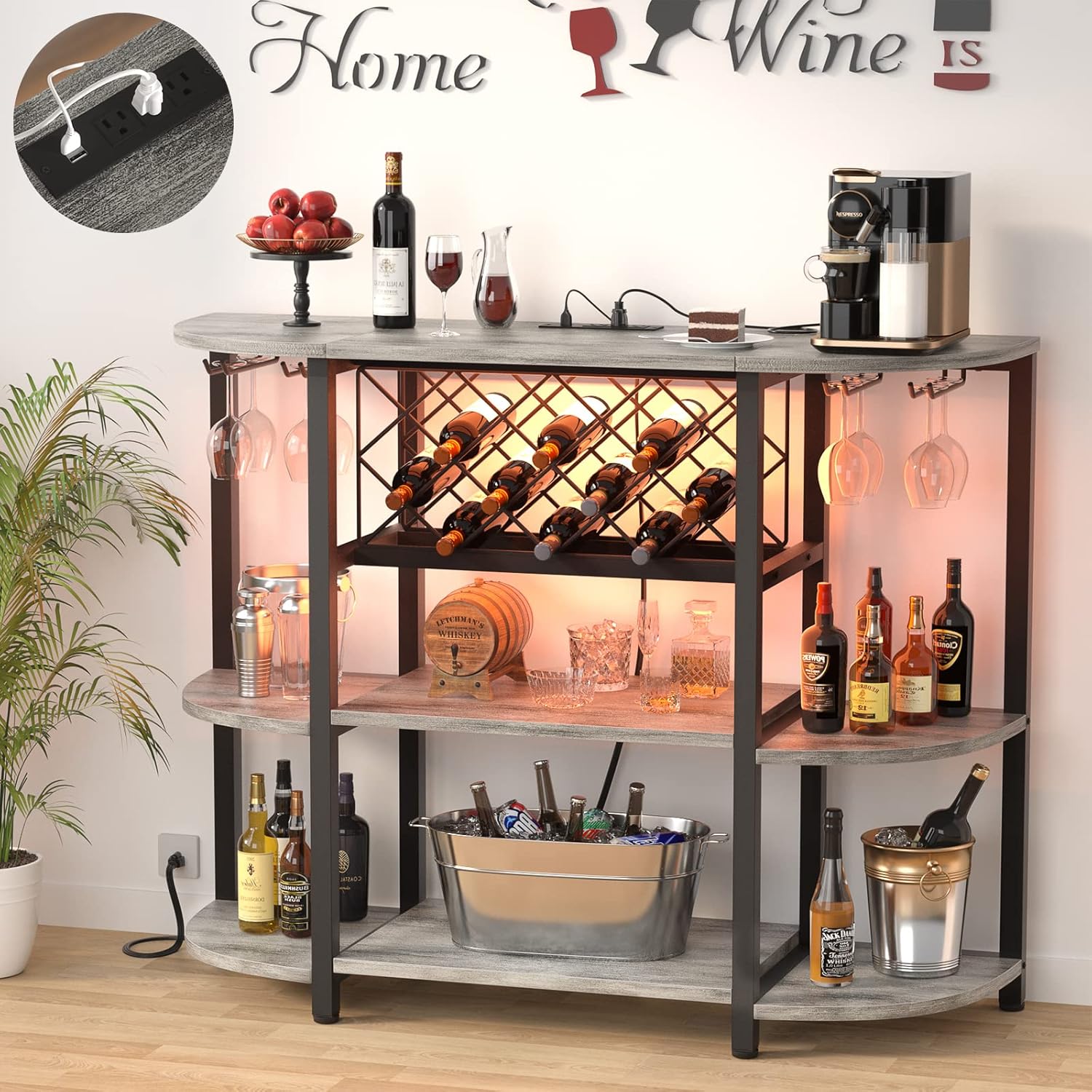
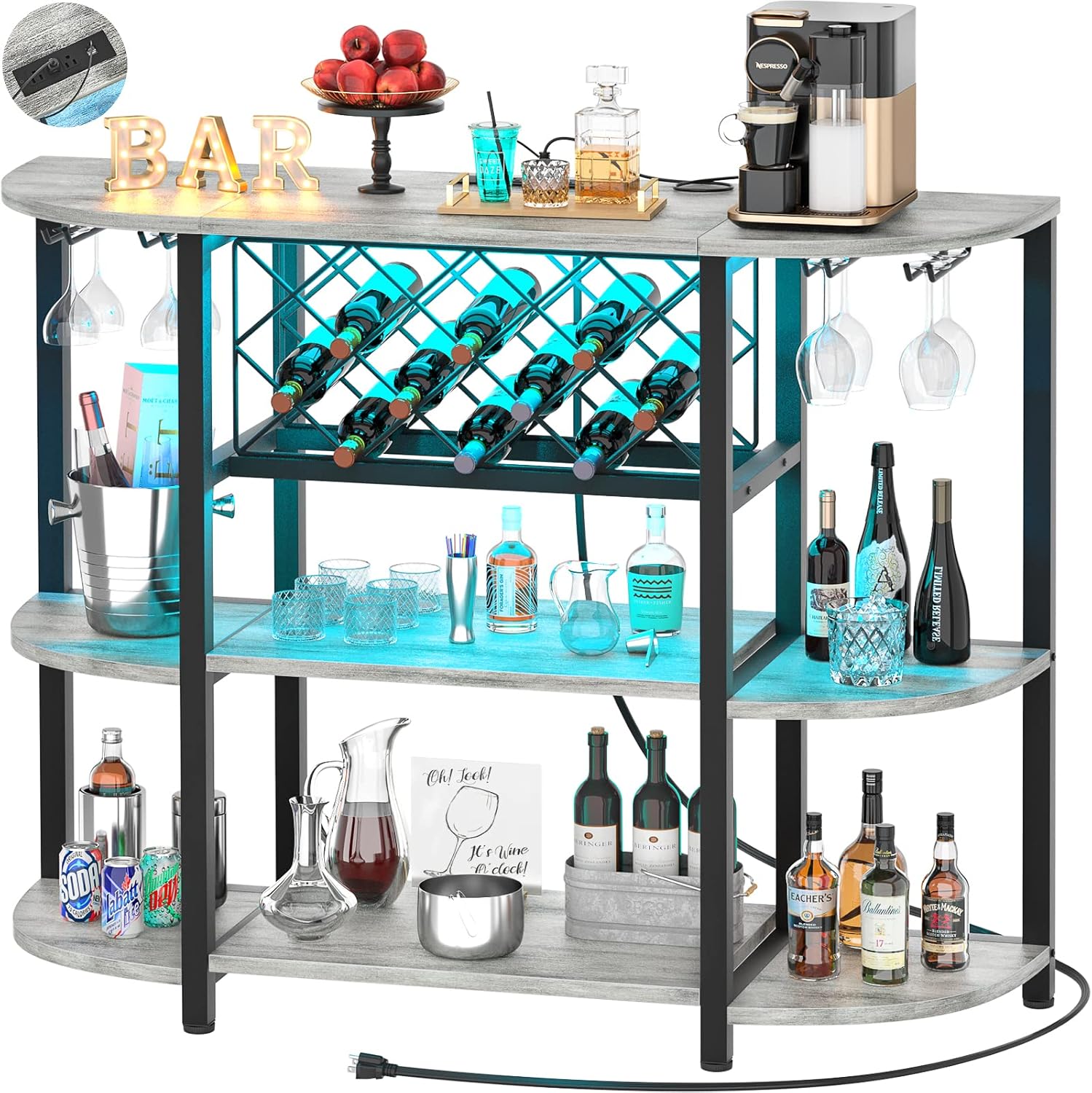
- 4-Tier Storage: Features 2 large lower shelves, 1 upper hutch, and an adjustable bottle shelf, providing extensive space for kitchen essentials, beverages, and decor. Overall size: 47.5" L x 15.8" D x 36" H.
- Integrated Power Outlets: Equipped with three 125V/12A AC outlets and two 5V/2A USB ports, allowing convenient power access for coffee makers, blenders, or charging devices. The power cable is 6.56 feet long.
- RGB LED Lighting: Includes a LED light band with RGB functionality, offering 20 static colors, 22 dynamic modes, and 5 flashing options. Brightness is adjustable in five steps, controlled via remote.
- Wine Rack & Glass Holders: A dedicated grid board for wine, beer, or other bottles, alongside integrated holders for hanging wine glasses, ensuring organized storage.
- Sturdy Construction: Made from high-quality MDF and a reinforced black metal frame, supporting a maximum weight capacity of 200 lbs. Six adjustable feet provide stability on uneven surfaces.
- Versatile Design: Can function as a coffee bar cabinet, wine rack table, kitchen baker's rack, liquor cabinet, buffet table, or a wine/bar cart.


Operating Instructions
LED Lighting System
- Connect Power: Ensure the LED light strip is properly connected to the power outlet on the cabinet and the cabinet is plugged into a wall socket.
- Use Remote Control:
- Press the "ON" button to turn on the lights.
- Use the color buttons (R, G, B, W, etc.) to select a static color.
- Press "MODE+" or "MODE-" to cycle through 22 dynamic lighting modes.
- Use "SPEED+" or "SPEED-" to adjust the speed of dynamic modes.
- Adjust brightness with the sun icon buttons.
- The remote also offers 5 flashing modes and timing functions (e.g., 1H, 2H, 4H, 8H).
Power Outlets and USB Ports
- Plug In: Connect your small kitchen appliances (e.g., coffee maker, ice maker) or audio devices to the AC outlets.
- Charge Devices: Use the USB ports to charge your smartphones, tablets, or other USB-powered devices.
- Power Cable: The integrated power cable is 6.56 feet long, providing flexibility for placement near a wall outlet.
Maintenance
To ensure the longevity and appearance of your Unikito Coffee Bar Cabinet, follow these maintenance guidelines:
- Cleaning: Wipe surfaces with a soft, damp cloth. Avoid harsh chemicals or abrasive cleaners that may damage the finish.
- Spills: Promptly clean up any spills, especially liquids, to prevent damage to the engineered wood.
- Stability: Periodically check all screws and connections to ensure they remain tight. Adjust the leveling feet as needed to maintain stability.
- Electrical Components: Ensure the power outlets and LED lights are kept dry. Do not attempt to repair electrical components yourself.
Troubleshooting
- Lights Not Working:
- Check if the cabinet is plugged into a live wall outlet.
- Ensure the LED light strip is securely connected to the power outlet on the cabinet.
- Verify the remote control batteries are functional.
- Cabinet Unstable:
- Ensure all assembly screws are tightened.
- Adjust the 6 leveling feet at the bottom of the cabinet to compensate for uneven floors.
- Power Outlets Not Functioning:
- Confirm the cabinet's main power cord is securely plugged into a working wall outlet.
- Check if the appliance plugged into the outlet is functional.
Specifications
| Brand | Unikito |
| Model Number | Industrial |
| Color | Light Oak |
| Material | Engineered Wood, Metal |
| Product Dimensions (L x D x H) | 47.5" x 15.8" x 36" |
| Weight Capacity | 200 Pounds |
| Number of Shelves | 4 |
| Power Outlets | 3 x 125V/12A AC Outlets |
| USB Ports | 2 x 5V/2A USB Ports |
| Power Cable Length | 6.56 FT |
| LED Light Features | RGB, 20 Static Colors, 22 Dynamic Modes, 5 Flashing Modes, 5-step Brightness Adjustment |
| Installation Type | Freestanding |
| Required Assembly | Yes |
Warranty and Support
For warranty information, missing parts, or technical support, please contact Unikito customer service through the retailer where the product was purchased or visit the official Unikito website. Please have your purchase receipt and model number ready when contacting support.
You can visit the Unikito Store for more products and information.
Product Media
Images


Videos
Video: A detailed review of the Unikito Bar Table Cabinet with Charging Station, highlighting its features and functionality in a home setting. This video demonstrates the product's practical use and design.
Video: An overview of the Unikito 4-Tier Metal Coffee Bar Cabinet with Outlet, showcasing its assembly and various storage options. The video provides a closer look at the integrated power features and overall design.
Video: A demonstration of the Mini Bar with LED Lights and Wine Rack, highlighting its aesthetic appeal and storage capabilities. The video shows the cabinet in a styled environment, emphasizing its role as a home bar.