
1. Introduction
The PuroAir 240 HEPA Air Purifier is designed to improve indoor air quality by filtering up to 99.9% of pollutants. This device is suitable for large rooms, covering up to 1,000 sq ft in one hour, and is effective against dust, pollen, smoke, pet dander, and volatile organic compounds (VOCs). It features a powerful 3-layer filtration system and smart particle sensing for automated operation.

Image: The PuroAir 240 air purifier operating quietly in a large living room, demonstrating its suitability for family environments.
The PuroAir 240 is lab-tested and certified by CARB, ETL, ISO, UL, and Energy Star, ensuring reliable performance. Its quiet operation, including a built-in sleep mode, makes it ideal for bedrooms and continuous 24/7 use. Many users report improved allergy symptoms and sleep quality after using PuroAir purifiers.
2. Setup
Before first use, ensure all packaging materials are removed. The PuroAir 240 features a cylindrical filter that is easily accessible from the bottom of the unit.
- Unpack the air purifier and place it on a flat, stable surface.
- Turn the unit upside down.
- Twist the base cover counter-clockwise to unlock and remove it.
- Remove the plastic packaging from the HEPA filter.
- Insert the filter back into the unit, ensuring it is seated correctly.
- Replace the base cover and twist clockwise to lock it securely.
- Plug the power cord into a suitable electrical outlet.
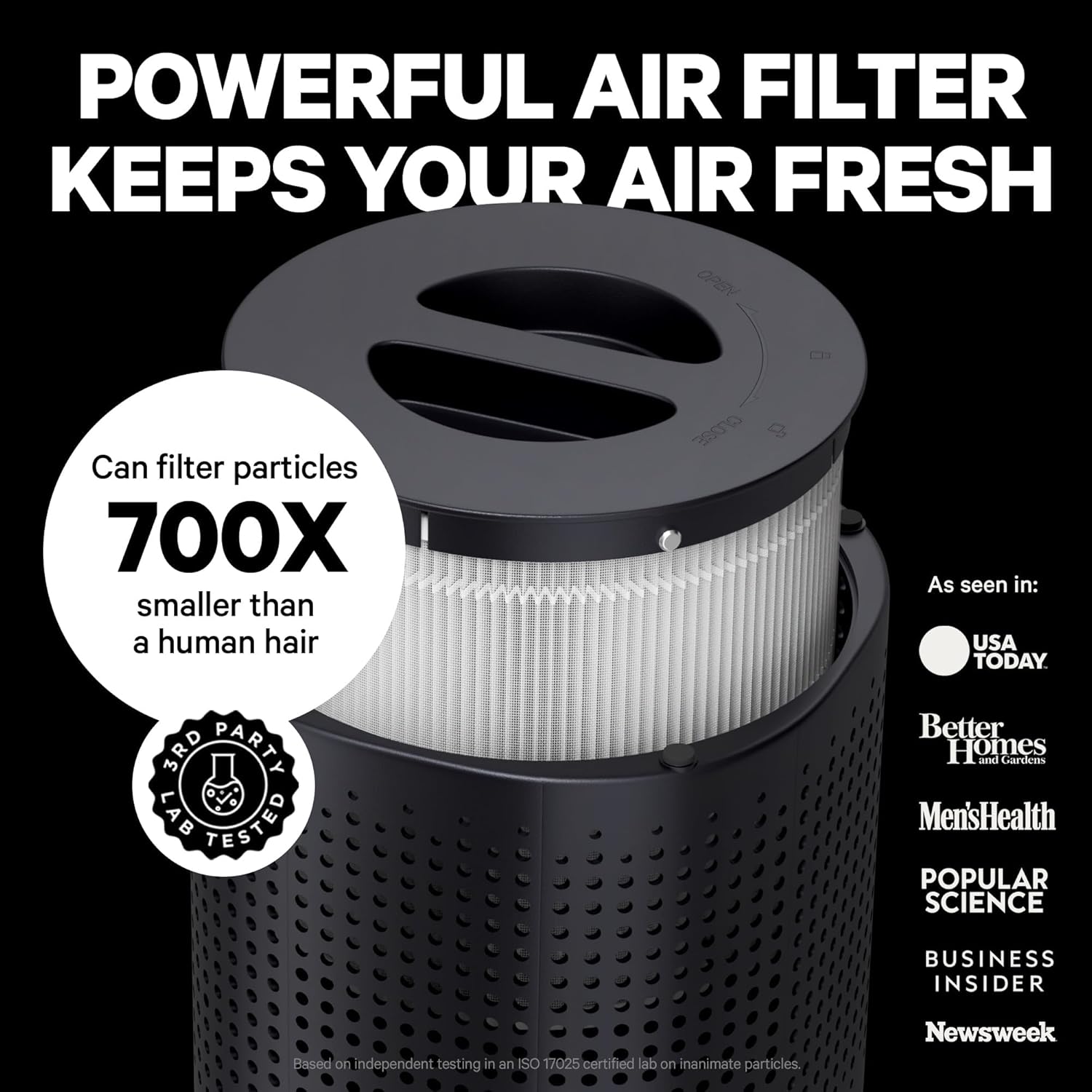
Image: A detailed view of the PuroAir 240's multi-layer filter, highlighting its robust construction for capturing particles as small as 0.1 microns.
3. Operating Instructions
The control panel is located on the top of the unit, featuring touch-sensitive buttons for various functions.

Image: The intuitive top control panel of the PuroAir 240, displaying the automated air quality monitoring system.
Power On/Off
Press the power button (circle icon) to turn the unit on or off.
Fan Speed
Press the fan speed button (wavy lines icon) to cycle through different fan speeds. The PuroAir 240 typically offers multiple speed settings, including a quiet sleep mode.
Auto Mode
Press the Auto/Mode button (circular arrow icon) to activate Auto Mode. In this mode, the air purifier's smart particle sensor monitors air quality and automatically adjusts the fan speed to maintain optimal air purification.
Sleep Mode
Activate Sleep Mode for ultra-quiet operation, ideal for nighttime use. This mode typically dims indicator lights and operates at the lowest fan speed.
Timer
Use the Timer button (clock icon) to set the operating duration. Available settings may include 2, 4, 6, or 8 hours, after which the unit will automatically turn off.
Air Quality Indicator
The unit features an LED indicator that changes color to reflect the current air quality: blue for good, yellow for moderate, and red for poor. This allows for real-time monitoring of your indoor environment.
Child Lock
To prevent accidental changes to settings, press and hold the 'Hold to Lock' button (lock icon) for a few seconds to activate or deactivate the child lock feature. When activated, the control panel will not respond to touches.
Video: Air Purifier Features Comparison
This video provides a comparison of various air purifier features, including air quality indicators, timer settings, fan speeds, and child lock functions across different models. It highlights the advanced features of some models, such as displaying particle numbers and offering a wider range of timer options.
4. Maintenance
Regular maintenance ensures optimal performance and extends the lifespan of your PuroAir 240. The unit features a 'Replace Filter' indicator to alert you when a filter change is needed.
Filter Replacement
The PuroAir 240 uses a combined filter that includes a pre-filter, HEPA filter, and activated carbon. The 'Replace Filter' indicator light will illuminate when it's time to change the filter, typically every 6-8 months depending on usage and air quality.
- Turn off and unplug the air purifier.
- Turn the unit upside down and unlock the base cover.
- Carefully remove the old filter. Note the amount of dust and debris collected.
- Dispose of the old filter responsibly.
- Remove the new filter from its protective packaging.
- Insert the new filter into the unit, ensuring a snug fit.
- Replace and lock the base cover.
- Plug in the unit and reset the 'Replace Filter' indicator by pressing and holding the corresponding button (often the timer or power button for a few seconds, refer to specific model instructions if unsure).

Image: A visual representation of air quality improvement, showing a significant reduction in airborne particles after using the PuroAir 240.
Video: PuroAir Filter Replacement and Cleaning
This video demonstrates the process of removing and inspecting the PuroAir filter, showing the accumulated dust and debris after use. It emphasizes the importance of replacing filters to maintain clean air and mentions the filter replacement indicator light.
Cleaning the Unit
Wipe the exterior of the air purifier with a soft, dry cloth as needed. Avoid using abrasive cleaners or solvents. Ensure the air intake and outlet grilles are free from obstructions.
5. Troubleshooting
- Unit does not turn on: Ensure the power cord is securely plugged into a working outlet. Check if the child lock is activated.
- Reduced airflow or unusual noise: Check if the filter is clogged and needs replacement or cleaning. Ensure there are no obstructions around the air intake or outlet.
- Air quality indicator always red/yellow: This may indicate high levels of pollutants in the environment. Ensure proper ventilation and consider running the unit on a higher fan speed or in Auto Mode. If the issue persists, the filter may need replacement.
- Filter indicator light remains on after replacement: You may need to manually reset the filter indicator. Refer to the 'Filter Replacement' section or your specific model's instructions.
6. Specifications
| Feature | Detail |
|---|---|
| Product Dimensions | 8.5"D x 8.5"W x 14.25"H |
| Item Weight | 7.3 Pounds |
| Power Source | Corded Electric |
| Color | Black |
| Coverage Area | Up to 1,000 sq ft (in one hour) |
| Filtration System | 3-layer (Pre-filter, HEPA filter, Activated Carbon) |
| Pollutant Removal | Up to 99.9% of dust, pollen, smoke, pet dander, VOCs |
| Certifications | CARB, ETL, ISO, UL, Energy Star |
7. Warranty and Support
PuroAir stands by the quality and performance of its products. The PuroAir 240 HEPA Air Purifier comes with a 2-year risk-free warranty. For any problems or support needs, please contact the PuroAir customer service team, proudly based in the USA.
For further assistance, visit the official PuroAir Store on Amazon: PuroAir Store


