
1. Introduction and Overview
This manual provides essential information for the proper installation, operation, and maintenance of your Merkury Innovations Smart Outdoor Camera 3-Pack. These cameras are designed to provide reliable outdoor surveillance with advanced features such as 1080p HD video, weather resistance, motion detection, night vision, and voice control capabilities. The system connects via Wi-Fi and does not require a separate hub, allowing for convenient remote monitoring through a mobile application.

Image 1.1: Merkury Innovations Smart Outdoor Camera highlighting its key features.
2. Package Contents
Please verify that all items listed below are included in your package. If any items are missing or damaged, contact customer support.
- 3 x Merkury Innovations Smart Outdoor Cameras
- 3 x Mounting Kits (screws, wall anchors)
- 3 x Power Adapters
- 1 x Instruction Manual

Image 2.1: The product packaging for the 3-pack of cameras.
3. Setup
3.1 Pre-installation Checklist
- Ensure you have a stable 2.4GHz Wi-Fi network available at the installation location.
- Verify that power outlets are accessible for each camera.
- Have your Wi-Fi network name and password ready.
3.2 App Installation and Camera Pairing
- Download the Merkury Innovations app (or Geeni app, as indicated by product images) from your smartphone's app store (iOS or Android).
- Create an account or log in if you already have one.
- Plug in one camera. The camera will enter pairing mode, indicated by a flashing light.
- In the app, tap the "+" icon to add a new device. Select "Smart Camera" or the appropriate camera type.
- Follow the on-screen instructions to connect the camera to your Wi-Fi network. This typically involves scanning a QR code displayed on your phone with the camera lens.
- Repeat the pairing process for the remaining two cameras.
3.3 Mounting the Cameras
The cameras are designed for outdoor use and feature an IP66 weather-resistant rating. Choose a mounting location that provides the desired viewing angle and is within range of your Wi-Fi network. The adjustable antenna and swivel neck allow for flexible positioning.
- Use the provided mounting kit to securely attach the camera base to a wall or suitable surface.
- Adjust the camera's angle using the swivel neck to cover the desired surveillance area.
- Ensure the antenna is positioned for optimal Wi-Fi signal reception.

Image 3.1: Camera components and dimensions for mounting reference.
4. Operating Instructions
4.1 Live View and Recording
Open the Merkury Innovations app to view live footage from your cameras. You can switch between cameras if you have multiple devices connected. The app allows you to manually record video or capture screenshots.
4.2 Motion Detection and Alerts
The cameras feature motion detection. When motion is detected, the camera can send real-time push notifications to your smartphone. You can customize motion sensitivity and define specific surveillance areas within the app to reduce false alerts.

Image 4.1: Example of instant motion alerts received on a smartphone.
4.3 Night Vision
The cameras are equipped with infrared night vision, allowing for clear video monitoring in low-light or no-light conditions. Night vision activates automatically when ambient light levels are insufficient.

Image 4.2: Infrared night vision view from the camera.
4.4 Two-Way Audio
Utilize the built-in microphone and speaker for two-way audio communication. This feature allows you to listen to audio from the camera's location and speak through the camera using the mobile app.
4.5 Local Storage (MicroSD Card)
The camera supports local video storage via a microSD card (not included). Insert a compatible microSD card into the designated slot to enable continuous recording or event-triggered recording without a cloud subscription.
4.6 Voice Control Integration
The Merkury Innovations Smart Outdoor Camera is compatible with Amazon Alexa and Google Assistant. Link your camera to these voice assistants through their respective apps to control your camera using voice commands, such as viewing live feeds on compatible smart displays.

Image 4.3: Voice control integration with smart home assistants.
4.7 App Customization
The mobile app provides extensive customization options for your cameras:
- Motion & Noise Sensitivity: Adjust levels to suit your environment.
- Surveillance Area: Define specific zones for motion detection.
- Alarm Activation Schedule: Set specific times for motion alerts to be active.

Image 4.4: App interface for controlling and customizing camera settings.
5. Maintenance
5.1 Cleaning the Camera
Periodically clean the camera lens and housing with a soft, damp cloth to ensure optimal image quality. Avoid using harsh chemicals or abrasive materials that could damage the lens or finish.
5.2 Checking Connections
Regularly inspect power cables and mounting hardware for any signs of wear or damage. Ensure all connections are secure to maintain consistent performance and weather resistance.
5.3 Firmware Updates
Keep your camera's firmware updated through the mobile app. Firmware updates often include performance improvements, new features, and security enhancements. Follow the app's prompts for any available updates.
6. Troubleshooting
6.1 Camera Not Connecting to Wi-Fi
- Ensure your Wi-Fi network is 2.4GHz. These cameras do not support 5GHz networks.
- Check that the camera is within range of your Wi-Fi router.
- Verify your Wi-Fi password is entered correctly in the app.
- Restart your Wi-Fi router and the camera, then attempt pairing again.
6.2 Poor Video Quality
- Clean the camera lens to remove any dirt or smudges.
- Ensure a strong Wi-Fi signal. Weak signals can lead to lower resolution or choppy video.
- Check for obstructions in the camera's field of view.
6.3 Motion Detection Not Working
- Verify that motion detection is enabled in the app settings for the specific camera.
- Adjust the motion sensitivity settings.
- Check the defined surveillance area to ensure it covers the desired detection zone.
- Ensure the camera's schedule for alarm activation is set correctly.
6.4 Camera is Offline
- Check the power connection to the camera.
- Verify your home Wi-Fi network is operational.
- Restart the camera by unplugging and re-plugging it.
7. Specifications
| Feature | Detail |
|---|---|
| Brand | Merkury Innovations |
| Model | Smart Outdoor Camera |
| Video Capture Resolution | 1080p, 720p |
| Frames Per Second | 25 fps |
| Field of View | 125° |
| Wireless Communication | Wi-Fi (2.4GHz only) |
| Form Factor | Bullet |
| Low Light Technology | Night Color (Infrared Night Vision) |
| Zoom Type | Digital Zoom |
| Alert Type | Motion Only |
| Recommended Use | Outdoor Security |
| Video Capture Format | MPEG-4 |
| International Protection Rating | IP66 (Weatherproof) |
| Control Method | Voice (Amazon Alexa, Google Assistant), Mobile App |
| Dimensions (W x H x D) | 2.36" (60mm) x 2.36" (60mm) x 6.5" (165mm) |
| Item Weight (3-Pack) | 3.12 pounds |
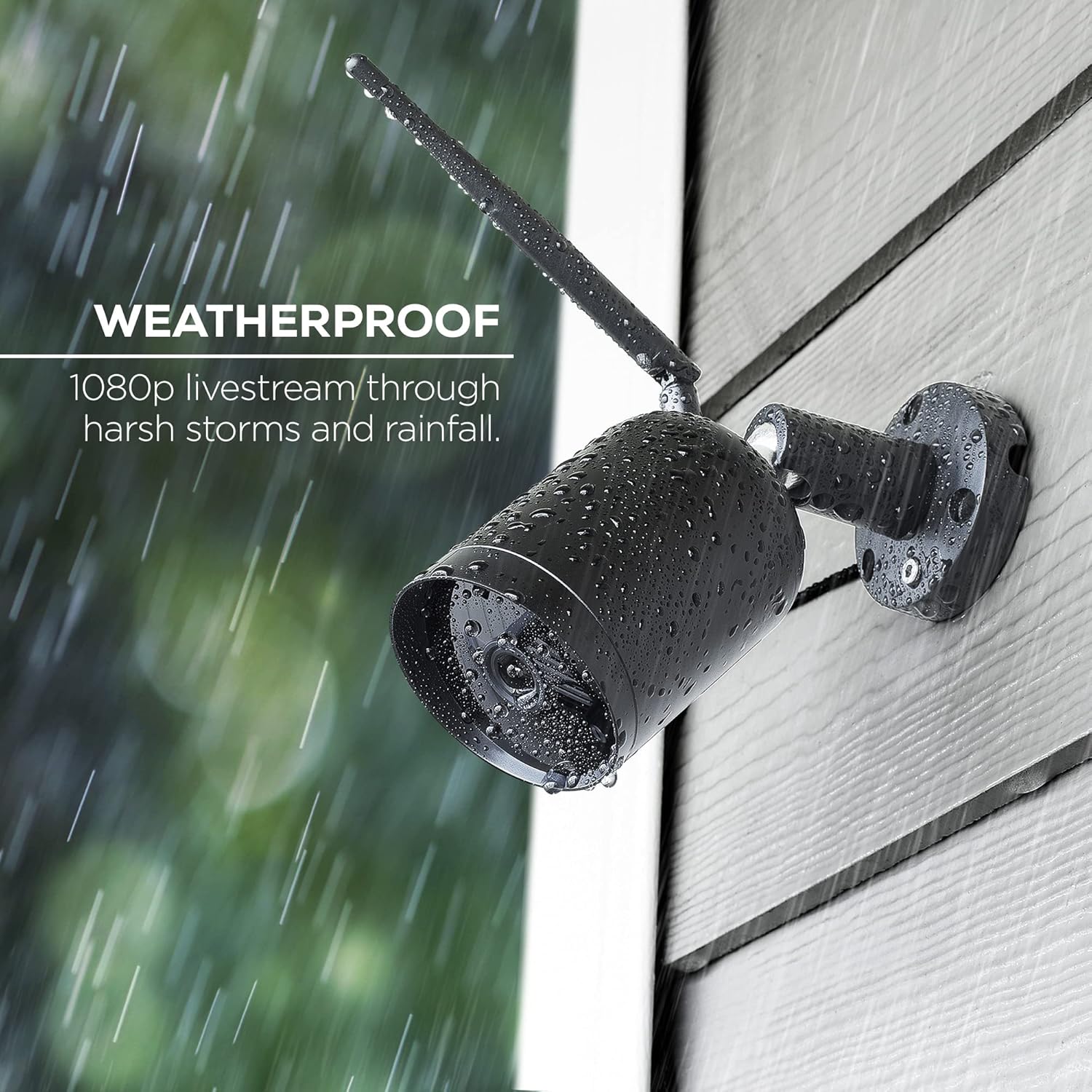
Image 7.1: The camera's weatherproof design in action.
8. Warranty and Support
For warranty information, technical support, or to access additional resources, please visit the official Merkury Innovations website or contact their customer service department. Keep your purchase receipt as proof of purchase for warranty claims.


