
Product Overview
The OLIGHT Olantern Classic 2 Pro is a rechargeable retro LED lantern designed for various lighting requirements, including camping, gardening, and home decor. It features both warm orange and white light sources with stepless dimming, allowing for adjustable brightness from 10 to 300 lumens. This lantern also serves as an emergency power bank with USB-C and USB-A output interfaces, supporting 18W reverse charging. Its durable all-metal housing and IPX5 water resistance make it suitable for outdoor adventures.

Figure 1: OLIGHT Olantern Classic 2 Pro Camping Lantern (Vintage Copper)
Key Features
Dual Light Sources and Stepless Dimming
The Olantern Classic 2 Pro offers both warm orange and white light options. The warm orange light provides a cozy ambiance, while the white light offers brighter illumination. Both light sources feature stepless dimming, allowing you to precisely adjust the brightness from 10 to 300 lumens by rotating the control knob.
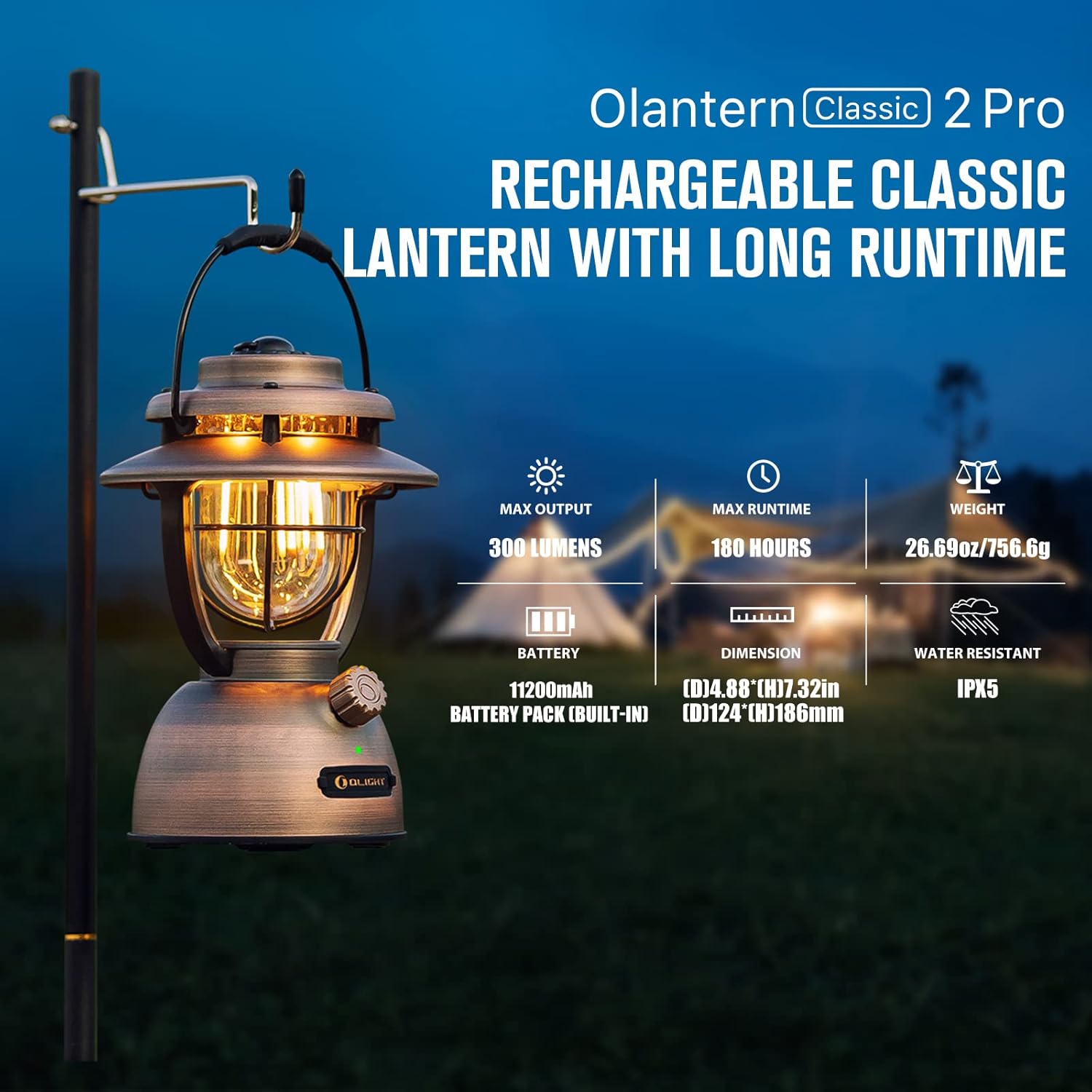
Figure 2: Olantern Classic 2 Pro showcasing warm light and key specifications including 300 lumens max output and 180 hours max runtime.
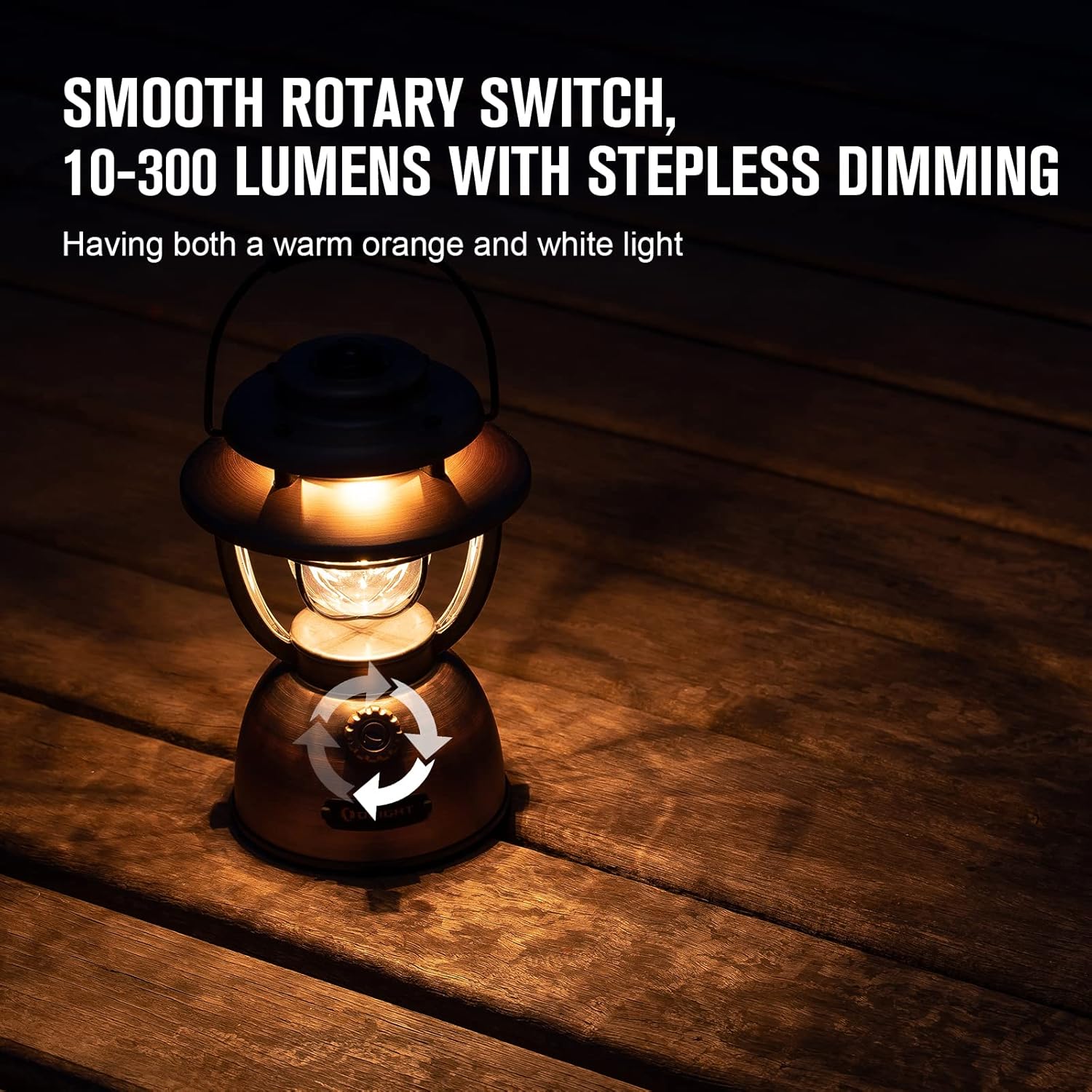
Figure 3: The lantern emitting white light, highlighting the smooth rotary switch for stepless dimming.
Rechargeable and Emergency Power Bank
Equipped with a built-in 11200mAh battery pack, the lantern can be fully charged in approximately 4 hours via its USB-C port using a high-powered adapter. It offers an impressive runtime of up to 7.5 days (180 hours) on its lowest setting. Additionally, the Olantern Classic 2 Pro features two output interfaces (Type-C and USB-A) that support 18W reverse charging, making it an ideal emergency power bank for mobile phones, small fans, or other USB-powered devices.

Figure 4: Illustration of the two charging methods: USB-C and magnetic charging via the base.

Figure 5: The lantern functioning as an emergency power bank, simultaneously charging a smartphone and another small device.
Durability and Water Resistance
The Olantern Classic 2 Pro boasts an all-metal housing designed to withstand daily impacts. Its IPX5 water-resistant rating ensures protection against water splashes and light rain, making it a reliable companion for various outdoor activities.

Figure 6: The lantern shown in a rainy environment, highlighting its IPX5 water resistance and 0.8-meter drop resistance.
Setup
Initial Charge
Before first use, fully charge your Olantern Classic 2 Pro. Connect the included USB-C charging cable to the lantern's USB-C port and to a compatible USB power adapter (not included). The power indicator LED will show charging status. Alternatively, you can use an Olight magnetic charging cable (MCC) by attaching it to the magnetic base of the lantern.
Operating Instructions
Turning On/Off and Adjusting Brightness
To turn the lantern on, rotate the control knob clockwise. Continue rotating clockwise to increase brightness. To decrease brightness and turn the lantern off, rotate the control knob counter-clockwise until the light extinguishes.
Switching Light Modes
The Olantern Classic 2 Pro features two distinct light modes: warm orange light and white light. As you rotate the control knob, the lantern will transition between these modes. The warm orange light is typically activated at lower brightness settings, while the white light becomes prominent at higher brightness levels.
Power Level Indicator
A small LED indicator near the control knob provides real-time battery status:
- Green Indicator: 15% - 100% battery remaining.
- Red Indicator: 5% - 15% battery remaining.
- Indicator Blinks Red: 0% - 5% battery remaining (recharge immediately).

Figure 7: The lantern displaying a green power indicator, signifying sufficient battery level.
Official Product Video: Olantern Classic 2 Pro
This video provides a visual demonstration of the Olantern Classic 2 Pro's features, including its dual light sources, stepless dimming, and power bank capabilities. It showcases the lantern in various usage scenarios.
Maintenance
To ensure the longevity and optimal performance of your Olantern Classic 2 Pro, follow these maintenance guidelines:
- Cleaning: Wipe the lantern with a soft, damp cloth to remove dust and dirt. Avoid using abrasive cleaners or solvents.
- Storage: Store the lantern in a cool, dry place when not in use. If storing for extended periods, ensure the battery is partially charged (around 50%) to preserve battery health.
- Battery Care: Avoid fully discharging the battery frequently. Recharge the lantern when the power indicator turns red to prolong battery lifespan.
Troubleshooting
If you encounter issues with your Olantern Classic 2 Pro, consider the following common troubleshooting steps:
- Lantern Not Turning On: Check if the battery is charged. Connect the lantern to a power source and allow it to charge for a few minutes before attempting to turn it on again.
- Light is Dim or Flickering: This usually indicates a low battery. Recharge the lantern fully.
- Charging Issues: Ensure the USB-C cable is securely connected to both the lantern and the power adapter. Try a different cable or power adapter if necessary. For magnetic charging, ensure the magnetic base is clean and free of debris.
- Power Bank Not Charging Devices: Ensure the lantern has sufficient charge. Check the connection between the device and the lantern's USB-A or Type-C output port.
If problems persist after attempting these steps, please refer to the Warranty and Support section for further assistance.
Specifications
| Attribute | Value |
|---|---|
| Product Dimensions | 4.88"L x 4.88"W x 7.32"H |
| Battery Description | Lithium-Ion |
| Brightness | 300 lumen (Max) |
| Item Weight | 26.69 Ounces (1.67 pounds) |
| Mounting Type | Tabletop Mount |
| Water Resistance Level | Water Resistant (IPX5) |
| Battery Life | 180 Hours (Max) |
| Number of Batteries | 4 Lithium Ion batteries required. (included) |
| Voltage | 3.6E+3 Volts |
| Manufacturer | OLIGHT |
| Material | Polycarbonate (PC), Metal |

Figure 8: Detailed specifications and performance metrics of the Olantern Classic 2 Pro.
Warranty and Support
The OLIGHT Olantern Classic 2 Pro comes with a lifetime warranty for products purchased after January 1st, 2023. This warranty covers defects in materials and workmanship under normal use.
For warranty claims, technical support, or any other inquiries, please contact OLIGHT customer service through their official website or the retailer where the product was purchased. Please retain your proof of purchase for warranty validation.


