
1. Introduction
This manual provides essential information for the installation, operation, and maintenance of your Axis Communications M2035-LE HDTV 1080P Surveillance Camera. Please read this manual thoroughly before using the product to ensure proper setup and functionality. Keep this manual for future reference.
2. Safety Information
Observe the following safety precautions to prevent damage to the product or injury to yourself and others:
- Ensure the power source matches the camera's requirements (28 Volts, 4.2 watts).
- Do not expose the camera to extreme temperatures or humidity beyond its operating specifications.
- Avoid direct exposure to strong light sources, which may damage the image sensor.
- Do not attempt to disassemble or modify the camera. Refer all servicing to qualified personnel.
- Install the camera securely to prevent it from falling.
- Keep the camera away from water and moisture, despite its water-resistant rating (IP54).
3. Package Contents
Verify that all items are present in the package:
- Axis M2035-LE Camera Unit
- Mounting Stand/Bracket
- Installation Guide (this document)
- Mounting Hardware (screws, anchors)
Note: Specific contents may vary slightly by region or package.
4. Product Overview
The Axis M2035-LE is a compact, outdoor-ready dome surveillance camera designed for high-definition video monitoring. It features 1080p resolution, a wide viewing angle, and infrared night vision for reliable performance in various lighting conditions.
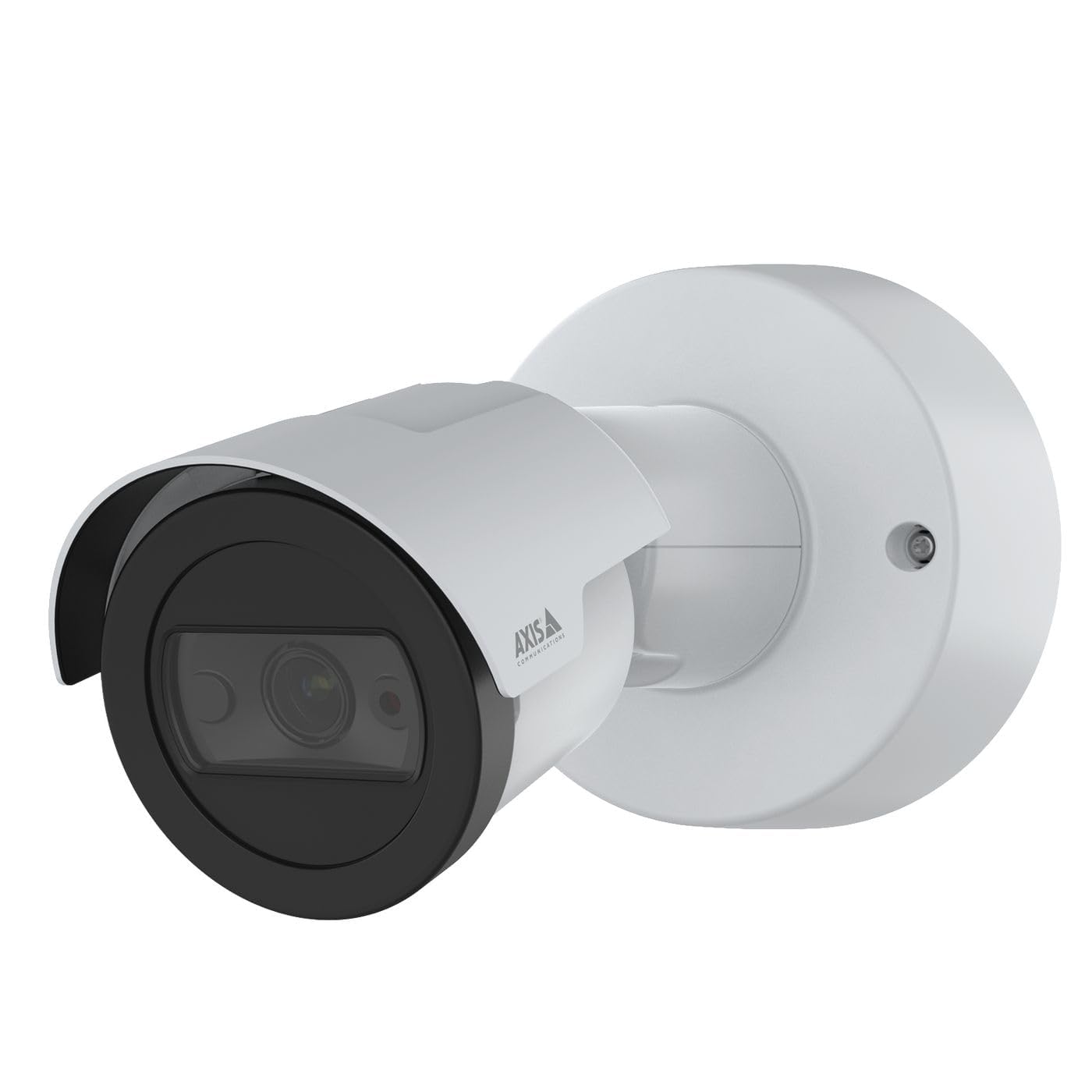
Figure 1: Front view of the Axis M2035-LE HDTV 1080P Surveillance Camera. This image shows the compact dome design suitable for outdoor installation.
5. Setup and Installation
The Axis M2035-LE camera supports various mounting options, including table mount and recessed installation. Ensure the chosen location provides a clear field of view and stable mounting surface.
5.1. Mounting Considerations
- Outdoor Usage: The camera is designed for outdoor environments.
- Power: The camera requires a 28V power supply. Ensure proper wiring and power delivery.
- Connectivity: The camera supports Wi-Fi and Ethernet connectivity. Plan your network connection accordingly.
5.2. Table Mount Installation
- Attach the mounting stand to the camera unit using the provided screws.
- Place the camera on a stable, flat surface.
- Adjust the camera's viewing angle as needed.
5.3. Recessed Mount Installation (Soffit Example)
For recessed mounting, particularly in soffits, careful planning is required to ensure sufficient depth and avoid obstructions.
- Verify Depth: Before cutting, confirm the soffit has adequate depth for the recessed mount. You can use a small pilot hole and a wire to measure the available space.
- Mark and Cut: Mark the desired location and carefully cut the opening in the soffit according to the template provided with the recessed mount kit (sold separately).
- Install Mount: Secure the recessed mount bracket into the opening.
- Connect and Secure: Connect the necessary cables (power, Ethernet) and then secure the camera unit into the recessed mount.
- Adjust Angle: Adjust the camera lens to achieve the desired field of view.
6. Operating Instructions
6.1. Initial Power-Up and Network Connection
- Connect the camera to the power supply.
- For initial setup, it is recommended to connect via Ethernet to your network router or switch.
- Use the Axis IP Utility or a web browser to discover the camera on your network and configure its settings.
- For Wi-Fi connectivity, configure the wireless settings through the camera's web interface.
6.2. Video Monitoring and Recording
- The camera provides 1080p video resolution at 30 frames per second.
- Access the live view and recording features through the camera's web interface or compatible video management software (VMS).
- The camera is compatible with Digital Video Recorders (DVRs).
- Video capture format is MPEG-4.
6.3. Low Light and Night Vision
The M2035-LE features "Night Color" low light technology and an infrared (IR) light source for clear imaging in dark conditions.
- The camera automatically switches to night mode when ambient light is low.
- Ensure the IR illuminator is not obstructed for optimal night vision performance.
6.4. Motion Detection and Alerts
The camera supports motion-only alert types.
- Configure motion detection zones and sensitivity settings via the camera's web interface.
- Set up alert actions such as email notifications or recording triggers.
6.5. Remote Control
The camera can be controlled remotely through its web interface or compatible VMS, allowing for adjustments to settings and viewing live feeds.
7. Maintenance
- Cleaning: Gently wipe the camera lens and body with a soft, damp cloth. Do not use harsh chemicals or abrasive cleaners.
- Firmware Updates: Regularly check the Axis Communications website for firmware updates to ensure optimal performance and security. Follow the instructions provided with the firmware update.
- Cable Inspection: Periodically inspect all cables for signs of wear or damage, especially in outdoor installations.
8. Troubleshooting
| Problem | Possible Cause | Solution |
|---|---|---|
| No power/Camera not turning on | Incorrect power supply; Loose connection; Power outage | Verify power adapter and connections; Check power outlet; Ensure correct voltage (28V). |
| Cannot connect to camera via network | Incorrect IP address; Network cable issue; Wi-Fi configuration error; Firewall blocking connection | Use Axis IP Utility to find camera; Check Ethernet cable; Reconfigure Wi-Fi settings; Temporarily disable firewall for testing. |
| Poor image quality | Dirty lens; Insufficient lighting; Incorrect focus/settings; Network bandwidth issues | Clean the lens; Ensure adequate lighting or proper night vision settings; Adjust focus/image settings; Check network speed. |
| Motion detection not working | Incorrect sensitivity settings; Detection zones not configured; Obstructions in view | Adjust motion detection sensitivity; Define detection zones in settings; Clear any obstructions. |
9. Specifications
| Feature | Detail |
|---|---|
| Model Number | M2035-LE |
| Indoor/Outdoor Usage | Outdoor |
| Connectivity Technology | Ethernet, Wi-Fi |
| Video Capture Resolution | 1080p |
| Frame Rate | 30 frames_per_second |
| Viewing Angle | 110 Degrees |
| Low Light Technology | Night Color |
| Light Source Type | Infrared |
| Alert Type | Motion Only |
| Control Method | Remote |
| Power Source | Information Not Available (Note: Requires 28V, 4.2W) |
| Voltage | 28 Volts |
| Wattage | 4.2 watts |
| Material | Metal |
| Color | White |
| Dimensions (L x W x H) | 1.1 x 9.7 x 6.5 inches |
| Item Weight | 0.634 ounces |
| International Protection Rating | IP54 (Water Resistant) |
| Compatible Devices | Digital Video Recorder |
| Photo Sensor Technology | CMOS |
| Video Capture Format | MPEG-4 |
10. Warranty and Support
For detailed warranty information, please refer to the official Axis Communications website or contact your local distributor. Technical support and additional resources can also be found on the Axis Communications support portal.
Manufacturer: AXIS
Website: www.axis.com


