
GoolRC C127
GoolRC C127 RC Helicopter User Manual
Model: C127 | Brand: GoolRC
1. Introduction
The GoolRC C127 RC Helicopter is an advanced remote-controlled aircraft designed for both beginners and experienced pilots. It features an aileronless design for stable flight, a 720P camera for aerial photography, and optical flow positioning for enhanced stability. Its 6-axis gyroscope ensures precise control, making it easy to operate with functions like one-key take-off and landing.

Image: The GoolRC C127 RC Helicopter, showcasing its sleek design and integrated camera.
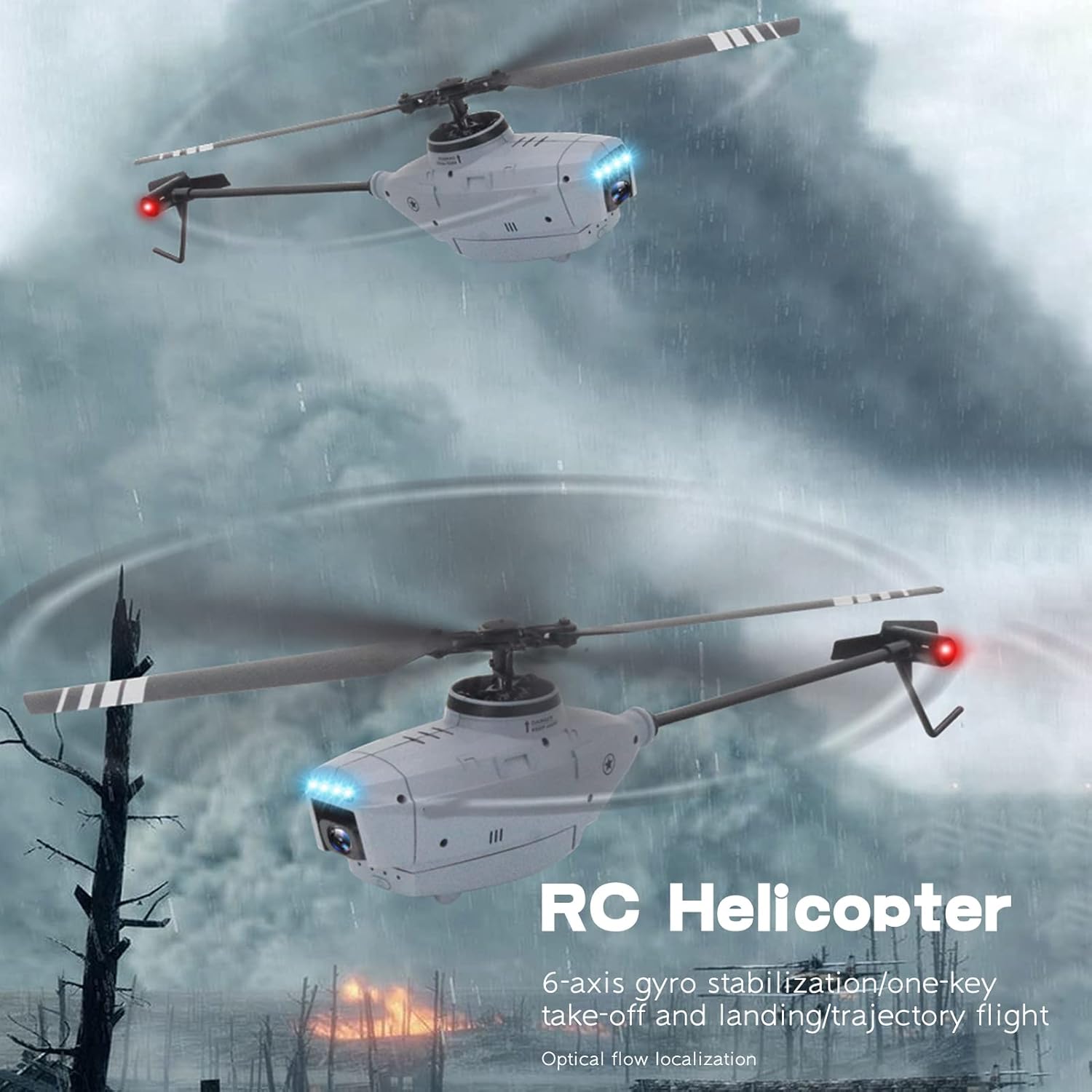
Image: The C127 RC Helicopter in stable flight, demonstrating its aerodynamic design.
2. What's in the Box
Please check the package contents to ensure all items are present and in good condition:
- 1x RC Helicopter
- 1x Remote Controller
- 1x Helicopter Battery (3.7V 580mAh)
- 1x USB Cable
- 2x Spare Propellers
- 1x Wrench
- 1x Screwdriver
- 1x Tail Propeller
- 1x User Manual
- 1x APP Instruction

Image: All components included in the GoolRC C127 RC Helicopter package.
3. Setup
3.1. Charging the Helicopter Battery
- Connect the helicopter battery to the provided USB charging cable.
- Plug the USB cable into a compatible USB power source (e.g., computer USB port, USB wall adapter).
- The charging indicator light will show the charging status. Charging time is approximately 60 minutes.
- Once fully charged, disconnect the battery.
3.2. Installing Helicopter Battery
Insert the charged 3.7V 580mAh battery into the designated battery compartment on the helicopter. Ensure it is securely connected and the compartment cover is closed.
3.3. Installing Remote Controller Batteries
The remote controller requires 4x AA batteries (not included). Open the battery compartment on the back of the remote controller and insert the batteries, observing the correct polarity (+/-). Close the compartment securely.
3.4. Propeller Installation (if required)
If propellers are not pre-installed or need replacement, use the provided wrench and screwdriver to attach them. Ensure the correct propellers are placed on the corresponding motor shafts as indicated in the APP Instruction manual.
4. Operating Instructions
4.1. Remote Controller Overview
Familiarize yourself with the remote controller's layout and functions:

Image: Diagram of the GoolRC C127 remote controller, showing button functions for speed, movement, fine-tuning, and one-key operations.
- Left Stick: Controls Up/Down (Throttle) and Left/Right Rotation.
- Right Stick: Controls Forward/Backward and Left/Right Side Fly.
- One-Key Take-Off/Landing Button: Initiates automatic take-off or landing.
- Speed Button: Adjusts flight speed (Low, Medium, High).
- Fine-Tuning Buttons: For precise adjustments during flight.
- Power Switch: Turns the remote controller on/off.
4.2. One-Key Take-Off and Landing
The C127 features a convenient one-key take-off and landing function. After pairing the helicopter with the remote controller, simply press the dedicated button to initiate an automatic ascent or descent. This simplifies operation, especially for new users.

Image: Visual representation of the one-key take-off and landing function, showing the helicopter ascending and descending.
4.3. Optical Flow Positioning
The optical flow positioning system helps the helicopter maintain a stable hover, especially indoors or in areas with clear ground patterns. This technology enhances flight stability and allows for clearer aerial imaging.

Image: Close-up of the helicopter's optical flow localization sensor, which aids in stable flight and clearer aerial pictures.
4.4. 6-Axis Gyro Stabilization
Equipped with a 6-axis gyroscope, the C127 offers superior flight stability, making it highly suitable for beginners. The gyroscope constantly adjusts the helicopter's orientation to counteract external forces, ensuring a smooth and controlled flight experience.
4.5. Speed Regulation
The helicopter's flying speed can be adjusted to suit different skill levels and environments. Use the speed button on the remote controller to switch between low, medium, and high-speed modes.

Image: Diagram illustrating the three adjustable speed modes (low, medium, high) for the helicopter.
4.6. Night Flight
The C127 is equipped with realistic nose position lights, enhancing visibility and making it safer to fly in low-light conditions or at night.

Image: Close-up of the helicopter's nose, showing the illuminated position lights for improved visibility during night flights.
4.7. Official Product Video
Video: An official demonstration of the GoolRC C127 RC Helicopter in action, showcasing its flight capabilities and features.
5. Maintenance
- Cleaning: Gently wipe the helicopter and remote controller with a soft, dry cloth. Avoid using water or chemical cleaners.
- Propeller Inspection: Regularly check propellers for damage (cracks, bends). Replace any damaged propellers immediately using the spare parts provided.
- Battery Care: Store batteries in a cool, dry place. Do not overcharge or over-discharge. If not used for a long period, charge them periodically to maintain battery health.
- Storage: When not in use, store the helicopter and remote controller in a safe place, away from direct sunlight and extreme temperatures.
6. Troubleshooting
If you encounter issues with your GoolRC C127 RC Helicopter, please refer to the following common problems and solutions:
| Problem | Possible Cause | Solution |
|---|---|---|
| Helicopter does not respond to remote controller. | Low battery in helicopter or remote controller; not paired correctly. | Charge helicopter battery; replace remote controller batteries; re-pair the helicopter and remote controller according to APP instructions. |
| Helicopter flies erratically or is unstable. | Damaged propellers; gyroscope calibration needed; strong wind interference. | Check and replace damaged propellers; perform gyroscope calibration (refer to APP instructions); fly in calm conditions. |
| Short flight time. | Battery not fully charged; aging battery. | Ensure battery is fully charged before each flight; consider replacing the battery if it's old. |
| Camera not recording or poor image quality. | SD card issues (if applicable); insufficient lighting; camera lens obstructed. | Check SD card insertion and format; ensure adequate lighting; clean camera lens. |
7. Specifications
| Feature | Detail |
|---|---|
| Material | PA, PC |
| Motor Type | Brushed Motor |
| Frequency | 2.4Ghz |
| Charging Time | About 60 minutes |
| Flying Time | About 15 minutes |
| Camera Pixel | 720P |
| Remote Control Distance | 100-120 meters |
| Image Transmission Distance | 100-120 meters |
| Helicopter Battery | 3.7V 580mAh |
| Remote Controller Battery | 4* AA battery (not Included) |
| Drone Weight | 73g |
| Rotation Diameter | 23.8cm |
| Body Length | 23cm |
| Package Dimensions | 12.05 x 9.37 x 3.62 inches |
| Item Weight | 1.52 pounds |
| Manufacturer Recommended Age | 14 years and up |
8. Warranty
GoolRC provides a warranty for this product. If there are any problems or concerns with your GoolRC C127 RC Helicopter, please contact the store where you purchased the product in a timely manner. The manufacturer is committed to providing a satisfactory solution to any issues you may encounter.
9. Support
For further assistance, technical support, or inquiries regarding your GoolRC C127 RC Helicopter, please refer to the contact information provided with your purchase or visit the official GoolRC brand store online. You can also refer to the included APP Instruction manual for detailed guidance on app-related features and advanced controls.
GoolRC Official Store: Visit GoolRC Store on Amazon
Ask a question about this manual
Ask about setup, troubleshooting, compatibility, parts, safety, or missing instructions. Manuals+ will review the question and use this page’s manual context to help answer it.