
Touchstone 80052
Touchstone Forte Elite Smart WiFi-Enabled Electric Fireplace (Model 80052) User Manual
Model: 80052 | Brand: Touchstone
1. Introduction
This manual provides detailed instructions for the safe installation, operation, and maintenance of your Touchstone Forte Elite Smart WiFi-Enabled Electric Fireplace, Model 80052. Please read all instructions carefully before installation and use to ensure proper function and safety.

Figure 1: Front view of the Touchstone Forte Elite Electric Fireplace.
2. Important Safety Information
WARNING: Read and understand all instructions before using this appliance. Failure to follow these instructions may result in electric shock, fire, or serious personal injury.
- Do not operate any fireplace with a damaged cord or plug, or if the heater has malfunctioned, been dropped, or damaged in any manner.
- Do not use outdoors. This fireplace is intended for indoor use only.
- Keep combustible materials, such as furniture, pillows, bedding, papers, clothes, and curtains at least 3 feet (0.9 m) from the front of the fireplace and away from the sides and rear.
- To prevent a possible fire, do not block air intakes or exhaust in any manner. Do not use on soft surfaces, like a bed, where openings may become blocked.
- Always plug fireplaces directly into a wall outlet/receptacle. Never use with an extension cord or relocatable power tap (outlet/power strip).
- This fireplace is hot when in use. To avoid burns, do not let bare skin touch hot surfaces.
- Extreme caution is necessary when any heater is used by or near children or invalids and whenever the fireplace is left operating and unattended.
3. Product Features
The Touchstone Forte Elite Electric Fireplace offers a range of advanced features for enhanced ambiance and heating:
- In-Wall Recessed Design: Specifically designed for flush mounting within a wall, providing a sleek, modern aesthetic.
- Realistic Flame Display: Emulates a traditional fire with 6 flame color options and 10 media color options, offering 60 total color combinations.
- Adjustable Heat Settings: Features high and low heat settings with a thermostat range of 68-88 degrees Fahrenheit (20-31 degrees Celsius). Heat vents are located on the upper front area.
- Smart Control: WiFi-enabled for control via a mobile app (Touchstone App), Amazon Alexa, or Google Home devices.
- Multiple Control Options: Can be operated via the included remote control, the built-in control panel, or smart devices.
- Customizable Ambiance: Includes a full log-set, crystals, and driftwood media options for varied visual effects.
- Programmable Timer: Built-in timer for 1 to 8 hours of operation.
- Power Options: Can be plugged into a standard 3-prong outlet or hardwired.
- Memory Function: Remembers flame settings when turned on by a light switch or smart device.
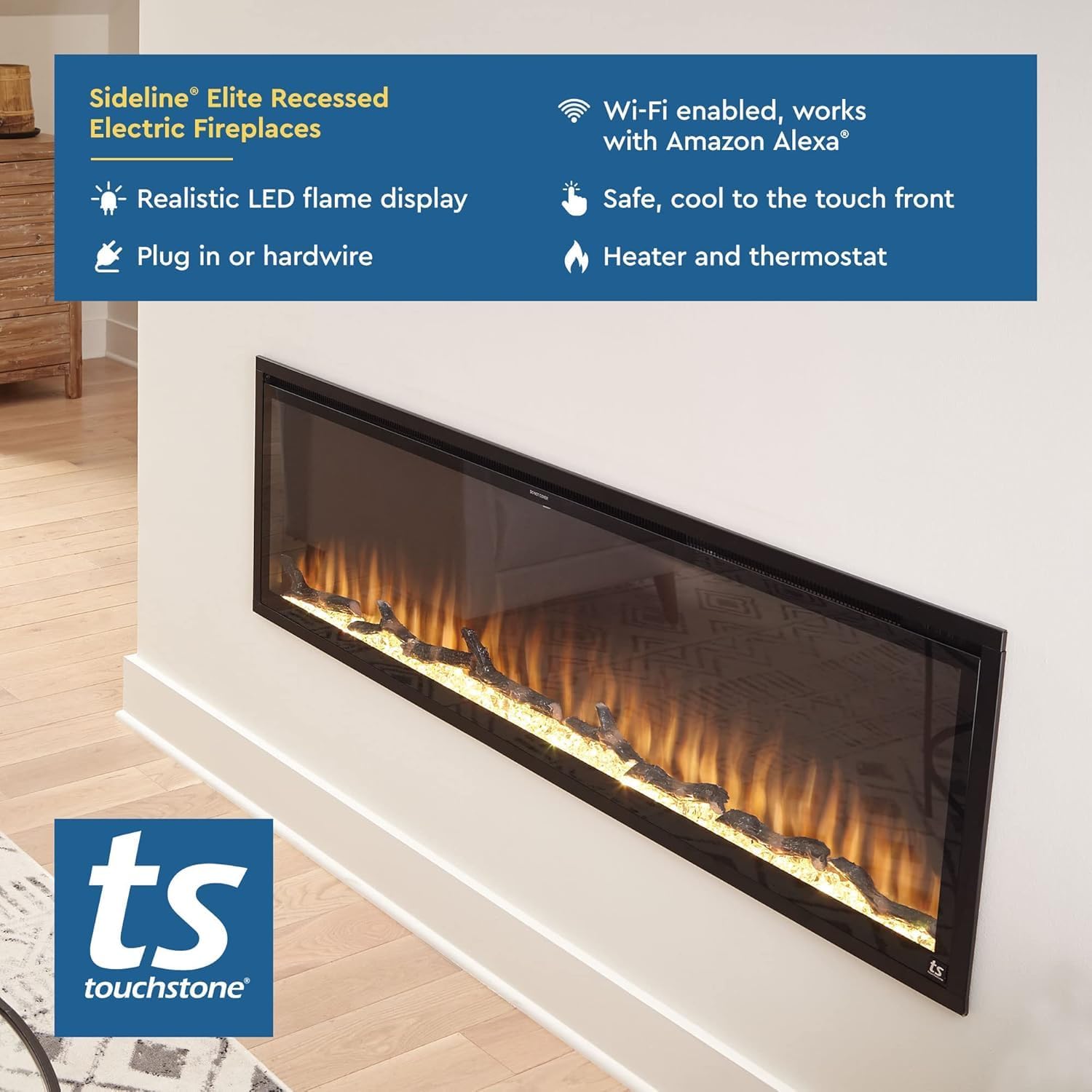
Figure 2: The Forte Elite fireplace installed in a wall, showcasing its recessed design.
4. Setup and Installation
This fireplace is designed for in-wall recessed installation. Professional installation is recommended, but detailed instructions are provided for experienced users.
4.1 Pre-Installation Considerations
- Location: Choose a location that is dry and away from direct sunlight, high temperatures, and moisture.
- Clearance: Ensure there is at least 8 inches (20 cm) of clearance below the ceiling or any item mounted above the fireplace.
- Power Supply: The unit operates on 120V AC, 60Hz, and 1500 Watts (12.5 Amps). Ensure the chosen location has an appropriate electrical circuit.
- Dimensions: The total dimensions of the unit are 40" wide x 26 9/16" high x 5 1/2" deep.
4.2 Rough Opening Dimensions
For recessed installation, the rough opening in the wall should measure:
- Width: 38 7/8 inches (98.7 cm)
- Height: 25 1/2 inches (64.8 cm)
- Depth: 6 inches (15.2 cm)

Figure 3: Technical drawing with detailed dimensions for installation.
4.3 Media Installation (Log Set, Crystals, Driftwood)
The fireplace includes faux fire logs, crystals, and driftwood. These can be arranged on the ember bed according to your preference before securing the front glass panel.

Figure 4: Example arrangement of media options (logs and crystals).
5. Operating Instructions
Your Forte Elite fireplace can be operated using the remote control, the control panel on the unit, or via the Touchstone mobile app and smart home devices.
5.1 Remote Control Operation
The included remote control allows full functionality. Ensure AAA batteries (not included) are installed.

Figure 5: Remote control layout and functions.
- Power Button: Turns the fireplace ON or OFF.
- Flame Color: Cycles through 6 flame color options.
- Ember Brightness: Adjusts the brightness of the ember bed.
- Timer: Sets the operational timer (1-8 hours).
- Flame Speed: Adjusts the speed of the flame effect (3 settings).
- Hi/Low Heat: Toggles between high and low heat settings.
- Thermostat: Adjusts the thermostat setting (68-88°F).
5.2 Control Panel Operation
The control panel is located on the unit for direct access to basic functions.

Figure 6: Control panel buttons and their functions.
- Power: Turns the unit ON/OFF.
- Flame Color: Changes the flame color.
- Ember Color: Changes the ember bed color.
- Heat: Activates/deactivates heat and cycles through heat settings.
- Display: Shows current settings.
5.3 Smart Control (WiFi, App, Alexa/Google Home)
The fireplace is WiFi-enabled, allowing control through the Touchstone mobile app and integration with Amazon Alexa or Google Home devices.
- Mobile App: Download the free Touchstone app from your device's app store. Follow the in-app instructions to connect your fireplace to your home WiFi network. The app provides comprehensive control over flame color, ember color, flame speed, timer, and temperature.
- Voice Control: Once connected to the app, you can link your fireplace to Amazon Alexa or Google Home for voice commands. For example, "Alexa, turn on the fireplace" or "Hey Google, set fireplace temperature to 72 degrees."

Figure 7: Touchstone mobile app interface for smart control.
6. Maintenance
Regular maintenance ensures the longevity and optimal performance of your electric fireplace.
- Cleaning:
- Always disconnect power before cleaning.
- Wipe the exterior surfaces with a soft, damp cloth. Do not use abrasive cleaners or sprays.
- Clean the glass panel with a soft cloth and glass cleaner.
- Air Vents: Keep the air vents clear of dust and debris to ensure proper heat dissipation. Use a vacuum cleaner with a brush attachment to gently clean the vents.
- Light Bulbs: The flame effect uses LED technology, which typically does not require replacement.
7. Troubleshooting
If you experience issues with your fireplace, refer to the following common problems and solutions:
| Problem | Possible Cause | Solution |
|---|---|---|
| Fireplace does not turn on. | No power, tripped circuit breaker, remote batteries dead. | Check power connection, reset circuit breaker, replace remote batteries. |
| No heat output. | Heat function off, thermostat set too low, air vents blocked. | Activate heat function, increase thermostat setting, clear air vents. |
| Flame effect not working. | Flame function off, motor issue. | Ensure flame function is activated. If issue persists, contact customer support. |
| Remote control not working. | Dead batteries, obstruction, remote not paired. | Replace batteries, remove obstructions, refer to pairing instructions (if applicable). |
| WiFi connection issues. | Incorrect password, weak signal, app not configured. | Verify WiFi password, move router closer, reconfigure app connection. |
If the problem persists after attempting these solutions, please contact Touchstone customer support.
8. Specifications
| Feature | Detail |
|---|---|
| Brand | Touchstone |
| Model Name | Sideline Elite Smart 80052 Forte 40" |
| Product Dimensions (D x W x H) | 5.5" x 40" x 26.56" |
| Rough Opening Dimensions (W x H x D) | 38 7/8" x 25 1/2" x 6" |
| Material | Alloy Steel |
| Finish Type | Glass and Black Steel |
| Installation Type | Wall Mount (Recessed) |
| Power Source | AC |
| Power Consumption | 1500 Watts |
| Voltage | 120V |
| Heat Output | 5100 British Thermal Units (BTU) |
| Heating Coverage | Up to 400 square feet |
| Thermostat Range | 68-88°F |
| Flame Colors | 6 options |
| Media Colors | 10 options |
| Total Color Combinations | 60 |
| Included Components | Crystals, Driftwood, Drywall Anchors and Screws, Log, Remote Control |
| Item Weight | 52 Pounds |
| UPC | 631361800529 |
9. Warranty and Support
Warranty: This product comes with a Limited Warranty. Please refer to the warranty documentation included with your purchase for specific terms and conditions.
Customer Support: For technical assistance, troubleshooting beyond this manual, or warranty claims, please contact Touchstone Home Products customer support. Contact information can typically be found on the manufacturer's website or in the packaging materials.
Returns: The buybox winner indicates a 30-day easy returns policy for this product.
Related documents80052


Ask a question about this manual
Ask about setup, troubleshooting, compatibility, parts, safety, or missing instructions. Manuals+ will review the question and use this page’s manual context to help answer it.