
NOVOO NVHUBCLAN1KXLV
NOVOO USB Type-C to RJ45 Gigabit Ethernet Adapter User Manual
Model: NVHUBCLAN1KXLV
1. Product Overview
The NOVOO USB Type-C to RJ45 Ethernet Adapter provides a stable and high-speed wired internet connection for your USB-C enabled devices. Designed for portability and ease of use, this adapter is an ideal solution for devices lacking an Ethernet port or for situations where Wi-Fi is unreliable.
It features a durable metal body and nylon braided cable, ensuring longevity and reliable performance.
Key Features:
- Gigabit Ethernet Speed: Supports speeds up to 1000 Mbps, backward compatible with 10/100 Mbps networks.
- Plug & Play: No driver installation required for most operating systems, including Windows 10/8.1/8, Mac OS, and Chrome OS.
- Stable Connection: Provides a reliable wired connection, ideal for avoiding Wi-Fi instability.
- Universal Compatibility: Compatible with a wide range of USB-C devices, including laptops, PCs, tablets, and smartphones.
- Compact and Portable Design: Easy to carry for work, travel, or business.

Figure 1: NOVOO USB Type-C to RJ45 Gigabit Ethernet Adapter.
2. Setup Instructions
Setting up your NOVOO USB Type-C to RJ45 Gigabit Ethernet Adapter is a simple plug-and-play process. No additional drivers are typically required for modern operating systems.
Steps for Connection:
- Connect to your Device: Insert the USB Type-C connector of the adapter into an available USB Type-C port on your laptop, PC, tablet, or smartphone.
- Connect Ethernet Cable: Plug a standard RJ45 Ethernet cable (Cat5e or higher recommended for Gigabit speeds) from your router, modem, or network switch into the RJ45 port on the adapter.
- Verify Connection: Your device should automatically detect the new wired network connection. Check your device's network settings to confirm the connection is active.
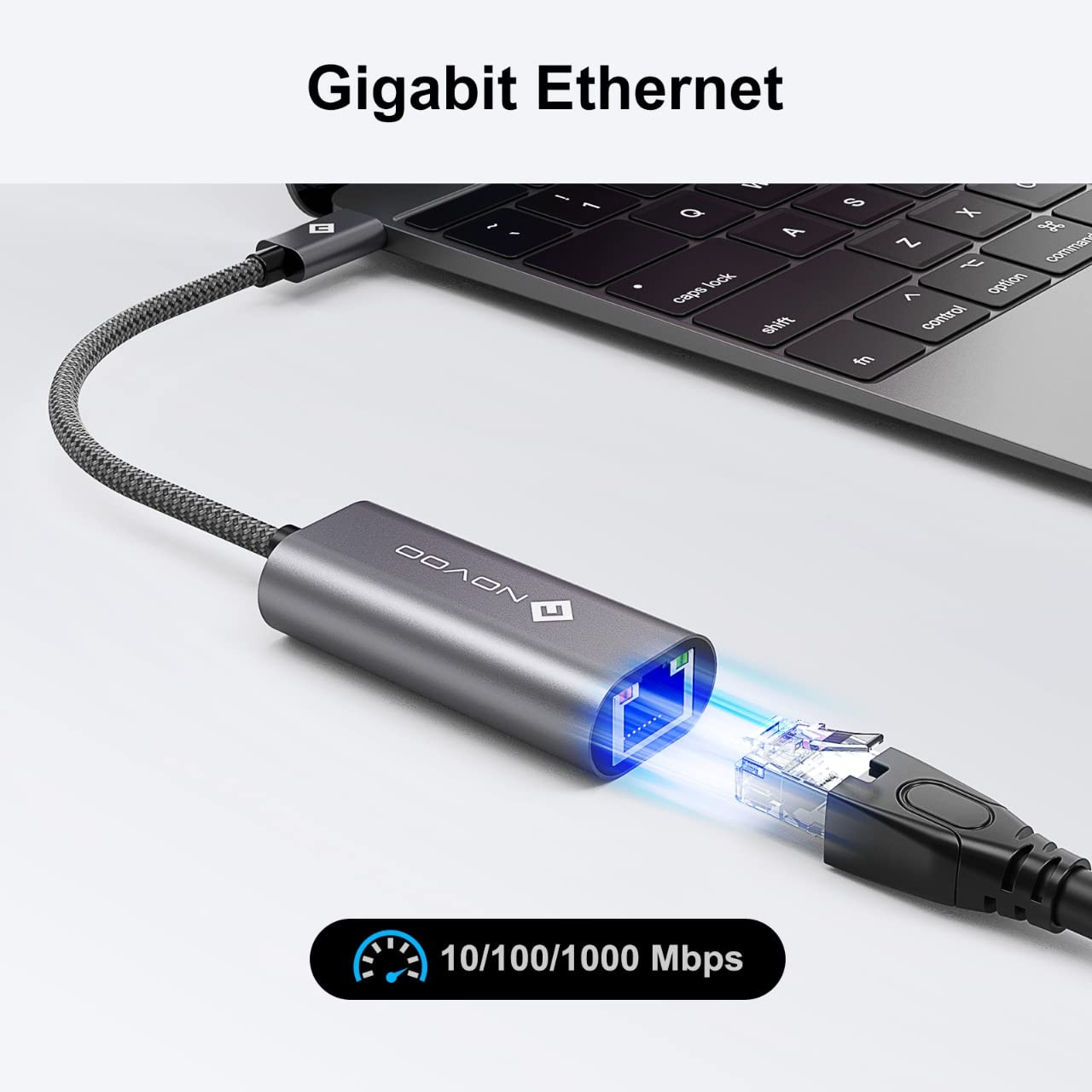
Figure 2: Connecting the adapter to a laptop and Ethernet cable.
3. Operating Instructions
Once connected, the NOVOO USB Type-C to RJ45 Gigabit Ethernet Adapter operates automatically, providing a stable and fast wired network connection.
Network Performance:
- The adapter supports data transfer rates up to 1000 Megabits Per Second (Mbps), offering a significant improvement in stability and speed compared to many wireless connections.
- It is backward compatible with 10 Mbps and 100 Mbps networks, ensuring functionality with various network setups.
- For optimal performance, ensure your router, modem, and Ethernet cable also support Gigabit Ethernet speeds.

Figure 3: Illustrating the stability and speed advantage of a wired connection.
Compatibility:
The adapter offers broad compatibility with various devices and operating systems:
- Devices: Compatible with laptops, PCs, tablets (e.g., iPad Pro, Surface Book), and smartphones equipped with a USB Type-C port.
- Operating Systems: Supports Windows 10/8.1/8, Mac OS, Android OS, Linux, and Chrome OS.

Figure 4: Universal compatibility across devices and operating systems.
4. Maintenance
To ensure the longevity and optimal performance of your NOVOO USB Type-C to RJ45 Gigabit Ethernet Adapter, follow these simple maintenance guidelines:
- Keep Dry: Avoid exposing the adapter to moisture or liquids.
- Clean Gently: Use a soft, dry cloth to clean the adapter. Do not use harsh chemicals or abrasive materials.
- Store Properly: When not in use, store the adapter in a cool, dry place, away from direct sunlight and extreme temperatures.
- Handle with Care: Avoid bending or twisting the cable excessively, especially near the connectors, to prevent internal damage.
5. Troubleshooting
If you encounter issues with your NOVOO USB Type-C to RJ45 Gigabit Ethernet Adapter, try the following troubleshooting steps:
- No Network Connection:
- Ensure both the USB-C connector and the RJ45 Ethernet cable are securely plugged into their respective ports.
- Try connecting the adapter to a different USB-C port on your device.
- Test the Ethernet cable with another device or replace it to rule out a faulty cable.
- Restart your computer/device and your router/modem.
- Check your device's network settings to ensure the wired connection is enabled and configured correctly (e.g., DHCP enabled).
- Slow Network Speed:
- Verify that your router/modem and internet service plan support Gigabit speeds (1000 Mbps).
- Ensure you are using a Cat5e or Cat6 Ethernet cable. Older Cat5 cables may limit speeds.
- Check for any background applications or downloads consuming bandwidth.
- Test the connection speed directly from your router to confirm external network performance.
- Adapter Not Recognized:
- Ensure your device's operating system is up to date.
- Try connecting the adapter to a different USB-C port or a different compatible device to determine if the issue is with the adapter or the original device's port.
- For some older operating systems, a driver might be required. Check the NOVOO support website if issues persist.
6. Specifications
| Feature | Detail |
|---|---|
| Brand | NOVOO |
| Model Number | NVHUBCLAN1KXLV |
| Hardware Interface | USB Type-C, RJ45 Ethernet |
| Data Transfer Rate | Up to 1000 Megabits Per Second (Mbps) |
| Backward Compatibility | 10/100 Mbps |
| Number of Ports | 1 (RJ45) |
| Compatible Devices | PC, Laptops, Tablets, Smartphones with USB-C |
| Operating System Support | Windows 10/8.1/8, Mac OS, Android OS, Linux, Chrome OS |
| Enclosure Material | Metal |
| Colour | Chrome |
| Item Weight | 80 Grams |
| Box Contents | USB C to Ethernet Adapter |
| Country of Origin | China |

Figure 5: Compact and portable design with dimensions.
7. Warranty Information
The NOVOO USB Type-C to RJ45 Gigabit Ethernet Adapter comes with a 1-year hassle-free warranty from the date of purchase. This warranty covers manufacturing defects and ensures reliable product performance.
Please retain your proof of purchase for warranty claims. For any warranty-related inquiries, please contact customer support.
8. Customer Support
For technical assistance, troubleshooting, or warranty claims, please contact NOVOO customer service. Our friendly customer service team is available to help you with any questions or concerns you may have.
Contact Information:
- Refer to the contact details provided with your product packaging or on the official NOVOO website.
- For general inquiries, you may visit the NOVOO Store on Amazon.
Related documentsNVHUBCLAN1KXLV


Ask a question about this manual
Ask about setup, troubleshooting, compatibility, parts, safety, or missing instructions. Manuals+ will review the question and use this page’s manual context to help answer it.