
1. Product Overview
The GALAYOU Indoor Security Camera G2 provides advanced home monitoring with its 2K Super HD resolution and 360-degree coverage. Designed for indoor use, it offers comprehensive surveillance for babies, pets, elders, or general home security.

Figure 1: GALAYOU G2 Indoor Security Camera (2-Pack) and mobile app interface.
Key Features:
- Full 2K Resolution & 360° Coverage: Provides 2K Super HD live stream with 355° horizontal and 52° vertical rotation. Works with 2.4GHz WiFi only.
- Intelligent Motion Sensor & Siren Alarm: Detects human motion, sends instant alerts, records 10s video clips, and features a siren to deter intruders.
- Enhanced Night Vision & Two-Way Audio: Equipped with 4pcs 940nm infrared lights for clear night vision up to 32ft. Built-in microphone and speaker for two-way communication.
- Optional Cloud & 24/7 SD Card Storage: Supports SD card storage (up to 128GB, not included) for 24/7 continuous recording and offers a 30-day trial for cloud storage.
- Multi-device Viewing & Sharing: Allows adding multiple cameras to the app, displaying up to 4 live videos simultaneously, and sharing access with up to 3 devices.
2. What's in the Box
- Camera body
- Type-C Cable + USB Adapter
- Mounting Screws
- Installation Guide
3. Specifications
| Model | G2 |
| Indoor/Outdoor Usage | Indoor |
| Video Capture Resolution | 2K |
| Connectivity Technology | 2.4Ghz WiFi |
| Field Of View | 360 Degrees |
| Night Vision Range | 10 Meters (32ft) |
| Two-Way Audio | Yes (Built-in microphone & speaker) |
| Storage Options | SD Card (Max 128GB), Cloud Storage |
| Compatible Devices | iPhone, Android, PC (via Wansview Cloud APP) |
| Controller Type | Amazon Alexa/Google Assistant |
| Power Source | Corded Electric |
| Product Dimensions | 2.83 x 4.29 x 2.83 inches |
4. Setup
Initial Setup
Before starting, ensure your camera is placed next to your Wi-Fi router (within 3 feet) and powered on. The camera works with 2.4GHz Wi-Fi only; 5GHz is not supported.

Figure 2: Camera placement and power connection for initial setup.
App Installation
Download the Wansview Cloud APP from your smartphone's App Store (iOS) or Google Play Store (Android). You can scan the QR code below to quickly find the app.

Figure 3: Wansview Cloud APP download options.
Connecting to Wi-Fi
Follow the in-app instructions to connect your camera to your 2.4GHz Wi-Fi network. The app will guide you through the pairing process, often using a QR code displayed on your phone screen that the camera scans.
Video 1: Step-by-step guide on connecting the GALAYOU G2 camera to your 2.4GHz Wi-Fi network using the Wansview Cloud app.
5. Operating the Camera
Pan & Tilt Control
Use the console within the Wansview Cloud app to remotely control the camera's pan (355° horizontal) and tilt (52° vertical) movements, allowing you to view different areas of your room.

Figure 4: Remote pan and tilt control via the mobile app.
Motion Detection & Tracking
The camera features intelligent motion detection that can identify human movement. When motion is detected, it automatically records a 10-second video clip and sends an instant alert notification to your phone. The PTZ camera can also automatically track detected motion.
Video 2: Demonstration of night vision features, including intelligent light mode which activates full-color images upon motion detection.

Figure 5: Motion detection and automatic tracking of subjects.
Night Vision
With its enhanced night vision capabilities, the camera provides clear black-and-white images in low-light conditions, ensuring continuous monitoring even in complete darkness.

Figure 6: Clear night vision monitoring of a baby in a crib.
Two-Way Audio
The built-in microphone and speaker allow for seamless two-way audio communication. You can listen to what's happening in the room and speak through the camera from anywhere using the app.

Figure 7: Two-way audio functionality for communication.
Storage Options
The camera supports local storage via an SD card (up to 128GB, not included) for 24/7 continuous recording. Cloud storage is also available with a 30-day free trial for secure, remote access to your recordings.
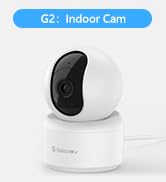
Figure 8: SD card slot for local video storage.
Multi-Device Viewing & Sharing
You can add multiple GALAYOU cameras to your Wansview Cloud app and view up to four live feeds simultaneously. The app also allows you to securely share camera access with family members or trusted individuals.
Video 3: Instructions on how to share your GALAYOU cameras with family members through the app.

Figure 9: Multi-camera live view on the Wansview Cloud app.
6. Maintenance
- Regular Cleaning: Gently wipe the camera lens and body with a soft, dry cloth to remove dust and smudges. Avoid using harsh chemicals.
- Firmware Updates: Periodically check the Wansview Cloud app for available firmware updates to ensure optimal performance and security.
- Power Cycle: If the camera experiences connectivity issues, try unplugging it from the power source for 10-15 seconds and then plugging it back in.
- SD Card Management: Regularly review and back up important recordings from your SD card. Consider formatting the SD card periodically to maintain performance.
7. Troubleshooting
- Camera Offline: Ensure the camera is powered on and connected to a stable 2.4GHz Wi-Fi network. Check your router's internet connection.
- Poor Image Quality: Verify your Wi-Fi signal strength. Ensure the lens is clean and free from obstructions. Adjust the video resolution settings in the app if necessary.
- Motion Alerts Not Received: Check motion detection settings in the app to ensure it's enabled and sensitivity is adjusted correctly. Verify app notification permissions on your smartphone.
- Two-Way Audio Issues: Ensure the microphone and speaker volumes are not muted in the app. Check your device's audio settings.
- Pairing Failure: Confirm your Wi-Fi is 2.4GHz. Ensure the camera is close to the router during setup. Try resetting the camera to factory settings (refer to installation guide for reset button location) and re-pairing.
8. Warranty & Support
The GALAYOU G2 Indoor Security Camera comes with a standard manufacturer's warranty. Please refer to the official GALAYOU website or your purchase documentation for specific warranty terms and conditions.
For further assistance, technical support, or warranty claims, please contact GALAYOU customer service. You can also refer to the comprehensive User Manual (PDF) for detailed instructions.
- GALAYOU Store: Visit the GALAYOU Store on Amazon


