
Introduction
This manual provides essential instructions for the safe and efficient operation of your EF ECOFLOW DELTA Pro 3600Wh Portable Power Station and 400W Portable Solar Panel. Please read this guide thoroughly before use to ensure proper setup, operation, and maintenance. The DELTA Pro is a high-capacity portable power station designed for home backup, outdoor activities, camping, RV use, and emergency situations. When paired with the 400W portable solar panel, it offers a reliable and efficient power solution.

Image: The EF ECOFLOW DELTA Pro 3600Wh Portable Power Station shown alongside the 400W Portable Solar Panel, illustrating the complete system.
Setup
1. Unboxing and Inspection
Your DELTA Pro Power Station and 400W Solar Panel may arrive in separate packages. Carefully unpack all components and inspect for any damage. Ensure all items listed in the 'What's in the Box' section are present.
- DELTA Pro 3600Wh Power Station
- 400W Solar Panel
- Solar Charge Cable
2. Initial Charging
Before first use, fully charge the DELTA Pro Power Station. You can charge it via AC wall outlet, solar panels, or a car charger. For fastest charging, use the AC wall outlet. The unit supports X-Stream charging, allowing 0-80% recharge in approximately 2 hours via AC.

Image: The DELTA Pro Power Station illustrating various charging methods including AC wall charging and solar panel charging.
3. Connecting the 400W Solar Panel
- Unfold the 400W solar panel and position it in direct sunlight for optimal efficiency.
- Connect the solar charge cable to the solar panel's output port.
- Connect the other end of the solar charge cable to the solar input port on the DELTA Pro Power Station.
- The DELTA Pro's display will indicate solar charging status.

Image: A person carrying the folded 400W solar panel, highlighting its portability.
Operating Instructions
1. Powering On/Off
Press and hold the main power button on the DELTA Pro for a few seconds to turn it on or off. The LCD screen will illuminate, displaying battery level, input/output wattage, and remaining runtime.
2. Using Output Ports
The DELTA Pro features 15 versatile output ports:
- 5 AC Outlets: For standard household appliances (up to 3600W, expandable to 4500W with X-Boost).
- 4 USB-A Ports: For charging smartphones, tablets, and other USB-A devices.
- 2 USB-C Ports: For charging modern devices requiring USB-C power delivery.
- 2 DC Ports: For DC-powered devices.
- 1 Car Power Output: For 12V car accessories.
- 1 Anderson Port: For specific high-power DC applications.
To use an output port, ensure the DELTA Pro is powered on, then press the corresponding AC or DC power button to activate the outlets. Connect your devices to the appropriate ports.
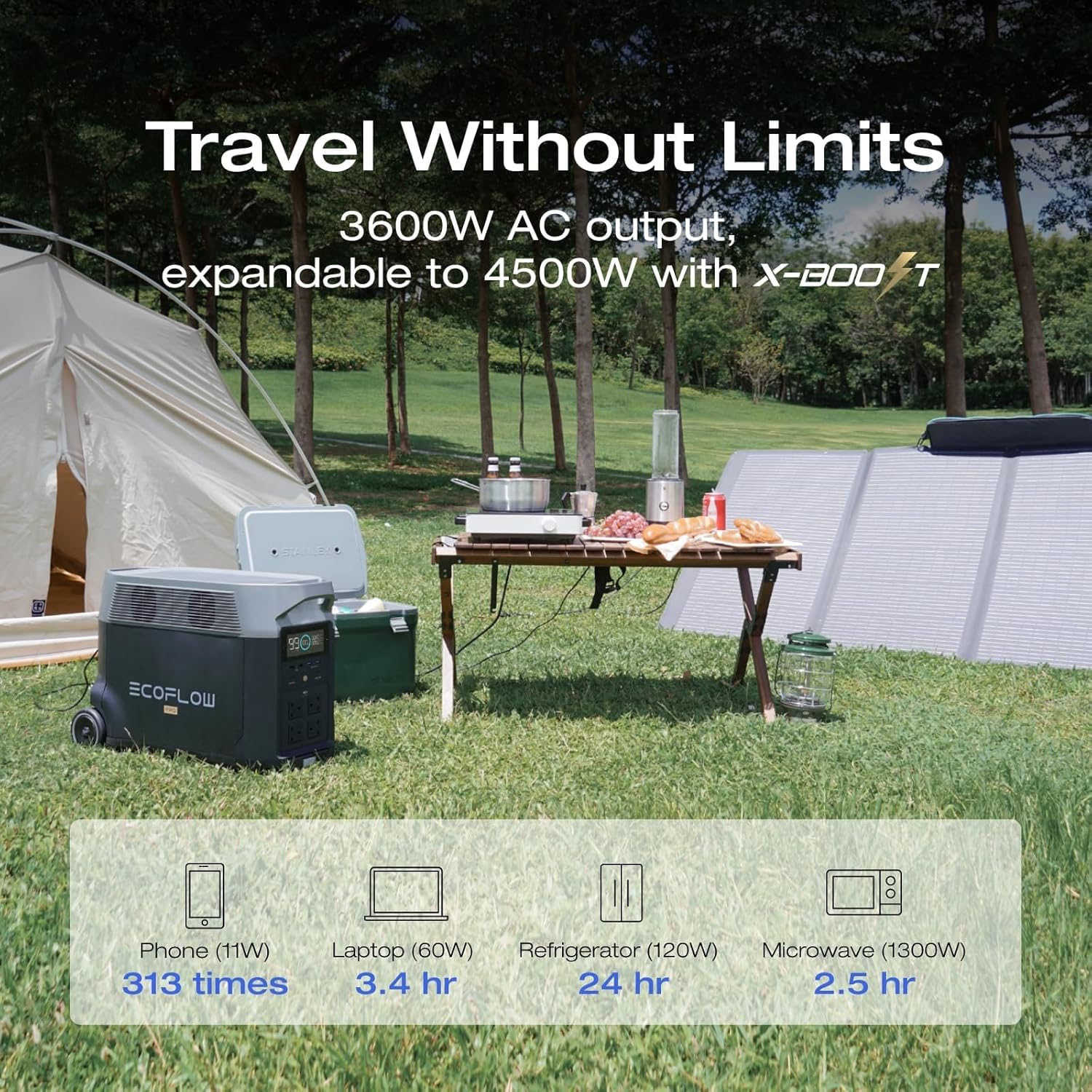
Image: The DELTA Pro Power Station and solar panel providing power for various devices in an outdoor camping setting.
3. EcoFlow Smart App Control
Download the EcoFlow app from your device's app store. Connect to your DELTA Pro via Wi-Fi or Bluetooth. The app allows you to:
- Monitor the status of your power station and connected devices.
- Check charge level, temperature, and charge/discharge times.
- Customize settings such as battery life optimization and input/output parameters.

Image: A smartphone displaying the EcoFlow Smart App interface, showing real-time power station data.
4. X-Boost Feature
The DELTA Pro's X-Boost technology allows it to power devices requiring up to 4500W, even though its rated output is 3600W. This feature is automatically enabled for devices that exceed the rated output but fall within the X-Boost range. It reduces the voltage and current to safely power high-wattage appliances.
5. Home Integration
The DELTA Pro can be integrated into your home's electrical system for backup power during outages. This typically requires a transfer switch (sold separately) and professional installation. Consult a qualified electrician for safe and compliant installation.

Image: The DELTA Pro Power Station connected to a home's electrical panel, demonstrating its use as a home backup power solution.
Maintenance
1. Cleaning
Wipe the exterior of the DELTA Pro with a dry, soft cloth. For the solar panel, use a damp cloth to remove dust and debris. The 400W solar panel has an IP68 waterproof rating, making it resistant to dust and water, but avoid submerging it.
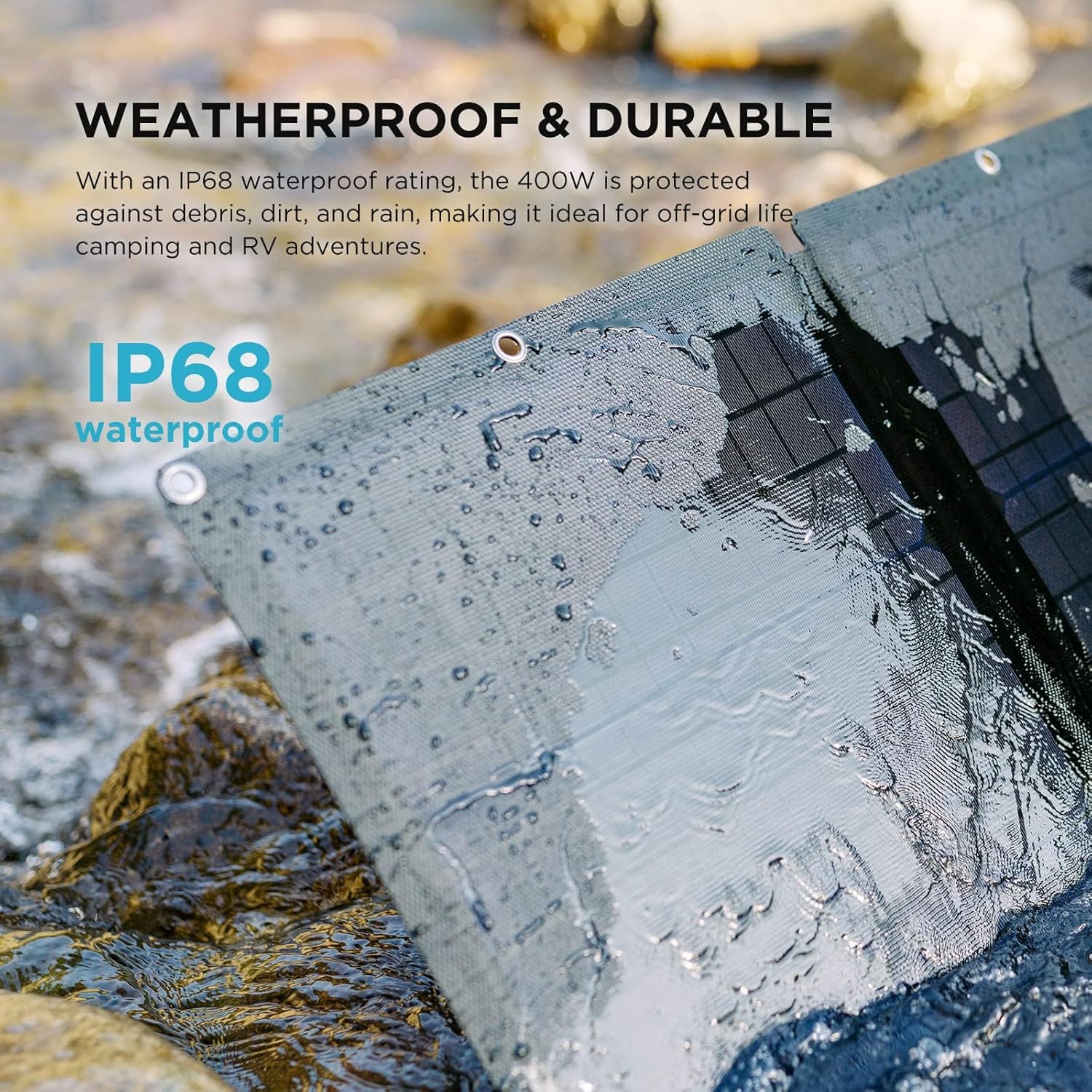
Image: A close-up view of the 400W solar panel with water droplets, highlighting its IP68 waterproof rating.
2. Storage
Store the DELTA Pro and solar panel in a dry, well-ventilated area away from direct sunlight and extreme temperatures. For long-term storage, discharge the battery to about 30% and recharge to 80% every 3 months to prolong battery life.
3. Battery Care
The DELTA Pro uses durable LiFePO4 cells designed for long life. Avoid fully discharging the battery frequently. Optimal performance is achieved by keeping the battery charge between 20% and 80% during regular use.
Troubleshooting
1. Power Station Not Turning On
- Ensure the battery is charged. Connect to an AC outlet for charging.
- Press and hold the main power button firmly for several seconds.
2. Devices Not Charging/Powering
- Verify the specific output port (AC/DC/USB) is activated.
- Check if the device's power consumption exceeds the port's or the DELTA Pro's maximum output.
- Ensure cables are securely connected.
3. Solar Panel Not Charging
- Ensure the solar panel is in direct sunlight and not shaded.
- Check that the solar charge cable is correctly and securely connected to both the panel and the DELTA Pro.
- Verify the solar input settings in the EcoFlow app.
- Clean the surface of the solar panel if it's dirty.
4. App Connectivity Issues
- Ensure Bluetooth and/or Wi-Fi are enabled on your smartphone.
- Restart the EcoFlow app and the DELTA Pro.
- Ensure your smartphone is within range of the DELTA Pro.
Specifications
| Feature | Specification |
|---|---|
| Model Name | EFD500 |
| Brand | EF ECOFLOW |
| Capacity | 3600 Watt-hours (Wh) |
| AC Output | 3600W (Pure Sine Wave), 4500W with X-Boost |
| Voltage | 120 Volts |
| Power Source | Battery Powered, Solar Powered |
| Fuel Type | Non-gasoline |
| Item Weight | 99 Pounds (DELTA Pro) |
| Product Dimensions | 11.2"L x 16.4"W x 25"H |
| Solar Panel Wattage | 400W |
| Solar Panel Efficiency | 22.4% |
| Solar Panel IP Rating | IP68 |
| Included Components | DELTA Pro 3600Wh Power Station, 400W Solar Panel, Solar Charge Cable |
Product Videos
Video: An overview of the EF ECOFLOW DELTA Pro system, demonstrating its features and applications. (Duration: 3:25)
Video: A detailed look at the charging capabilities and output options of the DELTA Pro. (Duration: 3:43)
Warranty and Support
For warranty information, please refer to the warranty card included with your product or visit the official EF ECOFLOW website. If you encounter any issues or require technical assistance, please contact EF ECOFLOW customer support. Contact details can typically be found on the manufacturer's website or in the product packaging.


