
Introduction
Thank you for choosing the Satisfyer Rrrolling Explosion Vibrator. This device is designed to provide dual stimulation through powerful vibrations and a unique rolling ball mechanism. This manual provides essential information for safe and effective use, including setup, operation, maintenance, and troubleshooting.

Image: The Satisfyer Rrrolling Explosion Vibrator, featuring its ergonomic design and control buttons.
Product Features
- Dual Stimulation: Combines 12 vibration programs with a rolling ball in the tip for varied sensations.
- Independent Control: Both vibration and rolling functions can be operated separately.
- Ergonomic Design: Curved shape designed for targeted G-spot stimulation.
- Body-Friendly Material: Made from soft, skin-friendly silicone.
- Waterproof (IPX7): Suitable for use in water and easy to clean.
- Rechargeable: Includes a magnetic USB charging cable.

Image: Key features of the device, including its ergonomic shape and material.
Safety Information
Please read all safety instructions before using the device. Failure to do so may result in injury or damage to the product.
- This product is for adult use only.
- Do not use if the silicone is damaged or torn.
- Clean the device thoroughly before and after each use with warm water and a toy cleaner or mild soap.
- Only use water-based lubricants with this device. Oil-based lubricants can damage the silicone material.
- Do not immerse the charging cable in water.
- Keep out of reach of children.
- If you experience any discomfort or pain, discontinue use immediately.
Setup
Initial Charging
Before first use, fully charge your Satisfyer Rrrolling Explosion. Connect the magnetic USB charging cable to the charging points on the device and plug the USB end into a compatible USB power source (e.g., computer, USB wall adapter). The indicator light will show charging status.

Image: Magnetic charging points located at the base of the device.
Operating Instructions
The device features intuitive controls for both vibration and rolling functions.

Image: Control panel with power, intensity, and mode buttons.
Power On/Off
- To turn on, press and hold the power button (usually the central button or indicated by a circle/power symbol) for 2-3 seconds.
- To turn off, press and hold the power button for 2-3 seconds again.
Vibration Control
- Press the '+' button to increase vibration intensity.
- Press the '-' button to decrease vibration intensity.
- Press the wave symbol button (or similar mode button) to cycle through the 12 vibration programs.
Rolling Ball Control
- The rolling ball function is typically controlled by a separate button or a long press on one of the existing buttons. Refer to the specific button layout on your device for activation.
- Cycle through the 7 rolling speeds by pressing the dedicated rolling ball control button.
- The rolling ball movements can be adjusted independently from the vibration programs.

Image: Illustration of the rolling ball mechanism within the device tip.
Charging
When the battery is low, the indicator light may flash or the device's performance may decrease. To charge:
- Ensure the device is clean and dry before charging.
- Connect the magnetic end of the USB charging cable to the two charging points on the device. The magnets will help align it correctly.
- Plug the USB-A end of the cable into a standard USB port (e.g., computer, wall adapter, power bank).
- The indicator light will illuminate or flash to show charging is in progress. It will typically become solid or turn off when fully charged.
- A full charge usually takes approximately 2-3 hours.
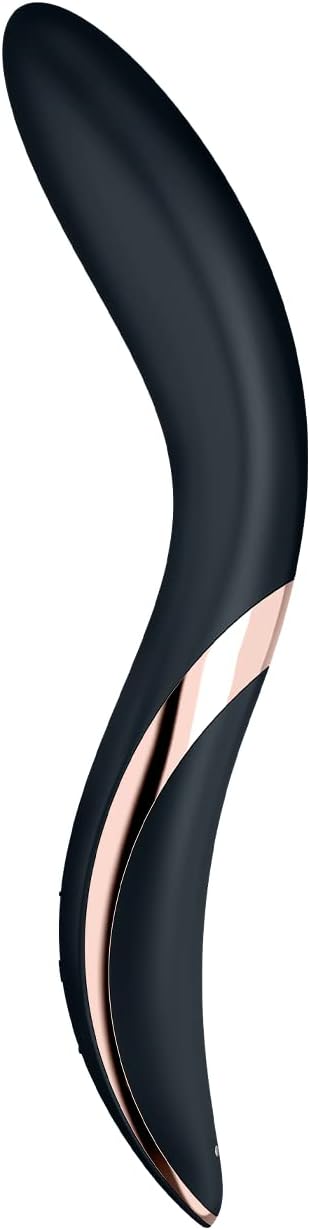
Image: Device connected to its magnetic USB charging cable.
Cleaning and Maintenance
Proper cleaning and maintenance ensure hygiene and prolong the lifespan of your device.
- Before and After Each Use: Wash the device thoroughly with warm water and a mild, antibacterial soap or a specialized toy cleaner.
- Rinsing: Rinse the device completely under running water to remove all soap residue.
- Drying: Pat dry with a lint-free cloth or allow it to air dry completely before storing.
- Material Care: The device is made of silicone. Avoid using cleaners containing alcohol, petroleum, or acetone, as these can damage the material.
- Waterproof: The device is IPX7 waterproof, meaning it can be submerged in water up to 1 meter for 30 minutes. This makes cleaning easy, but ensure the charging port is dry before connecting the charger.
Storage
Store your Satisfyer Rrrolling Explosion in a clean, dry, and dust-free place, away from direct sunlight and extreme temperatures. Keep it separate from other toys made of different materials to prevent potential reactions or damage.
Troubleshooting
| Problem | Possible Cause | Solution |
|---|---|---|
| Device does not turn on. | Battery is depleted. | Charge the device fully using the provided USB cable. |
| Device does not charge. | Charging cable not properly connected or faulty. USB power source not working. | Ensure the magnetic cable is securely attached. Try a different USB port or power adapter. |
| Vibrations are weak. | Low battery. | Recharge the device. |
| Rolling ball function not working. | Incorrect button press or low battery. | Refer to operating instructions for correct button usage. Recharge the device. |
Specifications
- Model Number: 360403
- Material: Silicone
- Dimensions: 2.44 x 1.42 x 8.62 inches
- Weight: 4.13 ounces
- Battery: 1 Lithium Ion battery (included)
- Waterproof Rating: IPX7
- Vibration Programs: 12
- Rolling Speeds: 7
Warranty and Support
Satisfyer offers a 15-year guarantee on this product, ensuring long-lasting satisfaction. For technical support, warranty claims, or further assistance, please contact Satisfyer customer service through their official website or the retailer where the product was purchased.
For more information, you may visit the Satisfyer Store on Amazon.
Product Video
Watch the official product video for a visual guide on the Satisfyer Rrrolling Explosion's features and operation.
Video: An overview of the Satisfyer Rrrolling Explosion Vibrator, demonstrating its design, features, and functionality.