
1. Product Overview
The Fotopro P-2mini+P-2H Carbon Fiber Mini Tripod is a lightweight and compact support system designed for cameras and camcorders. It features a 360-degree ball head and a quick-release plate for versatile and efficient use in various photographic scenarios.
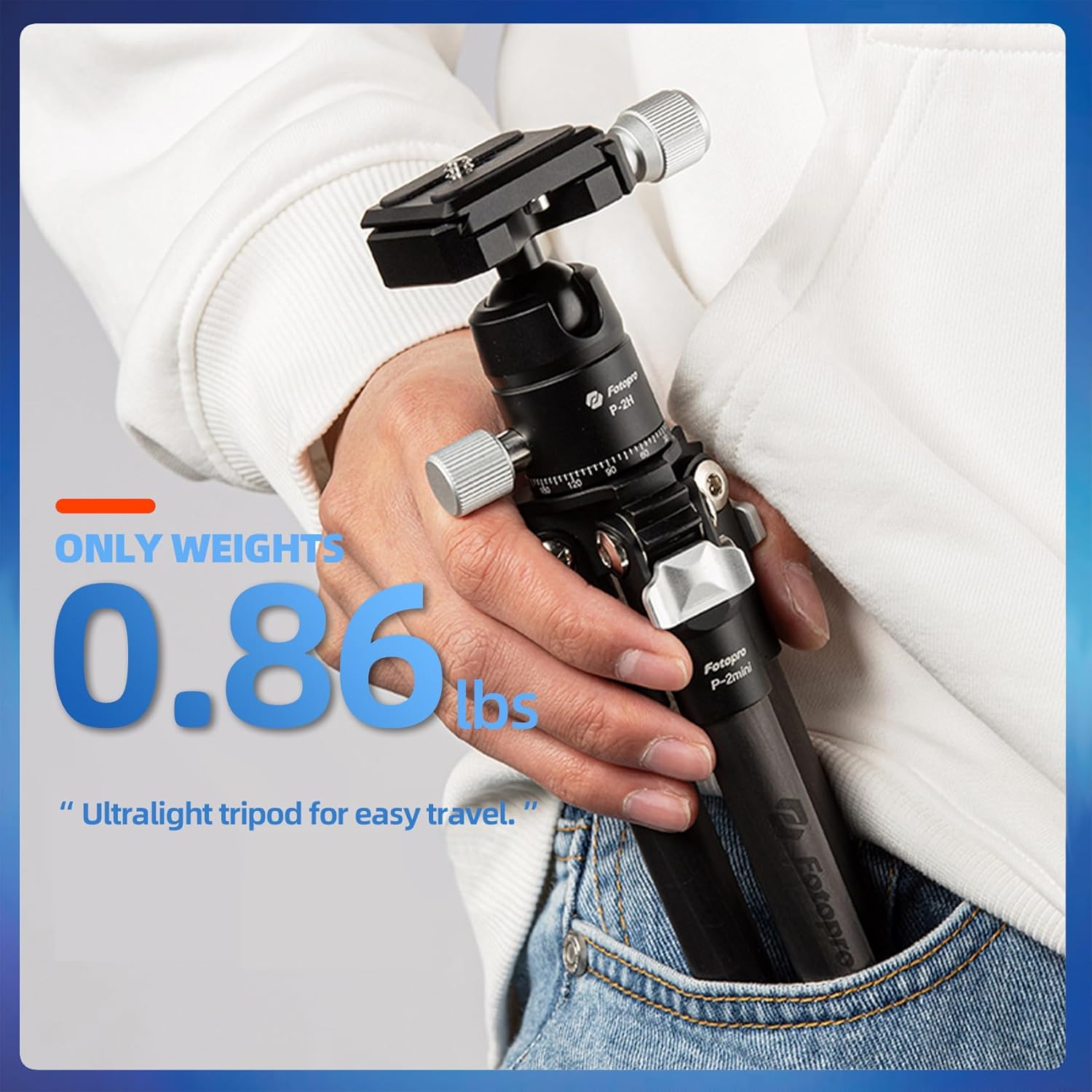
- Super Lightweight and Compact: Weighing only 0.86 lbs (0.39 kg) and folding to 10.2 inches (26 cm), this tripod is designed for portability.
- 360° Panoramic Ball Head: Allows for precise multi-angle adjustments and accurate panoramic imaging.
- Easy to Use: Equipped with a quick-release plate for fast camera attachment and detachment. Includes three extension holes for accessories.
- Durable Construction: Reinforced with 8K carbon fiber legs, providing stability for devices up to 11 lbs (5 kg).
- Flexible and Expandable: Features a 3-section leg design, adjustable from 4.13 inches (10.5 cm) to 15.7 inches (40 cm) in height.

2. What's in the Box
Verify that all components are present in the package:
- Fotopro P-2mini+P-2H Tripod (1 unit)
- Carry Bag (1 unit)
- Technical Manual (1 unit)
- Spanner (2 units)

3. Setup Instructions
3.1 Unfolding the Tripod
- Gently pull the tripod legs outwards until they are fully extended.
- Adjust the leg angles to achieve desired stability and height. The legs feature a 3-section design for flexible positioning.

3.2 Attaching Your Camera
- Locate the quick-release plate on the ball head.
- Unscrew the quick-release plate from the ball head by turning the locking knob.
- Attach the quick-release plate to the bottom of your camera or camcorder by screwing it into the device's tripod mount. Ensure it is securely fastened.
- Slide the camera with the attached quick-release plate back into the ball head receiver. Tighten the locking knob to secure the camera in place.
4. Operating Instructions
4.1 Adjusting Camera Position
- Ball Head Adjustment: Loosen the main locking knob on the ball head to adjust the camera's angle and orientation. Tighten the knob once the desired position is achieved.
- Panoramic Rotation: The ball head features a 360-degree panoramic scale. Loosen the panoramic locking knob (if separate) to rotate the camera horizontally for panoramic shots.
- Leg Angle Adjustment: Each leg has an independent angle adjustment mechanism. Press the leg angle lock and move the leg to one of the preset angles. Ensure all legs are securely locked before use.
4.2 Attaching Accessories
The tripod includes three extension holes. These can be used to attach accessories such as magic arms, external lights, or cell phone clips (accessories sold separately).


4.3 Product Demonstration Video
5. Maintenance
- Cleaning: Wipe the tripod with a soft, dry cloth after each use to remove dust and dirt. For stubborn grime, use a slightly damp cloth and mild soap, then dry thoroughly. Avoid harsh chemicals.
- Lubrication: The moving parts, such as the ball head mechanism and leg locks, are designed for smooth operation. Avoid applying lubricants unless specifically instructed by Fotopro support, as this can attract dust and impair function.
- Storage: Store the tripod in its carry bag in a cool, dry place away from direct sunlight and extreme temperatures.
- Inspection: Periodically check all screws, knobs, and leg locks to ensure they are secure. Use the provided spanners for any necessary tightening.
6. Troubleshooting
| Problem | Possible Cause | Solution |
|---|---|---|
| Tripod is unstable. | Legs not fully extended or locked. Uneven surface. Overloaded. | Ensure all leg sections are fully extended and their locks are engaged. Adjust leg angles for better balance. Place on a flat, stable surface. Verify camera weight does not exceed 11 lbs (5 kg). |
| Camera detaches from ball head. | Quick-release plate not securely fastened to camera or ball head. | Ensure the quick-release plate is tightly screwed onto the camera. Verify the ball head's locking knob is fully tightened after inserting the plate. |
| Ball head movement is stiff or loose. | Locking knob not properly adjusted. Dirt or debris in the mechanism. | Adjust the main locking knob to achieve desired tension. Clean the ball head area if debris is suspected. Do not force movement. |
| Leg sections do not extend or retract smoothly. | Dirt or debris in leg locks. | Clean the leg sections and locking mechanisms. Ensure no foreign objects are obstructing movement. |
7. Specifications
| Feature | Detail |
|---|---|
| Model Name | P-2 mini |
| Material | Carbon Fiber |
| Item Weight | 0.54 Kilograms (0.86 lbs) |
| Weight Limit (Load Capacity) | 11 Pounds (5 kg) |
| Maximum Height | 15.7 Inches (40 cm) |
| Minimum Height | 4.13 Inches (10.5 cm) |
| Folded Size | 10.2 Inches (26 cm) |
| Number of Leg Sections | 3 |
| Tripod Head Type | Ball Head (360-degree panoramic) |
| Compatible Devices | Cameras, Camcorders (with cell phone clip for phones) |
| Color | Black |
8. Warranty Information
The Fotopro P-2mini+P-2H Carbon Fiber Mini Tripod comes with a 1-Year Warranty from the date of purchase. This warranty covers manufacturing defects and material flaws under normal use. It does not cover damage caused by misuse, accidents, unauthorized modifications, or normal wear and tear.
Please retain your proof of purchase for warranty claims.
9. Customer Support
For further assistance, product inquiries, or warranty support, please contact Fotopro customer service or visit the official Fotopro store: