
1. Introduction
Thank you for choosing the EZVIZ CB3 Wireless Outdoor Rechargeable WiFi Camera. This manual provides essential information for setting up, operating, and maintaining your camera to ensure optimal performance and security. The CB3 is designed for outdoor surveillance, offering a long-lasting battery, advanced human detection, color night vision, and two-way communication.

Figure 1: EZVIZ CB3 Wireless Outdoor Rechargeable WiFi Camera.
2. Key Features
- Wire-Free Design: Equipped with a 5200 mAh rechargeable battery, providing up to 120 days of operation on a single charge. Compatible with an EZVIZ solar panel (sold separately) for continuous power.
- Full Color Night Vision: Delivers clear, far-reaching color night vision up to 15 meters. Users can switch between color and infrared modes.
- Smart Human Motion Detection: Integrates a PIR sensor and person shape detection algorithm to accurately distinguish people from other moving objects, reducing false alarms.
- Two-Way Talk & Customizable Voice Alerts: Enables real-time two-way audio communication via your smartphone. Pre-record 10-second voice messages to play automatically upon human motion detection.
- Voice Control Integration: Compatible with Amazon Alexa and Google Assistant for hands-free live viewing on larger screens.
- Weatherproof Design: Constructed with durable, weatherproof materials to withstand rain, dust, and snow.
- Flexible Storage Options: Supports local storage via a microSD card (up to 256GB) and cloud storage through EZVIZ CloudPlay (free trial available).
3. Package Contents
Upon unboxing your EZVIZ CB3 camera, please verify that all the following items are included:
- EZVIZ CB3 Camera
- Mounting Base (with adjustable screw)
- Mounting Template
- Screw Kit (screws and wall plugs)
- USB Charging Cable
- Quick Start Guide
- Service Card
If you purchased the kit with a solar panel, it will also include:
- EZVIZ Solar Panel
- Solar Panel Mounting Bracket
- Long Connection Cable for Solar Panel

Figure 2: EZVIZ CB3 Camera shown with optional solar panel for continuous power.
4. Setup
4.1 Initial Charging
Before first use, fully charge your CB3 camera using the provided USB cable. Connect the cable to the camera's charging port and a standard USB power adapter (not included). The indicator light will show charging status.

Figure 3: The CB3 camera features a 120-day battery life on a single charge.
4.2 EZVIZ App Installation
- Download the EZVIZ app from the App Store (iOS) or Google Play Store (Android).
- Register for an EZVIZ account or log in if you already have one.
- Tap the '+' icon in the app to add a new device.
- Scan the QR code located on the camera body or in the Quick Start Guide.
- Follow the on-screen prompts to connect the camera to your Wi-Fi network. Ensure your camera is within range of your Wi-Fi router.
4.3 Mounting the Camera
The CB3 camera is designed for flexible outdoor installation. Choose a location that provides the desired viewing angle and strong Wi-Fi signal.
- Use the provided mounting template to mark screw positions on your desired surface.
- Drill pilot holes and insert wall plugs if mounting on masonry.
- Secure the mounting base to the surface using the screws.
- Attach the camera to the mounting base and adjust the angle as needed.
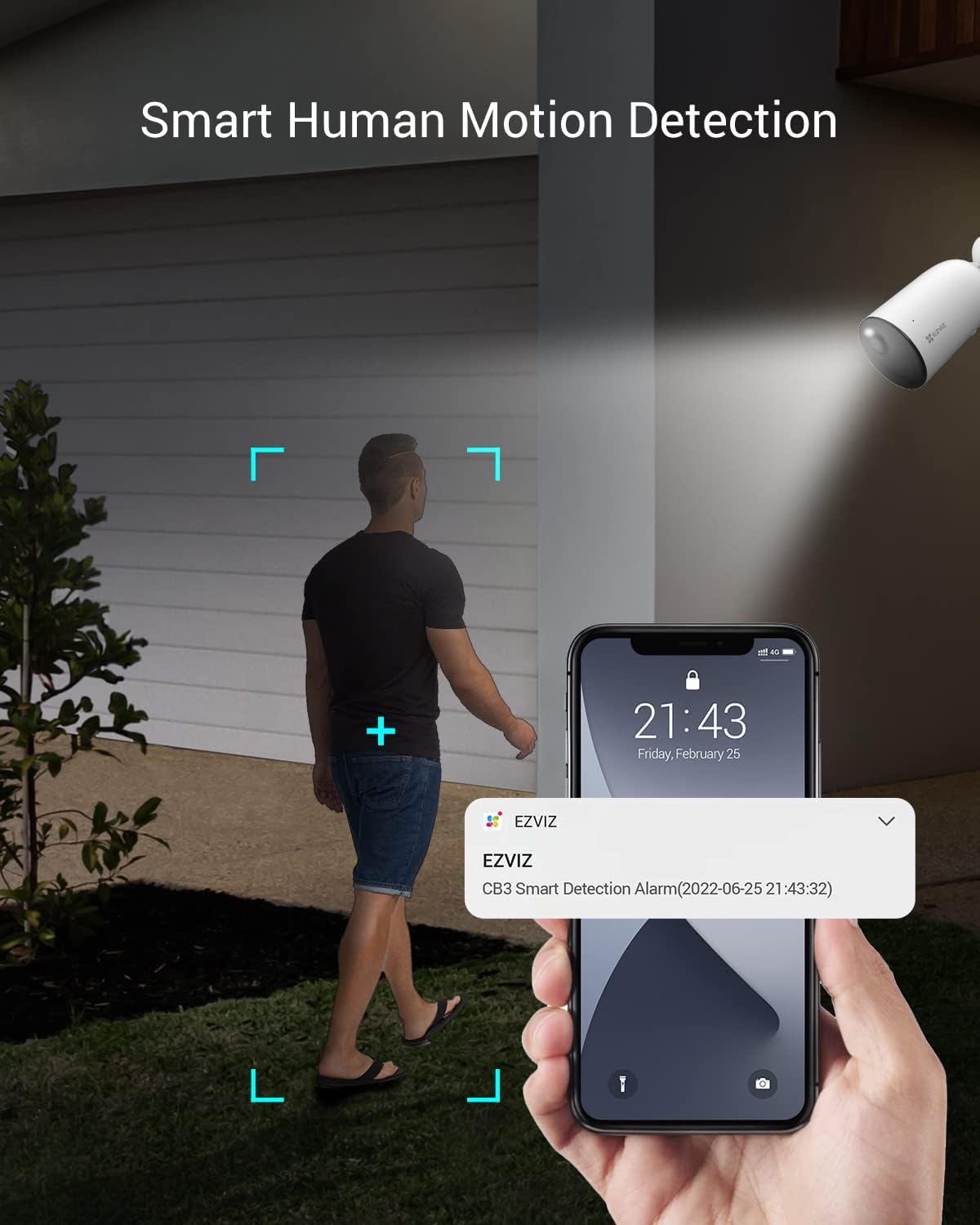
Figure 4: The CB3 camera can be easily mounted on a wall for outdoor surveillance.
5. Operation
5.1 Live View and Playback
Access live video feed and recorded events through the EZVIZ app. You can view real-time footage and review past recordings stored on your microSD card or CloudPlay subscription.
5.2 Smart Human Motion Detection
The CB3 camera uses advanced algorithms to detect human shapes, minimizing alerts from pets or other non-human movements. You will receive instant notifications on your smartphone when a person is detected.

Figure 5: Receive smart notifications on your phone when human motion is detected.
5.3 Color Night Vision
The camera provides clear color night vision up to 15 meters. In low-light conditions, the camera can automatically switch to infrared mode for black and white vision or utilize its built-in spotlights for full-color night vision.

Figure 6: Comparison of color night vision and infrared night vision from the CB3 camera.
5.4 Two-Way Talk and Voice Alerts
Use the two-way talk feature in the EZVIZ app to communicate with visitors or deter intruders. You can also pre-record custom voice messages that play automatically when motion is detected.

Figure 7: Engage in two-way communication with individuals near your camera.
5.5 Voice Control Integration
The CB3 camera is compatible with Amazon Alexa and Google Assistant. Link your EZVIZ account to your smart home platform to enable voice commands for live viewing.

Figure 8: Use voice commands with Alexa or Google Assistant to view your camera feed.
6. Storage Options
The EZVIZ CB3 offers flexible options for storing your video recordings:
- Local Storage: Insert a microSD card (up to 256GB) into the camera's dedicated slot for local recording.
- CloudPlay Storage: Subscribe to EZVIZ CloudPlay for secure, off-site cloud storage of your video footage. A free trial is typically available.

Figure 9: The CB3 supports both local microSD card storage and cloud storage via EZVIZ CloudPlay.
7. Maintenance
7.1 Battery Recharging
The camera's 5200 mAh battery provides approximately 120 days of use. When the battery level is low, recharge it using the provided USB cable. For continuous power without manual recharging, consider purchasing an EZVIZ solar panel (sold separately).
7.2 Cleaning
Although the camera is weatherproof, periodically clean the lens and camera body with a soft, damp cloth to remove dust and debris. Avoid using harsh chemicals or abrasive materials.
7.3 Firmware Updates
Ensure your camera's firmware is always up-to-date for optimal performance and security. Check for available updates through the EZVIZ app and follow the instructions to install them.
8. Troubleshooting
- Camera Offline: Ensure the camera is charged and within Wi-Fi range. Check your Wi-Fi network stability. If issues persist, try restarting the camera and your router.
- Poor Wi-Fi Connection: If the app indicates a "less than ideal" Wi-Fi signal, try moving the camera closer to your router or installing a Wi-Fi extender.
- Short Battery Life: Battery life can vary based on usage, motion detection frequency, and environmental factors. Ensure the camera is fully charged. If using a solar panel, verify it receives adequate sunlight.
- False Motion Alerts: Adjust the motion detection sensitivity settings within the EZVIZ app. Utilize the human shape detection feature to filter out non-human movements.
- Night Vision Issues: Ensure the camera lens is clean and unobstructed. Check the night vision mode settings in the app (color vs. infrared).
9. Product Videos
EZVIZ Battery-Powered Camera-CB3 Overview
Video 1: An official overview of the EZVIZ CB3 Battery-Powered Camera, highlighting its key features and design.
EZVIZ Review Wireless Battery Outdoor Security Camera CB3
Video 2: A review of the EZVIZ CB3 Wireless Battery Outdoor Security Camera, showcasing its functionality and benefits.
EZVIZ Battery Outdoor Camera (Similar Model BC1C)
Video 3: An overview of the EZVIZ BC1C Battery Outdoor Camera, which shares many features with the CB3 model.
10. Technical Specifications
| Feature | Specification |
|---|---|
| Model Number | CS-CB3 |
| Recommended Uses | Outdoor Security |
| Connectivity Technology | Wireless (Wi-Fi) |
| Special Features | Motion Sensor, Night Vision (Color Night) |
| Indoor/Outdoor Usage | Outdoor |
| Compatible Devices | Smartphone (Amazon Alexa, Google Assistant) |
| Mount Type | Wall Mount |
| Color | White |
| Water Resistance Level | Waterproof (IP65) |
| Alert Type | Motion Only |
| Effective Still Resolution | 3 MP |
| Video Capture Resolution | 1080p |
| Frame Rate | 15 frames per second |
| Night Vision Range | 15 Meters |
| Flash Memory Type | Micro SD (up to 256 GB) |
| Power Source | Battery Powered, Corded Electric, Solar |
| Battery Power | 5200 Milliampere Hour (mAh) |
| Viewing Angle | 128 Degrees |
| Field Of View | 115 Degrees |
| Item Dimensions | 19.69 x 19.69 x 11.02 inches |
| Item Weight | 256 Grams |
11. Warranty and Support
For detailed warranty information and technical support, please refer to the Service Card included in your product package or visit the official EZVIZ website. You can also find FAQs and contact customer service through the EZVIZ app.
EZVIZ Official Website: www.ezviz.com


