
1. Introduction
Thank you for choosing the EasyAcc 1200ML Dehumidifier. This device is designed to efficiently remove excess moisture from small spaces, improving air quality and preventing issues like mold and mildew. Please read this manual thoroughly before operation to ensure proper use and maintenance.

Image 1: Front view of the EasyAcc 1200ML Dehumidifier, showing the water tank and control buttons.
2. Safety Instructions
To reduce the risk of fire, electric shock, or injury, always follow these basic safety precautions:
- Ensure the power supply matches the voltage specified on the device.
- Do not immerse the device, cord, or plug in water or other liquids.
- Keep the device away from heat sources, direct sunlight, and flammable materials.
- Do not block the air inlet or outlet.
- Always unplug the device before cleaning or when not in use.
- Do not operate the device with a damaged cord or plug.
- This appliance is not intended for use by persons (including children) with reduced physical, sensory or mental capabilities, or lack of experience and knowledge, unless they have been given supervision or instruction concerning use of the appliance by a person responsible for their safety.
3. Product Components
Familiarize yourself with the main parts of your EasyAcc Dehumidifier:
- Main Unit: Houses the internal components and control panel.
- Water Tank: Collects condensed moisture. Capacity: 1200ML (40 oz).
- Air Inlet/Filter: Located at the back, draws in humid air. The filter is removable for cleaning.
- Air Outlet: Located at the top, releases dry air.
- Control Buttons: Power On/Off and Light Control.
- Power Adapter: For connecting the device to an electrical outlet.
- Handle: Integrated for easy portability.
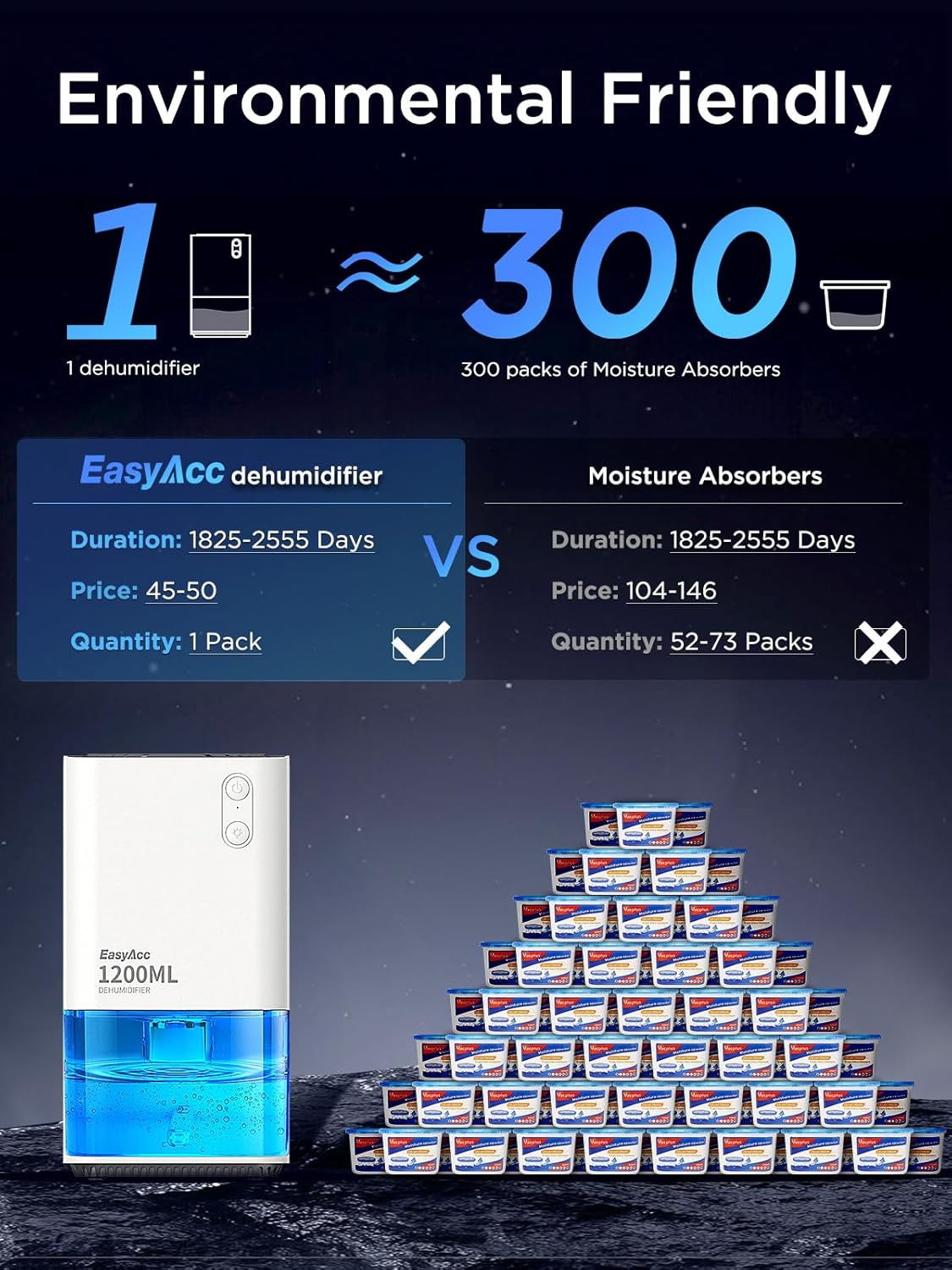
Image 2: The dehumidifier showcasing its portable handle and visible water tank.
4. Setup
Follow these steps to set up your dehumidifier:
- Unpack: Carefully remove the dehumidifier and all accessories from the packaging.
- Placement: Place the dehumidifier on a flat, stable surface in the desired area. Ensure there is at least 10 cm (4 inches) of space around the air inlet and outlet for proper airflow.
- Connect Power: Insert the power adapter into the DC input port at the back of the unit, then plug the adapter into a suitable electrical outlet.
Video 1: Unboxing and initial setup of the EasyAcc Dehumidifier, showing how to remove components and connect the power adapter.
5. Operating Instructions
Operating your dehumidifier is straightforward:
- Power On/Off: Press the top power button (⏻) to turn the unit on or off. The unit will begin dehumidifying when powered on.
- LED Light Control: Press the bottom light button (💡) to cycle through the 7 colorful LED lights. Press again to fix a color, or press and hold to turn the light off.
- Auto Shut-off: The dehumidifier features an automatic shut-off function. When the water tank is full, the unit will stop operating, and the LED light will flash red to indicate that the tank needs to be emptied.
Video 2: Demonstration of the dehumidifier's operation, including power on/off and LED light functions.

Image 3: The dehumidifier operating quietly in a bedroom setting, highlighting its low noise level and ambient lighting.
6. Maintenance
Regular maintenance ensures optimal performance and longevity of your dehumidifier:
- Emptying the Water Tank:
- When the water tank is full, the unit will automatically shut off and the light will flash red.
- Carefully pull out the water tank from the front of the unit.
- Remove the lid and pour out the collected water.
- Replace the lid and slide the empty water tank back into the unit until it clicks into place. The unit will resume operation.
- Cleaning the Air Filter:
- Periodically check the air filter located at the back of the unit.
- Gently pull the filter cover to remove it.
- Clean the filter with a soft brush or vacuum cleaner to remove dust and debris. For deeper cleaning, rinse it under running water and allow it to air dry completely before reinserting.
- Reattach the filter cover securely.
Video 3: Demonstrates how to empty the water tank and clean the air filter for the dehumidifier.
7. Troubleshooting
If you encounter any issues, refer to the following common problems and solutions:
| Problem | Possible Cause | Solution |
|---|---|---|
| Unit does not turn on. | Not plugged in; power outage; power button not pressed. | Check power connection; ensure power is available; press the power button. |
| No water collected. | Humidity level is too low; ambient temperature is too low; air filter is blocked. | Move to a more humid area; ensure room temperature is above 59°F (15°C); clean the air filter. |
| Unit is noisy. | Unit not on a flat surface; air filter is dirty. | Place on a stable, flat surface; clean the air filter. |
| Water tank light flashing red. | Water tank is full or not properly inserted. | Empty the water tank and reinsert it correctly. |
8. Specifications
- Brand: EasyAcc
- Model Number: KW-CS01 (EasyAcc Dehumidifiers)
- Color: White
- Product Dimensions: 30.48 x 15.24 x 15.24 cm (5.4 x 5.5 x 10 inches)
- Item Weight: 396 g
- Water Tank Capacity: 1200 Milliliters (40 oz)
- Dehumidification Capacity: Up to 450ml (34oz) per day (at 86°F, 80% RH)
- Power/Wattage: 33 Watt-hours
- Noise Level: Less than 35 dB
- Special Features: Portable, Auto Shut-off, 7 Colorful LED Lights, Detachable and Washable Filter.
- Coverage Area: Up to 450 sq ft (optimal for 50-320 sq ft)
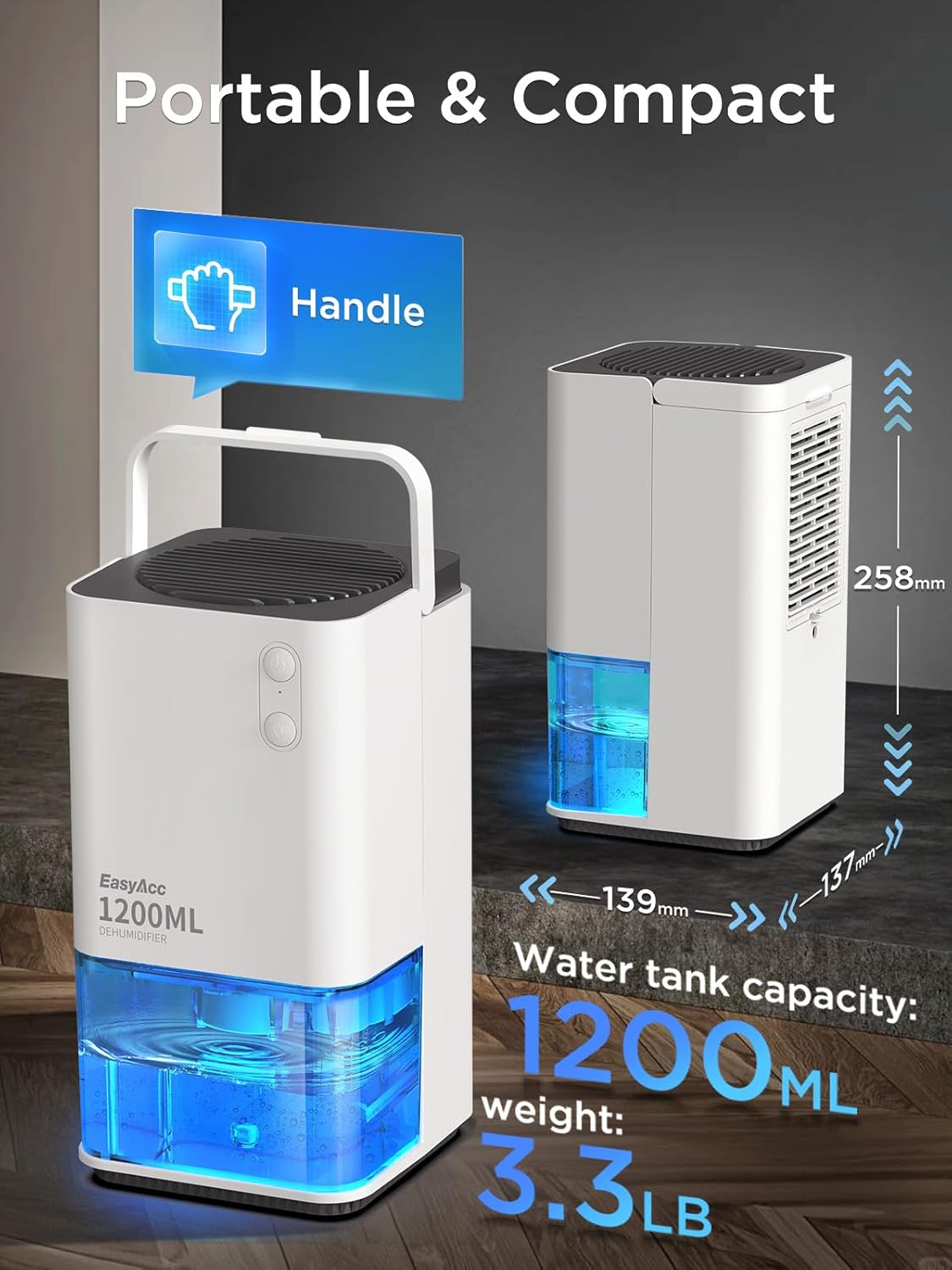
Image 4: Visual representation of the dehumidifier's compact size and weight, highlighting its portability.
9. Warranty and Support
EasyAcc products come with a standard manufacturer's warranty. For detailed warranty information, product support, or any inquiries, please refer to the contact information provided on the product packaging or visit the official EasyAcc website.
We are committed to providing high-quality products and excellent customer service. If you experience any issues with your dehumidifier, please do not hesitate to contact our support team.