
NOVSIGHT Fog Light
NOVSIGHT 3-Inch LED Pods Fog Light Instruction Manual
Model: Fog Light
1. Introduction
Thank you for choosing the NOVSIGHT 3-Inch LED Pods Fog Light. This manual provides essential information for the safe and efficient installation, operation, and maintenance of your new lighting system. Please read this manual thoroughly before installation and keep it for future reference.
The NOVSIGHT 3-inch LED Pods are designed for various applications, offering multiple beam patterns and durable construction suitable for diverse driving conditions and weather. They feature top-tier projector optics and high-intensity LED chips for enhanced illumination.
2. Package Contents
Verify that all components are present before beginning installation:
- 2 x LED Pods
- 2 x Black Covers
- 2 x Amber Covers
- 2 x Bottom Mount Brackets
- 4 x L-wrenches
- 6 x Screws
- 10 x Washers
- 1 x Wire Harness
- 1 x Instruction Manual

Image: Contents of the NOVSIGHT 3-Inch LED Pods package, including two LED pods, black and amber covers, mounting brackets, wrenches, screws, washers, and wire harness.
3. Safety Information
- Always wear appropriate personal protective equipment (PPE), such as gloves and safety glasses, when working on vehicle electrical systems.
- Disconnect the vehicle's battery before performing any electrical work to prevent short circuits or electrical shock.
- Ensure all connections are secure and properly insulated to prevent electrical hazards.
- Do not modify the product in any way not described in this manual. Unauthorized modifications may void the warranty and create safety risks.
- Check local regulations regarding auxiliary lighting. In certain countries, it is mandatory to have light covers on pod lights when driving on city roads.
4. Installation Guide
4.1 Mounting the Lights
- Prepare the Mounting Surface: To prevent scratching the vehicle's paint, it is recommended to use duct tape on the contact surface before installing any bracket.

Image: A-pillar of a Jeep showing the location for mounting the bracket. Duct tape is recommended to protect the paint.
- Install the Main Bracket: Typically, there are positioning holes located on the A-pillar of the Jeep. Install the main bracket onto the car. Due to design differences, some brackets may not provide sufficient space for the bottom screw on a 3-inch pod light. If this is the case, install the light onto the main bracket first.
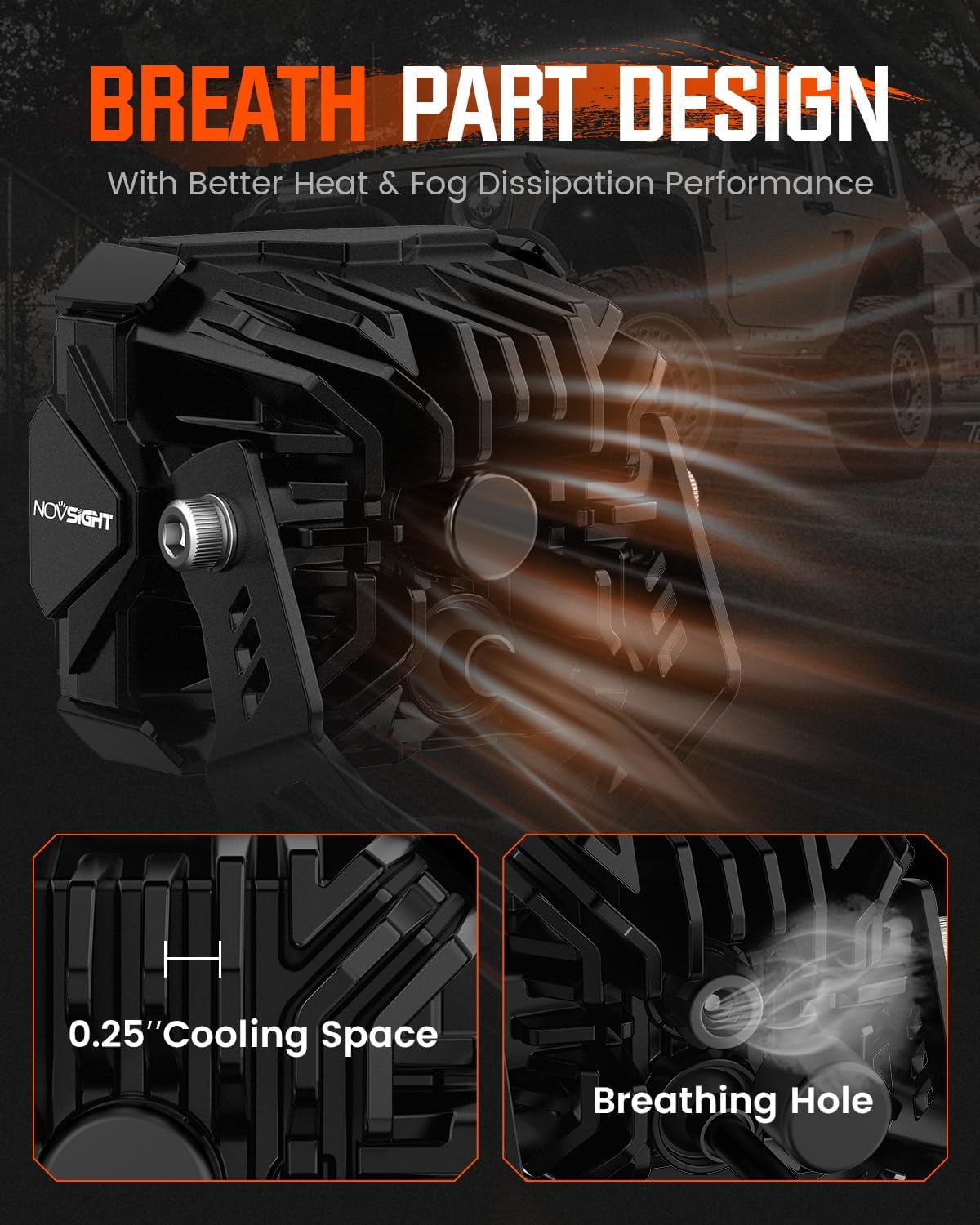
Image: Hand securing the main mounting bracket to the vehicle's A-pillar using an L-wrench.
- Attach the Light to the Bracket: To install the light bracket, use the two screws included in the small package. Align the circular hole on the bracket with the threaded hole on the light. Ensure you place a washer before inserting the bolt. Since you will need to adjust the aim of the light later, you can leave some space on the screw for now. Secure the bottom screw.

Image: Close-up of a hand attaching the LED pod light to its mounting bracket with a screw and washer.
- Final Bracket Installation: Now, you can go back and install the main bracket with the pod light attached to the vehicle. Remember to insert two washers before placing the bolt nut.

Image: The LED pod light and its bracket fully installed on the vehicle's A-pillar.
4.2 Wiring the Lights
- Route the Wiring: Tuck the pod light wire underneath the engine hood. The wire harness includes a switch, two power lines for the light, and a relay. The switch is typically routed through the engine cabin and crosses into the driving cabin. This may vary based on your preferred switch control.

Image: Close-up of the wiring harness showing the switch, power lines, and relay.
- Connect the Pod Lights: The plug-and-play design makes the light connection easy. Either side of the connector will work.

Image: Hands connecting the pod light's wire to the main wiring harness using a plug-and-play connector.
- Connect to Battery: Connect the battery wire. The red terminal is positive, and the black terminal is negative. Before connecting the wire, remove the bolt from the battery terminal. The battery terminal on a Jeep might have multiple connection rods; use the farthest terminal from the front bumper. Secure the wire.

Image: Hands connecting the red (positive) and black (negative) wires of the harness to the car battery terminals.
- Organize Wiring: Organize the wire so that you can easily retrieve it later if you need to remove the line. For the relay, you have the option to either secure it inside the engine cabin or simply tuck it away.
4.3 Installation Video
For a visual guide on the installation process, please refer to the official video below:
Video: A detailed demonstration of the 3-inch off-road light installation and a brief demo of its functionality.
5. Operating Instructions
5.1 Powering On/Off and Color Change
Once installed and wired, use the provided switch to power the lights on or off. The NOVSIGHT 3-inch LED Pods come with both black and amber covers. You can easily put on the amber filter to change the light color from white to amber, which is particularly useful in foggy conditions.

Image: Comparison of white light output and amber light output (with cover) from the NOVSIGHT LED Pods.
5.2 Beam Patterns and Applications
The NOVSIGHT 3-inch LED Pods offer four distinct beam modes, each designed for specific driving conditions:
- Driving Light: Designed for the main area you focus on while driving, significantly increasing safety at night.
- Spotlight: Highly effective in dark or low-visibility scenarios, especially when driving fast in unfamiliar areas. The focused beam helps spot obstacles far ahead.
- Fog Light: Provides improved visibility in low-visibility conditions like thick fog, dust, snow, or rain. The specific beam pattern cuts through these elements, making the road surface clearer.
- Flood Light: Meant to illuminate the surrounding area of the car to spot any potential obstacles. Also serves as a reliable light source for camp stops or increasing conspicuity to other drivers on narrow mountain roads.

Image: Visual representation of the four available light beam patterns: Flood, Spot, Fog, and Driving.
5.3 Beam Pattern Explanation Video
Understand the different light zones and how each beam pattern is optimized for specific conditions:
Video: An explanation of different off-road light beams and their applications in various driving conditions.
5.4 Product Introduction Video
A brief overview of the NOVSIGHT 3-inch LED Pods and their features:
Video: An introductory video showcasing the NOVSIGHT 3-inch LED Pods and their key functionalities.
6. Maintenance
- Cleaning: Regularly clean the hardened PC lens and aluminum alloy housing with a soft cloth and mild soap to remove dirt and debris. Avoid abrasive cleaners that could scratch the lens.
- Inspection: Periodically check all mounting hardware and electrical connections for tightness and signs of wear or corrosion. Tighten any loose fasteners.
- Waterproofing: The lights feature an IP68 waterproof design. While highly resistant, avoid directing high-pressure water jets directly at the lights for extended periods.
- Heat Dissipation: The aluminum housing is designed for efficient heat dissipation. Ensure the fins are free from obstruction to maintain optimal cooling.
7. Troubleshooting
| Problem | Possible Cause | Solution |
|---|---|---|
| Lights do not turn on |
|
|
| Lights flicker or dim |
|
|
| Water inside the lens |
|
|
If you encounter issues not listed here or require further assistance, please contact NOVSIGHT customer support.
8. Product Specifications
| Feature | Specification |
|---|---|
| Model Number | Fog Light |
| Color | 3 Inch White/Amber Fog Beam |
| Shape | Round |
| Material | Aluminum (Housing), Polycarbonate (PC) (Shade) |
| Finish Type | Powder Coated |
| Light Source Type | LED |
| Power Source | Corded Electric |
| Voltage | 12 Volts |
| Light Source Wattage | 80 Watts |
| Mounting Type | Handlebar Mount (referring to general mounting, actual is A-pillar/hood) |
| Bulb Features | Multiple beam patterns, color-changing covers |
| Specification Met | SAE |
| Number of Light Sources | 8 |
| Product Dimensions | 3.31"L x 2.85"W x 3.09"H |
| Item Weight | 4.64 pounds |
| Special Features | Durable Material, Hard Shell, High Brightness, Not Easily Scratched, Waterproof |
| UPC | 791533138192 |
9. Warranty and Customer Support
NOVSIGHT backs its products with a 5-year after-sale service. For any installation concerns, operational questions, or warranty claims, please reach out to NOVSIGHT customer support. Providing a video of the issue can help expedite the support process.
For further assistance, please visit the official NOVSIGHT store or contact their customer service department.
NOVSIGHT Store: https://www.amazon.com/stores/NOVSIGHT/page/5F2A39FD-1CA5-4E96-B2AF-F505F9A4398E
Related documentsFog Light

Ask a question about this manual
Ask about setup, troubleshooting, compatibility, parts, safety, or missing instructions. Manuals+ will review the question and use this page’s manual context to help answer it.