
HAYLOU HAYLOU MoriPods ANC
HAYLOU MoriPods ANC Wireless Earbuds User Manual
Model: HAYLOU MoriPods ANC | Brand: HAYLOU
1. Introduction
Welcome to the user manual for your HAYLOU MoriPods ANC Wireless Earbuds. This guide provides detailed instructions on how to set up, operate, maintain, and troubleshoot your earbuds to ensure optimal performance and an immersive audio experience. Please read this manual thoroughly before using your device.
2. What's in the Box
Upon opening your HAYLOU MoriPods ANC package, you should find the following items:
- 2x Earbuds (Left and Right)
- 1x Charging Case
- 3x Eartips (Sizes S, M, L)
- 1x USB-C Charging Cable
- 1x User Manual

Image: The HAYLOU MoriPods ANC earbuds resting in their open charging case, showcasing their sleek milk white design and compact form factor.
3. Product Overview
The HAYLOU MoriPods ANC earbuds are designed for an immersive audio experience with advanced features. They feature Active Noise Cancellation (ANC) to minimize ambient distractions, a 10mm high-amplitude audio driver for premium sound, and a comfortable in-ear design. The earbuds are equipped with Bluetooth 5.2 technology for stable connectivity and offer multiple modes for various listening environments.

Image: The HAYLOU MoriPods ANC earbuds and charging case displayed on a surface, highlighting their design.
Key Features:
- Active Noise Cancellation: Hybrid ANC technology with 10mm audio drivers for noise reduction.
- Premium Sound: 10mm high-amplitude AAC driver for impactful music.
- Multiple Modes: Easily switch between ANC, Transparency, and Standard modes.
- Extended Playtime: Up to 7.5 hours on a single charge, 30 hours with charging case.
- Bluetooth 5.2: Enhanced stability and lower latency.
- Touch Control: Intuitive touch controls for various functions.
- DSP Call Noise Reduction: Clearer calls by reducing background noise.
- Waterproof: Designed to withstand splashes and sweat.
4. Setup
4.1 Initial Pairing
- Ensure the charging case has sufficient battery.
- Open the charging case and take out both earbuds. They will automatically power on and enter pairing mode.
- On your smartphone or Bluetooth-enabled device, go to the Bluetooth settings.
- Search for "HAYLOU MoriPods ANC" in the list of available devices.
- Select "HAYLOU MoriPods ANC" to connect. Once connected, you will hear a confirmation tone.

Image: A smartphone screen showing Bluetooth settings with "Haylou MoriPods ANC" listed as a connected device, illustrating the one-step pairing process.
4.2 Reconnecting
Once paired, the earbuds will automatically reconnect to the last paired device when taken out of the charging case, provided Bluetooth is enabled on the device.
4.3 Single Earbud Mode
Either earbud can be used independently. Simply take one earbud out of the case, and it will connect to your device. The other earbud can remain in the case or be used later for stereo sound.

Image: A visual representation showing how the earbuds can be used in single mode (one earbud connected) or twin mode (both earbuds connected), demonstrating their independent functionality.
5. Operating Instructions
5.1 Touch Controls
The HAYLOU MoriPods ANC earbuds feature intuitive touch controls on each earbud. The following table outlines the common functions:

Image: A diagram illustrating the various touch control gestures for the earbuds, including switching ANC modes, answering calls, playing/pausing music, and skipping tracks.
| Action | Function |
|---|---|
| Triple touch Right MFB Earbuds | Switch ANC Mode (ANC, Transparency, Standard) |
| Long touch MFB for 1.5s | Answer and hang up call / Play/Pause music |
| Double touch L/R earbuds | Previous/Next Song |
| Triple touch left MFB Earbuds | Low latency mode |
5.2 Active Noise Cancellation (ANC) Modes
The earbuds offer three distinct modes to adapt to your environment:
- ANC Mode: Reduces ambient noise for an immersive listening experience. Ideal for noisy environments like commutes or offices.
- Transparency Mode: Allows you to hear your surroundings without removing the earbuds. Useful for conversations or being aware of traffic.
- Standard Mode: Normal audio playback without noise cancellation or transparency.
You can switch between these modes by triple-touching the Right earbud's MFB (Multi-Function Button).

Image: A graphic highlighting key features of the HAYLOU MoriPods ANC, including Bluetooth 5.2, low latency mode, -30dB ANC, three ANC modes, Hi-Fi stereo sound, 28 hours battery life, DSP call noise reduction, and ergonomic design.

Image: Visual representation of the three noise cancellation modes: Noise Cancellation for immersive sound, Transparency mode for hearing surroundings, and Standard Mode.

Image: An artistic rendering of the earbud's internal structure, emphasizing the hybrid ANC technology and its ability to capture and cancel background noise for immersive sound.
5.3 Audio Quality and Low Latency
The earbuds are equipped with a 10mm high-amplitude audio AAC driver, delivering rich treble and powerful bass for a premium sound experience. For gaming or video playback, activate the low latency mode to minimize audio delay, ensuring synchronized sound with visuals.

Image: A close-up artistic rendering of a 10mm polyurethane driver, illustrating its components and emphasizing its role in delivering premium sound quality.

Image: Two earbuds positioned over a smartphone displaying a racing game, highlighting the low latency game mode for synchronized audio and visuals during gameplay.

Image: A stylized depiction of a microchip labeled "Bluetooth 5.2," representing the advanced wireless technology that ensures stable and efficient connectivity for the earbuds.
5.4 Official Product Video
Video: An official product video showcasing the key features and benefits of the HAYLOU MoriPods ANC earbuds, including their compact design, active noise cancellation, sound quality, and battery life.
6. Charging
The HAYLOU MoriPods ANC earbuds and their charging case provide extended playtime, ensuring your music and calls last throughout the day.
6.1 Charging the Earbuds
Place the earbuds back into the charging case. They will automatically begin charging. The indicator lights on the case will show the charging status.
6.2 Charging the Case
Connect the provided USB-C cable to the charging port on the case and plug the other end into a USB power adapter (not included) or a computer's USB port. The indicator lights on the case will show the charging progress.
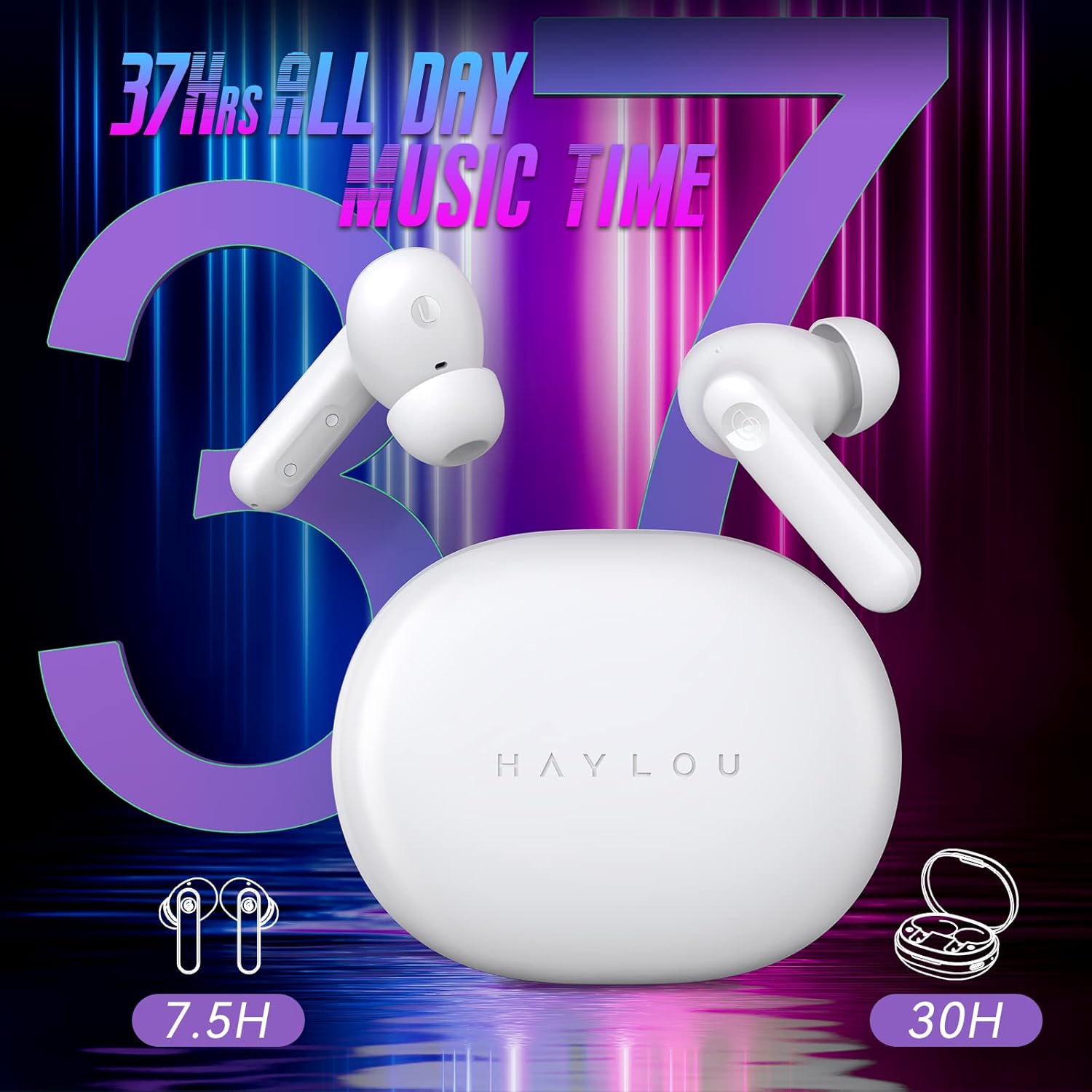
Image: A graphic illustrating the impressive battery life of the earbuds, indicating 7.5 hours of playtime for the earbuds themselves and an additional 30 hours provided by the charging case, totaling 37 hours of music time.

Image: A close-up view of the charging case with a USB-C cable connected, demonstrating the Type-C charging capability for convenient and fast power replenishment.
A full charge of the earbuds provides approximately 7.5 hours of use, and the charging case extends the total playtime to about 30 hours.
7. Maintenance and Care
To ensure the longevity and optimal performance of your HAYLOU MoriPods ANC earbuds, follow these care guidelines:
- Cleaning: Regularly clean the earbuds and charging case with a soft, dry, lint-free cloth. Do not use harsh chemicals or abrasive materials.
- Eartips: Remove and clean the eartips periodically. You can gently wash them with water and mild soap, then ensure they are completely dry before reattaching.
- Water Resistance: The earbuds are waterproof, meaning they are resistant to splashes and sweat. However, they are not designed for submersion in water. Avoid exposing them to excessive moisture or liquids.
- Storage: When not in use, store the earbuds in their charging case to protect them from dust and damage.
- Temperature: Avoid exposing the earbuds to extreme temperatures (hot or cold) or direct sunlight for prolonged periods.

Image: Two earbuds being splashed with water, visually representing their waterproof and sweatproof capabilities, making them suitable for various activities.
8. Troubleshooting
If you encounter any issues with your HAYLOU MoriPods ANC earbuds, please refer to the following common solutions:
8.1 Earbuds Not Pairing or Connecting
- Ensure both earbuds are fully charged.
- Place both earbuds back into the charging case, close the lid, wait a few seconds, then open the lid and take them out again.
- Turn off and then turn on Bluetooth on your device.
- Forget or delete "HAYLOU MoriPods ANC" from your device's Bluetooth list and attempt to pair again.
- Try pairing with a different device to rule out device-specific issues.
8.2 No Sound or Low Volume
- Check the volume level on both your earbuds and your connected device.
- Ensure the earbuds are properly seated in your ears.
- Clean any debris from the earbud mesh and eartips.
- Reconnect the earbuds to your device.
8.3 ANC Not Working Effectively
- Ensure ANC mode is activated (triple touch Right earbud).
- Check that the earbuds fit snugly in your ears to create a good seal. Try different sized eartips if necessary.
- Ensure the microphones on the earbuds are not obstructed.
8.4 Charging Case Not Charging
- Verify the USB-C cable is securely connected to both the case and the power source.
- Try a different USB-C cable or power adapter.
- Ensure the charging port on the case is clean and free of debris.
9. Specifications
Detailed technical specifications for the HAYLOU MoriPods ANC Wireless Earbuds:
| Feature | Detail |
|---|---|
| Model Name | HAYLOU MoriPods ANC |
| Connectivity Technology | Bluetooth 5.2 |
| Wireless Communication Technology | Bluetooth |
| Included Components | 1x charging case, 1x usb-c cable, 2x earbuds, 3x eartips (S,M,L), User Manual |
| Material | Plastic |
| Specific Uses For Product | Gaming, Music, Travel |
| Compatible Devices | iPhone, Android tablets, Laptops, Smartphones |
| Control Type | Noise Control, Touch |
| Item Weight | 4.6 ounces (130 Grams) |
| Water Resistance Level | Waterproof |
| Audio Driver Type | Dynamic Driver (10mm) |
| Ear Placement | In Ear |
| Form Factor | In Ear |
| Noise Control | Active Noise Cancellation |
| Product Dimensions | 1.54 x 3.54 x 4.17 inches |
| Color | Milk White |
10. Warranty and Support
HAYLOU products are manufactured to the highest quality standards. For information regarding warranty coverage, please refer to the warranty card included in your product packaging or visit the official HAYLOU website. If you require technical support or have any questions not covered in this manual, please contact HAYLOU customer service through their official channels.
Manufacturer: HAYLOU
Related Documents - HAYLOU MoriPods ANC
 |
HAYLOU MoriPods ANC True Wireless ANC Earbuds User Manual Comprehensive user manual for HAYLOU MoriPods ANC True Wireless ANC Earbuds, covering setup, usage, functions, troubleshooting, and maintenance. |
 |
Haylou GT1 2022 Wireless Earbuds User Manual Comprehensive user guide for Haylou GT1 2022 wireless earbuds, covering setup, pairing, functions, troubleshooting, and specifications. Learn how to use your Bluetooth 5.2 earbuds for optimal audio experience. |
 |
Haylou MoriPods ANC True Wireless Noise Cancelling Earbuds User Manual Comprehensive user manual for Haylou MoriPods ANC True Wireless Noise Cancelling Earbuds, covering features, operation, charging, maintenance, troubleshooting, and warranty information. |
 |
Haylou S30 Wireless Noise Cancelling Headphones - User Manual Explore the Haylou S30 wireless headphones, featuring 43dB adaptive noise cancellation, 40mm drivers, 80-hour battery life, Bluetooth 5.4, and multi-point connectivity. Includes detailed specifications and package contents. |
 |
Haylou MoriPods True Wireless Earbuds User Manual Comprehensive user manual for Haylou MoriPods true wireless earbuds, covering setup, pairing, functions, troubleshooting, maintenance, and warranty information. Includes technical specifications and compliance details. |
 |
Haylou-T17 True Wireless Earbuds User Manual and Features Comprehensive user manual for Haylou-T17 true wireless earbuds, covering setup, features, functions, charging, troubleshooting, and warranty information. |
Ask a question about this manual
Ask about setup, troubleshooting, compatibility, parts, safety, or missing instructions. Manuals+ will review the question and use this page’s manual context to help answer it.