
Introduction
This manual provides detailed instructions for the KODAK VRC350 Digital Voice Recorder. Please read this manual thoroughly before using the device to ensure proper operation and to maximize its features. This device is designed for capturing conversations, conferences, meetings, or personal notes with clarity and precision.
Product Overview
Key Features
- Automatic Voice Control Recording (VOR): The device automatically initiates recording when sound is detected and pauses during periods of silence, optimizing both storage space and battery life.
- Long-Lasting Lithium Battery: A built-in rechargeable lithium battery provides extended operating time for prolonged recording sessions.
- Integrated MP3 Player: Allows for immediate playback of audio recordings and functions as a standalone MP3 player for music files.
- Compact and Portable Design: Lightweight and easy to transport, the VRC350 fits conveniently into a pocket or bag, ideal for mobile use.
- Versatile and Discreet: Suitable for both professional and personal applications, designed to capture audio with exceptional clarity and precision.
What's in the Box
- 1 x KODAK VRC350 Digital Voice Recorder
- 1 x USB Charging Cable
- 1 x Earphones
- 1 x User Manual (this document)
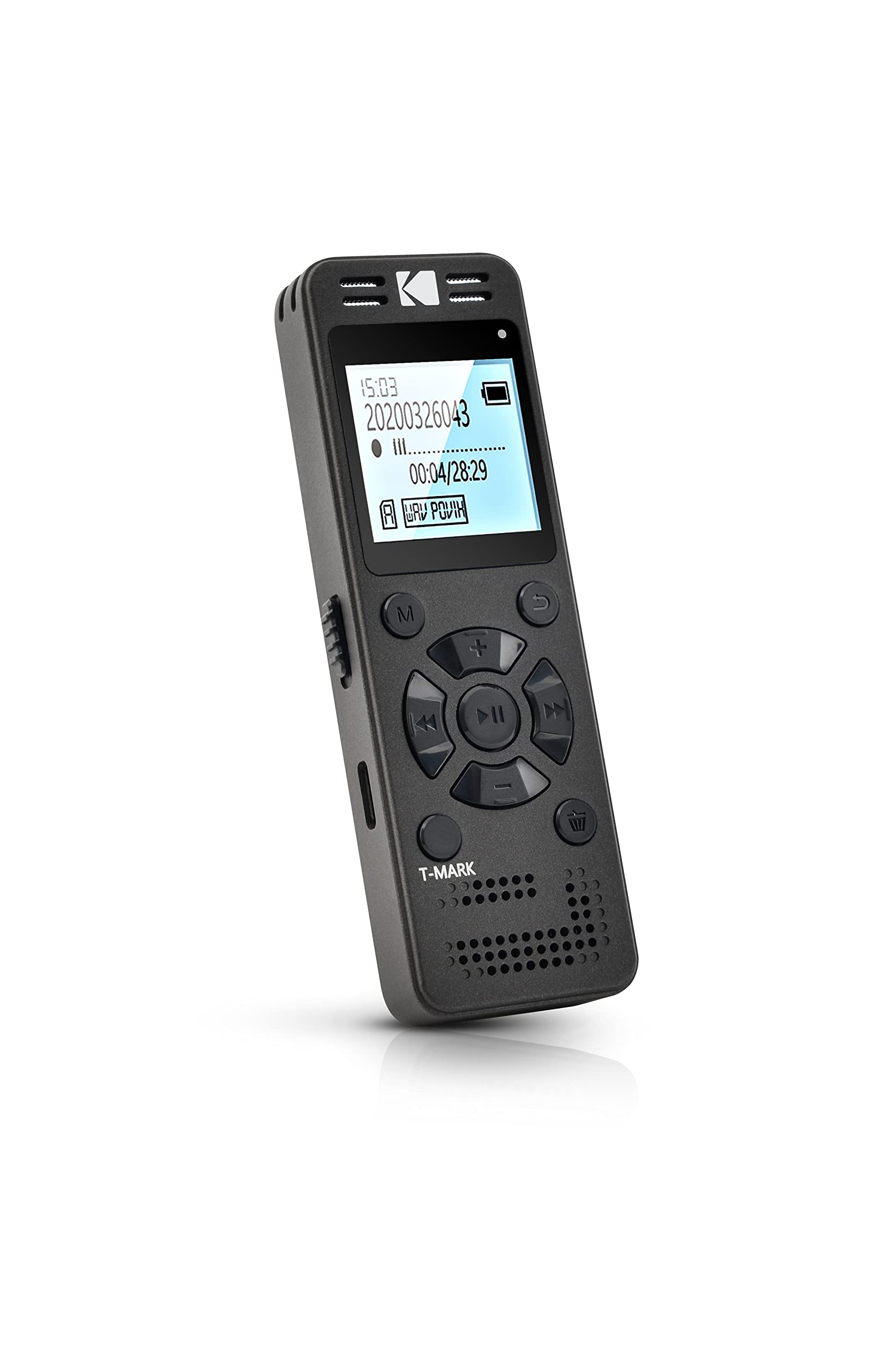
Image: KODAK VRC350 Digital Voice Recorder, main view.
Setup
Charging the Device
Connect the KODAK VRC350 to a USB power source (e.g., computer, USB wall adapter) using the provided USB cable. The battery indicator on the screen will show the charging status. A full charge provides approximately 12 hours of average battery life for recording.

Image: Side view of the KODAK VRC350, highlighting the USB charging port.
Powering On/Off
Locate the power switch on the side of the device. Slide the switch to the 'ON' position to power on the device. Slide it to the 'OFF' position to power off.

Image: Side view of the KODAK VRC350, showing the power/record switch and indicator light.
Connecting Headphones
Insert the 3.5mm jack of your headphones into the headphone port on the device for private listening to recordings or MP3 files.

Image: Close-up of the top and side of the KODAK VRC350, showing microphone grilles and audio ports.
Operating Instructions
Basic Controls
The KODAK VRC350 features an intuitive control panel:
- M (Menu) Button: Accesses the device's menu options.
- + / - Buttons: Adjusts volume during playback, navigates menu options, or skips tracks.
- Play/Pause Button: Starts or pauses playback of recordings or MP3s.
- Fast Forward / Rewind Buttons: Skips forward or backward within a track or recording.
- Trash Button: Deletes selected files.
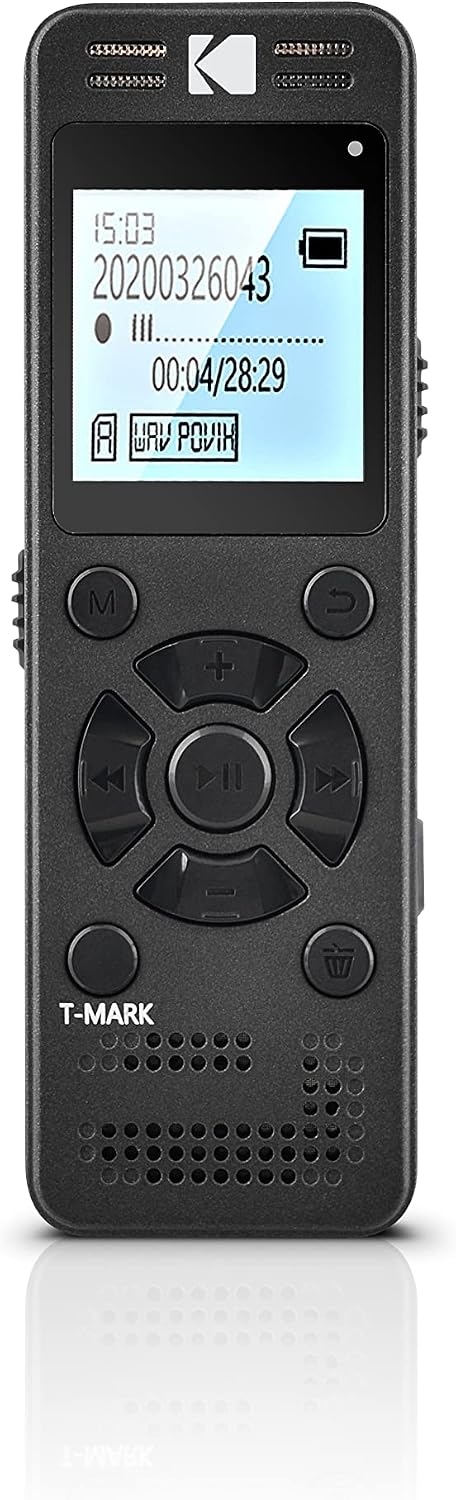
Image: Front view of the KODAK VRC350, displaying the screen and control buttons.
Recording Audio
To begin recording, slide the dedicated record switch (often located on the side) to the 'REC' position. The device will immediately start recording. To stop recording, slide the switch back or press the designated stop button if available.
Voice Activated Recording (VOR): The VRC350 supports intelligent voice control. When enabled, recording automatically starts when sound is detected and pauses during silence. To activate and adjust VOR sensitivity, navigate through the device's on-screen menu.

Image: KODAK VRC350 digital voice recorder being held in a hand during a conversation, illustrating its portable use.
Playing Back Recordings
Navigate to your desired recorded files using the navigation buttons. Press the Play/Pause button to start playback. Use the volume buttons (+) and (-) to adjust the listening level. The fast forward and rewind buttons allow you to skip through the recording.
Using as an MP3 Player
You can transfer MP3 audio files to the device's internal 8 GB storage by connecting it to a computer via USB. The VRC350 supports MP3 playback. Navigate to your music files and press the Play/Pause button to listen.
Maintenance
Cleaning
Wipe the device with a soft, dry cloth. Do not use liquid cleaners, abrasive materials, or solvents, as these can damage the device's surface or internal components.
Storage
Store the KODAK VRC350 in a cool, dry place, away from direct sunlight, high humidity, and extreme temperatures. Avoid placing heavy objects on the device.
Battery Care
To prolong the life of the built-in lithium battery, avoid fully discharging it frequently. Recharge the device regularly, even if it is not in use for extended periods.
Troubleshooting
Common Issues and Solutions
- Device does not power on: Ensure the battery is charged. Connect the device to a USB power source and try again.
- Cannot record: Check the available storage space (8 GB internal). Ensure the record switch is in the correct 'REC' position. Verify Voice Activated Recording (VOR) settings if voice activation is desired.
- Poor audio quality: Ensure the integrated microphone is not obstructed. Record in a quiet environment. Adjust microphone sensitivity settings through the device's menu if available.
- Device not recognized by computer: Ensure the USB cable is securely connected to both the device and the computer. Try a different USB port or cable. The device should appear as a removable drive (Plug & Play) without requiring special software.
- No sound during playback: Check the headphone connection and ensure the volume level is adequately adjusted. Verify that the audio file is not corrupted.
Specifications
| Feature | Specification |
|---|---|
| Model Number | VRC350 |
| Storage Capacity | 8 GB |
| Recording Format | WAV |
| Battery Type | Rechargeable Lithium |
| Average Battery Life (Recording) | Up to 12 Hours (continuous use) |
| Total Recording Time (8GB) | Up to 581 Hours |
| Microphone | Integrated High-Intensity Microphone |
| Connectivity | USB |
| Headphone Jack | 3.5 mm |
| Dimensions (L x W x H) | 9.8 x 3.3 x 1.3 cm (3.86 x 1.30 x 0.51 inches) |
| Weight | 93 g (3.28 oz) |
| Compatible Devices | Functions as an MP3 Player |
Warranty and Support
Warranty Information
The product warranty information is listed as 'not_applicable' in the provided data. For specific warranty terms and conditions, please refer to your point of purchase or the official KODAK website.
Customer Support
For further assistance, technical support, or service inquiries regarding your KODAK VRC350 Digital Voice Recorder, please contact the retailer where you purchased the device or visit the official KODAK support channels for up-to-date contact information.


