
1. Product Overview
The WANBO X1 Pro is an advanced 1080P Full HD projector designed for home cinema and entertainment. It features an integrated Android 9.0 operating system, offering seamless access to various streaming applications. With its compact design and robust performance, it transforms any space into an immersive viewing experience.
Key features include:
- Native 1080P FHD Resolution: Delivers bright and clear images with a resolution of 1920 x 1080 pixels.
- High Brightness: Equipped with a 350 ANSI lumen light output (equivalent to 3900 marketing lumens) and 87% NTSC color space coverage for vibrant visuals.
- Long-lasting LED Light Source: The mercury-free RGB LED light source provides up to 30,000 hours of use, ensuring fade-free projections for many years.
- Android 9.0 Smart System: Access popular streaming apps like Netflix, YouTube, Prime Video, and more directly from the projector via the pre-installed Google Play Store.
- Wireless Connectivity: Built-in Wi-Fi and Bluetooth for easy screen sharing and audio connections.
- Advanced Lens Technology: Features a multi-coated full glass lens with a high refractive index, ensuring clear, stable, and durable image projection.
- Flexible Projection Size: Capable of projecting screen sizes from 40 to 200 inches.
- 4D Keystone Correction: Allows for flexible placement and easy image adjustment.

Figure 1.1: The WANBO X1 Pro Projector with its smart Android interface showing various streaming applications.
2. Setup Guide
2.1 Unpacking and Initial Inspection
Carefully remove all components from the packaging. Verify that all items listed in the packing list are present and undamaged. If any items are missing or damaged, contact customer support immediately.
2.2 Placement and Power Connection
- Choose a suitable location: Place the projector on a stable, flat surface or mount it to the ceiling. Ensure adequate ventilation around the projector.
- Connect power: Plug the power cable into the projector's power input, then connect the other end to a suitable power outlet (240V).
- Power On: Press the power button on the projector or remote control to turn on the device.

Figure 2.1: Optimal placement of the WANBO X1 Pro Projector on a stable surface.
2.3 Image Adjustment
- Focus Adjustment: Rotate the focus ring on the projector lens until the projected image is sharp and clear.
- Keystone Correction: Use the 4D keystone correction feature (accessible via settings) to adjust the image shape if the projector is not perfectly perpendicular to the screen. This corrects trapezoidal distortion.
- Projection Size: Adjust the distance between the projector and the screen to achieve the desired screen size (40-200 inches).
3. Operating Instructions
3.1 Navigating the Android 9.0 Interface
The WANBO X1 Pro runs on Android 9.0, providing a user-friendly interface. Use the remote control to navigate through menus, select applications, and adjust settings.
- Home Screen: Displays frequently used apps and recommended content.
- Apps: Access all installed applications.
- Settings: Configure network, display, sound, and system preferences.
3.2 Connecting to Wi-Fi and Bluetooth
- Wi-Fi: Go to Settings > Network & Internet > Wi-Fi. Select your network and enter the password.
- Bluetooth: Go to Settings > Connected devices > Pair new device. Select your Bluetooth device (e.g., speakers, headphones) from the list to connect.
3.3 Streaming Content and App Usage
The projector comes with pre-installed streaming applications and access to the Google Play Store.
- Pre-installed Apps: Directly launch apps like Netflix, YouTube, Prime Video, etc., from the home screen or app list.
- Google Play Store: Download and install additional applications from the Google Play Store. A Google account is required.
- Wireless Screen Sharing: Use the built-in screen mirroring feature to cast content from your smartphone or tablet. Refer to your device's screen mirroring instructions for compatibility.
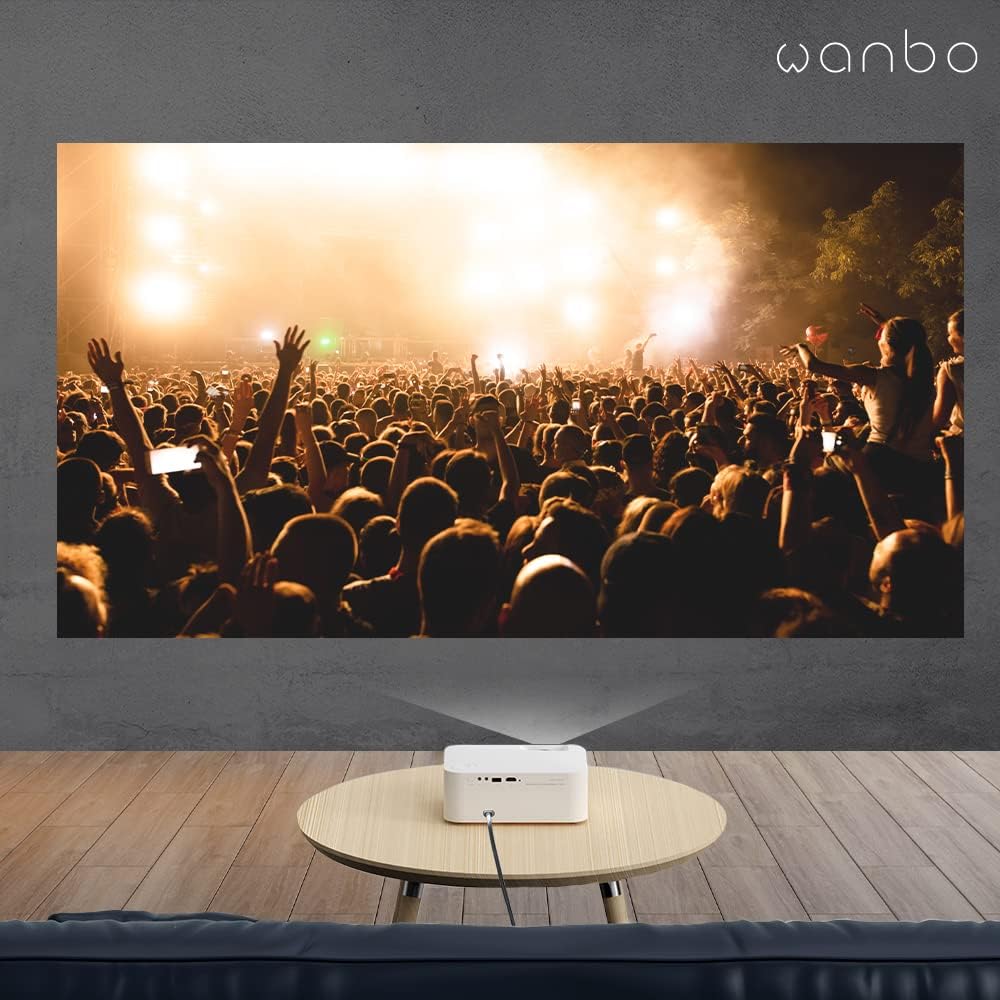
Figure 3.1: The WANBO X1 Pro projecting a large, vibrant image for an immersive experience.
3.4 External Device Connection
Connect external devices such as laptops, gaming consoles, or Blu-ray players using the HDMI port. An HDMI cable is included with the projector.
- HDMI: Connect your device to the HDMI port. The projector will automatically detect the input or you may need to select it from the input source menu.
- USB: Use the USB port to play media files directly from a USB drive.
4. Maintenance
Proper maintenance ensures the longevity and optimal performance of your WANBO X1 Pro projector.
- Lens Cleaning: Gently clean the projector lens with a soft, lint-free cloth or a specialized lens cleaning solution. Avoid abrasive materials that could scratch the lens.
- Dust Removal: Regularly clean the projector's exterior with a soft, dry cloth. Ensure ventilation openings are free from dust and obstructions to prevent overheating.
- Storage: When not in use for extended periods, store the projector in a cool, dry place, away from direct sunlight and extreme temperatures.
5. Troubleshooting
This section addresses common issues you might encounter with your projector.
| Problem | Possible Cause | Solution |
|---|---|---|
| No image projected | Power issue, incorrect input source, lens cap on. | Check power connection. Ensure the correct input source (HDMI, USB, etc.) is selected. Remove the lens cap. |
| Image is blurry | Out of focus, incorrect projection distance. | Adjust the focus ring on the lens. Adjust the projector's distance from the screen. |
| Image is distorted (trapezoid shape) | Projector not perpendicular to the screen. | Use the 4D keystone correction feature in the settings menu to adjust the image shape. |
| No sound | Volume too low, external audio device not connected, incorrect audio output. | Increase volume. Check Bluetooth connection for external speakers. Ensure correct audio output is selected in settings. |
| Wi-Fi/Bluetooth connection issues | Network interference, incorrect password, device out of range. | Restart the projector and router. Re-enter Wi-Fi password. Ensure devices are within range. |
If the problem persists, please refer to the Warranty and Support section for contact information.
6. Specifications
| Feature | Detail |
|---|---|
| Brand | WANBO |
| Model Number | X1 Pro |
| Display Technology | LCD |
| Native Resolution | 1920 x 1080 (FHD) |
| Brightness | 350 ANSI Lumens (3900 Marketing Lumens) |
| Light Source Life | Up to 30,000 hours |
| Operating System | Android 9.0 |
| Connectivity | Wi-Fi, Bluetooth, HDMI, USB |
| Keystone Correction | 4D Keystone Correction |
| Projection Size | 40 - 200 inches |
| Color | White |
| Product Dimensions | 22 x 18.5 x 8 cm |
| Item Weight | 1.96 kg |
| Voltage | 240 Volts |
| Included Components | HDMI Cable |
7. Warranty and Support
WANBO projectors come with a one-year warranty from the date of purchase. Additionally, lifetime professional support is provided to assist you with any issues or questions you may have.
For technical assistance, troubleshooting, or warranty claims, please contact WANBO customer support through their official website or the contact information provided with your purchase. Please have your model number (X1 Pro) and purchase details ready when contacting support.


