Introduction
This manual provides detailed instructions for the assembly, operation, and maintenance of your VIVO STAND-TS38C Premium Dual Ultra-Wide Monitor Desk Mount. Please read all instructions carefully before installation and use to ensure proper setup and safe operation.
Safety Information
WARNING: Do not install into drywall alone. This mount must be secured into wood stud, concrete, or brick walls only. Ensure your desk surface is stable and capable of supporting the combined weight of the mount and monitors.
Always ensure all screws and bolts are securely tightened before use. Regularly check the mount for any signs of wear or damage. Keep children and pets away from the installation area.
Product Overview
The VIVO STAND-TS38C is a heavy-duty dual monitor desk mount designed for ultra-wide LCD/LED screens ranging from 27 to 38 inches. It features adjustable telescoping arms for a flush wall setup and supports two screens with VESA patterns of 75x75mm or 100x100mm.

Figure 1: Overall view of the VIVO STAND-TS38C Dual Monitor Desk Mount components.
Setup and Installation
Follow these steps for proper installation. For a visual guide, refer to the official VIVO assembly videos provided below.
Step 1: Attaching the Desk Clamp
The mount can be secured to your desk using either a heavy-duty C-clamp or an optional grommet mount. The maximum recommended desktop thickness is 3.25 inches.

Figure 2: Illustrates the C-clamp installation method, providing a damage-free setup.
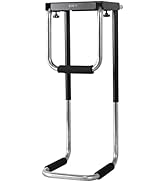
Figure 3: Detail of the desk clamp, showing how it secures to the desktop.
Step 2: Assembling the Telescoping Arms
Attach the telescoping arms to the central pole. These arms are designed to adjust in length to fit your monitors and slide into each other for enhanced strength and stability.

Figure 4: The telescoping arms extend outwards, allowing for a flush-to-wall monitor setup.
Step 3: Attaching Monitors to VESA Brackets
Mount your monitors using the detachable VESA brackets. The mount supports VESA patterns of 75x75mm or 100x100mm. Ensure the monitor is securely fastened to the bracket.

Figure 5: Rear view of two monitors securely attached to the VESA brackets on the mount.
Step 4: Cable Management
Utilize the integrated cable clips along the arms and central pole to route and organize your monitor cables. This helps maintain a clean and clutter-free workspace.

Figure 6: Cables neatly routed through the integrated clips on the monitor arm.
Installation Videos
For a step-by-step visual guide, please watch the official VIVO assembly videos:
Video 1: MOUNT-TS38B Assembly | Telescoping Dual Monitor Wall Mount. This video demonstrates the assembly process for a similar VIVO dual monitor mount.
Video 2: STAND-TS38C Assembly | Telescoping Dual Monitor Desk Mount. A detailed assembly guide specifically for the STAND-TS38C model.
Operating Instructions
The VIVO STAND-TS38C offers extensive adjustability to optimize your viewing experience:
- Articulation: The adjustable mount offers +90° to -90° tilt, 180° swivel, and 360° rotation.
- Height Adjustment: Monitors can be adjusted vertically along the central pole to your preferred height.
- Orientation: Monitors can be placed in either portrait or landscape orientation.
- Telescoping Arms: Adjust the length of the arms to achieve the desired monitor spacing and flush-to-wall setup.

Figure 7: Demonstrates the tilt, swivel, and rotation capabilities of the monitor mount.
Video 3: STAND-TS38C Feature | Telescoping Dual Monitor Desk Mount. This video highlights the key features and adjustability of the mount.
Maintenance
To ensure the longevity and optimal performance of your VIVO monitor mount, follow these maintenance guidelines:
- Regularly check all screws and connections to ensure they remain tight.
- Clean the mount with a soft, damp cloth. Avoid abrasive cleaners or solvents.
- Do not exceed the maximum weight capacity of 22 lbs per screen.
Troubleshooting
If you encounter any issues with your monitor mount, consider the following common solutions:
- Monitors not level: Ensure all VESA bracket screws are tightened evenly. Adjust the tilt mechanism as needed.
- Mount feels unstable: Double-check that the desk clamp or grommet mount is securely fastened to the desk. Verify that the desk itself is stable.
- Difficulty adjusting arms: Loosen the relevant adjustment screws slightly, reposition the arm, and then re-tighten.
Specifications
| Feature | Specification |
|---|---|
| Brand | VIVO |
| Model Number | STAND-TS38C |
| Material | Alloy Steel |
| Color | Black |
| Monitor Size Compatibility | 27" to 38" Ultra-wide |
| Weight Capacity | 22 lbs per screen |
| VESA Compatibility | 75x75mm, 100x100mm |
| Tilt Angle | +90° to -90° |
| Swivel Angle | 180° |
| Rotation Angle | 360° |
| Mounting Type | Tabletop Mount (C-clamp or Grommet) |
| Max Desktop Thickness | 3.25" |
Warranty and Support
VIVO products typically come with a manufacturer's warranty. For specific warranty details and customer support, please refer to the documentation included with your product or visit the official VIVO website. You can also contact VIVO customer service for assistance with any product-related inquiries.


