
Sudio A2
Sudio A2 Wireless Bluetooth Earbuds User Manual
Model: A2 (SD-1614)
1. Introduction
Thank you for choosing the Sudio A2 Wireless Bluetooth Earbuds. These earbuds are designed to provide a seamless audio experience with Hybrid Active Noise Cancelling (ANC) and crystal-clear calls using Dual-Microphone VividVoice Technology. With up to 30 hours of playtime including the charging case, and an IPX4 splash-proof rating, the Sudio A2 is your ideal companion for everyday listening.

Figure 1: Sudio A2 Earbuds and Charging Case (Open)
2. Setup
2.1 Charging the Earbuds and Case
Before first use, ensure both the earbuds and the charging case are fully charged. The charging time is approximately 2 hours.
- Place the earbuds into the charging case. Ensure they are correctly seated in their respective left (L) and right (R) slots.
- Connect the charging case to a USB power source using the provided cable.
- The indicator lights on the case will show the charging status. Refer to the case's LED indicators for charge level.

Figure 2: Sudio A2 Charging Case (Closed)
2.2 Pairing with Your Device
The Sudio A2 earbuds use Bluetooth for wireless connectivity.
- Open the charging case. The earbuds will automatically enter pairing mode.
- On your device (smartphone, tablet, computer), go to the Bluetooth settings.
- Search for available devices and select "Sudio A2" from the list.
- Once connected, you will hear an audio prompt, and the earbuds will be ready for use.
- For subsequent uses, the earbuds will automatically connect to the last paired device when taken out of the case.
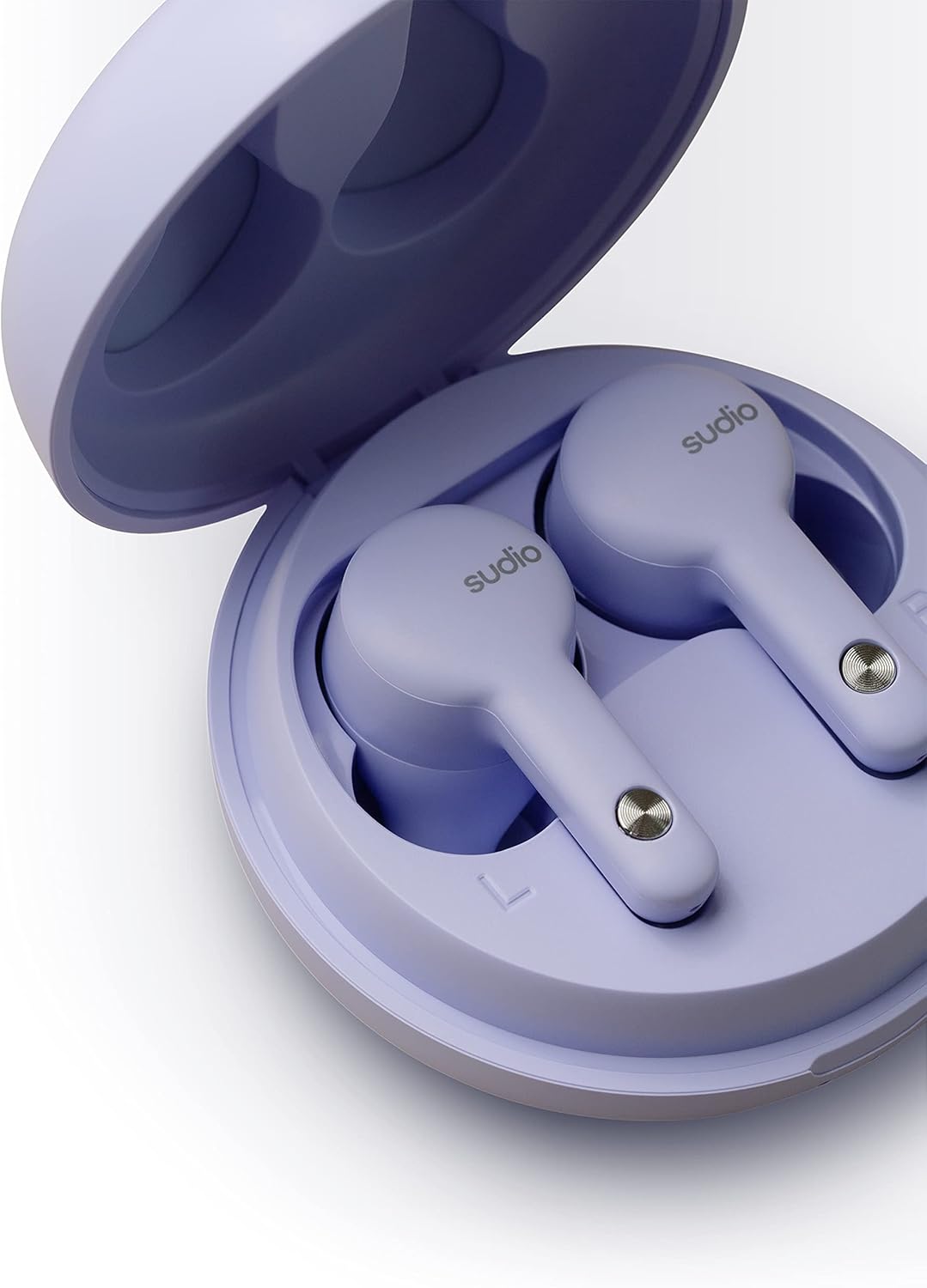
Figure 3: Earbuds in Charging Case with L/R Indicators
3. Operating Instructions
3.1 Wearing the Earbuds
Insert the earbuds gently into your ears. Adjust them for a comfortable and secure fit. A proper fit is crucial for optimal sound quality and Active Noise Cancelling performance.

Figure 4: Earbud in Ear (Male)

Figure 5: Earbud in Ear (Female)
3.2 Touch Controls
The Sudio A2 earbuds feature intuitive touch controls on the outer surface of each earbud. The specific functions are typically:
- Single Tap: Play/Pause music, Answer/End call.
- Double Tap (Left Earbud): Previous track.
- Double Tap (Right Earbud): Next track.
- Triple Tap: Activate voice assistant (e.g., Siri, Google Assistant).
- Long Press: Toggle Active Noise Cancelling (ANC) / Transparency Mode.
Note: Accidental touches can occur. Ensure your fingers are clear of the touch sensor when adjusting the earbuds.

Figure 6: Earbud Touch Sensor Detail
3.3 Active Noise Cancelling (ANC)
The Sudio A2 features Hybrid ANC to reduce ambient noise. To activate or deactivate ANC, perform a long press on either earbud. For optimal ANC performance, both earbuds must be worn.
3.4 Making Calls
The Dual-Microphone VividVoice Technology ensures clear phone calls.
- Answering a Call: Single tap on either earbud.
- Ending a Call: Single tap on either earbud.
- Rejecting a Call: Long press on either earbud.
4. Maintenance
4.1 Cleaning Your Earbuds
Regular cleaning helps maintain sound quality and hygiene.
- Use a soft, dry, lint-free cloth to wipe the earbuds and charging case.
- For ear tips, gently remove them and clean with a mild soap solution if necessary, then rinse and dry thoroughly before reattaching.
- Do not use abrasive materials, alcohol, or chemical cleaners.
4.2 Water Resistance (IPX4)
The Sudio A2 earbuds are IPX4 splash-proof, meaning they are resistant to splashing water from any direction. This makes them suitable for workouts and light rain.
- Do not submerge the earbuds in water.
- Do not expose them to pressurized water or high-velocity water, such as showering or swimming.
- Ensure the earbuds are dry before placing them back into the charging case to prevent damage to the charging contacts.
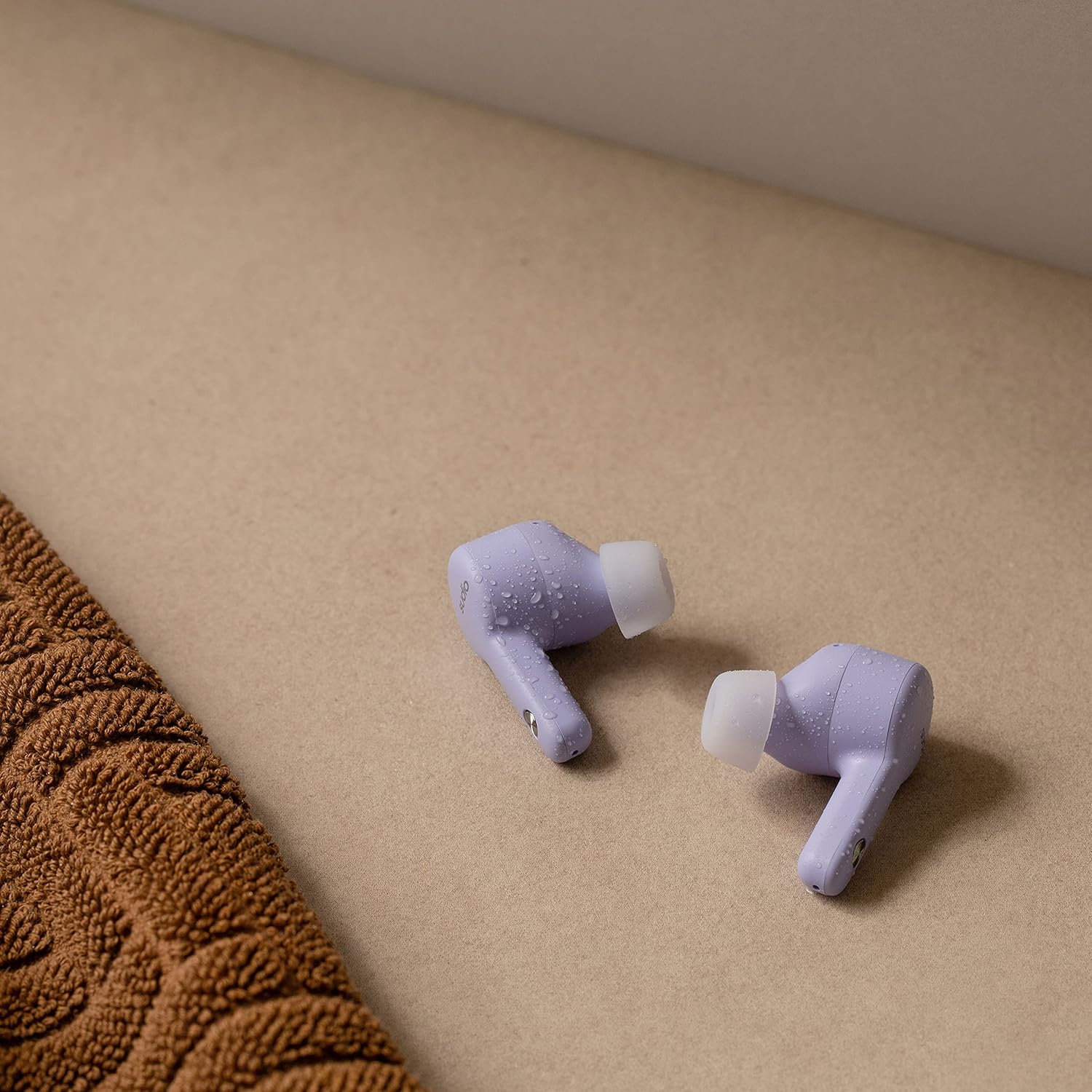
Figure 7: Sudio A2 Earbuds with Water Droplets (IPX4)
5. Troubleshooting
If you encounter issues with your Sudio A2 earbuds, try the following solutions:
5.1 One Earbud Not Working or Connecting
- Re-pair: Place both earbuds back into the charging case, close the lid for 5 seconds, then open it again. Remove them and try to re-pair with your device.
- Forget Device: On your device, go to Bluetooth settings, "forget" or "unpair" "Sudio A2", then repeat the pairing process from Section 2.2.
- Reset Earbuds: Consult the Sudio support website for specific factory reset instructions for the A2 model, as this often resolves pairing issues.
- Clean Contacts: Ensure the charging contacts on both the earbuds and inside the case are clean and free of debris.
5.2 Low Volume
- Device Volume: Ensure the volume on your connected device is turned up to the maximum level.
- Earbud Fit: A poor seal can significantly reduce perceived volume. Adjust the earbuds in your ears to ensure a snug fit.
- Clean Ear Tips: Check if the ear tips or speaker mesh are blocked by earwax or debris. Clean them carefully.
5.3 Charging Issues
- Cable and Adapter: Try a different USB charging cable and/or power adapter.
- Charging Port: Ensure the charging port on the case is clean and free of debris.
- Earbud Placement: Verify that the earbuds are correctly seated in the charging case and that the charging pins are making contact.
5.4 Active Noise Cancelling (ANC) Not Effective
- Both Earbuds: Ensure both earbuds are worn for ANC to function optimally.
- Proper Fit: A tight seal in the ear canal is essential for effective noise cancellation. Adjust the earbuds for the best possible fit.
- Environment: ANC is most effective against low-frequency, constant noises (e.g., engine hum) and less so against sudden or high-pitched sounds.
6. Specifications
| Feature | Detail |
|---|---|
| Model Name | A2 |
| Model Number | SD-1614 |
| Connectivity | Wireless (Bluetooth) |
| Noise Control | Hybrid Active Noise Cancellation |
| Microphone Technology | Dual-Microphone VividVoice |
| Playtime (Single Charge) | Up to 9 hours |
| Total Playtime (with Case) | Up to 30 hours |
| Charging Time | Approx. 2 hours |
| Water Resistance | IPX4 Splash-proof |
| Control Type | Touch Control, Voice Control |
| Included Components | Earbuds, Wireless Charging Case, USB Charging Cable |
| Material | Plastic |
| Colour | Purple |
| Item Weight | 53 Grams (total) |
| Product Dimensions | 6 x 6 x 3.3 cm |
| Battery Type | Lithium Polymer |
| Manufacturer | Sudio |
7. Warranty & Support
For detailed warranty information and customer support, please visit the official Sudio website. You can find FAQs, troubleshooting guides, and contact information for technical assistance.
Official Sudio Website: www.sudio.com
Please retain your proof of purchase for any warranty claims.
Related documentsA2


Ask a question about this manual
Ask about setup, troubleshooting, compatibility, parts, safety, or missing instructions. Manuals+ will review the question and use this page’s manual context to help answer it.