
Introduction
This manual provides detailed instructions for the proper use and maintenance of your PHOINIKAS Q16 Wireless Earbuds. Please read this manual thoroughly before using the product to ensure optimal performance and longevity. Keep this manual for future reference.

Image: PHOINIKAS Q16 Wireless Earbuds in their open charging case, displaying a digital battery indicator.
What's in the Box
Upon opening your PHOINIKAS Q16 Wireless Earbuds package, you should find the following items:
- Wireless Earbuds (L & R)
- Wireless Charging Case
- USB Charging Cable
- Ear caps (3 pairs: S, M, L)
- User Manual
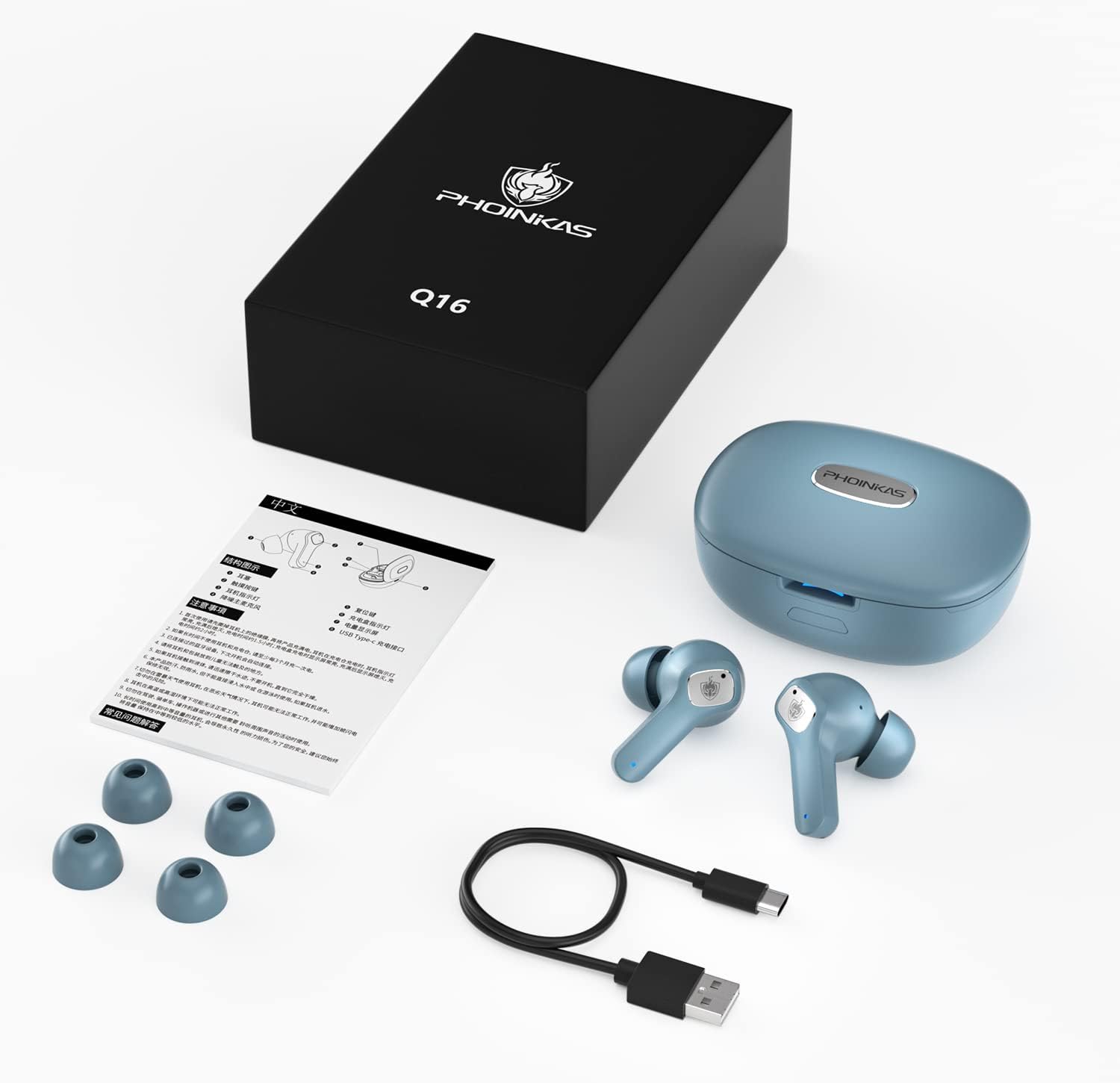
Image: All components included in the PHOINIKAS Q16 Wireless Earbuds package, neatly arranged: earbuds, charging case, USB cable, extra ear tips, and user manual.
Setup
1. Charging the Earbuds and Case
Before first use, fully charge the earbuds and the charging case. Connect the provided USB charging cable to the charging port on the case and a power source. The digital display on the case will indicate the charging status.
- The earbuds provide over 8 hours of playback on a single charge.
- The wireless charging case provides an extra 40 hours of battery life for both earbuds.
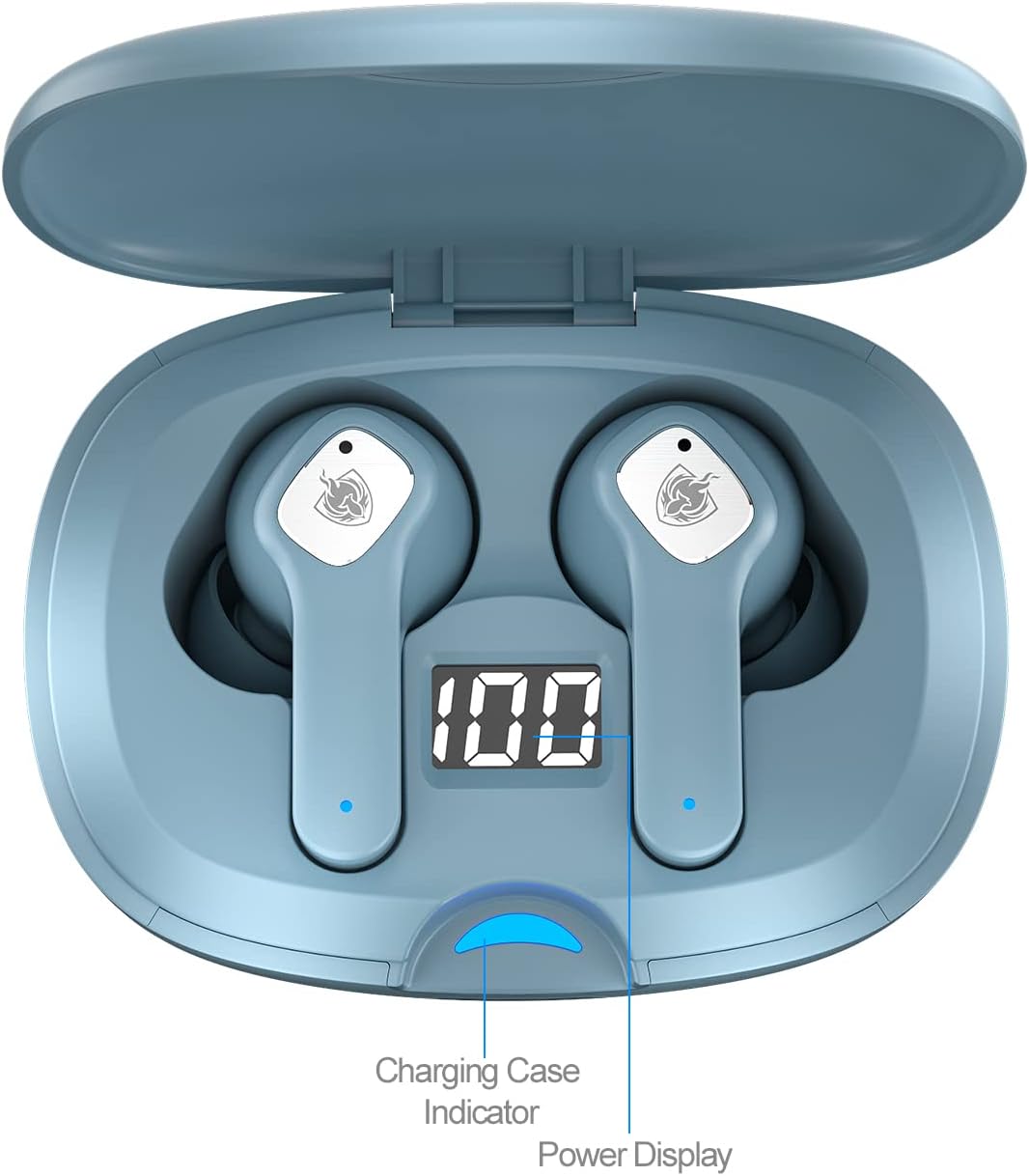
Image: Close-up of the PHOINIKAS Q16 charging case with earbuds inside, showing the digital power display and charging case indicator.

Image: An illustration highlighting the 40-hour total playtime of the PHOINIKAS Q16 earbuds with their charging case.
2. Bluetooth Pairing
- Open the lid of the charging case. The earbuds will automatically enter Bluetooth pairing mode.
- On your device (smartphone, tablet, laptop), enable Bluetooth and search for available devices.
- Select "Q16" from the list of devices to connect.
- Once connected, you will hear an audible confirmation, and the earbuds' indicator lights will change.
The left and right earphones can be used independently after initial pairing.

Image: A visual guide demonstrating the one-step Bluetooth pairing process for the PHOINIKAS Q16 earbuds with a smartphone.
Video: An official product video from PHOINIKAS showcasing the Q16 Wireless Earbuds, including features like charging, pairing, and touch controls.
Operating Instructions
Smart Touch Controls
The PHOINIKAS Q16 earbuds feature intuitive touch controls for managing audio playback, calls, and sound modes. The touch-sensitive area is located on the outer surface of each earbud.
- Power On: Press and hold for 3 seconds.
- Power Off: Press and hold for 5 seconds.
- Play/Pause: Tap once.
- Answer Call/Hang Up: Tap once.
- Next Track: Double tap the right earbud.
- Previous Track: Double tap the left earbud.
- Volume +: Triple tap the right earbud.
- Volume -: Triple tap the left earbud.
- Voice Assistant: Press and hold for 3 seconds (after power on).
- Active Noise Cancellation (ANC) / Transparent Mode: Triple tap (after power on).

Image: A diagram illustrating the various touch control functions for the PHOINIKAS Q16 Wireless Earbuds.
Active Noise Cancellation (ANC) and Transparent Mode
The earbuds feature Active Noise Cancellation (ANC) to reduce ambient noise by up to 95%, providing a clearer listening experience. They also offer a Transparent Mode, which amplifies external sounds, allowing you to remain aware of your surroundings without removing the earbuds. Switch between these modes using the touch controls as described above.

Image: An exploded view of the PHOINIKAS Q16 earbud components, emphasizing its HD sound quality and Active Noise Cancellation capabilities.
Maintenance
- Cleaning: Regularly clean the earbuds and charging case with a soft, dry cloth. Avoid using abrasive materials or harsh chemicals.
- Ear Tips: Remove and clean the ear tips periodically. Ensure they are completely dry before reattaching.
- Water Resistance: The earbuds are IPX4 waterproof, meaning they are resistant to splashing water and sweat. Do not submerge them in water.
- Storage: Store the earbuds in their charging case when not in use to protect them and keep them charged.

Image: The PHOINIKAS Q16 earbuds and charging case shown with water droplets, illustrating their IPX4 waterproof rating.
Troubleshooting
| Problem | Possible Solution |
|---|---|
| Earbuds not pairing | Ensure earbuds are charged. Place them back in the case, close the lid, then open to re-enter pairing mode. Check your device's Bluetooth settings. |
| No sound or low volume | Check device volume. Ensure earbuds are properly seated in your ears. Re-pair the earbuds with your device. |
| Intermittent connection or distortion | Ensure your device is within close range of the earbuds (within 10 meters/33 feet). Avoid obstacles between the device and earbuds. Disconnect and re-pair. |
| Touch controls unresponsive | Ensure your fingers are clean and dry. Try restarting the earbuds by placing them in the case and taking them out again. |
| Earbuds not charging | Check the charging cable and power source. Ensure the charging contacts on the earbuds and case are clean and free of debris. |
Specifications
| Feature | Detail |
|---|---|
| Model Name | Q16 |
| Brand | PHOINIKAS |
| Connectivity Technology | Wireless (Bluetooth 5.0) |
| Earpiece Shape | Bud (In Ear) |
| Noise Control | Active Noise Cancellation |
| Water Resistance Level | IPX4 Waterproof |
| Control Type | Touch Control |
| Battery Life (Earbuds) | 8 Hours |
| Total Battery Life (with Case) | Up to 40 Hours |
| Audio Driver Type | Dynamic Driver (10mm speakers) |
| Product Dimensions | 4.72 x 3.54 x 2.36 inches |
| Item Weight | 5.9 ounces |
| Material | Plastic |
Warranty and Support
PHOINIKAS products are designed for reliability and performance. For specific warranty information, please refer to the warranty card included in your product packaging or visit the official PHOINIKAS website. If you encounter any issues or have questions regarding your Q16 Wireless Earbuds, please contact PHOINIKAS customer support for assistance.