
Introduction
This manual provides detailed instructions for the setup, operation, maintenance, and troubleshooting of your NUSVAN Vanity Mirror with Lights, Model 6050W. Please read this manual thoroughly before use to ensure proper function and longevity of your product.
Important Safety Information
Please observe the following safety guidelines:
- Handle the mirror with care to prevent damage.
- Keep this product out of reach of children.
- Avoid using the mirror while sleeping or in a completely dark room to prevent potential injury.
Product Overview
The NUSVAN Vanity Mirror with Lights Model 6050W is designed to enhance your makeup and grooming routine with its advanced features. Key functionalities include:
- Adjustable Brightness: Customize LED brightness to suit your environment.
- Three Color Lighting Modes: Choose between Cold Light (6000K), Natural Light (4000K), and Warm Light (3000K).
- Detachable 10X Magnifying Mirror: For detailed application of makeup.
- Touch-Sensitive Control: Intuitive control for power, lighting modes, and brightness.
- Smart Memory Function: Recalls your last used light settings.
- Integrated USB Charging Port: Conveniently charge your devices.
- Durable Construction: Features 17 frosted LED globe bulbs with a 50,000-hour lifespan and a stable metal base.
Package Contents
Upon opening the package, please verify that all components are present:
- NUSVAN Vanity Mirror with Lights (Model 6050W)
- Detachable 10X Magnifying Mirror
- Power Adapter
- Base (for tabletop use)
- Mounting Hardware (for wall-mounted option)
- User Manual (this document)
Setup
Your NUSVAN Vanity Mirror offers two installation options: tabletop or wall-mounted.
Tabletop Setup
- Carefully unpack all components from the box.
- Attach the mirror to its base. Ensure it is securely fastened.
- Place the assembled mirror on a stable, flat surface. The base includes rubber pads to prevent slipping.
- Connect the power adapter to the mirror's DC port and plug it into a standard electrical outlet.

Image: The NUSVAN Vanity Mirror set up on a tabletop, showcasing its design and lighting.

Image: Visual representation of the two placement options: tabletop and wall-mounted.
Wall-Mounted Setup
- Remove the base from the mirror if it is already attached.
- Identify the wall-mounted screw holes on the back of the mirror (refer to product diagrams).
- Using appropriate tools and the provided mounting hardware, securely attach the mirror to a wall. Ensure the wall can support the mirror's weight (approximately 12.97 pounds).
- Connect the power adapter to the mirror's DC port and plug it into a standard electrical outlet.
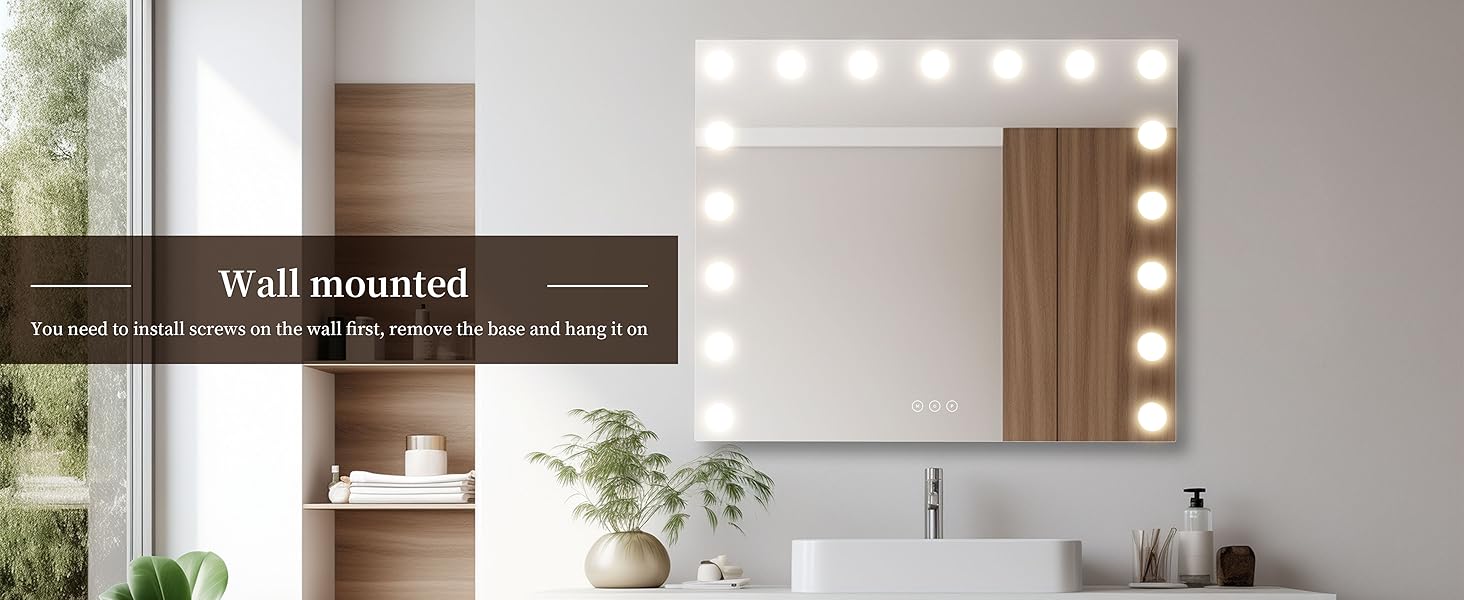
Image: The NUSVAN Vanity Mirror installed on a wall, demonstrating its wall-mounted configuration.
Operating Instructions
The mirror features touch-sensitive controls located at the bottom center of the mirror surface.
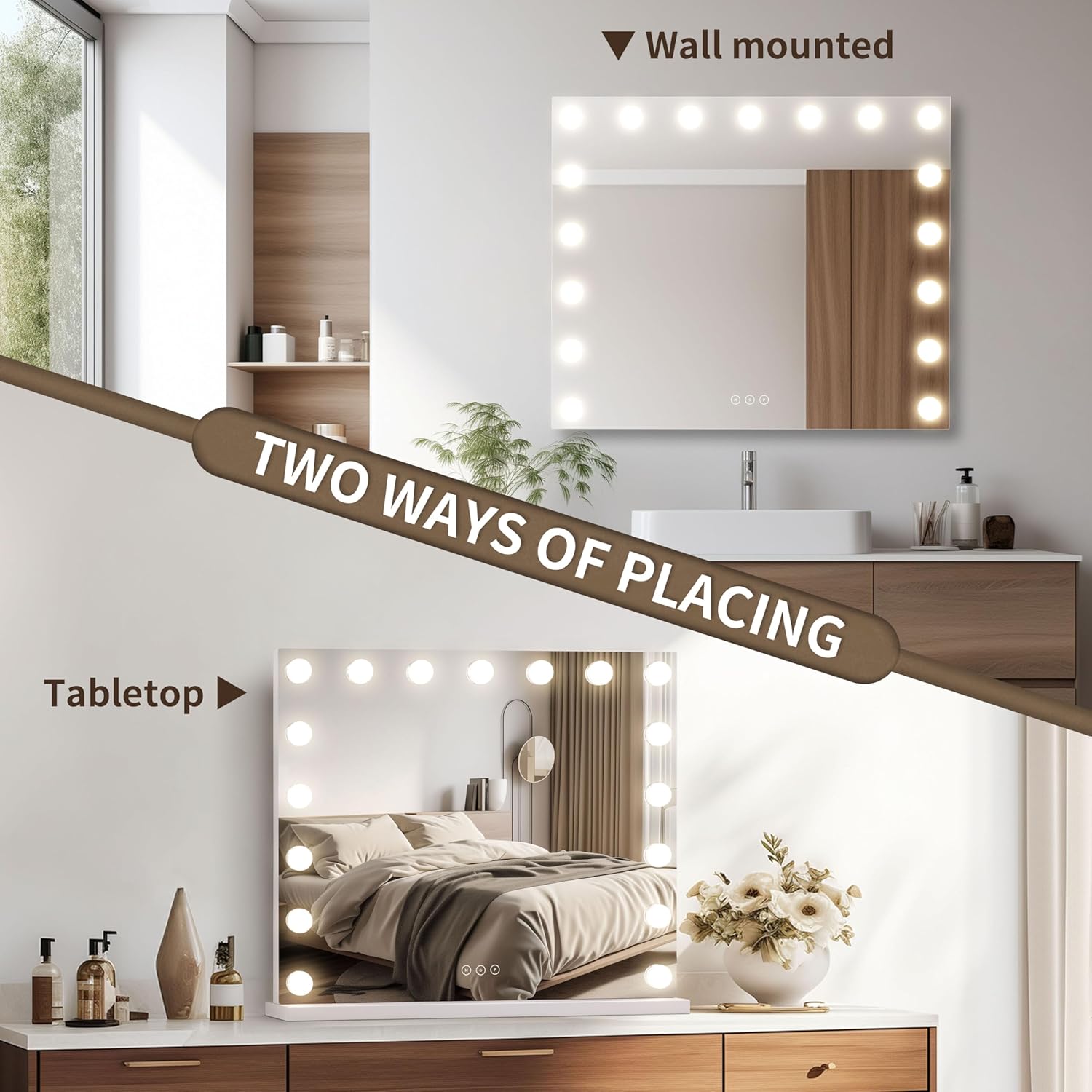
Image: Detail of the touch control panel with 'M' (Mode), Power, and 'P' (Brightness) buttons.
Power On/Off
- To turn the mirror on or off, gently touch the Power button (center button) on the mirror screen.
Adjusting Lighting Modes
The mirror offers three distinct color lighting modes:
- Cold Light (6000K): Suitable for outdoor activities or bright environments.
- Natural Light (4000K): Ideal for office or indoor makeup application.
- Warm Light (3000K): Best for evening makeup or parties.
To switch between these modes, gently touch the 'M' button (left button) on the mirror screen.

Image: Visual guide to the three color lighting modes (6000K Cold, 4000K Natural, 3000K Warm) and their recommended uses.
Adjusting Brightness
The brightness of the LED bulbs can be adjusted to your preference.
- To adjust the brightness, press and hold the 'P' button (right button) on the mirror screen. The brightness will cycle through its levels. Release the button when the desired brightness is achieved.
- The mirror features a smart memory function that will recall your last adjusted brightness setting.

Image: Visual guide to adjusting brightness levels (High, Medium, Low) and their suggested applications.
Using the 10X Magnifying Mirror
A detachable 10X magnifying mirror is included for detailed tasks such as applying mascara, eyeliner, or precise skincare.
- Attach the 10X magnifying mirror to the main mirror surface using its suction cups.
- Position it as needed for close-up work.

Image: The detachable 10X magnifying mirror shown in detail and its application for precise makeup tasks.
USB Charging Port
The mirror is equipped with a USB charging port for convenient charging of your electronic devices.
- Locate the USB port on the side of the mirror frame.
- Connect your device's USB charging cable to this port.
- Note: Do not connect direct current to the charging port. This port is for output charging only.

Image: Detail of the USB charging port and the DC power input on the side of the mirror frame.
Maintenance
To ensure the longevity and optimal performance of your NUSVAN Vanity Mirror, follow these maintenance guidelines:
- Cleaning the Mirror Surface: Use a soft, lint-free cloth and a non-abrasive glass cleaner. Spray the cleaner onto the cloth, not directly onto the mirror, to avoid liquid seeping into the electrical components.
- Cleaning the Frame: Wipe the frame with a soft, damp cloth. Avoid harsh chemicals or abrasive materials.
- Bulb Replacement: The LED globe bulbs are designed for a long lifespan (50,000 hours) and typically do not require replacement. If a bulb malfunctions, please contact customer support.
- Storage: If storing the mirror for an extended period, disconnect it from power and store it in a dry, safe place, preferably in its original packaging.
Troubleshooting
If you encounter any issues with your NUSVAN Vanity Mirror, please refer to the following troubleshooting steps:
- Mirror Lights Not Turning On:
- Ensure the power adapter is securely plugged into both the mirror's DC port and a functional wall outlet.
- Try plugging the mirror into a different electrical outlet to rule out a faulty power source.
- Verify that the power button on the mirror's touch control panel is being pressed correctly.
- If the issue persists, disconnect the power for a few minutes, then reconnect and try again.
- Touch Controls Unresponsive:
- Ensure your fingers are clean and dry when operating the touch controls.
- Clean the touch control area on the mirror surface with a soft, dry cloth.
- Disconnect and reconnect the power to reset the mirror's electronics.
- Magnifying Mirror Not Sticking:
- Ensure both the suction cups and the main mirror surface are clean and dry.
- Press firmly on the magnifying mirror to create a strong suction.
If these steps do not resolve the issue, please contact NUSVAN customer support for further assistance.
Specifications
| Feature | Detail |
|---|---|
| Brand | NUSVAN |
| Model Number | 6050W |
| Product Dimensions | 23.6"L x 20.5"W |
| Item Weight | 12.97 pounds |
| Shape | Rectangular |
| Frame Material | Iron, Rubber (Base) |
| Mounting Type | Tabletop Mount, Wall Mount |
| Color | White |
| Special Features | Adjustable Brightness, Magnifying (10X), Touch Sensor, 3 Color Lighting Modes, USB Charging Port |
| Number of LED Bulbs | 17 |
| LED Bulb Lifespan | 50,000 hours |
| Assembly Required | Yes (Base attachment) |
Warranty and Support
Warranty Information: NUSVAN offers a Lifetime Exchange or Money Back Warranty for this product. This warranty covers manufacturing defects and ensures your satisfaction with the product.
Customer Support: If you have any questions, concerns, or require assistance with your NUSVAN Vanity Mirror, please do not hesitate to contact our customer support team. Please refer to the product packaging or the retailer's website for the most current contact information.
When contacting support, please have your product model number (6050W) and purchase details ready.