
Feit Electric S9DFL/850/MOT/WH
Feit Electric LED Outdoor Security Flood Light (Model S9DFL/850/MOT/WH) User Manual
Comprehensive Instructions for Installation, Operation, and Maintenance
Introduction
Thank you for choosing the Feit Electric LED Outdoor Security Flood Light. This fixture is designed to provide bright, energy-efficient illumination with advanced motion sensing and dusk-to-dawn capabilities for enhanced outdoor security and convenience. Please read this manual thoroughly before installation and operation to ensure proper function and safety.

Image: Front view of the Feit Electric LED Outdoor Security Flood Light, showing its dual adjustable heads and motion sensor.
Safety Information
WARNING: Risk of electric shock. Disconnect power at the fuse or circuit breaker before installing or servicing. Improper wiring can result in electric shock or fire.
- All electrical connections must be in accordance with local and National Electrical Code (NEC) standards.
- Consult a qualified electrician if you are unsure about wiring procedures.
- Do not install near combustible materials or in areas with explosive atmospheres.
- Ensure the fixture is securely mounted to a structural surface.
- This fixture is rated for outdoor wet locations (IP65).
Package Contents
Verify that all components are present before beginning installation:
- LED Outdoor Security Flood Light Fixture
- Mounting Hardware (screws, wire nuts)
- Gasket
- Instruction Manual

Image: The Feit Electric LED Outdoor Security Flood Light, showing the main unit and its components.
Specifications
| Feature | Detail |
|---|---|
| Model Number | S9DFL/850/MOT/WH |
| Brand | Feit Electric |
| Light Output | 2000 Lumens |
| Color Temperature | 5000K Daylight |
| Wattage | 28 Watts |
| Voltage | 120 Volts |
| Motion Sensor Angle | 180° |
| Motion Sensor Range | Up to 50 feet |
| Dusk-to-Dawn Sensor | Integrated |
| Weather Resistance | IP65 Waterproof Rated |
| Material | Plastic, Polycarbonate Lens |
| Dimensions (L x W x H) | 9" x 5.6" x 7.7" |
| Lifespan | 50,000 Hours |

Image: A graphic detailing key specifications of the Feit Electric LED Outdoor Security Flood Light, including wattage, lumens, color temperature, and IP rating.
Installation Instructions
1. Prepare for Installation
- Turn off power: Locate the circuit breaker or fuse box and turn off the power to the junction box where the fixture will be installed.
- Clear the area: Ensure the installation area is clear of obstructions and provides stable support for the fixture.
2. Mounting the Fixture
The fixture is designed for wall mounting. Use the provided mounting plate for secure installation.
- Attach the mounting plate to the junction box using the provided screws. Ensure the plate is flush and secure.
- Feed the electrical wires from the junction box through the center hole of the mounting plate.
- Position the fixture against the mounting plate, ensuring the gasket is properly seated to prevent water intrusion.
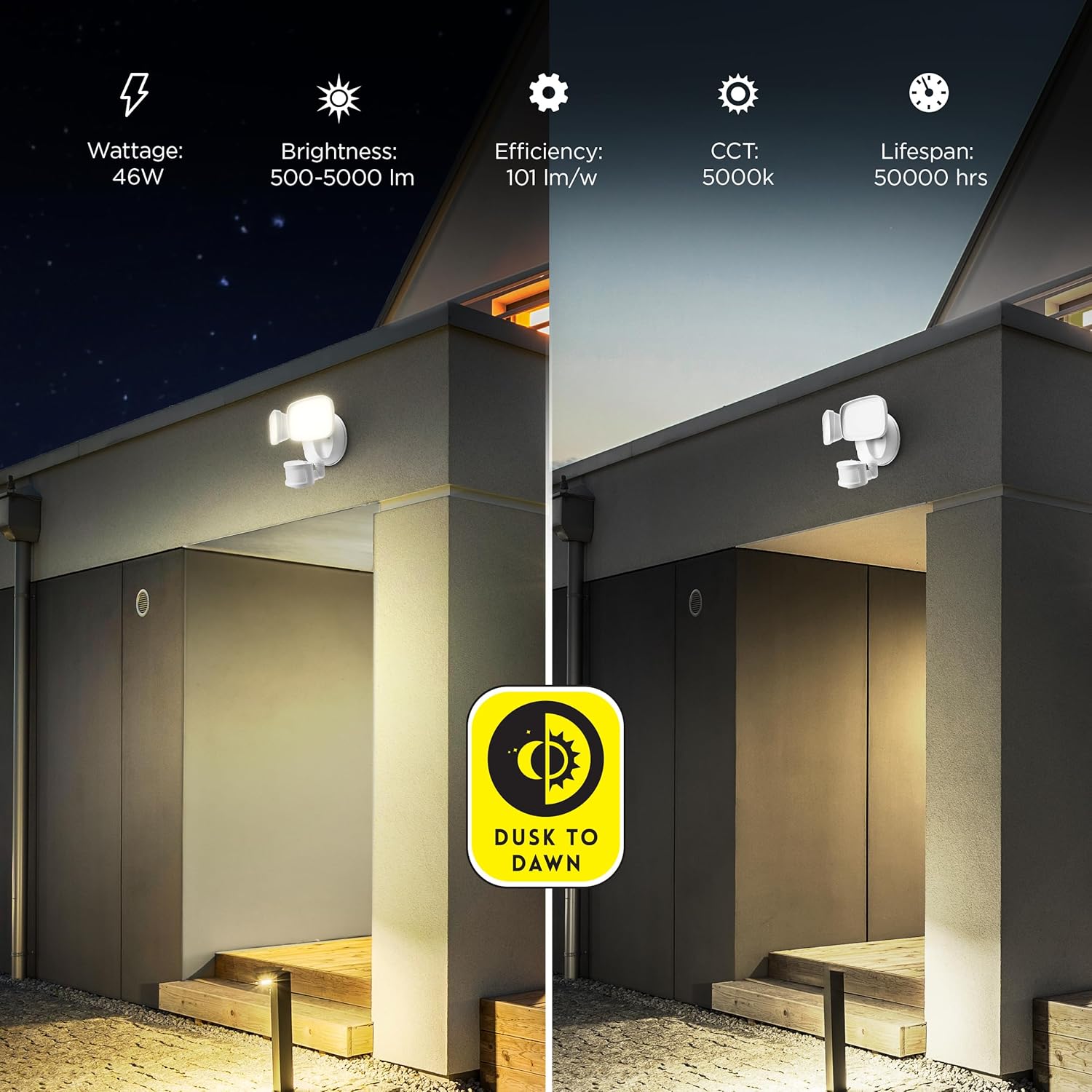
Image: Illustration of the mounting back plate and screws, demonstrating the hands-free wiring design for easier installation.
3. Wiring Connections
Connect the fixture wires to the household wiring using the provided wire nuts:
- Connect the black wire from the fixture to the black (live) wire from the junction box.
- Connect the white wire from the fixture to the white (neutral) wire from the junction box.
- Connect the green (ground) wire from the fixture to the green or bare copper (ground) wire from the junction box.
- Ensure all connections are secure and insulated with wire nuts.
4. Secure the Fixture
Once wiring is complete, align the fixture with the mounting plate and secure it using the provided screws. Ensure a tight seal to maintain the IP65 waterproof rating.

Image: Side view of the flood light, illustrating the adjustable light heads and motion sensor for optimal positioning.
Operating Instructions
1. Power On and Initial Test
After installation, restore power at the circuit breaker. The light may cycle on and off briefly as it calibrates.
2. Motion Sensor Functionality
The integrated motion sensor detects movement within a 180° wide sensing angle and up to 50 feet away. When motion is detected, the light will turn on automatically. The duration the light stays on after motion ceases is typically adjustable (refer to specific model controls if available, usually a dial on the sensor itself).
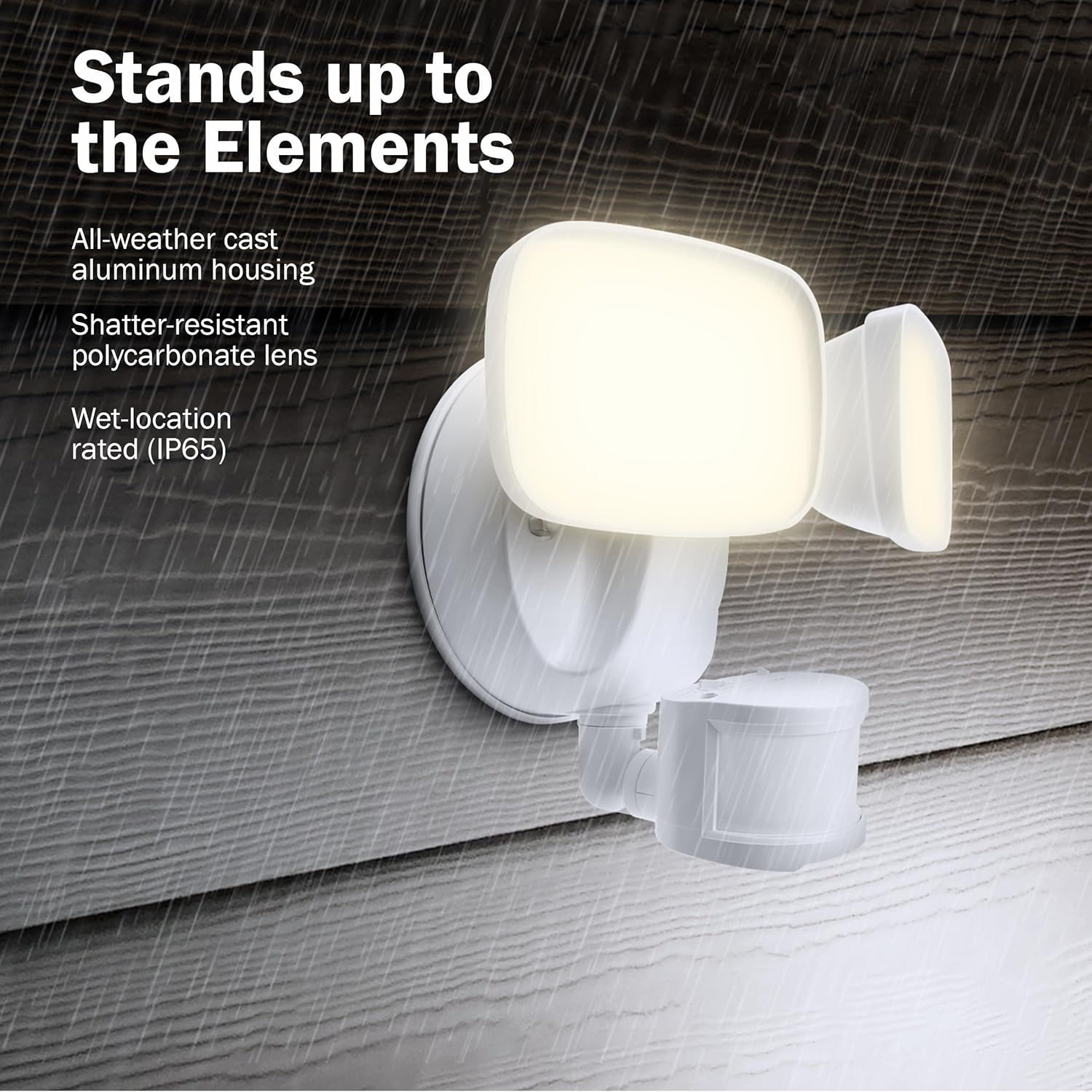
Image: Diagram illustrating the wide-beam optics and motion sensor detection range, showing coverage up to 50 feet.
3. Dusk-to-Dawn Functionality
The built-in light sensor automatically detects ambient light levels. The fixture will activate at dusk and deactivate at dawn, ensuring illumination only when needed. This feature works in conjunction with the motion sensor, meaning the motion sensor will only be active during nighttime hours.
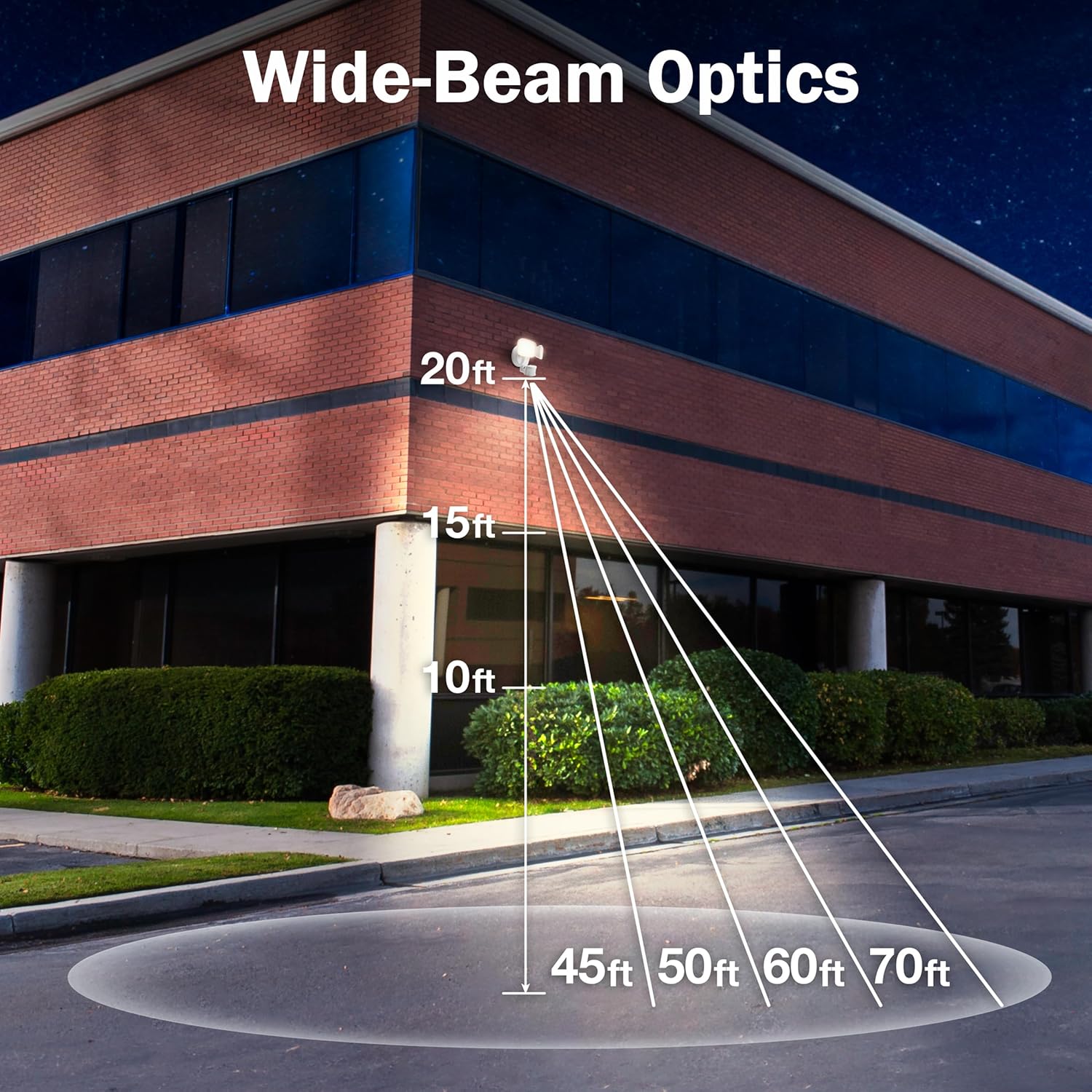
Image: Visual representation of the dusk-to-dawn sensor, showing the light activating as ambient light decreases and deactivating as it increases.
4. Adjusting Light Heads and Sensor
The two LED light heads and the motion sensor are adjustable. Carefully pivot them to direct light and motion detection to your desired areas. Do not overtighten adjustment screws.
Maintenance
- Cleaning: Ensure power is off before cleaning. Wipe the fixture with a soft, damp cloth. Do not use abrasive cleaners or solvents, as they may damage the finish or electrical components.
- Inspection: Periodically inspect the fixture for any signs of damage, loose wiring, or wear.
- LEDs: The integrated LEDs are designed for long life and are not user-replaceable.

Image: The Feit Electric flood light shown in a rainy environment, emphasizing its IP65 wet-rated and weather-resistant construction.
Troubleshooting
| Problem | Possible Cause | Solution |
|---|---|---|
| Light does not turn on. | No power, loose wiring, faulty sensor. | Check circuit breaker. Verify all wiring connections. Ensure sensor is not obstructed. |
| Light stays on continuously. | Constant motion detected, sensor sensitivity too high, dusk-to-dawn sensor malfunction. | Check for continuous motion in sensor's field of view. Adjust sensor sensitivity. Ensure no ambient light is interfering with the dusk-to-dawn sensor. |
| Light turns on during the day. | Dusk-to-dawn sensor obstructed or malfunctioning. | Ensure the dusk-to-dawn sensor is not covered or in a shaded area that mimics nighttime conditions. |
| Motion sensor range is poor. | Sensor obstructed, incorrect angle, environmental factors. | Clear obstructions. Adjust sensor angle. Avoid placing near heat sources or reflective surfaces. |
Warranty
This Feit Electric product is warranted to be free from defects in workmanship and materials for 5 years from the date of purchase. If the product fails within the warranty period, please contact Feit Electric for replacement or refund. This warranty expressly excludes incidental and consequential damages.
Support
For technical assistance or further inquiries, please visit the official Feit Electric website or contact their customer support. Refer to the product packaging or the Feit Electric website for the most current contact information.
Feit Electric Website: www.feit.com
Related documentsS9DFL/850/MOT/WH


Ask a question about this manual
Ask about setup, troubleshooting, compatibility, parts, safety, or missing instructions. Manuals+ will review the question and use this page’s manual context to help answer it.