
Introduction
Thank you for choosing the NinABXY Controller Charger Station. This dual charging dock is designed to provide a convenient and efficient charging solution for your Xbox controllers. It includes two 5520mWh rechargeable battery packs, a Type-C charging cable, and four battery back covers to ensure compatibility with various Xbox controller models. The station features a unique 'X' shape LED indicator to clearly display charging status and incorporates multiple protection systems for safe and reliable operation. Please read this manual carefully before use to ensure proper installation and optimal performance.
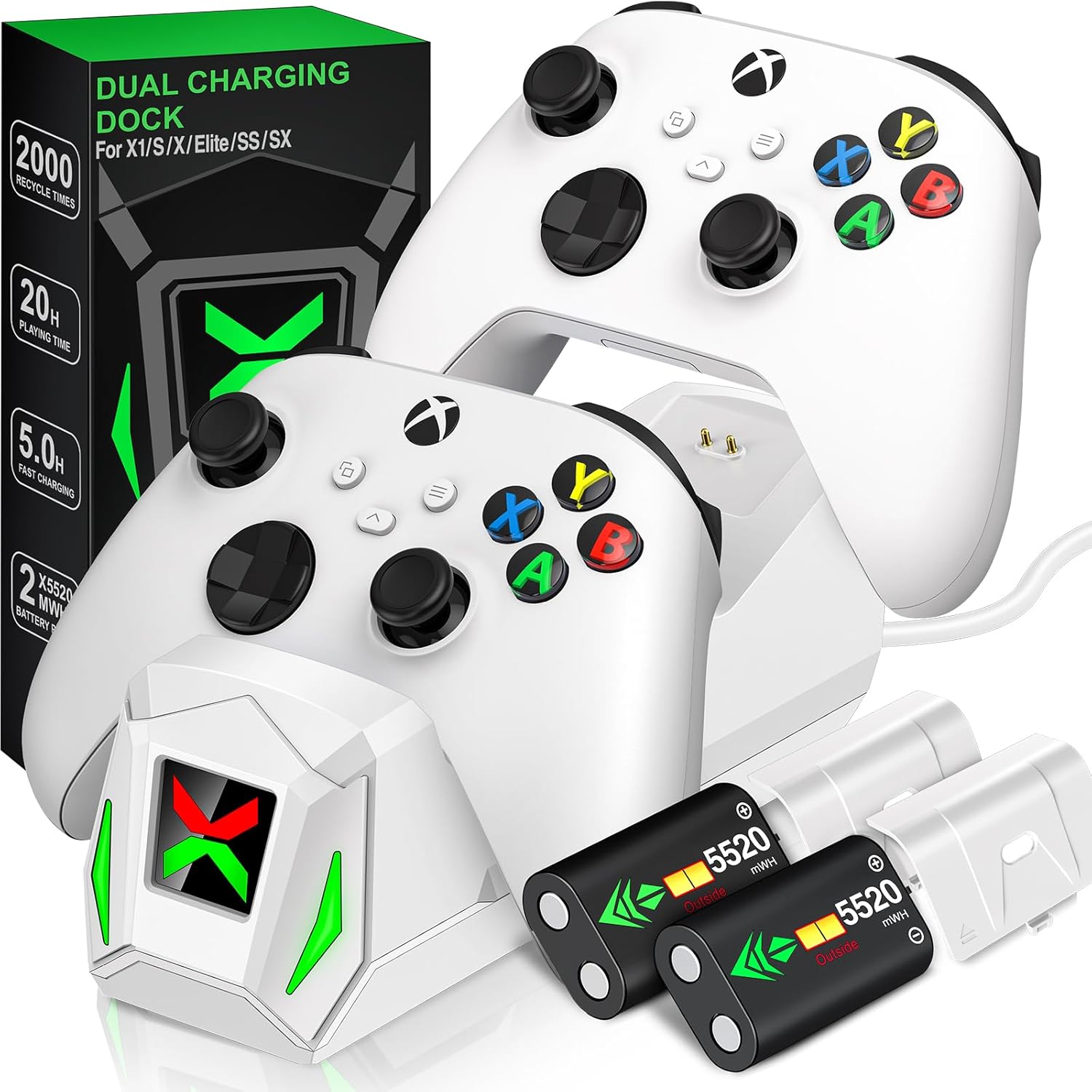
Figure 1: NinABXY Dual Charging Dock with Xbox controllers and included battery packs.
Package Contents
- 1 x Controller Charger Station
- 2 x 5520mWh Rechargeable Battery Packs
- 1 x Type-C Charging Cable
- 4 x Battery Back Covers (2 for Xbox One/X/S/Elite, 2 for Xbox Series X/S)
- 1 x User Manual
Setup Instructions
- Install Rechargeable Battery Packs:
Remove the existing battery cover and any disposable batteries from your Xbox controller. Insert one of the provided 5520mWh rechargeable battery packs into the controller's battery compartment. Ensure the battery is oriented correctly according to the polarity markings (+/-).

Figure 2: Visual guide for installing the battery pack and placing the controller on the dock.
- Attach Compatible Battery Cover:
Select the appropriate battery back cover for your specific Xbox controller model (Xbox One/X/S/Elite or Xbox Series X/S). Attach the new battery cover, ensuring it clicks securely into place. These covers are designed with an opening to allow contact with the charging dock.
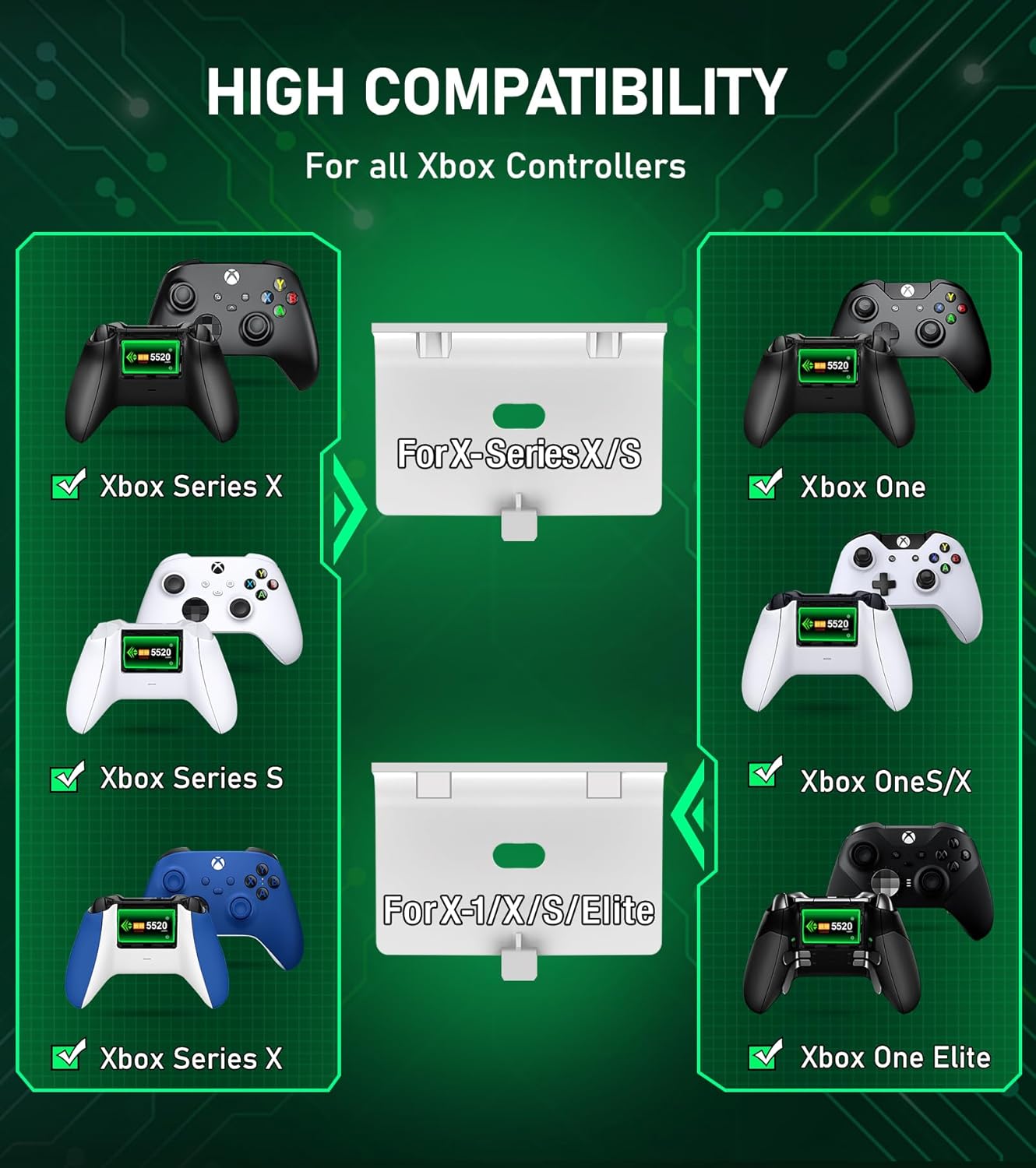
Figure 3: The charging dock is compatible with Xbox One, Xbox One X, Xbox One S, Xbox One Elite, Xbox Series X, and Xbox Series S controllers. Different battery covers are included for various models.
- Connect the Charging Dock:
Connect the provided Type-C charging cable to the input port on the back of the NinABXY Controller Charger Station. Plug the other end of the cable into a USB power source (e.g., Xbox console, USB wall adapter, PC).
Operating Instructions
- Placing Controllers for Charging:
Gently place your Xbox controller onto one of the charging slots on the dock. Ensure the controller makes proper contact with the charging pins. The unique 'X' shape LED indicator on the front of the dock will illuminate to show the charging status.
- Understanding LED Indicators:
- Red Light: Indicates that the controller is currently charging.
- Green Light: Indicates that the controller is fully charged or the dock is in standby mode (no controller charging).
- Gray/Off: Indicates the dock is powered off.

Figure 4: The 'X' shape LED indicator clearly shows the charging status of each controller.
- Charging Time and Playtime:
A full charge for the 5520mWh battery packs typically takes approximately 4-5 hours. Once fully charged, the battery packs provide an extended playtime of 18-25 hours, allowing for prolonged gaming sessions.

Figure 5: The 5520mWh battery packs offer significant playtime after a quick charge.
Maintenance
- Cleaning: Use a soft, dry cloth to clean the charging station and controllers. Avoid using harsh chemicals or abrasive materials.
- Storage: When not in use, store the charging station and controllers in a cool, dry place away from direct sunlight and extreme temperatures.
- Battery Care: The rechargeable battery packs are designed for over 2000 recycle times. To prolong battery life, avoid completely draining the batteries before recharging them regularly.

Figure 6: The rechargeable batteries are designed for long-term use, reducing the need for disposable batteries.
