Introduction
This manual provides essential information for the safe and efficient operation of your Crosley Montero Portable Rechargeable Bluetooth Speaker. Please read this manual thoroughly before using the device and retain it for future reference.
Safety Information
- Do not expose the speaker to water or excessive moisture. This product is not waterproof.
- Avoid placing the speaker near heat sources such as radiators, heat registers, stoves, or other apparatus (including amplifiers) that produce heat.
- Use only attachments/accessories specified by the manufacturer.
- Unplug this apparatus during lightning storms or when unused for long periods of time.
- Refer all servicing to qualified service personnel. Servicing is required when the apparatus has been damaged in any way.
What's in the Box
- Crosley Montero Portable Rechargeable Bluetooth Speaker
- Micro-USB Cable
- 3.5mm Aux In Cable
Product Overview
The Crosley Montero speaker features a classic design with modern connectivity options. It includes controls for mode selection, track navigation, and volume adjustment on the top panel. The rear panel houses the input/output ports.
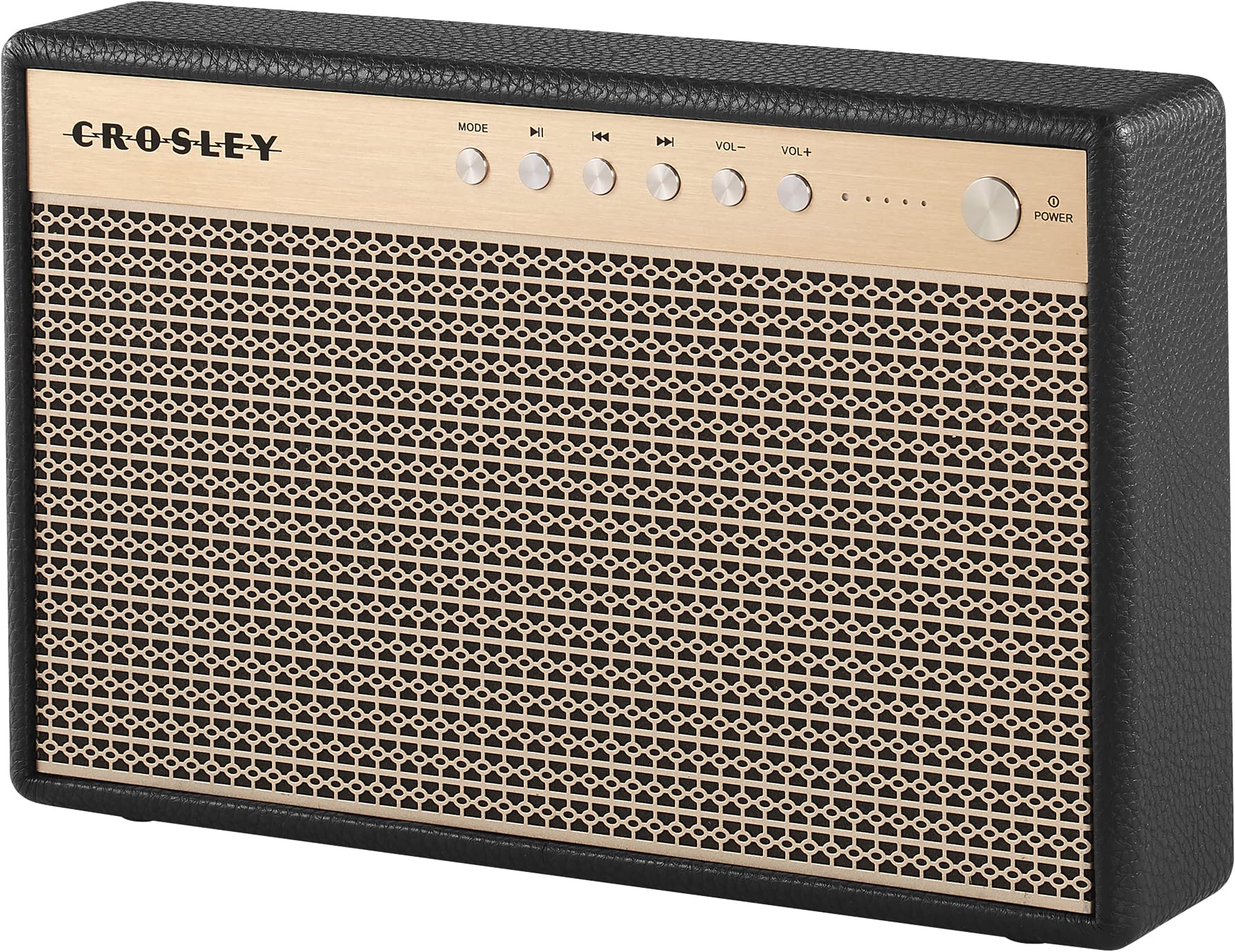
Figure 1: Front view of the Crosley Montero speaker, showing the speaker grille and control panel.

Figure 2: Rear view of the Crosley Montero speaker, highlighting the AUX input, USB OTG (input port), Phone Charging (output: 5V 1A), and DC 5V power input ports.
Setup
Charging the Speaker
Before initial use, fully charge the speaker using the provided Micro-USB cable. Connect the Micro-USB cable to the DC 5V port on the rear of the speaker and the other end to a compatible USB power adapter (not included). The charging indicator lights will illuminate during charging and turn off when fully charged.
Powering On/Off
- To power on: Press and hold the Power button on the control panel.
- To power off: Press and hold the Power button. The speaker must be disconnected from external power before shutting off.
Operating Instructions
Bluetooth Pairing
- Power on the speaker. The Bluetooth indicator light will flash, indicating it is in pairing mode.
- On your Bluetooth-enabled device (smartphone, tablet, etc.), enable Bluetooth and search for available devices.
- Select "Crosley Montero" from the list of devices.
- Once paired, the Bluetooth indicator light on the speaker will remain solid. You can now stream audio from your device.
Auxiliary Input
To connect a device via the auxiliary input:
- Connect one end of the 3.5mm Aux In cable to the AUX port on the rear of the speaker.
- Connect the other end of the cable to the headphone jack or audio output of your external device.
- Press the "MODE" button on the speaker's control panel until the AUX mode is selected.
- Adjust the volume on both the speaker and your external device.
USB Phone Charging
The speaker features a USB port for charging external devices. Connect your phone's USB charging cable to the "Phone Charging (Output: 5V 1A)" port on the rear of the speaker. This feature allows you to charge your phone while the speaker is in use or on standby.
Basic Controls
- MODE: Press to switch between Bluetooth and AUX input modes.
- Play/Pause: Press to play or pause audio during Bluetooth playback.
- Previous Track: Press to go to the beginning of the current track or the previous track during Bluetooth playback.
- Next Track: Press to skip to the next track during Bluetooth playback.
- VOL-: Press to decrease the volume.
- VOL+: Press to increase the volume.
Video 1: An official video demonstrating the features and operation of the Crosley Montero Portable Rechargeable Bluetooth Speaker.
Video 2: A concise official video showcasing the Crosley Montero Portable Rechargeable Bluetooth Speaker.
Maintenance
- Clean the speaker with a soft, dry cloth. Do not use liquid cleaners or aerosol sprays.
- Keep the speaker away from dust and direct sunlight.
- Store the speaker in a cool, dry place when not in use for extended periods.
Troubleshooting
| Problem | Solution |
|---|---|
| Speaker does not power on. | Ensure the speaker is charged. Connect it to a power source using the Micro-USB cable. |
| No sound from the speaker. | Check volume levels on both the speaker and the connected device. Ensure the correct mode (Bluetooth/AUX) is selected. |
| Bluetooth device cannot pair. | Ensure the speaker is in pairing mode (flashing Bluetooth indicator). Turn off and on Bluetooth on your device. Move the device closer to the speaker. |
| Phone not charging via USB. | Verify the USB cable is securely connected to the "Phone Charging" port and your phone. Ensure the speaker has sufficient battery charge. |
Specifications

Figure 3: Overall dimensions of the Crosley Montero speaker: 10.25" W x 6.5" H x 2.25" D.
- Model Name: Montero
- Speaker Type: Portable Speaker
- Connectivity Technology: Bluetooth, USB
- Wireless Communication Technology: Bluetooth
- Speaker Maximum Output Power: 30 Watts
- Frequency Response: 18 KHz
- Power Source: Battery Powered (1 Lithium Ion battery included)
- Product Dimensions: 10.25"D x 6.5"W x 2.25"H
- Item Weight: 2.8 Pounds (approximately 2.76 pounds)
- Material: Plastic
- Included Components: Speaker, Micro-USB Cable, 3.5mm Aux In Cable
Warranty and Support
This Crosley product comes with a limited warranty. For specific warranty details, please refer to the warranty card included with your purchase or visit the official Crosley website. For technical support or customer service, please contact Crosley's USA-based customer support.


