
1. Safety Information
Always read and understand all safety warnings, instructions, illustrations, and specifications provided with this power tool. Failure to follow all instructions listed below may result in electric shock, fire, and/or serious injury.
General Power Tool Safety Warnings:
- Work Area Safety: Keep work area clean and well lit. Cluttered or dark areas invite accidents. Do not operate power tools in explosive atmospheres, such as in the presence of flammable liquids, gases, or dust.
- Electrical Safety: Power tool plugs must match the outlet. Never modify the plug in any way. Do not use any adapter plugs with earthed (grounded) power tools. Avoid body contact with earthed or grounded surfaces such as pipes, radiators, ranges, and refrigerators.
- Personal Safety: Stay alert, watch what you are doing, and use common sense when operating a power tool. Do not use a power tool while you are tired or under the influence of drugs, alcohol, or medication. Always wear eye protection. Use appropriate safety equipment such as dust masks, non-skid safety shoes, hard hats, or hearing protection.
- Power Tool Use and Care: Do not force the power tool. Use the correct power tool for your application. Disconnect the plug from the power source and/or remove the battery pack, if detachable, from the power tool before making any adjustments, changing accessories, or storing power tools.
- Battery Tool Use and Care: Recharge only with the charger specified by the manufacturer. Use power tools only with specifically designated battery packs.
- Service: Have your power tool serviced by a qualified repair person using only identical replacement parts.
Specific Safety Warnings for Drills:
- Hold the power tool by insulated gripping surfaces when performing an operation where the cutting accessory may contact hidden wiring or its own cord.
- Always ensure the workpiece is securely clamped or held before drilling.
- Do not touch the drill bit immediately after use as it may be extremely hot.
2. Product Overview
The INGCO CDLI12415 is a 12V Lithium-ion cordless drill designed for various drilling and fastening tasks. Familiarize yourself with its components for safe and efficient operation.

Figure 2.1: Overview of the INGCO CDLI12415 Cordless Drill with key components labeled. These include the LED light, adjusting ring, forward and reverse switch, switch trigger, 12V battery, and anti-slip handle.
Components:
- LED Light: Illuminates the work area for improved visibility.
- Adjusting Ring (Torque/Mode Selector): Used to select the desired torque setting or switch between drilling and driving modes.
- Forward and Reverse Switch: Controls the direction of rotation for driving or removing screws, and for drilling.
- Switch Trigger: Activates the drill and controls the speed (variable speed).
- 12V Lithium-ion Battery: Provides power to the drill.
- Anti-slip Handle: Ergonomically designed for comfortable and secure grip.
- Chuck: Holds drill bits and screwdriver bits securely.
What's in the Box:
- 1 x INGCO 12V Lithium-ion Cordless Drill
- 1 x 1.5Ah Battery Pack
- 1 x Charger
- 1 x Drill Bit (CR-V 65mm)
- 1 x Carrying Case

Figure 2.2: Contents of the INGCO Cordless Drill kit, showing the drill, 1.5Ah battery, charger, and a CR-V 65mm drill bit.
3. Setup
3.1 Charging the Battery
The battery pack is not fully charged at the time of purchase. Before first use, charge the battery completely.
- Connect the charger to a standard power outlet.
- Slide the battery pack onto the charger until it clicks into place.
- The charging indicator light on the charger will show the charging status. Refer to the charger's specific instructions for light indications.
- Once fully charged, disconnect the battery from the charger and unplug the charger from the outlet.
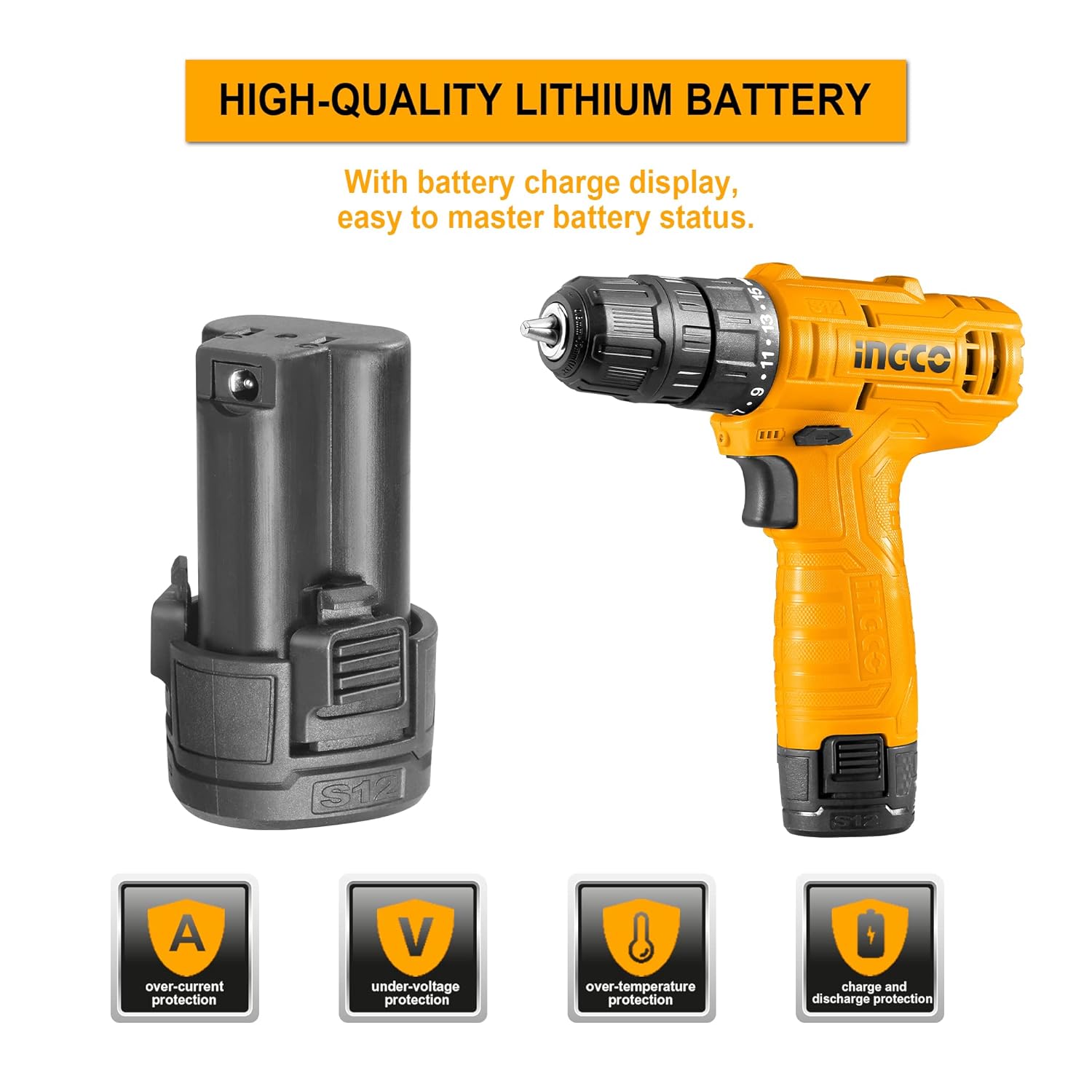
Figure 3.1: The 12V Lithium-ion battery pack and the drill, highlighting the battery charge display for monitoring status.
3.2 Installing/Removing the Battery Pack
- To Install: Align the battery pack with the base of the drill handle and slide it in until it clicks securely into place.
- To Remove: Press the battery release button (usually located at the front or sides of the battery pack) and slide the battery out of the handle.
3.3 Installing/Removing Drill Bits
The drill features a 0.8-10mm single sleeve chuck for quick and easy bit changes.
- Ensure the drill is switched off and the forward/reverse switch is in the center (locked) position to prevent accidental starting.
- Rotate the chuck collar counter-clockwise to open the chuck jaws.
- Insert the desired drill bit or screwdriver bit into the chuck, ensuring it is centered.
- Rotate the chuck collar clockwise to tighten the jaws firmly around the bit. Hand-tighten only; do not use tools to tighten the chuck.
- To Remove: Rotate the chuck collar counter-clockwise to loosen the jaws and pull the bit out.

Figure 3.2: The single sleeve chuck, demonstrating how a drill bit is inserted and secured. The chuck accepts bits from 0.8mm to 10mm.
4. Operating Instructions
4.1 Selecting Torque and Mode
The adjusting ring allows you to select from 15+1 torque settings, providing precise control for various applications.
- Torque Settings (1-15): Use lower torque settings for driving small screws into soft materials to prevent overtightening or stripping. Use higher torque settings for driving larger screws or into harder materials.
- Drill Mode (Drill Bit Symbol): Select this mode for drilling holes. In drill mode, the clutch is bypassed, providing maximum torque.

Figure 4.1: The torque adjustment ring, illustrating the 15+1 settings for precise control during fastening and drilling tasks.
4.2 Variable Speed Control
The switch trigger provides variable speed control. Pressing the trigger further increases the speed of rotation, up to 750 RPM.
- Start with a slow speed for precise starting of screws or holes.
- Increase speed as needed for efficient drilling or driving.

Figure 4.2: Illustration of the variable speed control mechanism, where trigger pressure regulates the drill's rotational speed.
4.3 Forward/Reverse Operation
The forward and reverse switch is located above the trigger.
- Push the switch to the left for forward rotation (driving screws, drilling).
- Push the switch to the right for reverse rotation (removing screws, backing out bits).
- Center the switch to lock the trigger and prevent accidental operation. Always lock the switch when changing bits or storing the tool.
4.4 LED Work Light
The integrated LED light automatically illuminates the work area when the trigger is pressed, improving visibility in dimly lit spaces.

Figure 4.3: The LED light feature, showing how it illuminates the drilling area for better visibility.
4.5 Practical Applications

Figure 4.4: Drilling into wood. Ensure appropriate drill bits are used for the material.

Figure 4.5: Driving screws. Select the correct torque setting to prevent stripping or overtightening.
Video 4.1: Demonstration of the INGCO CDLI12415 Cordless Drill in various applications, including driving screws and drilling into wood and metal. This video highlights the tool's versatility and ease of use.
5. Maintenance
Regular maintenance ensures the longevity and optimal performance of your INGCO cordless drill.
- Cleaning: Keep the ventilation openings clear and clean. Use a soft, damp cloth to wipe down the tool. Do not use harsh chemicals or abrasive cleaners.
- Battery Care: Store batteries in a cool, dry place away from direct sunlight. Do not store fully discharged batteries for extended periods.
- Chuck Maintenance: Periodically clean the chuck jaws to ensure proper gripping of bits.
- Inspection: Regularly inspect the tool for any signs of damage, loose screws, or worn parts. Do not use a damaged tool.
Always remove the battery pack before performing any maintenance or cleaning.
6. Troubleshooting
| Problem | Possible Cause | Solution |
|---|---|---|
| Drill does not start | Battery not charged or improperly installed. Forward/reverse switch in center (locked) position. | Ensure battery is fully charged and correctly inserted. Move forward/reverse switch to desired operating position. |
| Loss of power during operation | Battery charge is low. Overload protection activated. | Recharge the battery. Reduce pressure on the tool or use a lower torque setting. Allow the tool to cool down if overheated. |
| Bit slips in chuck | Chuck not tightened sufficiently. Bit shank is dirty or damaged. | Ensure chuck is hand-tightened firmly. Clean or replace the bit. |
| Excessive vibration | Bent or damaged drill bit. Improperly installed bit. | Replace damaged bits. Re-install bit, ensuring it is centered and securely tightened. |
7. Specifications
| Feature | Specification |
|---|---|
| Model Number | CDLI12415 |
| Brand | Ingco |
| Power Source | Battery Powered |
| Voltage | 12 Volts |
| Battery Capacity | 1.5 Ah Lithium-ion |
| No-load Speed | 0-750 RPM |
| Maximum Torque | 20 Nm |
| Torque Settings | 15 + 1 (Drill Mode) |
| Chuck Capacity | 0.8 - 10 mm (3/8 inch) |
| Drilling Capacity (Wood) | 0.25 Inches (approx. 6.35 mm) |
| Drilling Capacity (Metal) | 9.53 mm |
| Weight | 350 Grams (tool only, approximate) |
| Dimensions (L x W x H) | 20L x 20W x 10H Centimeters |
| Material | Plastic |
| Special Feature | LED Work Light, Lock Speed Button |
8. Warranty and Support
This INGCO CDLI12415 Cordless Drill comes with a 6-month manufacturer's warranty from the date of purchase. This warranty covers defects in materials and workmanship under normal use.
Warranty Exclusions:
- Damage caused by misuse, abuse, neglect, or accident.
- Damage caused by unauthorized repairs or modifications.
- Normal wear and tear of parts such as drill bits, brushes, etc.
- Damage caused by failure to follow operating instructions.
For warranty claims or technical support, please contact your retailer or the authorized INGCO service center with your proof of purchase.
Manufacturer Contact Information: INGCO
Importer Contact Information: TGC IN


