
Introduction
Thank you for purchasing the G Keni K-2993W Wooden Alarm Clock. This device combines a digital alarm clock with a 10W fast wireless charger, FM radio, Bluetooth speaker, and USB charging port. This manual provides detailed instructions for setup, operation, and maintenance to ensure optimal performance and longevity of your product.

Image: The G Keni K-2993W alarm clock highlighting its integrated features: alarm clock, FM radio, wireless charger, and Bluetooth connectivity.
Package Contents
- G Keni K-2993W Alarm Clock Radio
- Power Adapter
- Instruction Manual
Product Overview
Familiarize yourself with the various components and controls of your G Keni K-2993W alarm clock.

Image: Detailed views of the alarm clock, illustrating the front display, top control panel, side speaker, and rear ports including power input, USB charging, and AUX-in.
Control Buttons (Top Panel)
- VOL- / VOL+: Adjust volume.
- TIME: Set time.
- AL1 / AL2: Set Alarm 1 and Alarm 2.
- DIMMER: Adjust display brightness.
- SNOOZE / SLEEP: Snooze alarm or set sleep timer.
- SCAN: Scan for FM radio stations.
- CH- / CH+: Change FM radio channels.
- MODE: Switch between functions (FM Radio, Bluetooth, AUX-IN).
- POWER: Turn the unit on/off.
Rear Ports
- DC IN: Power adapter connection.
- USB OUT: USB charging port for external devices.
- AUX IN: Audio input for external audio sources.
Setup
- Power Connection: Connect the provided power adapter to the "DC IN" port on the back of the alarm clock and plug it into a wall outlet. The display will light up.
- Battery Backup (Optional): For time and alarm settings retention during power outages, insert 2 AAA batteries (not included) into the battery compartment on the bottom of the unit.
- Initial Time Setting:
- Press and hold the TIME button.
- Use the VOL- and VOL+ buttons to adjust the hour. Press TIME again to confirm.
- Use the VOL- and VOL+ buttons to adjust the minute. Press TIME again to confirm and exit time setting mode.
- Display Brightness: Press the DIMMER button repeatedly to cycle through brightness levels: High, Medium, Low, and Off. Select your preferred brightness.

Image: Visual representation of the adjustable display brightness settings, from bright to off, for comfortable viewing in various lighting conditions.
Operating Instructions
Setting Alarms (Dual Alarm)
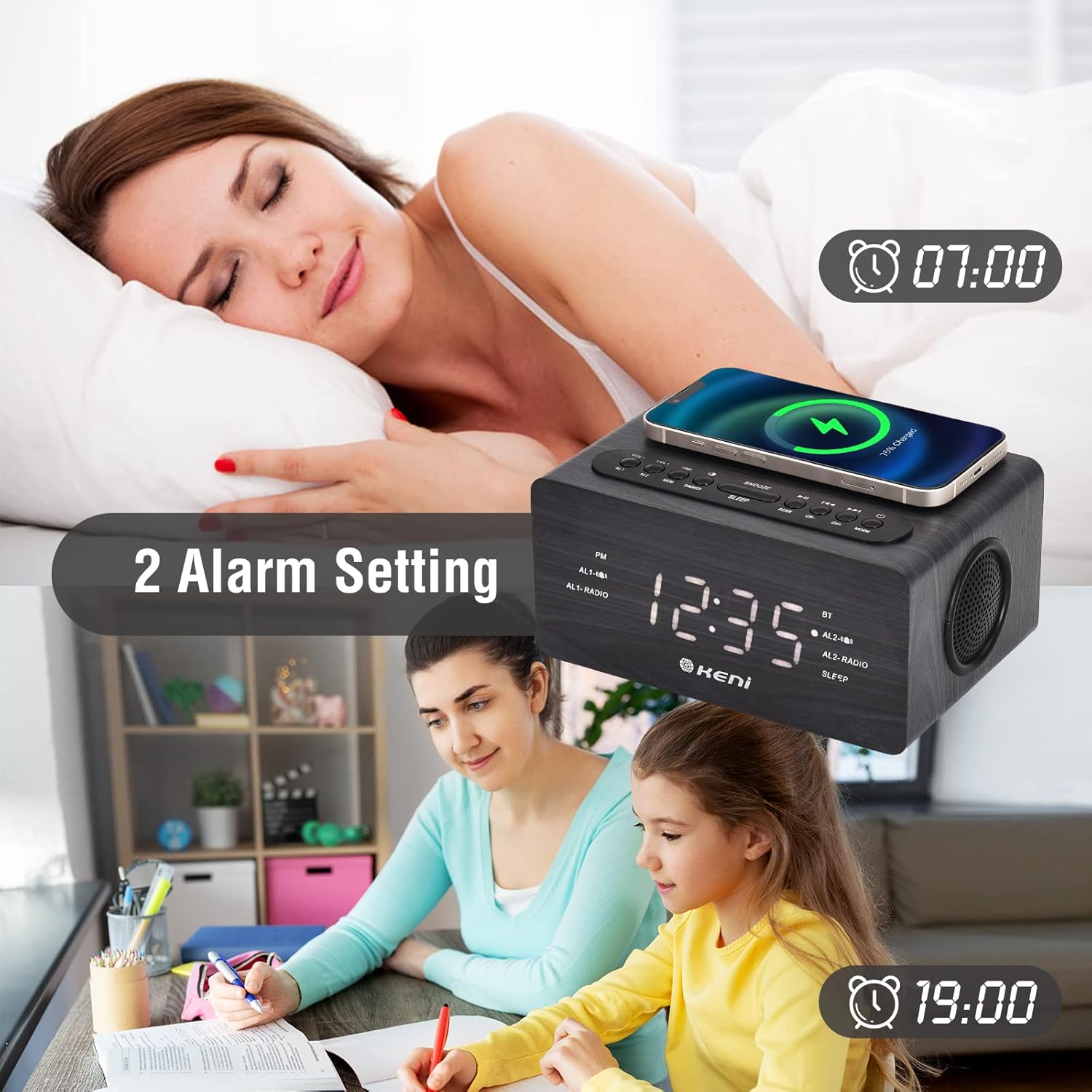
Image: The alarm clock displaying two distinct alarm times, illustrating its dual alarm capability for different schedules.
- Press and hold the AL1 or AL2 button to set the desired alarm.
- Use VOL- and VOL+ to adjust the hour, then press AL1/AL2 to confirm.
- Use VOL- and VOL+ to adjust the minute, then press AL1/AL2 to confirm.
- Use VOL- and VOL+ to select the alarm source (FM Radio or Buzzer). Press AL1/AL2 to confirm.
- To activate/deactivate an alarm, short press AL1 or AL2. An alarm icon will appear/disappear on the display.
- When an alarm sounds, press the SNOOZE button for 9 minutes of extra sleep. To turn off the alarm, press any other button.
FM Radio Operation

Image: The alarm clock in FM radio mode, showing the frequency range (87.5MHz-108MHz) and indicating features like volume control, snooze timer, and AUX-in capability.
- Press the MODE button to switch to FM Radio mode. The display will show the frequency.
- Press the SCAN button to automatically scan and save available FM stations.
- Use the CH- and CH+ buttons to navigate through saved stations.
- Adjust the volume using the VOL- and VOL+ buttons.
Bluetooth Connection

Image: The alarm clock displaying its Bluetooth status, alongside a smartphone screen confirming a successful connection to the "K-2993W" device.
- Press the MODE button to switch to Bluetooth mode. The display will show "BT" and flash, indicating it's ready for pairing.
- On your smartphone or other Bluetooth-enabled device, enable Bluetooth and search for available devices.
- Select "K-2993W" from the list of devices to pair. Once connected, "BT" will stop flashing.
- You can now play audio from your device through the alarm clock's speaker.
Wireless Charging
- Place your Qi-enabled smartphone on the wireless charging pad located on the top of the alarm clock.
- Ensure the phone is centered on the charging pad for optimal charging. A charging indicator may appear on your phone's screen.
- The charger supports 5W, 7.5W, and 10W adaptive charging.
- Note: Thick phone cases or metal objects between the phone and the charging pad may interfere with charging.
USB Charging Port
- Connect your device's USB charging cable to the "USB OUT" port on the back of the alarm clock to charge other electronic devices like a second phone, power bank, or smartwatch.
Sleep Timer
- While playing FM radio or Bluetooth audio, press the SLEEP button repeatedly to set a sleep timer (e.g., 15, 30, 60, 90 minutes). The audio will automatically turn off after the set time.
Maintenance
- To clean the alarm clock, gently wipe the surface with a soft, dry cloth.
- Do not use abrasive cleaners, waxes, or solvents as they may damage the finish.
- Keep the device away from water and excessive moisture.
- Ensure the wireless charging pad is free of dust and debris for efficient charging.
Troubleshooting
| Problem | Possible Cause / Solution |
|---|---|
| Clock display is off or dim. |
|
| Alarm does not sound. |
|
| Wireless charging is not working. |
|
| FM Radio reception is poor. |
|
| Bluetooth device cannot connect. |
|
Specifications
| Feature | Detail |
|---|---|
| Brand | G Keni |
| Model Number | K-2993W |
| Display Type | Digital |
| Power Source | Corded Electric |
| Material | Wood, Plastic |
| Wireless Charging Output | 10W (Adaptive 5W/7.5W/10W) |
| USB Charging Port | Yes |
| FM Radio Frequency | 87.5MHz - 108MHz |
| Bluetooth Version | (Not specified in input) |
| Dual Alarm | Yes |
| Snooze Function | Yes (9 minutes) |
| Sleep Timer | Yes |
| Display Dimmer | 4 levels (High/Middle/Low/Off) |
| Battery Backup | Requires 2 x AAA batteries (not included) |
| Item Weight | 700 Grams |
Warranty and Support
Warranty Information
This G Keni product is covered by a 12-month warranty from the date of purchase. We also offer a 30-day money-back guarantee.
Customer Support
For any questions, technical assistance, or warranty claims, please contact our customer service team. We provide 24/7 customer service to assist you. Refer to the product packaging or the retailer's website for specific contact details.