
1. Introduction
Welcome to the user manual for your Avolusion T1 Series 2TB USB 3.0 Portable External Hard Drive. This guide provides comprehensive instructions for setting up, operating, maintaining, and troubleshooting your device. Please read this manual carefully to ensure optimal performance and longevity of your hard drive.
Package Contents
- Avolusion T1 Series 2TB Portable External Hard Drive
- USB 3.0 Cable
- User Manual (this document)

2. Product Overview
Key Features
- Built-in 2TB Capacity Portable External Hard Drive
- Easy Installation: Plug & Play functionality for simple file management
- USB Bus Powered: No additional AC power adapter required
- Wide Compatibility: Fully compatible with Windows, Mac, PlayStation, and XBOX devices (re-formatting may be required for certain devices)
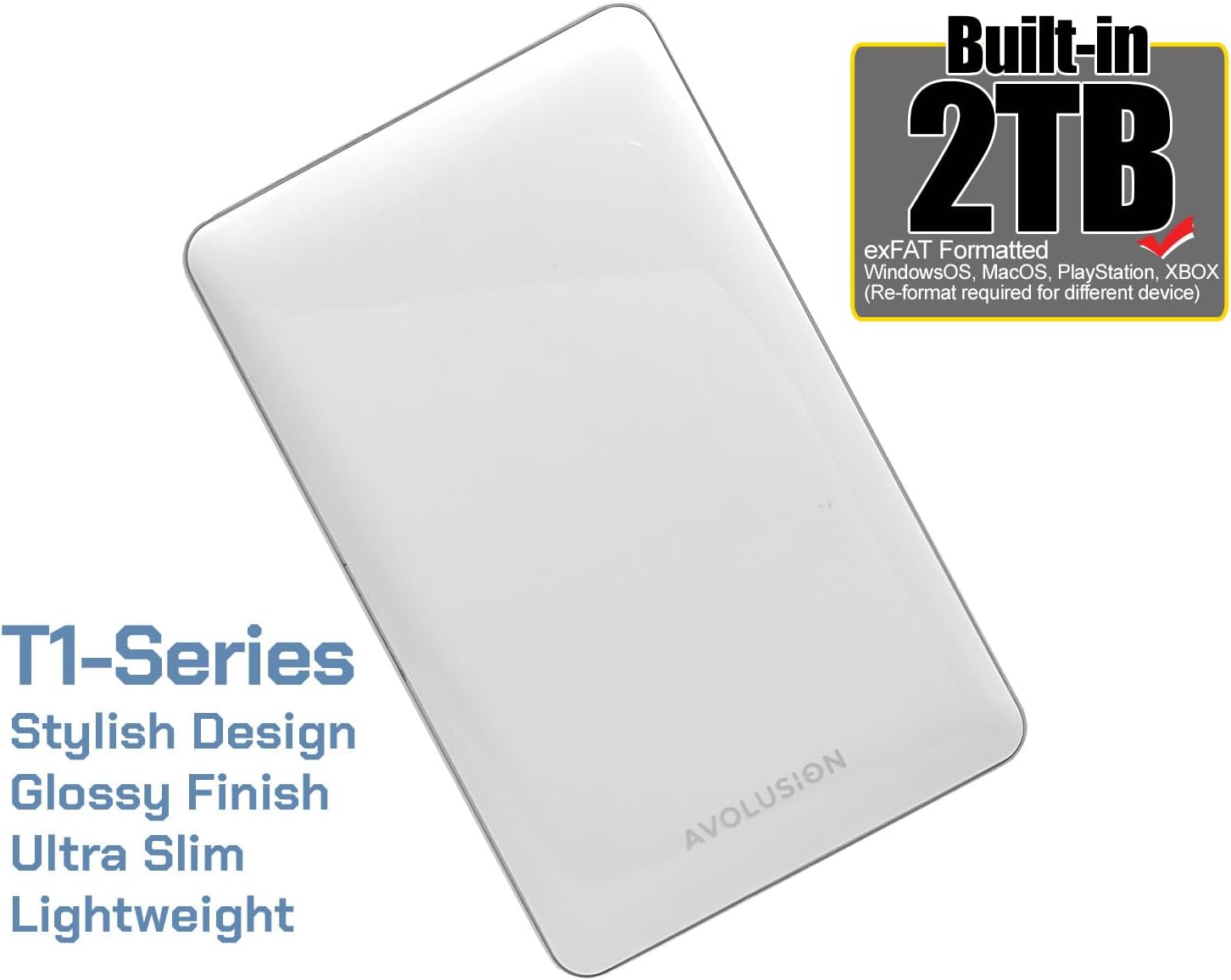
Design and Dimensions
The Avolusion T1 Series features an ultra-slim, portable design with a glossy white finish, making it lightweight and easy to carry. Its compact form factor ensures it fits comfortably in your hand or bag.


3. Setup
System Requirements
- Operating System: Windows (XP/Vista/7/8/10/11), macOS (10.x or later)
- Gaming Consoles: PlayStation (PS4/PS5), Xbox (Xbox One/Series X|S)
- Available USB 3.0 or USB 2.0 port
Connecting Your Avolusion T1 Series Hard Drive
The Avolusion T1 Series hard drive is designed for simple plug-and-play operation. No external power adapter is needed as it is bus-powered via the USB connection.
- Locate an available USB port on your computer or gaming console. For optimal performance, use a USB 3.0 port.
- Connect the smaller end of the provided USB 3.0 cable to the port on your Avolusion T1 Series hard drive.
- Connect the larger end of the USB 3.0 cable to the USB port on your computer or gaming console.
- The device will be automatically detected by your system. For gaming consoles, you may be prompted to format the drive before use.

4. Operating Instructions
Formatting for Different Devices
The Avolusion T1 Series hard drive comes pre-formatted with exFAT, which is compatible with Windows and macOS. However, for use with PlayStation or Xbox consoles, re-formatting of the drive is required. Follow the on-screen prompts provided by your console to format the drive correctly.
Data Transfer
Once connected and recognized by your system, you can transfer files to and from the Avolusion T1 Series hard drive using standard drag-and-drop methods or copy/paste functions. The USB 3.0 interface provides SuperSpeed transfer rates up to 5.0 Gbps for fast performance.
Safe Removal
To prevent data corruption and ensure the longevity of your hard drive, always safely eject the device before disconnecting it from your computer or console.
- Windows: Click the 'Safely Remove Hardware and Eject Media' icon in the system tray, then select your Avolusion drive.
- macOS: Drag the drive icon from your desktop to the Trash, or right-click (Ctrl-click) the drive icon and select 'Eject'.
- PlayStation/Xbox: Refer to your console's system settings for the proper procedure to disconnect external storage devices.
5. Maintenance
Proper care and maintenance will help extend the life of your Avolusion T1 Series hard drive.
- Physical Care: Avoid dropping the drive or subjecting it to strong impacts. Keep it away from extreme temperatures, direct sunlight, and high humidity.
- Cleaning: Use a soft, dry cloth to clean the exterior of the drive. Do not use liquid cleaners or solvents.
- Data Backup: Regularly back up important data stored on the drive to another location. While reliable, no storage device is immune to failure.
- Storage: When not in use, store the drive in a cool, dry place, preferably in its original packaging or a protective case.
6. Troubleshooting
If you encounter issues with your Avolusion T1 Series hard drive, refer to the table below for common problems and their solutions.
| Problem | Possible Solution |
|---|---|
| Drive not detected by computer/console. |
|
| Slow data transfer speeds. |
|
| Drive requires formatting on console but data is present. |
|
| Drive makes unusual noises. |
|
7. Specifications
| Feature | Detail |
|---|---|
| Model Number | T1-WH-2TB-XF |
| Digital Storage Capacity | 2 TB |
| Hard Drive Type | Mechanical Hard Disk (2.5 Inches) |
| Interface | USB 3.0 (backward compatible with USB 2.0) |
| Rotational Speed | 5400 RPM |
| Color | White |
| Dimensions (LxWxH) | 5 x 3 x 0.5 inches (approx. 127 x 76.2 x 12.7 mm) |
| Item Weight | 1 pound (approx. 0.45 kg) |
| Power Source | USB Bus Powered |
| Compatible Devices | PC, Mac, PlayStation, Xbox |
8. Warranty and Support
Warranty Information
The Avolusion T1 Series 2TB USB 3.0 Portable External Hard Drive comes with a 2-year warranty from the reseller. Please retain your proof of purchase for warranty claims. The warranty covers defects in materials and workmanship under normal use.
Customer Support
For technical assistance, warranty claims, or general inquiries, please visit the official Avolusion website or contact their customer support directly. You can often find support contact information on the product packaging or the Avolusion brand store page on Amazon.
For more information, visit: Avolusion Store on Amazon