
1. Introduction
Thank you for choosing the TRILINK X29 Wireless Phone Cooler. This device is designed to provide efficient cooling for your smartphone, preventing overheating during extended use such as gaming, live streaming, or video playback. Featuring advanced semiconductor refrigeration technology and a removable battery, it ensures optimal performance and portability for your mobile device.
2. Package Contents
Please verify that all items listed below are included in your package:
- 1x TRILINK X29 Phone Cooler
- 1x Removable Battery (2100mAh)
- 1x Power Cable (1.5m/5ft)
- 1x User Manual (This document)
Note: Please remove your phone case for best cooling results.
3. Setup
3.1 Attaching the Removable Battery
The TRILINK X29 Phone Cooler features a removable battery for wireless operation. To attach the battery:
- Locate the battery slot on the side of the phone cooler.
- Align the battery with the slot, ensuring the contacts are correctly oriented.
- Gently push the battery into the slot until it clicks securely into place.
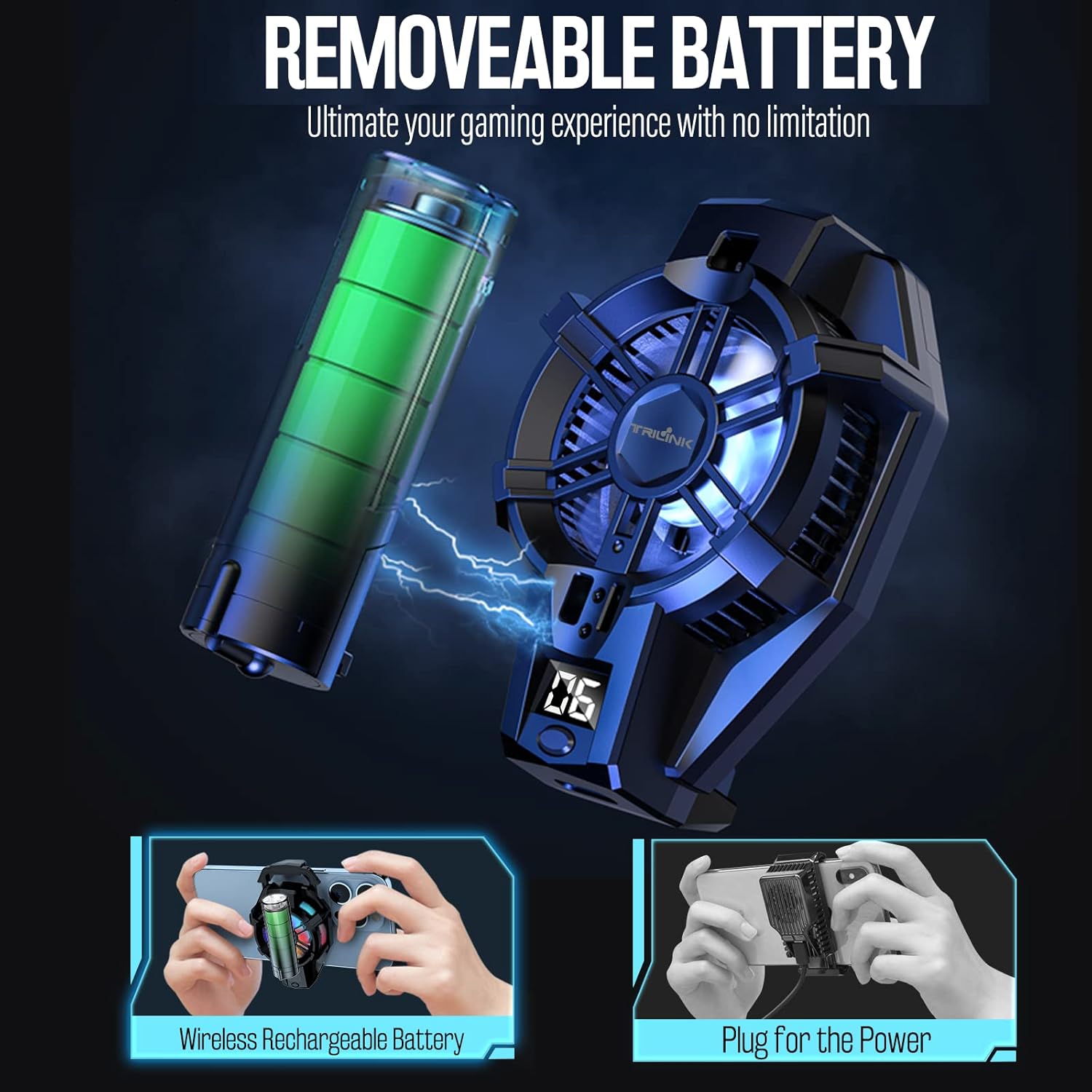
Image: The TRILINK X29 Phone Cooler shown with its removable battery, illustrating both wireless and wired power options. The cooler is depicted attached to a smartphone, highlighting its compact design.
3.2 Attaching the Phone Cooler to Your Smartphone
The phone cooler is compatible with smartphones ranging from 4.5 to 7 inches. To attach:
- Ensure your phone case is removed for optimal cooling performance.
- Open the universal clamp on the phone cooler.
- Position the phone cooler on the back of your smartphone, ideally near the area that tends to heat up the most during use.
- Gently release the clamp to secure the cooler firmly to your phone.

Image: A TRILINK X29 Phone Cooler securely clamped to the back of a smartphone, demonstrating how it is held during use. The image emphasizes the cooler's position relative to the phone.
4. Operating Instructions
4.1 Powering On/Off
The TRILINK X29 Phone Cooler can be powered either by its removable battery or directly via the included power cable.
- With Battery: Once the battery is securely attached, the cooler will automatically power on or can be activated via a power button if present (refer to device for specific button location).
- Wired Power: Connect the included 1.5m/5ft power cable to the cooler's power port and then to a suitable USB power source (e.g., wall adapter, power bank). The cooler will power on automatically.
4.2 Temperature Display and RGB LEDs
The cooler features an LED temperature display that shows the current cooling plate temperature, allowing you to monitor its performance. Integrated RGB LEDs provide visual feedback and enhance the aesthetic during operation.

Image: A detailed view of the TRILINK X29 Phone Cooler, highlighting its LED temperature display and the vibrant RGB lighting effects. Dimensions are also indicated in the image.
4.3 Cooling Performance
The advanced semiconductor refrigeration radiator technology rapidly cools your device. You may observe a significant temperature drop on your phone's surface, preventing performance degradation due to heat.
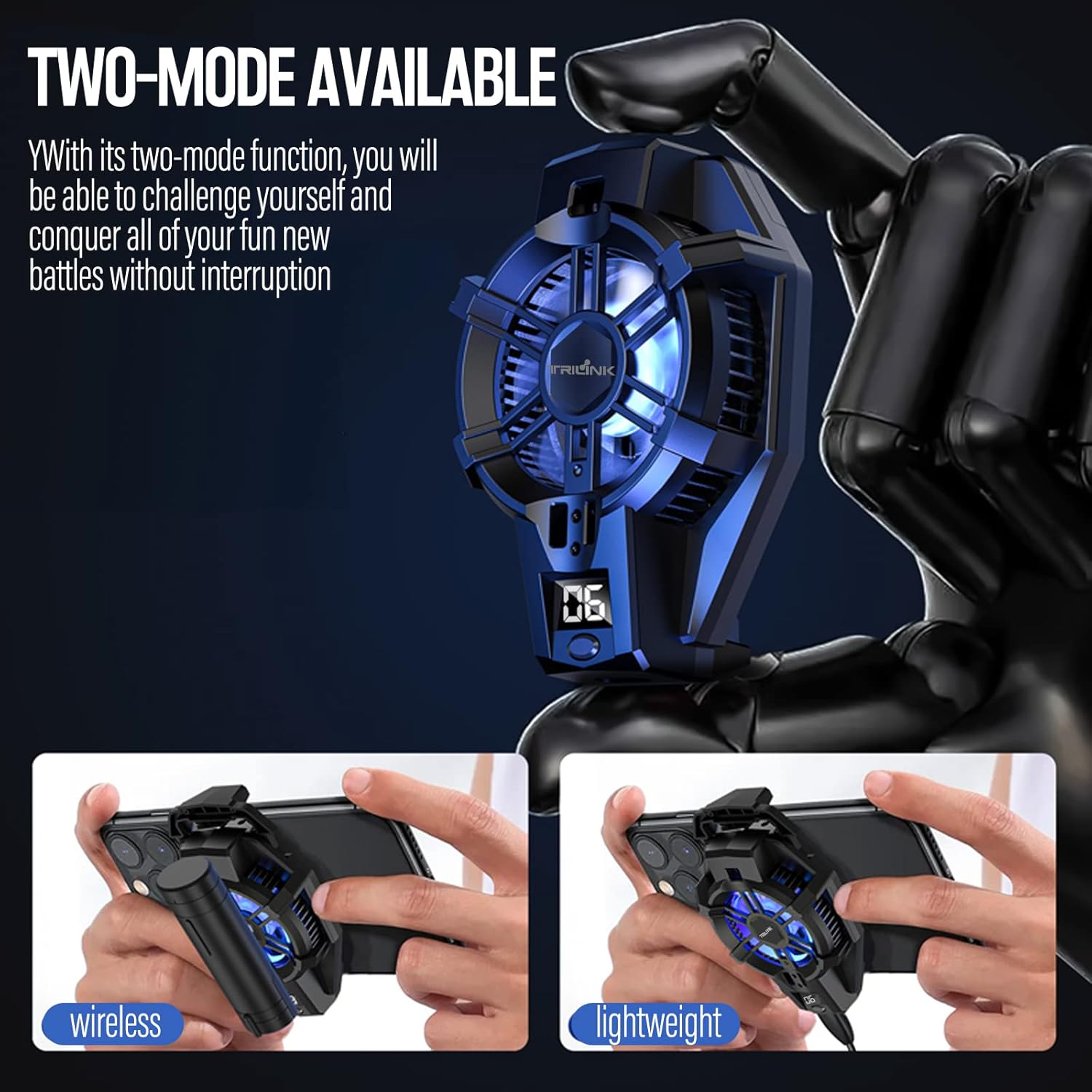
Image: A comparative graph illustrating the temperature reduction achieved by the TRILINK X29 Phone Cooler. It shows phone temperature over time, with a significant difference between using the cooler and not using it.
5. Maintenance
To ensure the longevity and optimal performance of your TRILINK X29 Phone Cooler, follow these maintenance guidelines:
- Cleaning: Use a soft, dry cloth to wipe the exterior of the cooler. Do not use abrasive cleaners or solvents.
- Fan Area: Periodically check the fan area for dust accumulation. Use a soft brush or compressed air to gently clear any debris.
- Storage: When not in use for extended periods, store the cooler in a cool, dry place away from direct sunlight and extreme temperatures.
- Battery Care: If using the removable battery, ensure it is charged regularly, even if not in frequent use, to maintain battery health.
6. Troubleshooting
If you encounter any issues with your TRILINK X29 Phone Cooler, please refer to the following common problems and solutions:
| Problem | Possible Cause | Solution |
|---|---|---|
| Cooler not turning on. | No power, battery not inserted correctly, or battery depleted. | Ensure power cable is securely connected or battery is fully charged and properly inserted. |
| Poor cooling performance. | Phone case is on, fan obstructed, or cooler not positioned correctly. | Remove phone case. Check for and clear any obstructions around the fan. Re-position the cooler to cover the hottest area of your phone. |
| Unusual noise from fan. | Dust or debris in fan, or fan malfunction. | Gently clean the fan area. If noise persists, contact customer support. |
| Battery not charging. | Faulty cable or power source, or battery not seated correctly. | Try a different power cable or USB power source. Ensure the battery is fully inserted into the cooler. |
If the issue persists after attempting these solutions, please contact TRILINK customer support for further assistance.
7. Specifications
| Feature | Detail |
|---|---|
| Product Dimensions | 5.31 x 4.5 x 5.5 inches; 5.29 ounces (13.49 x 11.43 x 13.97 cm; 150 grams) |
| Battery | 1 Lithium Ion battery required (2100mAh removable) |
| Brand | TRILINK |
| Power Connector Type | 2-Pin |
| Voltage | 3 Volts |
| Wattage | 5 watts |
| Cooling Method | Semiconductor-based |
| Compatible Devices | Android Smartphones, Samsung, iPhone (4.5 to 7 inches) |
| Noise Level | 35 dB |
| Material | Metal, Plastic |
8. Warranty and Support
The TRILINK X29 Phone Cooler comes with a 6-month warranty from the date of purchase. This warranty covers manufacturing defects and issues arising from normal use.
For any questions, technical support, or warranty claims, please contact our customer service team. We are committed to providing a 24-hour aftersales satisfaction solution.
Please retain your proof of purchase for warranty validation.
